Trace requests from UI to API across background jobs
Learn how to trace requests from UI to API through background jobs so support and engineering can spot where failures start and stop guessing.
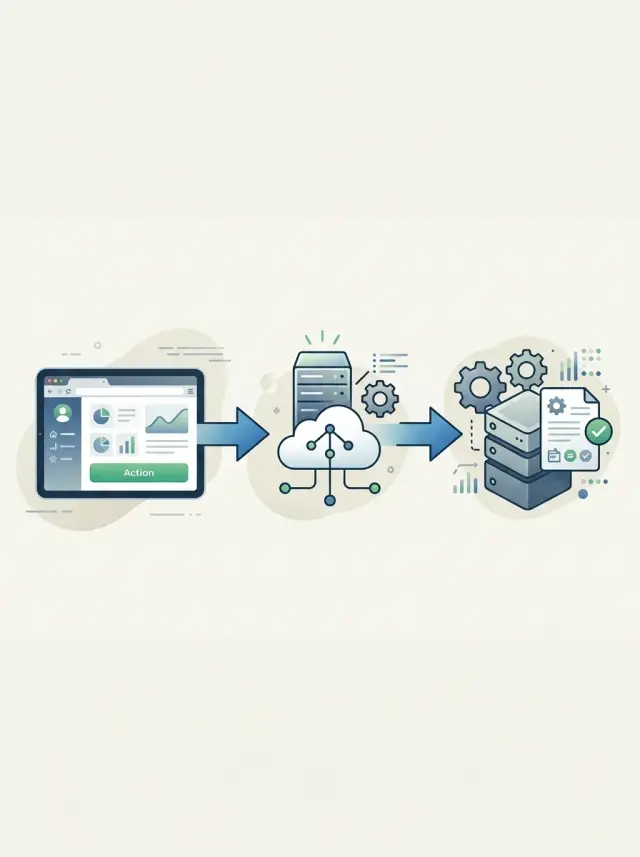
Table of Contents
Why teams disagree about where a failure starts
Teams usually argue because they look at different parts of the same event. Support starts with the customer report. Engineering starts with logs. Those two views rarely begin at the same moment.
A customer does not describe the first cause. They describe the symptom they can see. If a person clicks "Generate report" and no file arrives, support hears "report generation failed." That may be true from the user's side, but the click, the API call, and the later worker are three separate steps. The first break may have happened well after the screen looked fine.
Engineers often jump into server logs first because that is the fastest place to check. That habit makes sense, but it can hide the real start of the problem. If the API returned 200, someone may assume the product worked. In many products, that only proves one thing: the server accepted the request. It does not prove the UI sent the right data, and it does not prove the queued work finished.
This gets worse when one user action splits into parallel paths. The UI may save a form, the API may write a row to the database, and a background worker may send an email or build a file a few seconds later. Each path has its own timing, logs, and owner. Support sees the missing result. Engineering sees one successful request. Both can sound right while talking about different steps.
Teams need one shared way to name the first broken step. Simple labels work better than vague phrases like "the app failed." Say "the UI never sent the request," "the API rejected it," or "the background job did not finish." That small shift cuts down blame, shortens handoffs, and gives everyone the same starting point.
The three paths to follow
When a bug report says "it worked on my side" or "the system never got it," people usually inspect different parts of the same event. That wastes time. Follow one user action through three connected paths, in order, and the argument often disappears.
Start at the screen. Find the exact action the person took: the button they pressed, the form they submitted, the filter they changed. You want the moment intent became a request. Time matters here. A user who clicked "Send refund" at 10:14:22 and saw a spinner tells you much more than a vague report like "refunds are broken."
Then move to the API call that handled that action. Did the browser send the request at all? Which endpoint received it? What status code came back? A lot of confusion starts here. Support may see a broken page and assume the server failed, while engineering sees no server error and assumes the user never sent anything. To trace requests from UI to API, both sides need the same timestamp, the same action name, and the same request ID.
Last, check the work that happened later. Many product actions do not finish inside the API response. The API may accept the request, save data, and hand off the rest to a queue or worker. That is where emails, reports, billing updates, sync jobs, and retries often live. If the screen looked fine and the API returned 200, the first failure may still sit in background work.
One request ID should tie all three paths together. Put it in the browser logs for the action, the API logs for the request, and the worker logs for the job created from that request. If the API spawns multiple jobs, keep the original request ID and add separate job IDs. That gives you a clean chain instead of three isolated log searches.
A simple example makes this easier. A customer clicks "Send invoice," the API stores the invoice and queues an email job, but the email never arrives. Without a shared ID, support checks the page, engineering checks the endpoint, and nobody checks the worker soon enough. With a shared ID, you can see the click, the API response, and the failed email job in one trail.
What to capture in the UI
The UI is where most failure reports begin, so the first record needs to be plain and specific. "It did not work" is not enough. You want the screen name, the exact button or action the person used, and the time of the click down to the minute, with timezone if you have it.
That sounds small, but it changes the whole investigation. A report that says "Checkout page, Pay now button, 14:07 UTC" gives engineering something they can match against API logs. A report that says "payment is broken" sends everyone guessing.
The UI should also tie the action to the right person and context. Capture the user ID, account or workspace ID, and the session ID if your app has one. If the same user opens two tabs, switches accounts, or retries a form, those details help you separate one bad request from three different ones.
Clear UI states matter just as much as IDs. If someone clicks a button, the screen should show one of three things without ambiguity: the action is still running, it finished, or it failed. Vague messages create fake bugs. A spinner that never ends often gets reported as an API problem when the request may have succeeded and only the UI missed the response.
A small support-friendly pattern works well:
- show the page or screen name
- record the action label the user clicked
- store the timestamp of the action
- attach the visible result message
- include a request ID when the app has one
If possible, surface that request ID in a way support can copy into notes or a ticket. Even a short "reference ID" beside an error message can save 20 minutes of back-and-forth.
One more thing: capture what the user actually saw. The exact text of the success message, error toast, or empty state often tells you whether the failure started in the browser, the API, or later in background work.
What to capture in the API
When a request hits the API, capture the few facts that explain what the server decided and why. If those facts are missing, support sees a symptom, engineering sees a log line, and neither side can prove where the failure began.
Start with the request itself. Record the HTTP method, the route, and the result of input checks. A small log entry like POST /refunds, customer_id present, email missing, status 422 tells a much clearer story than a generic error blob.
A good API trail usually includes:
- the route and method
- whether input checks passed or failed
- the final status code
- one short error reason the team can repeat word for word
- any job ID created after the request
Do not hide problems behind a vague 200 or a soft failure. If the API queued work but did not finish it yet, return 202 and include the job ID. If validation failed, say what failed. "Missing order_id" is useful. "Bad request" is not.
The next thing to capture is the first dependency that broke. That matters more than the tenth error that appears after it. If the database insert failed, write that down before later code throws a null error. If the queue publish failed, note the queue name and the error. If a third-party call timed out, log that service first.
Support teams do better with one stable error reason than a pile of shifting messages. Pick a short reason such as "refund record not created" or "email job not queued" and use it in the API response, logs, and internal notes. That cuts down on back and forth.
A simple example helps. If the UI sends a refund request and the API creates background work, the response can include both the request ID and the job ID. That makes it much easier to trace requests from UI to API and then into worker logs. Teams that run lean systems, like Oleg's AI-first setups, depend on this kind of clean handoff because it saves time on every incident.
What to capture in background work
Background jobs often hide the first real break. They run later, on another machine, and sometimes long after the user clicked the button. If you want support and engineering to agree on the timeline, the job needs its own trail.
Start at the moment the app creates the job. Record that the job entered the queue, when it happened, what job type it is, and which user action created it. A log line that only says "email job created" is too vague. You need enough detail to answer one basic question: did the system queue the work at all?
Then record when a worker actually picked the job up. That gap matters. If the job sat in the queue for 20 minutes, the problem is not the email code. It may be a stuck worker, low worker capacity, or a paused queue.
A small set of fields usually solves most background job tracing:
- original request ID
- job ID and job type
- queued time and pickup time
- attempt number, retry delay, and next scheduled run
- final status, finish time, and error message
Keep the original request ID on the job from the first API call. That single field lets you trace requests from UI to API and then into async work without guessing. When support reports "the refund email never arrived," engineering can search one ID and see the full path instead of stitching together timestamps by hand.
Retries need just as much attention as failures. Log every retry, why it happened, and how long the system waited before trying again. A job that fails three times and then succeeds tells a very different story than a job that never started.
The final result should be explicit. Write "succeeded," "failed," "cancelled," or "dead lettered" with the last error attached. Anything softer creates arguments later, and arguments slow down fixes.
If your workers process large volumes, sample noisy success logs if needed. Do not sample queue entry, pickup, retry, or final failure events. Those four points usually reveal where the break began.
A simple example: refund email never arrives
A customer gets a refund and clicks "Send refund receipt" in the admin page. The screen shows "sent" a second later, so support assumes the email system worked and the customer mailbox caused the problem. That guess is often wrong.
What actually happened is more specific. The button sent a request to the API. The API checked the refund record, accepted the action, and created an email job in the queue. From the app's point of view, the request finished fine. The page showed success because the request succeeded, not because the email went out.
A few seconds later, the background worker picked up the job and tried to connect to the email provider. That step failed because the credentials were wrong or expired. No receipt left the system.
This is why it helps to trace requests from UI to API and then into background work. One green message in the UI does not prove the last step succeeded. It only proves the first step did.
In this case, the trail looks like this:
- UI action: "Send refund receipt" clicked at 10:14:03
- API request: accepted at 10:14:04, job created with ID 84721
- Worker start: job 84721 picked up at 10:14:06
- Worker error: email login failed at 10:14:07
That timeline changes the support reply. Instead of saying "we sent it, please check spam," support can say: "Your refund was processed, and the request to send the receipt reached our system. The failure happened in the email job after that step, and our team is fixing it."
Engineering also gets a cleaner handoff. They do not need to recheck the refund flow or the admin page first. They can start with the worker logs, the email settings, and the job retry history. The first failure happened after the API step, and the records prove it.
Set up the trail step by step
Most teams already log plenty of data. The real problem is that each layer names the same request differently, so the trail breaks before anyone can follow it.
Start with one request ID format and keep it boring. A simple value like req_8f3a2b91 works fine. Do not let the browser create one shape, the API create another, and the worker create a third. If people cannot recognize the same ID at a glance, they stop trusting the trail.
When a user clicks a button in the UI, attach that ID to the action and send it to the API with the request. Then copy the same ID into any background job payload the API creates. Do not generate a fresh ID in the queue unless you also keep the original one. The whole point is to follow one story across every handoff.
Logs need the same structure everywhere. If the frontend writes requestId, the API writes req_id, and the worker writes trace, search gets messy fast. Pick one field name and reuse it in every service. Keep a few shared fields too, such as event name, user or account ID if you have one, service name, and result.
A simple rollout looks like this:
- Add the request ID in the UI where the action starts.
- Accept and log it in the API before any other work begins.
- Copy it into the job payload and log it again when the worker starts.
- Log the final result with the same field names in each place.
Then test two paths on purpose. Run one normal request and confirm that the same ID appears in the UI log, API log, and worker log. After that, break one step on purpose. Stop the worker, reject the API call, or block one downstream dependency. You want to see exactly where the trail ends, because that is what support will face later.
Support also needs one short rule they can follow under pressure: collect the request ID and the time the user saw the problem. That is usually enough for engineering to find the first failure in minutes instead of guessing across three systems.
Mistakes that hide the first failure
Most teams lose the trail because each part of the product tells a different story. If you want to trace requests from UI to API, you need one continuous record of what the user did, what the API accepted, and what the background job tried later.
A common mistake is creating a fresh ID at every hop. The browser logs one request ID, the API creates another, and the job worker creates a third. Now support sees three separate events instead of one chain. Keep one shared correlation ID and pass it all the way through.
Another mistake is telling the user "success" too early. This happens when the UI confirms the action as soon as the API accepts it, even though the real work still depends on a queue or worker. If the job fails 20 seconds later, the customer remembers a success message, while engineering sees a failed job. That gap starts arguments fast.
Logs can also miss the only part that explains the bug: the user action. A stack trace helps after you know where to look. It does not tell you whether the person clicked twice, refreshed the page, changed an email address, or submitted an old form. Save a few plain facts with each event: who did it, what they clicked, what object changed, and when it happened.
Retries create another blind spot. Many systems keep the latest error and throw away the first one. That is backwards. The first error often tells you the real cause, and later retries only show the mess after it spread. Save the original failure before the worker tries again.
Support tickets often arrive without the one detail that makes the search possible: a timestamp. "Refund email never arrived" is too broad if thousands of jobs run every hour. A ticket gets much better with:
- the user's email or account ID
- the rough time of the action
- what screen they used
- any message shown in the UI
Without that, teams guess. With it, they can find the first break instead of the loudest symptom.
Quick checks before you escalate
A vague report wastes time fast. "It broke" gives support nowhere to start, and engineering has to guess. A tighter report often cuts 30 minutes of back-and-forth.
Start with the user action. Write down the exact button, form, or screen they used, and what they expected to happen. "User clicked Pay on invoice #4831 after changing the billing email" is much better than "payment failed."
Time matters just as much. Capture when it happened as closely as you can, including the user’s time zone if there is any doubt. A two-minute window is often enough to match UI events, API logs, and job runs.
Before you pass the issue on, check these points:
- What exact action triggered the problem?
- What time did the user do it?
- Did the API return success, a validation error, or a server error?
- If a background job should run after that, did it start, retry, or stop?
- Can you name the first step that failed instead of the final symptom?
That last point is the one that saves the most time. Users often report the end result, not the break. They notice that an email never arrived, but the real failure may be earlier: the API rejected the request, the job never got queued, or the worker retried three times and gave up.
If support can say, "The UI accepted the action at 14:06 UTC, the API returned 200, but no job started for that request ID," engineering can move straight to the gap. If support cannot place the failure, say that clearly too. "UI confirmed success, API result unknown, job status unknown" is still better than a loose escalation.
A good escalation does not need deep technical detail. It needs a clean timeline and the first broken step you can prove.
What to do next
Trying to trace requests from UI to API across every feature at once usually creates more noise than clarity. Pick one flow that matters every week, such as signup, invoice sending, password reset, or refund handling. A single path gives your team something concrete to test, discuss, and fix.
Keep the first version small. You do not need a new observability stack on day one. Start with one shared ID that follows the request, then add three log points: when the user action starts in the UI, when the API receives it, and when background work picks it up or finishes.
That simple trail is often enough to answer the question that slows teams down most: where did the failure begin? Support can stop guessing, and engineers can stop digging through unrelated logs.
A good first pass looks like this:
- choose one common customer flow
- add one request or trace ID that appears in every step
- log the start of the action in the UI, API, and job worker
- write down the exact words each team will use for statuses and failure types
The last point matters more than most teams expect. If support says "stuck," engineering says "queued," and product says "processing," people talk past each other. Agree on plain terms for states like sent, received, queued, started, failed, and retried. That small cleanup saves real time during incidents.
If your product has grown fast, mapping these paths can be messy. Older systems often mix synchronous requests, retries, cron jobs, and third-party calls in ways that hide the first break. In that case, an outside review can speed things up. Oleg Sotnikov can review a request flow as part of a practical Fractional CTO engagement and help your team pin down where to add IDs, logs, and clearer handoff rules.
Start with one path this week. If your team can follow one request cleanly from click to API to job, the next flow gets much easier.


