Prompt standards for teams that keep results consistent
Learn how prompt standards for teams help engineers use the same templates, examples, and naming rules to compare outputs and catch regressions early.
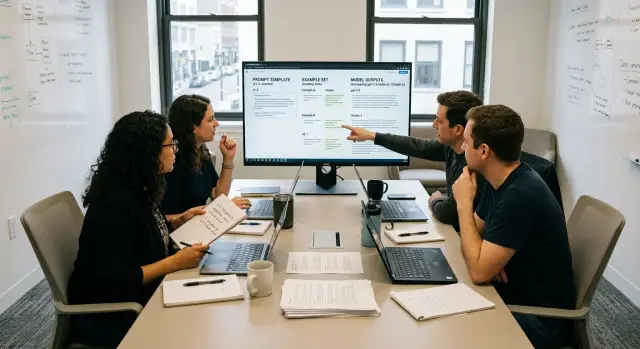
Table of Contents
Why teams drift apart on prompts
A team can start with one prompt and end up with six versions of the same job in a week. One engineer writes a short instruction in code, another keeps a longer version in a notebook, and someone else pastes a chat variant into a ticket. All three may work, but they do not produce the same output.
That matters more than people expect. Small wording changes can shift tone, format, depth, and even basic accuracy. A prompt that says "give a summary" is not the same as "give a short bullet summary with risks first." When each person tweaks wording on the fly, results stop being comparable.
Once that happens, engineers cannot judge changes fairly. If output improves, nobody knows whether the model got better, the prompt changed, or the test case was easier. If output gets worse, the team debates personal preferences instead of finding the cause. Prompt standards for teams help because they make results measurable.
The mess usually grows from normal habits, not carelessness. People save fixes in chat threads, private notes, or local files because it is faster in the moment. A quick patch solves today’s issue, but nobody folds it back into the shared prompt. Two weeks later, someone hits the same problem and solves it again from scratch.
Model updates make this drift harder to spot. A prompt that looked stable last month can start acting differently after a model change. If the team has no common template, no shared example set, and no naming rule, old problems come back under a new label. The bug feels new, but the team already saw it before.
This is why prompt drift feels chaotic even in disciplined teams. One task gets many prompt styles, fixes disappear into private places, and regressions hide inside wording changes. A small standard does not slow people down. It gives them one clear baseline they can test, compare, and improve.
Choose the tasks worth standardizing
Start with work your team repeats every week. If a task shows up in daily or weekly flow, people will reuse the same prompt often enough to notice when results drift. Good early candidates include support ticket summaries, bug triage, pull request reviews, release note drafts, and customer call summaries.
Pick tasks that change one of three things in a visible way: output quality, team speed, or handoffs between people. If a weak prompt creates messy tickets, slows code review, or forces the next person to clean up the result, that task deserves a standard sooner than something occasional and low risk.
Rare work can wait. A prompt someone uses once every two months will not give you enough examples to compare, improve, and defend. Teams often waste time trying to standardize everything at once. That usually creates a pile of templates nobody remembers to use.
Most teams should begin with only two or three tasks. That limit feels small, but it makes review simple. Engineers can compare outputs side by side, spot regressions faster, and agree on what "good" looks like before the library grows.
A quick test helps:
- Does this task happen every week?
- Does the result affect another person’s work?
- Do different engineers get noticeably different outputs now?
- Would a better prompt save time or reduce mistakes?
If the answer is "yes" to most of these, the task is a strong candidate.
Write down why each chosen task needs a standard. Keep it plain. "Bug triage needs a standard because labels keep changing." "Release note drafts need a standard because tone and detail vary by engineer." That short note matters more than it seems. When the team later updates a template or checks prompt regression checks, everyone can judge changes against the original reason for standardizing.
For prompt standards for teams, a small first batch beats a perfect master plan. Pick the work people already do, where inconsistency costs real time.
Write one template for each task
A shared prompt template removes small choices that cause big differences. If two engineers ask for the same job in different ways, the model often gives two different styles, levels of detail, and failure modes.
For prompt standards for teams, the template matters more than clever phrasing. Keep the structure fixed and boring. That makes prompts easier to compare, review, and repair when quality drops.
Use the same fields every time for the same task. A simple pattern works well:
Task name:
Goal:
Input:
Rules:
Output format:
Good result example:
The order should never change. When people scan dozens of prompts, they should know where to find the goal, where the rules sit, and what the output should look like. That cuts review time and lowers the chance that someone forgets a rule or hides it in a different spot.
Write each field in plain language. Say "Summarize the customer complaint in 3 bullet points" instead of dressing it up with fancy wording. Models do better when instructions are direct, and humans do too.
A one-line example of a good result helps more than a long lecture. If the task is "turn meeting notes into action items," show one clean line such as: "Action: update onboarding email by Friday, owner: Maya." That one line tells the team what "good" looks like faster than a paragraph of abstract rules.
Optional sections usually age badly. If people skip a field in half the prompts, cut it. A shorter template that everyone uses beats a bigger one that people ignore.
One team rule helps here: if a field does not change the output in a clear way, remove it. Teams that work with AI-heavy delivery, including lean advisory setups like the ones Oleg Sotnikov helps design, usually get better results from fewer moving parts, not more.
Good templates feel almost repetitive. That is the point. Repetition makes drift obvious, and obvious drift is much easier to fix.
Build a shared example set
A shared example set turns prompt work into something a team can check, not debate. If two engineers change the same prompt, they need the same inputs and the same target so they can see which version actually helps.
Use real inputs from recent work. Old demos and made-up samples look clean, but they hide the mess that causes failures. Pull examples from the last few weeks of support tickets, product specs, bug reports, user messages, or internal requests, depending on the task.
Include a mix like this:
- a few normal cases that should pass every time
- a few messy inputs with missing details
- a few awkward cases with conflicting signals
- one or two recent failures your team had to fix
That mix matters. Easy cases tell you whether the prompt still handles the common path. Awkward cases tell you whether it falls apart when the input is vague, noisy, or slightly wrong.
Each example should have a short note about the expected result. Keep that note simple. You usually do not need the exact final wording. You need the traits that matter, such as "asks one follow-up question," "uses the latest pricing terms," or "returns JSON with these fields and no extra text."
Small sets work better than big ones. For one task, 10 to 20 examples is often enough to catch drift without slowing people down. If the set takes too long to run, the team stops using it, and your prompt standards for teams become a doc nobody trusts.
Review the set whenever the product changes. New plans, new policies, new naming, and new user flows can make old examples useless. Replace stale samples instead of piling on more and more cases. A lean set that matches current work beats a giant archive full of yesterday's problems.
One habit helps: when someone finds a bad output in production, add that input to the example set after the fix. That way the same mistake stays fixed.
Name prompts so people can find them
Bad names waste time. If one engineer tests support_prompt_new, another edits support-v2-final, and a third writes notes about refund-agent-latest, nobody can tell which prompt actually passed.
A simple pattern fixes most of that. Pick one naming rule and keep it boring: task-purpose-v3. For example, support-refund-v3 tells the team what the prompt does and which approved version they are looking at. That is the point of prompt standards for teams: people should compare results fast, without detective work.
Separate approved prompts from experiments. Keep names for live prompts clean and stable, and put tests in a clearly marked space such as exp-support-refund-a1 or draft-onboarding-tone-b2. Then nobody confuses a rough test with something the product already relies on.
The name alone should not carry every detail. Store the owner and last change date in one place that sits next to the prompt, such as a small registry, table, or file header. The team needs one place to answer two plain questions: who owns this, and when did somebody last changed it?
Do not recycle old names. If support-refund-v3 had a bad output pattern and you replace it six weeks later, create support-refund-v4. Retire v3, mark it inactive, and leave the history alone. Reusing the old name hides regressions and makes test results hard to trust.
A short naming checklist usually works:
- use the same task word every time
- keep experiments marked as draft or exp
- move version numbers forward, never backward
- archive retired names instead of renaming them
- copy the exact same prompt name into docs, tests, and tickets
That last step matters more than most teams expect. If the ticket says checkout-copy-v2, the regression test says checkout-rewrite-v2, and the docs say checkout-text-latest, people compare the wrong things. Small naming gaps turn into slow debugging.
Oleg often works with lean product teams where a few people handle prompt design, testing, and release work at once. In that setup, clean names are not clerical work. They save real hours and make regressions easier to spot.
Roll out the standard in small steps
Prompt standards for teams fail when a group tries to fix every task at once. Start with one task that sparks the same debate every week. Pick something common, annoying, and easy to test, like writing bug summaries or classifying support tickets.
Give that prompt a plain, searchable name. Skip clever labels. A name like support-ticket-triage-v1 tells people what it does and which version they ran.
Then keep the first rollout tight:
- Draft one template for that single task.
- Run it against the shared example set your team already trusts.
- Ask two engineers to run the exact same cases on their own.
- Compare the outputs side by side.
- Fix weak spots, then freeze version 1.
That comparison matters more than most teams expect. If two engineers get different results from the same template and the same examples, the template is still too loose. Usually the problem is simple: vague wording, missing constraints, or no rule for edge cases.
Keep the review short and concrete. Do not ask, "Do we like it?" Ask narrower questions. Did the prompt follow the format every time? Did it miss the same case twice? Did one engineer change wording before running it?
Small disagreements are useful early on. They show where your template needs more detail. Fix the parts that cause repeat errors, not every tiny preference. If one output says "refund issue" and another says "billing complaint," that may be fine. If one output routes the case to the wrong team, fix that now.
Once version 1 is frozen, tell the team to use it as written for a short trial period. One or two weeks is enough. That gives you a clean baseline for prompt regression checks later. You can improve it after that, but only with a version bump and the same test cases.
This pace feels slow for a day or two. It saves a lot of rework by month two.
A simple example from a product team
A product team asks an AI tool to read incoming bug reports and add two labels: priority and product area. The idea sounds simple. The mess starts when each engineer writes the request in a different way.
One person says, "Mark urgent issues as P1." Another says, "Use high, medium, or low." A third adds extra rules for crashes, billing, and mobile bugs. After a week, the same report gets different labels depending on who ran it. Support stops trusting the queue, and triage meetings grow from 15 minutes to 40 because people debate labels instead of fixing the bug.
The fix is boring, and that is why it works. The team keeps one shared prompt template with the same label names, the same order of instructions, and the same output format. Every engineer uses the same task template:
- read the bug report
- choose one priority from P1 to P4
- choose one product area from an approved list
- return the result in a short JSON block
That change removes most of the noise. People stop inventing their own wording. Results get easier to compare because the task stays the same every time.
The team also keeps a small example set. It includes about 20 real bug reports with the labels the group agreed on after discussion. When the model changes, or someone edits the prompt, they run the same 20 reports again. If a payment outage suddenly drops from P1 to P3, they catch it in minutes instead of finding it later in a live queue.
This is where prompt regression checks earn their keep. You do not need a huge test suite at first. A small set of known examples is enough to show whether the prompt still behaves the way the team expects.
That is what prompt standards for teams look like in practice: fewer arguments, faster triage, and a shared way to spot drift before it spreads.
Mistakes that break the standard
Small shortcuts usually break a prompt standard faster than one big mistake. A team gets good early results, then people start patching the same prompt for different jobs. Soon one template is trying to classify tickets, draft replies, summarize calls, and extract fields. At that point, nobody can compare results cleanly because the task itself keeps changing.
Names can ruin the system just as fast. If someone saves a prompt as "final-v2-new" or "good-one-test," the team loses time every time they need to find, review, or roll back a version. Plain names work better. They should tell people what the prompt does and which version they are looking at. Prompt naming rules do not need to be clever. They need to be obvious a week later.
Testing only easy cases gives teams false confidence. A prompt can look great on neat, short, well-formed inputs and still fail badly on real work. The weak spots often show up in messy customer messages, long transcripts, missing context, typos, or mixed formats. Good prompt example sets should include the ugly cases, not just the ones that make the prompt look smart.
Another common break is changing prompts without writing down why. When output quality drops, the team needs a short trail: what changed, who changed it, and what problem they were trying to fix. Without that note, every review turns into guesswork. A one-line reason is enough if it is clear. "Added stricter refund rule after support errors" beats silence.
Access control matters more than most teams expect. If everyone can edit the production version at any time, nobody knows which change caused a win or a regression. People should still suggest edits freely, but a small group should approve and publish them. That is what makes prompt regression checks possible instead of chaotic.
Prompt standards for teams usually fail because nobody protects the boring parts. Keep task templates narrow. Use names people can read without context. Test hard examples. Log changes. Limit who can touch the live version. Those habits are not glamorous, but they stop the standard from falling apart.
Quick checks before each prompt change
Small prompt edits can create messy side effects. A word swap, a new example, or a renamed file can make results harder to compare than the actual model output.
Good prompt standards for teams depend on repeatable checks. Before anyone merges a change, the team should be able to answer a few plain questions.
- Can two people run the task the same way? They should use the same template, the same input shape, and the same test examples. If one engineer pastes raw notes and another uses a cleaned summary, you are not testing the prompt anymore.
- Does the name show the task and version? A name like
support_reply_v3is boring, but it works. A name likenew_prompt_finalwastes time and causes mix-ups. - Does the example set include a known failure? Keep at least one case that broke an earlier version. If the new prompt fails that case again, you caught a regression before it spreads.
- Can everyone see what changed since the last version? Save the old and new text side by side, and write one short note about the edit. "Shortened system instruction" or "added refusal example" is enough.
- Did one owner approve the update? Shared standards fall apart when everyone can change prompts without a final check. One owner does not need to be a gatekeeper for everything, but someone should decide when a change is ready.
A small product team can do this in under ten minutes. If someone updates a bug triage prompt, another teammate should be able to run the same examples, inspect the change note, and confirm that version 4 still handles the old failure case.
That discipline sounds dull. It also saves hours of debate later, because the team can point to a version, an example set, and one approval instead of arguing from memory.
What to do next
Start small. Pick one task your team repeats every week and that already causes small differences in output. Good choices are bug report summaries, support reply drafts, ticket triage, or pull request notes.
Then make one shared package for that task. Keep it plain and easy to test:
- Write one prompt template with the same sections and wording order for everyone.
- Add a small example set that shows both good and bad outputs.
- Set one naming rule so people can tell what changed without opening the file.
- Put an owner on it, even if that owner spends only 20 minutes a week reviewing changes.
That is enough to start building prompt standards for teams. You do not need a big library on day one. One clean task is better than ten messy ones.
After your next model update or product change, run the same example set again. Compare the new outputs with the last approved version. If tone shifts, fields go missing, or formatting breaks, fix the template before people start making private workarounds.
A simple rule helps here: no one edits the shared prompt in place without testing it on the saved examples first. That single habit cuts a lot of confusion.
If your team already has prompt sprawl, an outside review can save time. Oleg Sotnikov helps companies set up shared AI workflows as a Fractional CTO and advisor. He works with AI-augmented development environments, code review flows, testing, and process design, so he can spot where prompt drift starts and where a simple standard will hold.
Keep the first version boring. Clear names, clear examples, clear ownership. Teams stick with systems they can understand in five minutes.


