Speed up CI builds with better repo habits, not bigger runners
Want to speed up CI builds? Start with repo habits: clearer names, smarter test layout, and dependency cleanup before you pay for bigger runners.
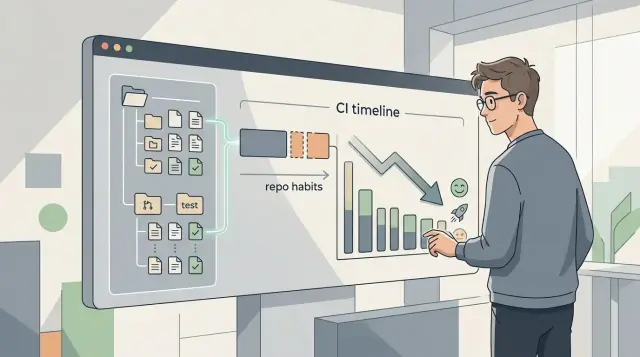
Table of Contents
Why bigger runners often disappoint
Teams often reach for larger CI runners as soon as builds feel slow. That can trim a few seconds. It rarely fixes the part that actually hurts.
More CPU only speeds up work that already happens. It does not remove wasted work. If every pull request installs stale packages, scans half the repo, and runs tests that have nothing to do with the change, a bigger machine just does the same waste a bit faster.
You see this all the time with one broad job that runs on nearly every commit. Someone edits a small UI text file, but CI still starts full linting, backend tests, and a long build. That single job blocks the merge queue, so everyone waits for work that never needed to run.
Folder mess makes this worse. When teams mix unrelated code in the same paths, or use names that tell CI nothing about what changed, they end up with broad trigger rules. CI plays it safe and runs too much. The machine is not the problem there. The repo is.
Old dependencies add another drag. A larger runner can unpack and compile them faster, but it still has to download, verify, and install them. If your project carries packages nobody uses anymore, you pay that cost on every branch and every pull request. Those minutes add up fast.
Most teams get better results by fixing the repo first. Split broad jobs into smaller ones. Keep tests close to the code they cover. Trim packages that slow every install. Use folder names that make change detection obvious.
Bigger runners still make sense for heavy release builds or very large test suites. For everyday pull requests, though, slow CI usually points to messy repo habits first. Fix those, and the next runner upgrade may stop looking necessary.
Find the slow spots first
Before you buy more CPU, measure each step. Teams often blame slow tests, but the biggest delays usually sit in setup.
Time one full CI run from start to finish. Track checkout, dependency install, build, test, and artifact upload. A seven minute test suite feels bad, but a four minute install step on every push is often the easier fix.
Then run the same commands on one developer machine and compare the numbers. If the app builds in 90 seconds locally but takes 6 minutes in CI, the code may not be the issue. Cold caches, slow package downloads, container startup, and extra CI-only steps can add more delay than people expect.
Look closely at which jobs run on every tiny change. That is where waste hides. A docs edit should not trigger the same path as a database migration, yet many pipelines still run full builds, long integration tests, and image uploads for both.
It also helps to write down which folders changed most over the last few weeks. Keep it simple: app, tests, docs, infra, scripts, or whatever fits the repo. Patterns show up quickly. If half the commits touch frontend files and only a few touch backend services, your CI should treat those paths differently.
Small teams usually notice this right away once they look. They change UI files all day, but every commit still runs backend integration tests and publishes artifacts nobody needs. That is enough to waste hours every week.
Start with facts, not guesses. Once the slow steps, always-run jobs, and busiest folders are written down, the next changes are usually obvious.
Set simple rules for names and paths
Messy names slow people down first. Then they slow CI.
When folders, packages, and scripts grow without rules, teams fall back to wide file globs, loose path filters, and extra safety steps. CI scans more files than it should, and small changes trigger big runs.
Keep names short, plain, and stable. A package called billing is better than billing-v2-final. A script called test:web is easier to route than run-frontend-full-check. Short names are easier to read, but they also make path rules, cache rules, and selective test runs easier to maintain.
A few boring rules fix most of the mess. Match folder names to real product areas such as auth, billing, admin, or mobile. Keep shared scripts in one clear place like scripts/. Rename vague folders like misc, temp, stuff, or old as soon as they start holding real code. If two helper files do almost the same job, keep one and delete the other.
This matters more than many teams expect. CI often decides what to run from changed paths. If checkout code lives in payments/, shared-temp/, and utils-new/, the pipeline cannot make a clean decision. It will usually run more tests, rebuild more packages, and miss cache chances.
One pattern works well in practice: line up package names, folder names, and script names. If the folder is admin/, the package is admin, and the main scripts are test:admin and build:admin. It looks almost boring, which is exactly the point. Boring repos are easier to automate.
An afternoon spent cleaning paths can save minutes on every run. It also saves people from guessing where things belong.
Lay out tests so CI can split them
Many slow pipelines come from one test command that sweeps the whole repo. If every job runs the same discovery step, you waste time before a single assertion starts.
CI works best when each job knows exactly which files it owns. Keep unit tests next to the code they check. If user_service.ts sits next to user_service.test.ts, small changes are easy to map, and CI can run only the unit tests tied to that area instead of walking the whole project.
Put integration tests in their own folders. Do not mix them into the same pattern as unit tests. A split like src/.../*.test.ts for unit tests and tests/integration/... for integration tests is usually enough. Clear folders keep the CI config simple.
Slow tests also need a visible label. Use one tag, and use it every time. slow, db, or network are much better than vague comments nobody reads. If a test starts containers, waits on outside services, or loads large fixtures, mark it so CI can send it to a separate job.
One command should not grab every test by default. npm test, or the equivalent in your stack, often turns into a junk drawer over time. Keep a fast default for local work, then add separate commands for unit, integration, browser, or smoke tests.
Each CI job should run one group, not a mix. If the unit job finishes in two minutes and the integration job takes nine, developers still get early feedback instead of waiting for the longest path every time.
A small product team often starts with one test command because it feels tidy. A month later, that command runs database tests, browser checks, and tiny pure functions in one batch. Splitting it is not busywork. It usually cuts wasted time before you touch runner size, cache settings, or parallel hardware.
Trim dependencies before they hit every run
A lot of CI waste starts before a single test runs. Every package in the repo adds something: install time, lockfile churn, security checks, or extra setup work. A blunt question helps here: do you still use this package?
Teams keep old libraries because removing them feels risky. In practice, many packages sit there untouched after a refactor, a tool switch, or a failed experiment. A quick import search usually finds a few easy cuts.
A cleanup pass should look for four things: packages nobody imports anymore, heavy tools your language or framework already replaces, dev tools that ended up in runtime dependencies, and postinstall scripts that pull large binaries on every fresh install.
That last one gets expensive fast. Browser testing tools, image libraries, and native modules can pull hundreds of megabytes into CI even when most jobs barely use them. If only one workflow needs them, keep them out of the default path.
A clean split between runtime and development packages also helps. Production builds should install what the app needs to run, not every linter, formatter, code generator, and local helper script. This matters even more in monorepos, where one bloated package can slow every job.
Built-in options are often good enough. If your test runner already handles coverage, you probably do not need a second coverage tool. If your framework already compiles TypeScript, you may not need another compile step just to satisfy CI. Small swaps like that shave off minutes across dozens of runs each day.
After each cleanup pass, update the lockfile right away and run the full pipeline once. That keeps the change small and easy to review. Even a modest web app can often cut install time by 20 to 40 percent just by removing unused packages, dropping one heavy binary dependency, and fixing a messy dependency split.
Dependency cleanup is not glamorous work. It is still one of the cheapest ways to make CI faster.
A one-week cleanup plan
A slow pipeline often comes from small repo habits that piled up over time. Before you pay for more runner power, spend one week cleaning the repo.
Start with a baseline. Pull the last 10 to 20 runs and write down how long install, build, unit tests, integration tests, and browser tests actually take. Use the middle result, not the fastest one, and note any job that fails on and off.
Then work through the week in a fixed order:
- Day 1: list every job that runs on each pull request and mark which ones truly need to block a merge.
- Day 2: rename scripts and folders people keep reading the wrong way, especially mixed test names or vague commands like
test:all. - Day 3: separate unit, integration, and browser tests into clear paths and clear commands so CI can run them in the right place.
- Day 4: remove unused packages, old SDKs, duplicate helpers, and install steps that exist only because nobody checked them.
- Day 5: refresh dependency caches, rerun the pipeline several times, and compare the new timings with your baseline.
Names matter more than teams admit. If one folder called tests contains quick unit checks, database tests, and browser flows, people send everything through the same job. Clear paths like tests/unit, tests/integration, and tests/browser make it much easier to split work and skip the heavy jobs when they do not apply.
Dependency cleanup is less exciting, but it pays fast. A few unused packages can add install time, larger lockfiles, and more cache misses on every pull request. One small team can easily save a minute or two just by dropping old test tools and sticking to one package manager instead of two.
Keep only the changes that cut time without hiding failures. If the build gets faster but people stop trusting the test results, the cleanup failed.
A simple example from a small product team
A five-person product team kept everything in one repo: the web app, the API, and a background worker. That setup was fine at first, but their pull requests had become a slog. Every PR kicked off full dependency installs and the entire test suite, even when someone changed one small API handler or a single button label.
The result was predictable. Reviews sat idle while CI ran browser tests, unit tests, API checks, and worker checks in one big sweep. People started batching changes just to avoid waiting twice, which made review slower and riskier.
They did not buy larger runners first. They cleaned up the repo.
First, they split browser tests into a separate job that only ran when UI files changed, or on merges to the main branch. That one move cut a lot of wasted time because those tests were the slowest part by far.
Next, they reviewed dependencies. The repo still had two old SDKs from a vendor migration, plus duplicate helper files that different parts of the codebase had copied over time. Every install pulled packages nobody used anymore, and every test job loaded helpers that did the same thing in slightly different ways.
They removed the old SDKs, merged the duplicate helpers, and cleaned up import paths so each area of the repo had a clear home. The code got easier to read, but the bigger win was in CI. Fewer packages meant faster installs, smaller caches, and less random breakage.
After a week of small changes, most pull requests stopped running browser tests, install time dropped, timeout noise decreased, and reviewers got results while the work was still fresh in their heads. Their average CI time fell from about 22 minutes to 10.
That is the kind of change that helps every day. In cases like this, boring repo habits beat bigger runners.
Mistakes that keep builds slow
Slow CI usually comes from small repo decisions that nobody revisits. Teams add one more job, one more package, one more retry, and the wait grows until people assume they need bigger runners.
That is often the most expensive mistake. If one step spends six minutes downloading packages, generating files, or rerunning flaky tests, a larger machine just burns more money while the same bad habits stay in place.
A shared cache across unrelated jobs is another quiet problem. It sounds tidy, but it often creates cache misses, stale files, and random rebuilds. A frontend install, a backend build, and a browser test job rarely need the same cache. When they all fight over one bucket, CI spends time unpacking the wrong things or rebuilding after cache corruption.
Generated files in the repo also slow every run. They make clones heavier, create noisy diffs, and change more often than people expect. That means more cache invalidation and more work for jobs that never needed those files in the first place. If CI can generate them on demand, keeping them out of the repo is usually the better choice.
Flaky tests waste more time than most teams admit. The worst version is when one unstable test forces the whole workflow to rerun. A ten minute pipeline becomes twenty, then thirty, and nobody trusts the green check anymore. Isolate flaky tests quickly, quarantine them if needed, and rerun the failed scope only.
Another common waste is running the full pipeline on every branch. A typo fix in docs should not trigger the same path as a release candidate. Many teams say they want faster CI, then still run security scans, full browser suites, and packaging on every push. That is a policy problem, not a hardware problem.
The better default is simple: measure the slowest jobs before changing runner size, split caches by job type and lockfile, keep generated output out of the repo when possible, rerun failed tests instead of whole workflows, and reserve the full pipeline for main, releases, or nightly runs.
This cleanup is not flashy, but it changes daily work. Teams get feedback sooner, spend less on CI, and stop treating every build like a tax on shipping code.
Quick checks before you spend more
More CPU can hide waste for a while. It does not fix a repo that makes CI do heavy work for every tiny edit. Before you pay for larger runners, check the rules that decide what runs.
A few quick checks catch most of the mess:
- Change one docs file and watch what runs. If CI still builds the app, runs full tests, and prepares release artifacts, your triggers are too broad.
- Open the test tree and compare it with the jobs. Unit, integration, and browser tests should live in places that make the split obvious.
- Read the install step line by line. Remove tools, SDKs, browsers, and packages that some jobs never use.
- Scan script names in your package file, Makefile, or CI config. Clear names reduce mistakes and make job setup easier to read.
- Try a docs-only branch. Heavy jobs should skip it unless the docs build itself needs special checks.
Small teams often find the same pattern: one shared install job pulls everything, one giant test command runs all suites, and one broad path rule wakes up the whole pipeline. A one-line wording fix in /docs then costs the same as a real code change.
The fix is usually boring, and that is good. Rename scripts so people know what they do at a glance. Put tests in folders that match the jobs that run them. Split installs so browser tools do not land in simple unit test jobs. Add rules for docs-only changes so CI keeps light checks and skips the expensive ones.
This kind of cleanup often saves more time than a bigger runner because it cuts work, not just waiting. If even two of these checks fail, fix those first.
What to do next
Start with one repository, not all of them. Record how long a normal CI run takes today, then note which steps eat the most time. A plain baseline beats guesswork.
After that, change the repo in small batches. Fix names and paths first so people stop putting files in random places. Then clean up the test layout so CI can split work without hacks. Last, remove packages, scripts, and setup steps that nobody needs anymore.
Keep a tiny log while you do this. One line per change is enough: what changed, why you changed it, and what happened to build time. That log stops pointless debates, shows what worked, and makes the next cleanup much faster.
A small product team can do this in a week without drama. On Monday they measure the current pipeline. On Tuesday they fix file names and folder rules. Midweek they split one slow test suite into smaller groups. By Friday they have shorter builds, fewer cache misses, and a clearer idea of what still hurts.
If progress stalls, an outside review can help. Fresh eyes often catch cache mistakes, test grouping problems, or old dependencies that the team stopped seeing months ago. If you need that kind of second opinion, Oleg Sotnikov at oleg.is works as a Fractional CTO and startup advisor. He helps small and medium businesses review engineering workflow, infrastructure, and the move toward AI driven software development before they spend more on cloud or tooling.
Frequently Asked Questions
Do bigger CI runners actually fix slow builds?
Usually only a little. More CPU makes the same work finish faster, but it does not remove waste.
If every pull request still installs old packages, runs unrelated tests, and builds things nobody changed, a bigger runner just costs more while the habits stay the same.
How can I tell if my repo habits are slowing CI down?
Measure one full run from checkout to upload and compare each step with a local run. Slow setup, cold caches, broad triggers, and extra CI-only work often explain the gap.
Also check what runs after a tiny change like a docs edit or one UI text update. If the whole pipeline wakes up, the repo rules need work.
What should I measure first in a slow pipeline?
Start with timings for checkout, dependency install, build, tests, and artifact upload. That shows where the time really goes.
Many teams blame tests first, but install time and setup often eat more minutes than expected.
How should I name folders and scripts so CI works better?
Use short, plain, stable names that match real product areas. If the folder is admin, keep the package and scripts close to that name too.
Clear names make path rules, cache rules, and selective test runs much easier to maintain. Vague folders like misc, temp, or old usually push CI toward broad rules.
What is the best way to lay out tests for faster CI?
Keep unit tests close to the code they cover and move slower test types into their own folders. A clean split lets CI run only the group that matches the change.
Do not let one default command grab everything. Separate unit, integration, browser, and smoke tests so developers get fast feedback first.
Should docs changes trigger the full pipeline?
No. A docs-only change should usually run light checks, not full builds, browser tests, or release steps.
When tiny edits trigger the same path as real code changes, your trigger rules are too broad and everyone pays for it.
Which dependencies should I clean up first?
Begin with packages nobody imports anymore, old SDKs left behind after migrations, duplicate helpers, and heavy tools that only one workflow needs. Those are often safe wins.
Look hard at postinstall scripts too. Browser tools, native modules, and large binaries can slow every fresh install even when most jobs never use them.
Are shared caches across all jobs a good idea?
Not usually. Frontend installs, backend builds, and browser test jobs often need different cache contents.
When unrelated jobs share one cache, they trip over stale files, misses, and random rebuilds. Split caches by job type and lockfile instead.
What can a small team do in one week to speed up CI?
Take a week and keep the scope small. First measure recent runs and write down the slow steps. Then fix broad jobs, rename confusing paths, split test groups, remove unused packages, and rerun the pipeline a few times.
Keep the changes that save time without hiding failures. If people stop trusting the results, the cleanup missed the mark.
When does it make sense to ask an outside expert to review CI?
Bring in outside help when the team keeps guessing, the same flaky jobs return, or nobody has time to untangle the repo and pipeline rules. Fresh eyes often spot path mistakes, bad cache splits, and old dependencies fast.
If you want that kind of review, Oleg Sotnikov works as a Fractional CTO and startup advisor. He helps small and medium businesses clean up engineering workflow, infrastructure, and AI-driven development before they spend more on cloud or tooling.


