Soft delete vs hard delete: a practical guide for teams
Soft delete vs hard delete affects recovery, audit trails, storage costs, and privacy. Use this simple framework to choose the right rule for each record.
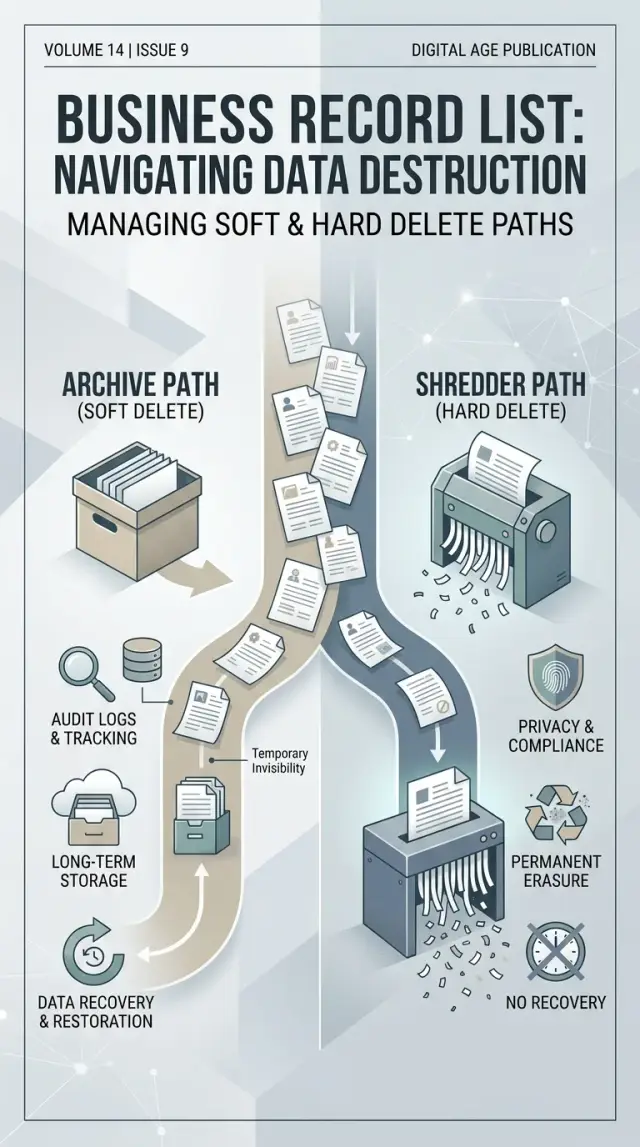
Table of Contents
Why teams get stuck on delete rules
Delete sounds simple until one record matters to several people for different reasons. Support may want it back after a customer changes their mind. Finance may need it for month-end numbers. Compliance may need proof that someone removed it. The person in the record may expect it gone for privacy reasons.
That is why teams freeze on the soft delete or hard delete question. This choice does more than remove a row from a table. It changes what you can recover, what appears in reports, what stays in your audit trail, and what you still store after a user asks for deletion.
Small teams often make these calls case by case. It feels practical at first. Someone says, "Keep this one just in case," while someone else says, "Delete that one now." A few months later, nobody can explain why customer accounts get restored, invoices stay hidden but not removed, and old employee data still sits in backups.
The problem starts because each team looks at the same record in a different way. Support sees recovery. Finance sees reporting. Legal and compliance see audit risk. Customers see privacy. Engineering sees a rule that has to work every time.
Case-by-case decisions create extra work fast. Cleanup scripts get strange. Reports stop matching. People ask for exceptions. New hires learn the rules by rumor instead of policy.
A simple policy fixes more than storage habits. It saves time during cleanup, cuts down arguments, and gives the team one default answer for common cases. Good teams do not decide deletion record by record unless the law or the business model truly requires it.
A clear operating rule usually beats clever judgment here. If you wait too long, messy delete rules spread into support, billing, analytics, and privacy requests much faster than most teams expect.
What soft delete and hard delete really mean
Teams often argue about delete options when they are really talking about different behaviors: hiding a record, removing it from daily use, erasing it from the main database, and clearing old copies. Those are not the same thing.
A soft delete usually means the record stays in the database, but the app stops showing it in normal screens and reports. Many systems do this with a simple marker such as a "deleted" flag or a "deleted at" date. The customer, order, or file still exists. Staff can often restore it later, and related records usually keep working.
That makes soft delete useful when people delete things by mistake, or when finance, support, and operations still need a trace of what happened. If a sales rep removes the wrong contact, the team can bring it back in minutes instead of rebuilding it by hand.
A hard delete is different. The live system removes the record itself, not just its visibility. Users cannot open it, search for it, or restore it from the app unless another copy exists somewhere else. In plain terms, the working database no longer has that row.
But hard delete does not always mean the data is gone everywhere. Backups, logs, analytics tools, CSV exports, data warehouses, and synced third-party apps may still hold copies for days, months, or longer. That is why the real question is not the label. It is the actual system behavior.
If you want to know what your product really does, answer four questions. Does the app only hide the record, or remove it from the database? Can an admin restore it without using a backup? Do reports, search results, and APIs still return it? Where else does a copy live after deletion?
Names can mislead. One product may call something "archive," another may call it "delete," and both may do a soft delete underneath. Another system may say "permanently deleted" while keeping the data in backups for 30 days. The label matters less than the behavior.
What you gain and lose with soft delete
Soft delete usually feels safer on day one. A deleted record still exists, so your team can bring it back when someone removes the wrong customer, invoice, or project by mistake. That saves time, cuts support work, and avoids the awkward moment where someone has to rebuild a record by hand.
It also helps when people need context. Finance may want to see that an order existed before it was canceled. Support may need to check who deleted a contact and when. If your system keeps the record with a deleted flag, you keep that history without restoring backups or asking engineers to dig through logs.
The catch is that soft delete makes everyday queries easier to get wrong. If one report forgets to exclude deleted rows, totals can jump for no clear reason. A team may think sales went up, active users increased, or inventory changed when the report simply counted records that should have stayed out.
This shows up most in old dashboards, exports, and quick scripts. One missing filter can spread bad numbers into meetings, forecasts, and billing checks. The bug is small. The cleanup usually is not.
Storage is the other slow problem. Soft delete keeps data around, so tables grow month after month unless someone clears old records on purpose. That may not hurt in a small app at first, but large tables can slow searches, backups, and migrations later.
Privacy is where soft delete gets uncomfortable. If a customer asks you to delete personal data, marking the record as deleted may not be enough. The data still sits in the database, still appears in backups, and still raises questions about whether you actually honored the request.
A simple rule works well: use soft delete when fast recovery and audit history matter more than immediate removal. Pair it with clear filters, a cleanup schedule, and a real recovery process. Without those guardrails, soft delete turns into permanent clutter that only looks temporary.
What you gain and lose with hard delete
Hard delete is cleaner. When you remove a record for real, it leaves the live database, stops appearing in search and reports, and no longer adds noise for staff.
That cleanup helps more than people expect. Queries stay simpler because developers do not need extra filters for deleted rows. Teams also spend less time asking whether an old customer, draft invoice, or canceled order still counts as active data.
Hard delete also fits some privacy cases better. If a person asks you to erase personal data, hiding the record is often not enough. A true delete can match that goal more closely, as long as you keep only the limited proof you need for compliance.
The trade-off is obvious: mistakes are harder to fix. If someone deletes the wrong record, you usually cannot flip a flag and bring it back. Recovery may depend on backups, exports, or manual reentry, and that can take hours.
That is why logs matter before removal, not after. If you plan to hard delete records, keep a separate audit trail that captures who deleted the record, when they did it, and why. Do not rely on the deleted row to tell its own story. Once it is gone, that evidence is gone too.
The log should stay small and deliberate. In many cases, you need proof of the action, not a full copy of the deleted data. That balance matters when the record contains personal details.
Retention rules add another layer. Some records must stay available for a set period because of tax, payroll, contracts, security, or internal policy. You should not leave that choice to whoever happens to click delete on a busy day.
A separate plan solves this. Put retention records on their own path, with clear rules for storage, access, and final purge. Then teams can hard delete the records that truly should disappear without breaking legal or audit needs.
If your team cannot answer three questions, hard delete is too risky as the default. How do you recover a bad deletion? Where does the audit log live? Which records must stay under retention?
How to choose a rule step by step
Delete rules work better when you decide them by record type, not by gut feeling. A customer invoice, a chat message, and a job applicant profile do not need the same treatment.
Write down every record type your business stores. Include customer accounts, orders, invoices, contracts, support tickets, employee files, and system logs. If you skip this step, teams end up debating one odd case at a time.
Then move through a short process.
- Group records by type and purpose. Ask why you keep each one and what breaks if it disappears tomorrow.
- For each type, name the people who may still need it after someone deletes it. Finance may need invoices for tax work. Support may need a short window to recover a ticket removed by mistake.
- Check retention, audit, and privacy rules. Some records must stay for a set period. Others should leave quickly when a person asks for deletion.
- Pick a restore window for accidents. For many teams, 7, 30, or 90 days is enough. Longer than that often means nobody made a real choice.
- Set the final cutoff. If you use soft delete, say exactly when it becomes hard delete and who owns that removal job.
After that, write one plain rule for each record type. "User drafts: soft delete for 30 days, then final removal." "Invoices: keep for seven years, restrict access after account closure, no user restore." Clear rules stop back-and-forth and make recovery much easier.
This is usually where the choice becomes obvious. Soft delete works when people may need a record back soon, or when staff need a short safety net. Hard delete works better when keeping the data creates more privacy risk than business value.
If one rule needs a full paragraph to explain, it is probably too vague. A good policy gives support, product, and engineering the same answer every time.
A simple example from a small business
A small online store should not treat every record the same. A customer profile, an invoice, and a support ticket all exist for different reasons, so they need different delete rules.
Take one customer named Maya. She bought a lamp, opened a support ticket because the shade arrived cracked, and later asked the store to remove her account. If the team guesses record by record, confusion starts fast.
The customer profile is the part most people think about first. If Maya wants her account removed, the store can soft delete the profile for 30 days so staff can undo mistakes or restore access if she changes her mind. After that window, the store can remove or anonymize the profile data it no longer needs.
The invoice is different. Finance records often need a much longer life because the business may need them for taxes, refunds, or chargeback disputes. That usually means the store keeps the invoice even after the customer profile is gone, but limits who can see it and stores only the details needed for accounting and dispute handling.
Support tickets sit in the middle. A short restore window often makes sense because customers reopen issues, agents click the wrong button, and managers sometimes need a few days to review a case. After that short period, the team can hard delete routine tickets unless a ticket is tied to a refund, legal issue, or active complaint.
Unused leads need the simplest rule. If someone filled out a form, never replied, and never became a customer, keeping that record forever is lazy and risky. If the business does not need it for sales follow-up or consent records, hard delete it on a set schedule.
A plain policy for this store could look like this:
- Customer profiles: soft delete for 30 days, then anonymize or delete extra personal data.
- Invoices: keep for the finance retention period and for dispute handling.
- Support tickets: soft delete for 14 days, then hard delete unless the case is still active.
- Unused leads: hard delete after 90 days if there is no ongoing business need.
The rule follows the job of the record, not the mood of the person clicking delete.
Mistakes that create risk and extra work
One common mistake is keeping every deleted record forever because storage feels cheap. It looks harmless at first, but old records pile up in databases, search indexes, logs, and file stores. Then nobody knows what still matters, what you can restore, and what you should have removed months ago.
Teams also get into trouble when they delete a record in the app and assume the job is done. The customer row may disappear from the main screen while the same data still sits in a spreadsheet export, a BI tool, a support system, or a shared folder. That gap turns a simple delete into a messy manual hunt.
Privacy deletion needs a different path from routine cleanup. If a user asks you to erase personal data, a soft delete flag often is not enough on its own. The team needs a clear process for what gets removed, what gets anonymized, what must stay for legal or finance reasons, and who approves exceptions.
Another expensive habit is letting each team invent its own rule. Support may keep deleted tickets for years, product may hard delete test accounts at once, and finance may archive everything. Then arguments start every time someone asks for recovery or proof of deletion.
The fix is boring, but it works. Write one rule set for record types, owners, retention periods, and delete methods. In this debate, confusion usually creates more risk than the actual choice.
Backups and connected tools create the last big blind spot. A record may be gone from production but still live in nightly backups, email sync tools, CRM mirrors, search services, or data warehouse snapshots. If nobody maps those systems, the team gives false answers about what was deleted.
A useful policy should answer five questions: which records can you restore, and for how long; which records need an audit trail; which records must be fully erased after a privacy request; which systems receive copies of that data; and who owns the final delete decision.
When teams skip those answers, they create repeat work. Engineers write one-off scripts, support guesses, legal gets pulled in late, and audits take longer than they should. A delete rule should reduce decisions, not create new ones every week.
Quick checks before you ship the policy
A delete rule is only useful if it works the same way every time. Teams often agree on the idea, then skip the boring checks that prevent support tickets, audit gaps, and privacy mistakes.
Test the policy with real sample records, not only in theory. Use one customer record, one invoice or order, and one internal note if your system has them. Delete them, restore them, search for them, and check what different staff roles can still see.
Before release, make sure a few basics hold up. Staff should see a clear deleted status when a record still exists in the system. Restore should work inside the time limit you promised. Logs should show who deleted the record, when they did it, and whether someone restored it later. Personal data should disappear from normal views right away. Storage should still look sane after a few months, especially if soft delete keeps old rows and files around.
One check matters more than teams expect: role-based visibility. A manager may need to see that a record was deleted, while a support agent should only see that it is gone. If everyone sees the same thing, you usually expose too much or hide too much.
Privacy needs a separate test. If you hard delete a person from the main app but leave their name in exports, logs, or cache, the job is not finished. If you soft delete them but remove personal fields from normal screens, that may fit your rule better.
After launch, review storage and restore requests after two or three months. That small review tells you whether your policy matches real work, or whether it only sounded good on paper.
What to do next
Pick three record types that cause the most confusion and start there. Customer accounts, invoices, and support tickets are common choices because they touch recovery, reporting, and privacy at the same time. If you try to settle every record in the system at once, the work drags on and nobody trusts the result.
Write one rule for each of those three types in plain language. State when your team uses soft delete, when it uses hard delete, who can approve final removal, and how long the record stays recoverable. One page is often enough for a first pass.
Then test the rule on real cases. Delete a record by mistake and restore it. Run the reports your team uses every week and check that deleted records appear or stay hidden as planned. Remove one record fully and confirm that backups, exports, and connected tools follow the same rule. Ask support or ops staff to repeat the process without help and note where they get stuck.
That step settles the debate faster than another meeting. Teams usually find that the rule sounds clear until someone tries to restore an order, fix a broken report, or answer a privacy request.
After that, review the draft with product, ops, and legal staff in one short session. Product can spot user-facing problems. Ops can catch reporting and workflow issues. Legal can flag retention or privacy needs before they turn into cleanup work later.
Keep the first version simple. If a rule needs six exceptions, it is probably two record types pretending to be one. Split them and make the policy easier to follow.
If you want an outside review, Oleg Sotnikov at oleg.is does this kind of Fractional CTO work with startups and small businesses. A short review of deletion rules, retention windows, and recovery flows can save a team from bad reports, lost data, and messy audit work later.


