Small-team platform stack: 7 services worth running
Learn how to choose a small-team platform stack with seven services that reduce toil, keep costs sane, and avoid building a full ops department.

Table of Contents
Why small teams get buried by their own stack
A stack can look clean on day one. Then the hidden work shows up.
One extra service often creates three more admin jobs, and none of them help a customer finish a task or buy your product. A repo host needs runners, secrets, backups, and user access rules. Monitoring needs alert tuning, storage cleanup, and someone to check false alarms. Even a simple internal tool brings updates, restore tests, and permission reviews. The pattern is boring, but that's exactly why it hurts. The work repeats every week.
Small teams feel this faster than bigger ones. They don't have spare people for patching servers, rotating tokens, checking disk space, or cleaning up old accounts. So the jobs land on whoever "knows the stack." That person becomes the default owner for incidents, deploy trouble, and every new tool request. Product work slips a little each sprint, then a lot.
The real cost isn't only cloud spend. It's attention. A bad stack chips away at focus with alerts, version drift, backup checks, and access reviews. Engineers start the day in dashboards and admin panels instead of code, support tickets, or customer calls. Founders get pulled into ops questions they should never have to answer.
Oleg Sotnikov's work with lean, AI-augmented teams points to a simple rule: low spend is great, but only when the stack stays simple enough for a small group to run without constant babysitting. Saving money on a service means very little if it burns ten hours a month in manual care.
Running something yourself should remove repeat work, not create it. Control sounds nice. Control that adds chores is a bad trade.
What makes a service worth running yourself
Run a service yourself when it solves a daily problem and stays quiet most of the time. If the team uses it every day, learns it once, and depends on it to ship work, the effort can pay back fast.
That usually means tools around code, builds, errors, and deploys. A small team gets more value from owning the systems that explain what broke, who changed it, and how to fix it. Build logs, error traces, and deployment history are not extras. They're the record you reach for when a release fails at 6 p.m.
Cost matters too, but only at your scale. A managed service that costs $50 a month is often cheaper than your time. A managed service that grows into a four-figure bill, while the self-hosted version runs fine on a modest server, is a different story. Do the math in hours and dollars, not ideology.
A good rule is simple: keep the tools your team opens every day, own the ones that store operational history, skip anything that needs frequent manual fixes, and prefer one tool that replaces two subscriptions. Leave specialty systems managed if only one person understands them.
The babysitting test is blunt, and it works. If a tool needs constant upgrades, strange patches, or weekend attention, it's probably not worth owning. Small teams rarely lose because hosting is hard. They lose because they adopt too many fussy tools.
GitLab is a good example in the setup Oleg uses with clients. It can cover source control, CI/CD, and a container registry in one place. That cuts context switching and removes glue code between separate products. The same logic applies to observability. If one setup gives you metrics, logs, and alerts without daily care, it earns its place.
The best self-hosted developer tools are boring in the right way. People use them often, trust the data inside them, and forget about the server until they need answers fast.
Four services to own from day one
If a tool touches every deploy, every bug, or every release, it usually belongs in your own stack. These services save time almost every day without turning the platform into a second job.
Start with your Git host and CI in one place. GitLab works well because code review, merge requests, runners, and deployment pipelines live together. That matters more than people admit. When reviews happen in one tool and pipelines run somewhere else, small teams waste time chasing status, fixing permissions, and piecing together who changed what.
Keep the container registry close to that same flow. When the image registry follows the same tags, commits, and branch rules as your pipeline, releases get simpler. A developer merges code, the pipeline builds the image, and the deploy uses the exact artifact that passed tests. Fewer moving parts mean fewer late-night guesses.
Error tracking comes next. Sentry pays for itself the first time a bad release hits production. Instead of hearing "the app feels broken," the team sees the exception, the affected endpoint, and which release introduced it. That cuts triage from hours to minutes.
You also need visibility into system health, not just crashes. Grafana with Prometheus and Loki gives a practical mix: metrics for system behavior, logs for what happened, and dashboards that make patterns easy to spot. If CPU jumps, queue times climb, and one service starts throwing errors, the team can see the full chain instead of guessing.
A simple example makes the point. A 10-person SaaS team ships on Friday afternoon. Login starts failing for some users. With GitLab, they find the merge and pipeline quickly. With the registry, they know which image is live. Sentry shows the exception after a config change. Grafana and Loki confirm the issue only affects one service. Rollback takes 10 minutes, not half a day.
This is close to the production stack Oleg Sotnikov runs himself: self-hosted GitLab with CI/CD runners, Sentry, and Grafana, Prometheus, and Loki. The appeal is pretty plain. These tools cover the daily work of building, shipping, and fixing software, and a lean team can run them without turning into a mini ops shop.
Three services to add after the basics
Once code delivery, logs, and metrics work, the same gaps usually appear. People paste secrets into CI settings, backups exist but nobody tests them, and the first outage gets noticed by customers before the team sees it.
The next three services are usually worth adding: a secrets manager, a backup system with restore drills, and simple uptime monitoring with alerts. They stay small, solve real pain, and don't need daily attention.
A secrets manager fixes a bad habit early. If developers copy API keys into random CI variables, chat messages, or local notes, those secrets spread everywhere. Put them in one place, control who can read them, rotate them on schedule, and inject them into builds or apps when needed. The goal is boring, repeatable handling, not a fancy security project.
Backups need more than a green check mark. Save code, databases, object storage, and the config that lets you rebuild the service. Then test recovery on purpose. Pick one small drill each month, such as restoring a staging database from last week's snapshot or recovering a lost GitLab project. If a restore takes three hours and three people, you've learned something useful before a real problem hits.
Uptime checks should stay simple. Watch the public product from outside your network, hit the login page or main API, and alert one place the team already watches. A text message at 3 a.m. for every tiny wobble gets old fast, so start with a few checks and sane thresholds. Most teams need fast notice, not a huge monitoring maze.
That order makes sense. These services don't make the product flashy, but they save hours of confusion when something breaks.
What to keep managed instead
A good stack is not about owning every moving part. It's about owning the parts that save real time, cut real cost, or give you control you actually need.
Some services look simple until they break. Then they eat a week.
Email delivery is the clearest example. Sending product emails sounds easy, but inbox placement, bounce handling, domain reputation, unsubscribe rules, and abuse checks turn it into a constant chore. Unless email itself is part of your product, pay a provider that does this all day.
Authentication is another common trap. Teams often want to run their own auth because login feels central. In practice, most products need the same basics: sign-up, login, password reset, sessions, and maybe social login. A hosted auth service is usually the better bet unless identity rules are unusually strict, such as SSO-heavy enterprise contracts, complex tenant rules, or custom permission logic at the center of the product.
Search belongs in the same bucket for most companies. Managed search wins when users just need fast results, filters, and decent ranking. Running your own search stack makes sense when search quality directly affects revenue, retention, or the product itself. If you sell a marketplace, a knowledge engine, or a search tool, own it. If users only need to find tickets, docs, or records, buy it.
Team chat, docs, internal notes, and basic help center software are usually better hosted too. These tools create dull admin work: patching, storage cleanup, access problems, and backups for software nobody touched in six months. That work rarely helps customers.
A simple rule helps: keep services managed when failure mostly creates support overhead, not product advantage. Email, auth, search, chat, and docs often fall into that group.
Lean teams do this well. They run the developer tools that shape delivery, such as CI/CD, observability, and error tracking, and they avoid babysitting commodity software.
How to choose your seven services
Pick your seven by watching one real release from start to finish. Write down every tool the team opens during that release: repo, CI, container registry, logs, error tracking, dashboards, secrets, docs, and chat alerts. Most teams guess wrong until they map the actual path to production.
Then mark the tools that can stop a deploy when they fail. CI, source control, secrets, the registry, and production visibility usually rise to the top. A docs tool may matter, but it rarely decides whether customers feel pain today.
Count the admin time too. If someone spends 30 minutes a day fixing runners, clearing disk, chasing noisy alerts, or resetting access, that tool already costs more than its monthly bill. A good stack removes repeat work first. It should not give your best engineer a second job in ops.
- Map one release and list every tool people touch.
- Circle the tools that can block shipping or hide production problems.
- Estimate weekly care time for each one.
- Move the highest-pain, highest-use tools to the top.
- Add only one self-hosted service at a time.
That last step saves a lot of regret. Every new service needs a rollback note before you adopt it. Keep it short: where the data lives, how you back it up, who owns it, and how you switch back to a managed option if the test goes badly.
For a 10-person SaaS team, the best bets usually sit close to deploys and incidents. CI, error tracking, logs, and metrics often pay back fast because the team touches them every week. A tool used once a month usually doesn't.
Teams that stay lean make plain choices. They own the few services that cut daily friction, then stop. If you can't move a service back out in a day or two, you're probably taking on too much.
A realistic setup for a 10-person SaaS team
A 10-person SaaS team can run a lean stack without hiring a full-time ops engineer. Picture a team with eight engineers shipping twice a day while the founder still answers support tickets and keeps an eye on customer pain.
In that setup, the self-hosted side stays small and practical. The team runs GitLab for code, CI/CD, and its image registry. They keep Sentry for errors, Grafana and Prometheus for metrics, Loki for logs, plus backups and alerting that someone actually checks.
That gives them one clear path when something breaks. A bad deploy lands, Sentry fills with errors, Prometheus shows a spike, Loki shows the failing service, and GitLab rolls the fix or rollback. Nobody wastes 40 minutes jumping between five unrelated tools just to confirm what already went wrong.
They don't try to own everything. Email delivery, user authentication, and the public status page stay managed. Those services can become time sinks fast, and a small team rarely gets much upside from running them alone.
One engineer keeps scripts, docs, and runbooks in good shape, but only as part of the job. That person tests restores, cleans up CI jobs, updates alert rules, and writes down the boring steps that save the team during an outage. The rest of the engineers still know how to deploy, inspect logs, and follow the docs. No one becomes the only person who understands production.
Done well, this setup cuts daily friction without creating a second company inside the company. You keep the tools that shape engineering work every day, and you buy the ones that are painful to babysit.
Mistakes that create extra ops work
Small teams rarely get buried by hard engineering first. They get buried by maintenance they accepted without noticing. One more cluster, one more dashboard, one more auth scheme, and a team of ten starts spending real product time on cleanup.
The first mistake is copying a big-company stack when you don't have a big-company ops team. Your setup should fit the people who will run it on a tired Tuesday, not an architecture diagram that looked smart in a conference talk. If nobody on the team wants to own a tool, that's a warning sign.
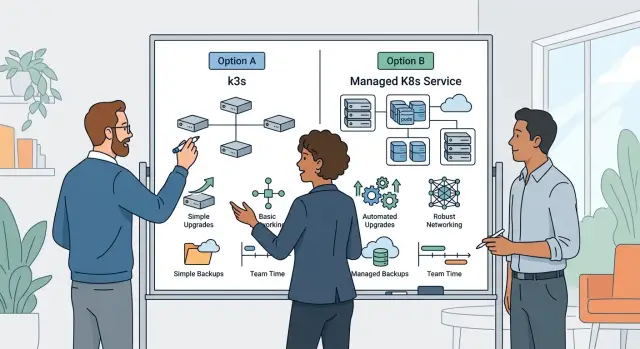
Kubernetes is the usual trap. It has real benefits, but many teams install it months or years too early. If you run a few apps, some background jobs, and a database, simpler deployment paths often work better. Teams Oleg advises often get more from clean Docker-based workflows and boring automation than from adding a full control plane before they need one.
Another mistake shows up during incidents. Logs live in one tool, metrics in another, and errors in a third system with different alert rules. Three tools can be fine. Seven tools for basic troubleshooting are usually just a tax.
Backups create their own false comfort. Many teams schedule them once, see the green check mark, and move on. Then a bad deploy or broken migration hits production, and nobody knows whether restore actually works. A backup you never restored is just a guess.
Access control also gets messy fast. When every service invents its own roles, users, and exceptions, onboarding slows down and offboarding becomes risky. People keep old accounts because nobody wants to trace every admin panel by hand.
The warning signs are pretty obvious once you look for them: one person is the only one who can restart or debug a service, deploys need a custom ritual that lives in somebody's head, incidents require checking four or five places before anyone sees the problem, nobody has run a restore test in months, and admin access grows by exception instead of following one simple rule.
Most extra ops work is self-inflicted. Cut tools before they cut your week apart. If your team can explain who owns each service, how you restore it, and how you grant access on one page, you're probably still running a sane stack.
Quick checks before you commit
Every self-hosted service adds a small tax. If the tax is low and the payoff is clear, keep it. If not, skip it. A good stack should still feel boring on a Tuesday night.
Before you add a tool, ask five plain questions:
- Can one engineer patch, upgrade, or restart it during a lunch break?
- Can a new teammate read one page and understand where it runs, how to access it, and what usually breaks?
- Can your team bring it back after a bad deploy, lost disk, or dead server?
- Does it let you cancel another subscription or remove a second tool that does almost the same job?
- If traffic doubles, will the tool still fit your team, or will it need a part-time admin?
Write the answers in simple notes, not diagrams. "Runs in Docker Compose, backs up every night, restore tested last month" is enough. If the setup needs a long walkthrough, it's already too heavy.
The restore test is where weak choices often fail. Teams prove that a service can start. They rarely prove that it can come back cleanly after something goes wrong. A backup you never restored is just a hopeful file.
Cost needs the same honesty. Saving $200 a month sounds smart until someone spends six hours each month nursing the thing. Time is usually the bigger bill.
Some tools still earn their place fast. A lean setup for CI/CD, logs, metrics, and error tracking can replace several paid tools at once. That's close to the advice Oleg Sotnikov gives small teams: own the pieces that cut repeat work, but keep the setup simple enough that one person can explain it and fix it.
One last test helps. Picture your team at twice the traffic and half the patience. If the service still looks boring, keep it. If it starts to look like a side job, leave it managed.
Next steps for a lean stack
Most teams should not add three new services at once. Pick the one that removes the most repeat work this month. If deploys still depend on one tired engineer, fix CI/CD first. If bugs hide for days, put error tracking first. If people keep asking "what changed?", start with logs or dashboards.
Once you choose a tool, name an owner before you install anything. Someone needs to handle updates, backups, and alerts. On a 10-person team, that may be the same person at first. That's fine. Clear ownership matters because unattended tools turn into surprise outages.
A lean stack stays lean only if you cut it back on purpose. Put a quarterly review on the calendar and ask who used the tool in the last 90 days, what manual work it actually removed, what breaks if you turn it off, and how much time the team spends keeping it healthy. If the answers are vague, the tool probably isn't earning its place.
Subscription sprawl is annoying. Self-hosted sprawl is worse, because your team pays with time, focus, and weekend interruptions.
This is also where an outside review can help. If the choice feels messy, Oleg Sotnikov offers Fractional CTO and startup advisory through oleg.is, and a short architecture review can save weeks of tool churn before you add more moving parts.
A good small-team platform stack feels almost boring. Code ships, backups work, alerts matter, and nobody spends half the day nursing internal tools. That's a solid place to stop.
Frequently Asked Questions
What should we self-host first?
Start with the tools your team touches on every release: GitLab for source control and CI/CD, its container registry, Sentry for errors, and Grafana with Prometheus and Loki for metrics and logs. After that, add a secrets manager, backups with restore drills, and simple uptime checks.
What should stay managed?
Keep email delivery, basic auth, search, chat, docs, and help center tools managed unless they shape your product directly. Most small teams get more admin work than product value from running those on their own.
When does self-hosting actually save money?
Do the math in hours and dollars. If a managed tool costs little and self-hosting eats engineer time every month, managed wins. If the hosted bill gets large and the self-hosted setup runs quietly on a modest server, owning it can make sense.
Do small teams need Kubernetes?
Usually no. If you run a few apps, some background jobs, and a database, simpler Docker-based deploys often give you enough control with less upkeep. Move to Kubernetes when real traffic or scheduling problems force the change.
Why keep Git, CI/CD, and the registry in one tool?
Keeping repo, CI/CD, and the registry together cuts glue work. Your team can trace a merge, a pipeline, an image, and a deploy in one place, which makes failed releases easier to debug and roll back.
Is self-hosted monitoring really worth it?
Yes, if you keep it small and useful. Errors, logs, and metrics help engineers find what broke fast, and they pay back during almost every incident. Skip dashboards nobody checks and alerts nobody trusts.
What backup setup is enough?
Back up code, databases, object storage, and the config you need to rebuild the service. Then run a restore drill every month. A backup only helps when your team can recover data without guessing.
Should we run our own auth?
Most teams should not. Hosted auth covers sign-up, login, password reset, sessions, and social login without turning identity into a side project. Run your own only when SSO, tenant rules, or custom permissions sit at the center of the product.
How do I know our stack is getting too heavy?
Your stack is too heavy when one engineer becomes the only person who can fix it, deploys depend on steps stored in someone's head, or incidents send people across five tools before they see the problem. A lean setup stays boring enough that one page of notes explains ownership, access, backup, and restore.
Who should own these tools on a small team?
Give each service one owner, even on a 10-person team. That person handles updates, backups, and alerts, but the whole team should still know how to deploy, check logs, and follow the runbook. If only one person understands production, you already have a risk.