Simplify infrastructure for AI teams before adding tools
Simplify infrastructure for AI teams by cutting overlapping services, trimming tool sprawl, and fixing waste before you automate another layer.
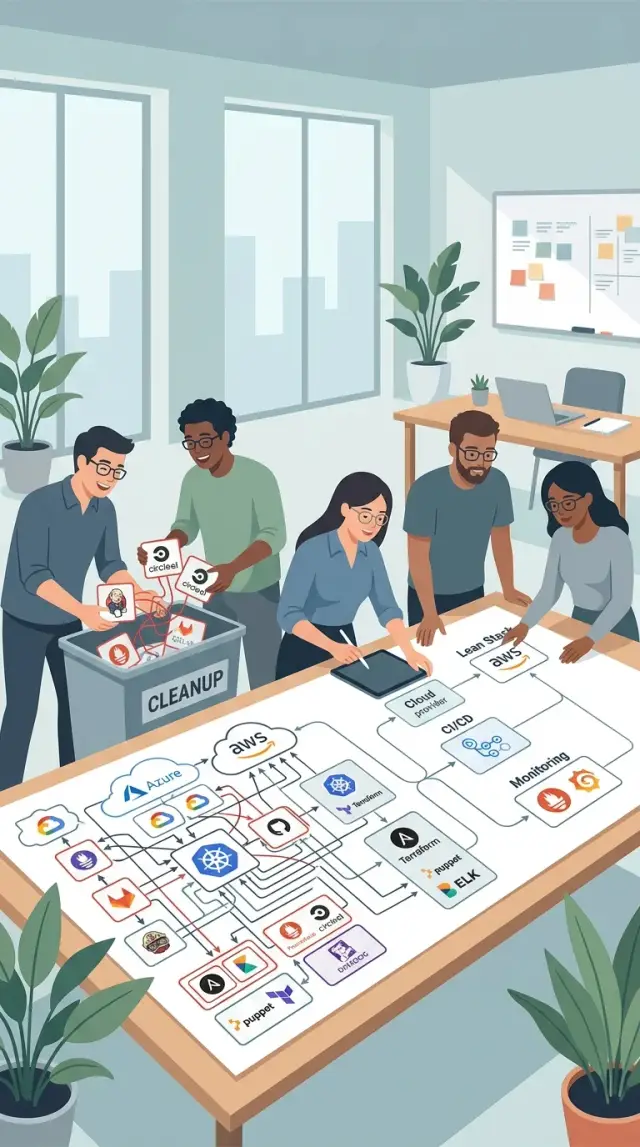
Table of Contents
Why more tools create more work
Teams rarely get stuck because they lack software. They get stuck because every new service adds a trail of chores that never really ends. Someone has to set it up, manage access, tune alerts, explain when to use it, renew it, and fix it when it fails at 2 a.m.
The overhead looks harmless at first. One more dashboard, one more bot, one more integration. A few weeks later, the team has three places to check logs, two ways to deploy, and five alert channels that all say something a little different.
So do not ask only whether a tool has a useful feature. Ask how much routine work comes attached to it. A service is never just a service. It also means billing reviews, account cleanup, permission checks, support tickets, and incident confusion.
Small teams feel this early. They do not have spare people for glue work. If one engineer loses 20 minutes a day hopping between duplicate systems, that turns into real product time by the end of the week. The monthly invoice is only part of the cost. The bigger cost is constant switching, checking, reconciling, and explaining.
Overlap makes the problem worse. A team can live with one tool for errors, one for logs, and one for uptime if each job is clear. Trouble starts when two tools do the same job badly. Then ownership gets fuzzy. One person updates alerts in one place, someone else changes them somewhere else, and nobody trusts what they see.
Extra automation often hides this waste instead of fixing it. Teams add a bot to route alerts between systems, or an AI assistant to summarize reports from duplicate tools. The workflow looks smarter, but the stack underneath is still bloated. Now there is old complexity plus a new layer to maintain.
Oleg Sotnikov has spent years building and running lean systems, and the lesson is simple: fewer moving parts usually beat clever glue. If a new service solves one problem but creates three new routines, it is adding work, not removing it.
Where overlap usually hides
Most stack bloat does not start with a terrible decision. It starts with one extra tool that feels harmless, then another, until two or three services cover the same ground and nobody wants to turn one off.
CI and deployment are a common mess. A team keeps GitHub Actions for builds, adds GitLab CI for newer pipelines, then uses a cloud provider's deploy flow on top. Now there are duplicate checks, duplicate secrets, and multiple places to debug when a release fails.
AI tooling often lands on top of that pile. Teams automate code review, test runs, or release notes, but bolt those steps onto an already crowded pipeline. Before adding another agent or service, check whether the same work already runs twice.
Monitoring has the same problem. One tool handles logs, another handles metrics, a third tracks errors, and each one overlaps a bit with the others. If Sentry already shows where the app broke and Grafana plus Prometheus already show service health, a second error dashboard may not help. It may just add another tab and another alert rule.
The quieter duplicates are easy to miss. Product notes live in one workspace, support fixes in another, and engineering decisions disappear into tickets that no one reads again. After a few months, the same answer exists in three places and each version says something different.
Cloud services pile up the same way. A team tries a managed database, keeps an old storage bucket, adds a queue service for one feature, then forgets to retire the first setup after a migration. Bills rise slowly, so nobody treats it as urgent.
When teams map the stack honestly, overlap usually shows up in the same areas: build and deployment, observability, internal documentation, and cloud services left behind after a change. That is often where the first cost cuts come from. You do not need a huge redesign. You need a clear map of what each tool does now, who uses it, and whether another tool already does the same job better.
Map the stack before you cut
Cutting a tool without a map usually moves the mess somewhere else. Put every service on one page first. Most teams think they know their stack until they write it down. Then they notice that code moves through one tool, deploys happen in another, support lives in a third, and reporting gets rebuilt in spreadsheets because no one trusts the dashboards.
Make the map follow the full path of work, not just engineering. Include the tools that touch code, testing, CI/CD, deploys, incident alerts, support tickets, analytics, status reporting, and the side documents people keep when the main tool does not answer a simple question.
For each tool, write down four plain facts:
- Who uses it every week
- What job they use it for
- What data it stores or copies
- What breaks if you remove it tomorrow
The last question matters most. A service may look redundant, but one person might rely on it for a monthly release, a customer report, or an audit trail.
Then mark duplicated data. That is where overlap usually hides. Teams often store the same deployment status in GitLab and a chat bot, the same error trends in two monitoring tools, or the same customer issues in help desk software and a manual spreadsheet. When the same facts live in two places, people stop trusting both. They compare screens, ask which number is right, and lose small chunks of time all week.
Put cost on the map too, but do not stop at subscription price. Add the hours people spend updating the tool, fixing failed syncs, training new hires, and cleaning up outages caused by one more moving part. A cheap tool that creates 20 minutes of manual cleanup every day is not cheap at all.
Teams Oleg advises often find that the problem is not missing automation. It is too many layers of it. One service builds, another deploys, a third reports the deploy, and a fourth watches the first three. The stack looks busy, but it also creates more places for drift and failure.
A simple table is enough. If one row shows low usage, copied data, recurring confusion, and recurring cost, that is probably the first tool to cut. If a row shows heavy use and a clear purpose, leave it alone for now.
Remove one workflow at a time
Do not try to clean up deploys, monitoring, support alerts, and internal docs in the same week. Pick one area that causes the most repeat work or the most confusion, and clean that first.
Deploys are a good place to start because they expose duplicate systems fast. Many teams keep an old CI tool, a newer pipeline, and a handful of manual scripts because each one still does one small job. That feels safer than change, but it usually creates hidden failures and slow handoffs.
Once you choose the area, name one system as the place the team trusts. That system should answer the daily question without debate. If someone asks, "Did the release fail?" or "Did the server alert fire?" everyone should know where to look first.
The rule can stay very simple. Keep one place for status, one place for logs or alerts in that area, and one path for the team to act on the result. Archive the rest, then remove them. It sounds strict, but it cuts mistakes. When two dashboards disagree, people spend more time arguing with the data than fixing the issue.
Move one workflow at a time. Shift release notifications first, then deployment approval, then rollback steps. After each change, watch real work for a full week. That is long enough to expose weak spots: who still checks the old tool, which message goes missing, and which step nobody documented.
Lean teams usually do better with this approach than with a full migration weekend. Keep the stack small, watch real usage, then remove what nobody truly needs. That is how AI-first operations stay cheap and stable instead of turning into one more pile of services.
Set a shutoff date for the old tool before the team gets comfortable with "temporary" overlap. Put the date on the calendar. Tell people when access ends. After that day, remove permissions, turn off notifications, and stop paying for it. If you skip that date, the old tool hangs around for months because someone still logs in "just in case."
The safest change is usually the smaller one: one area, one trusted system, one workflow at a time, and a clear end for the old service.
What a cleanup looks like
One seven-person startup had a stack that looked bigger than the company. They shipped one app, but ran two CI tools for it. One built preview environments. The other ran tests and production deploys. Both posted status updates. Both failed in slightly different ways. Nobody fully trusted either one.
Monitoring had the same split. The team checked one dashboard for logs, another for uptime, and a third for errors. When something broke, they lost time before they even started fixing it. A spike in error reports did not always match the uptime chart. A log trail pointed to one release, while deploy history in the other CI tool pointed somewhere else.
The cleanup was not dramatic. They made three decisions and stuck to them: one deploy path for every change, one alert path for incidents, and one owner for each area of the stack.
They kept the CI tool that already handled production well and removed the second one from the release flow. They picked a single place for alerts so nobody had to check email, chat, and a vendor dashboard at the same time. They also stopped using shared responsibility as the default. One person owned deploys. One owned observability. One handled incident response during working hours.
The biggest win was not lower cost, although that helped. The team stopped arguing with mismatched data. When a release caused trouble, they could answer basic questions fast: what changed, when it shipped, and where the first signal appeared.
Before the cleanup, a broken deploy often meant 30 minutes of cross checking. Afterward, one engineer opened one pipeline, one dashboard, and one alert thread. The bug still needed work, but the team no longer burned energy trying to decide which system told the truth.
Small teams feel tool sprawl sooner than large ones. Every extra service adds another habit, another screen, and another place where facts can drift apart. Lean infrastructure works better when each part has a clear job and a clear owner. It sounds almost too simple, but simple stacks are easier to trust on a bad day.
Mistakes that keep stacks bloated
Bloated stacks rarely come from one big mistake. They grow from small polite decisions: "keep the old one for now," "let's test this in parallel," or "we might need that feature later."
One common mistake is layering a new tool on top of the old process without removing anything. A team adds an AI code review bot, but keeps the old manual checklist, the old lint gate, and the same approval chain. The pull request now passes through more systems than before, and no one saved any time.
Another mistake is failing to assign ownership after the team picks a winner. Two log tools get compared, one gets chosen in a meeting, and then both stay live because nobody owns migration, access cleanup, and shutdown. "We decided" is not the same as "someone is doing it."
Teams also copy every old process into the new setup. Five ticket labels, three handoff steps, two reports - all of it comes along because nobody pauses to ask whether those rules still matter. Old habits move faster than good judgment.
Then there is the demo trap. A tool can look great in a sales call and still be the wrong fit if it needs constant tuning, custom scripts, extra seats, and weekly babysitting. The better question is simple: how much work does this create every month after setup?
A small product team can manage a modest stack: one tool for code, one for CI, one for errors, one for logs, and one place for docs. Trouble starts when they keep a second CI service "just in case," add another monitor because it has AI summaries, and keep two doc spaces because nobody wants to move old notes. Nothing looks badly broken, but the team loses 20 minutes here and 30 there. By Friday, that is hours of maintenance no customer will ever notice.
That is why lean infrastructure depends as much on deletion as on addition. Before you automate another layer, ask two blunt questions: who owns this tool, and what old step disappears if we keep it? If the team cannot answer both, the stack is getting heavier again.
A quick check before you buy or automate
New tools look cheap on day one. The extra work shows up later: one more dashboard, one more alert path, another monthly bill, and one more thing nobody wants to own.
AI teams hit this faster than most because they already juggle model providers, logs, CI, review bots, deploy jobs, and support noise. A new service should remove work quickly. If it just adds another layer to babysit, skip it.
Before you buy, ask four questions:
- Could a tool you already pay for cover most of the need with a small config change, a script, or a better workflow?
- What will this replace in the next 30 days?
- Who owns it when alerts fire at night or on a weekend?
- Where will people read the data every day?
Those questions sound basic, but teams often skip them because the new thing looks specialized. A tool built for prompt traces, model costs, or agent runs can look neat in a demo. In real work, it may just duplicate data the team already sees in logs, error tracking, or existing dashboards.
Take a small product team that already uses Sentry for errors and Grafana for infrastructure health. Someone suggests a separate AI monitoring service for failed prompts and slow responses. Before adding it, the team should test whether tagged logs, a few custom charts, and basic alerts in the current stack already answer the daily questions. Quite often, that is enough.
The same rule applies to automation. If you add an AI review bot, someone still has to tune it, handle false alarms, and decide when to ignore it. If nobody owns that work, the bot becomes background noise within a month.
Lean infrastructure is usually a little boring, and that is fine. Fewer tabs, fewer duplicate alerts, and fewer places where data goes unread help teams move faster.
Next steps for a leaner AI setup
Start small. Do not try to clean the whole stack in one pass. Pick one overlapping area and fix it this month. Error tracking, internal docs, CI/CD, analytics, or the growing pile of AI assistants are all good candidates. One cleanup done well beats a big rewrite that stalls after two meetings.
It helps to write one short rule the whole team can follow: keep tools that solve a clear daily problem and see active use, replace tools that duplicate something you already trust, and retire tools that nobody owns, nobody checks, or nobody can explain. The rule does not need to be clever. It just needs to be clear enough that founders, engineers, and product managers read it the same way.
Set a deadline for the first cleanup. Thirty days is usually enough to compare usage, move the last active workflows, and cancel what is left. If a tool still matters after that review, the team will know why. If nobody misses it, you just cut noise, cost, and one more login.
Some teams hit a point where product decisions, hosting costs, security, and AI tooling all overlap. That is when an outside view helps. This kind of stack review is part of the fractional CTO and startup advisory work Oleg Sotnikov does through oleg.is, where the focus stays practical: cut overlap, keep the parts that matter, and avoid adding software just because it sounds smart.
A clean first step is enough: choose one messy area, name one owner, write the keep, replace, retire rule, and remove one duplicate tool before the month ends. That single cleanup often changes how the team buys software after that. People ask better questions, spend less, and automate on top of a stack they can actually run.
Frequently Asked Questions
How do I know if a new tool is really saving time?
Check what disappears after the tool arrives. If the team still checks the old dashboard, keeps the old approval step, or cleans up errors by hand, the tool did not remove much work. A good tool replaces a routine within a few weeks, not someday later.
Where does tool overlap usually show up first?
Most overlap hides in CI and deploys, monitoring, internal docs, and cloud services left behind after a change. Those areas grow quietly because teams add a new service without turning the old one off.
Should a small team keep extra tools just in case?
Usually no. A second tool often turns into a second place to check during an incident, and that slows people down. Keep a backup only when you have a clear reason, a named owner, and a date to review whether you still need it.
What should I do before I cut any service?
Put the whole workflow on one page first. Write who uses the tool, what job it does, what data it stores, and what breaks if you remove it tomorrow. That simple map exposes duplicates and shows which service people actually trust.
How many monitoring tools does a small team really need?
Start with one place for logs or errors, one place for service health, and one alert path people actually watch. If two tools answer the same question, pick one and shut the other down after a short transition.
Why do AI assistants and bots often make the stack heavier?
AI tools often land on top of a crowded pipeline instead of replacing a step. Then someone has to tune prompts, handle false alarms, watch another dashboard, and explain the output. If the tool adds chores faster than it removes them, skip it.
What is the safest way to retire an old tool?
Pick one workflow, choose one system as the source of truth, and move real work over in small steps. Set a shutoff date, remove access, turn off alerts, and stop paying for the old service. If you leave overlap open-ended, it stays for months.
Who should own a tool or workflow?
Give each tool one owner, even on a small team. That person does not need to do every task, but they need to make decisions, clean up access, and handle changes. Shared ownership sounds nice, yet it often means nobody finishes the work.
When should we improve the current stack instead of buying another service?
Use what you already have when a small config change, script, or cleaner workflow covers most of the need. Buy something new only when it replaces an old step fast and gives the team one clear place to work. New software should remove tabs, not add them.
When does it make sense to ask a fractional CTO to review the stack?
Bring in outside help when the team cannot tell which tools to keep, hosting costs keep rising, or incidents turn into long cross-checking sessions. A fractional CTO can map the stack, name what to retire, and tighten the workflow without a full rebuild.


