Shared dev environment for people and AI assistants
A practical outline for a shared dev environment with clear commands, sample data, and repeatable setup steps for people and AI assistants.
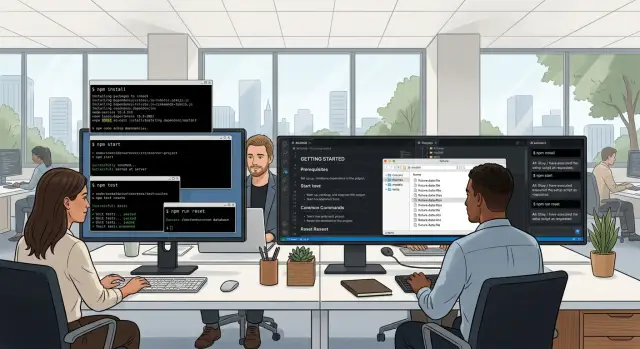
Table of Contents
Why mismatched setups slow teams down
Two laptops can run the same project and still produce different results. One developer has Node 20, another still has Node 18. One machine has a global package left over from six months ago. The other depends on a fresh clone and a half-finished README. The code is the same, but the outcome isn't.
The trouble usually starts small. A test passes on one machine and fails on another. A build script works only if a tool lives in a certain folder. A seed command loads sample data for one person but breaks for someone using a different local database name. That doesn't mean anyone did sloppy work. It usually means the team never turned its habits into clear, repeatable steps.
AI assistants struggle even more when the environment changes from person to person. An assistant can follow commands, read config files, and use fixtures. It can't guess that one developer keeps the repo in a custom path, or that another needs a shell alias before scripts work. If the project depends on setup knowledge that lives in people's heads, the assistant will fail in the same places a new teammate will.
Review time climbs fast when local setup isn't consistent. Teams end up spending pull request time on missing generated files, wrong snapshots, different lint output, or local data that doesn't match shared fixtures. Those look like code problems, but many of them are setup problems. People rerun tests, recheck branches, and leave comments that don't help much. A ten-minute review turns into forty.
A shared dev environment cuts that waste because it removes guesswork. Everyone runs the same commands. Everyone sees the same seed data. Assistants can do useful work without hidden assumptions. That doesn't make a team rigid. It makes the boring parts predictable, which leaves more time for actual product decisions.
What a shared environment needs
Boring wins here. If every person and every assistant follows the same setup, they spend less time guessing and more time fixing real problems.
Start with one install path for tools and dependencies. Pick a single script, container setup, or task runner and make that the normal way to prepare a machine. If a project needs Node, Python, a database, and a local cache, that path should install the right versions and fail loudly when something is missing. Two setup paths usually turn into five.
The app also needs one command to start locally. It can be make dev, npm run dev, or any other simple name, but everyone should use the same one. The setup falls apart when one teammate runs the app through Docker, another uses a shell script, and an assistant invents a third option.
Do the same for tests and checks. One command should run the full set people rely on before they commit code. That often means unit tests, linting, type checks, and a quick smoke test. If the team has to remember several separate commands, somebody will skip one, and assistants tend to skip the wrong one.
Fixtures matter just as much as commands. Store fixture data that produces the same result every time, then add a reset command so anyone can return to a known state in a minute or two. Good fixtures are small, realistic, and stable. A seeded account with sample orders or a fake billing record is enough for most teams.
A short README ties it together. Keep it plain and specific. It should explain how to install the project, how to start it, how to run checks, how to reset fixtures, and what success looks like. That last part gets skipped too often. Write the expected result in simple terms, such as "server starts on port 3000" or "all checks pass with 42 tests." Small product teams, especially ones that use AI heavily, move faster when the setup leaves no room for interpretation.
Build it step by step
A shared dev environment starts smaller than most teams expect. Build only what the project needs to run, test, and recover on a clean machine. If a tool doesn't support daily work or test runs, leave it out.
- Write down the real dependencies. Include the language runtime, package manager, database, queue, browser test tool, and any local service the app can't start without. Skip old helpers nobody uses.
- Pin versions in one place. A person or assistant should be able to check one source and know the exact Node, Python, Postgres, or Docker version.
- Add four commands with plain names: setup, start, test, and reset.
setupshould install packages, copy env templates, prepare the database, and load seed data.resetshould wipe local state and rebuild it without extra prompts. - Create fixture data around the user flows that matter most. Use small, realistic records: one new account, one active customer, one admin, one broken case. Stable IDs and clear timestamps save time when tests fail.
- Ask one teammate to rebuild everything from scratch on a clean laptop, container, or fresh VM. Watch where they stop, what they ask, and which step feels fuzzy.
That last step catches the mess nobody sees on their own machine. Maybe the setup needs one extra system package. Maybe start works only because someone created a hidden file last month. Fix every surprise in the repo, not in chat.
Small teams often miss this because one strong engineer keeps the whole setup in their head. That works for a week. It fails as soon as a new hire joins, an AI assistant runs tests, or somebody replaces a laptop.
A good result feels boring. setup finishes without guesswork, start opens the app, test runs the same suite for everyone, and reset gives you a clean state in minutes. If a teammate can do that without asking for help, the environment is ready.
Write commands people and assistants can trust
A command should mean one thing every time. If dev starts the app on one laptop but opens a container shell on another, people lose time and assistants make bad guesses.
Short, plain names work best. dev, test, lint, reset-db, and seed-fixtures are easier to remember than long custom phrases. They also fit cleanly into docs, scripts, CI jobs, and assistant prompts.
Use the same names everywhere. If the docs say make test, the package script shouldn't be npm run check-all, and the assistant prompt shouldn't say "validate the project." One command name per action keeps the environment predictable.
Make commands the contract
Treat a small set of commands like part of the product. Each one should do the full job, not half of it. If make dev is the standard entry point, it should start everything needed for local work. If make test is the standard check, it should run the normal suite. If make seed-fixtures exists, it should load data people can rely on.
This matters even more when AI is part of the workflow. Assistants do better when they can call known commands instead of trying to infer missing setup steps. "Run make test and fix the failing spec" is a much better instruction than "check whether the app still works."
Make errors point to the next step
Failure messages need to be direct. "Command failed" is almost useless. "Postgres is not running. Start it with docker compose up db" saves several minutes and keeps both humans and assistants moving.
Good errors answer three questions: what broke, where it broke, and what to run next. The rule is simple: if a new teammate can't use a command without asking for help, the command isn't finished yet. Fix the name, fix the output, or wrap the missing step inside the command.
Use fixtures that stay useful
Fixtures should make everyday work boring in a good way. When a developer or assistant runs the app locally, the same sample data should appear every time, and it should cover the work people actually do.
Start small. A compact dataset is easier to understand, faster to load, and less likely to hide problems. Ten realistic users, a few orders, one expired subscription, and one empty account usually teach you more than a giant dump from an old staging database.
A useful fixture set covers the main flow, a few broken records that trigger expected errors, and enough edge cases to test empty fields, long names, duplicate values, and old timestamps. It should also include enough related data to test search, filters, permissions, and reports.
Broken cases matter because clean data gives false confidence. If a form fails on a missing field, a duplicate email, or unusual text, you want to catch that in local work long before it reaches a customer.
Resetting fixtures should take one command. If the team needs five steps, someone will skip them and local results will drift. Keep it plain, such as make reset-dev or ./scripts/reset-fixtures, and make that command rebuild the same state from scratch.
Don't put private or production data in the repo. Even a small export can include names, emails, tokens, or internal notes that should never leave a live system. Use fake but realistic data instead. Teams working with AI tools need this rule even more, because fixture data often ends up in prompts, logs, and tests.
Fixtures also need upkeep. If the checkout flow changes, the order fixtures need to change with it. If the schema adds a required field, update the seed data for success, failure, and weird input that same day. Old fixtures rot quietly, then waste an afternoon when commands still run but the app no longer matches real work.
Treat fixtures like product code. Review them, trim them, and fix them when behavior changes.
A simple example from a small product team
A five-person product team is building a customer portal. On Monday, a new hire clones the repo, opens the README, and runs one command:
make setup
That command installs packages, starts the local services, creates the database, and loads demo data. Ten minutes later, the new hire has the app running with the same test company, the same users, and the same sample records as everyone else.
The coding assistant uses that same README. It doesn't guess which scripts matter or invent its own setup steps. When it needs to run the app, seed data, or execute tests, it uses the same commands the team uses:
make setup
make dev
make test
That shared setup sounds simple, but it changes daily work a lot. The human and the assistant both log in with the same demo accounts. They both see the same seeded customer, the same unpaid invoice, and the same expired subscription. If someone says, "Open the Acme account and cancel one seat," everybody can do it.
Now a bug shows up. The total on an invoice drops by the wrong amount after a seat is removed. Because the fixtures are the same on every machine, the bug appears everywhere. It isn't trapped on one laptop with old data, a missing env var, or a hand-edited database.
The assistant can reproduce the problem, add a failing test, and suggest a fix. A teammate pulls the branch, runs make test, and sees the same failure before the fix and the same pass after it. Review gets faster because nobody spends half an hour trying to recreate the issue first.
It isn't fancy. It's disciplined. If a small team writes the commands once, keeps the fixtures clean, and makes the README the source of truth, both people and assistants can start from the same place every day.
Common mistakes that waste time
Most teams don't lose time on hard engineering problems. They lose it on setup gaps that force everyone to guess. One person has a shell alias, another has an old seed script, and the assistant gets instructions copied from a chat message written six weeks ago. Then the same bug appears on one laptop only, and nobody trusts the local environment.
A few habits cause most of that mess. Teams hide setup steps in chat threads instead of putting exact commands in the repo. They keep three ways to start the same app. They ask people to install tools from memory instead of naming the version and adding a simple check. They let fixture data age for months. Or they use production dumps as sample data, which adds privacy risk, noise, and edge cases nobody meant to test.
Fixture drift causes more damage than teams expect. Someone changes a required field in onboarding, but the sample data never gets updated. A developer spends an hour debugging the app, then learns the fixture is the real problem. The assistant will hit the same wall and repeat the same confusion.
Clean fixtures work better when they stay small and boring. Write data for a few normal cases, refresh it when the product flow changes, and delete records nobody uses. If a fixture needs a long explanation, it's probably doing too much.
It's also worth killing "tribal knowledge" commands. If setup depends on somebody remembering export THIS_FLAG=1 before startup, the setup is already broken. The command should set what it needs, fail with a clear message, or print the next step.
Small teams feel these mistakes fast. One broken seed file can waste half a day across three people and an assistant. One clear setup script and one trusted fixture set usually pay for themselves within a week.
Quick checks before rollout
A shared dev environment is ready only when a new person can use it without chasing missing steps in chat. If setup still depends on memory, side notes, or one helpful teammate, it isn't ready.
Start with a clean-machine test. A developer should be able to clone the project, install what the README says, and get the app running in under an hour. If that takes longer, the setup asks for too much or the docs skip details people need.
Use a short rollout checklist:
- Time a fresh install from zero to a running app.
- Reset everything, run the full test suite, and compare the results.
- Try every documented command on each supported system.
- Ask an assistant to follow the README with no extra hints.
- Assign one owner for setup files and fixtures.
That second check matters more than many teams expect. A lot of setups work once, then fail after a full reset because they quietly depend on cached packages, old database state, or local secrets left over from last week. Wipe the environment, run the tests again, and make sure the outcome matches.
System checks need discipline too. If you support macOS, Linux, and Windows, run the same commands on all three. Small differences in shell syntax, file paths, or package managers can break an AI workflow fast.
The assistant test is blunt, and that's why it works. Give the repo and README to an assistant and don't add hidden hints. If the assistant gets stuck, a new teammate probably will too.
Pick one person to own setup files and fixtures. That doesn't mean they do all the work. It means one person keeps the commands current, removes dead steps, and decides when a fixture still reflects real usage.
What to do next
Pick one active project and clean that first. Don't start with the oldest repo or the messiest one. Start with the code people touch every week, where a small fix will save time right away.
Set the basics before you polish anything else. Every person, and every AI assistant, should have the same reliable actions: install dependencies, start the app, run tests, load fixtures, and reset the project to a known state.
Keep those commands short, plain, and easy to guess. If two scripts do the same job, delete one. If setup notes disagree with the actual commands, fix the notes now. Teams lose a surprising amount of time to old READMEs and leftover scripts with vague names.
This week is a good time to remove noise. Rename confusing commands, drop stale local hacks, and make fixtures small enough to load in minutes. A good fixture should answer a real question, like how checkout behaves after a failed payment or how a user account looks after three upgrades. It shouldn't try to mirror the whole production database.
Then watch the next two onboarding sessions closely. Do new team members stop to ask which command to run first? Do they get stuck on missing env vars? Do they load the wrong fixture because the names are unclear? Those moments tell you what still needs work. Update the scripts and docs while the pain is fresh.
If your team has product issues mixed with infrastructure problems and AI workflow confusion, outside help can speed this up. Oleg Sotnikov at oleg.is does this kind of Fractional CTO work with startups and smaller companies, helping teams tighten their setup, development process, and AI-assisted tooling without adding more process than they need.
Boring setup is the goal. When people and assistants can run the same commands and get the same result, the team spends less time guessing and more time shipping.
Frequently Asked Questions
Why does the same project behave differently on different laptops?
Because the machines do not match. Different runtime versions, leftover global packages, local aliases, and old database state can all change the result. Pin versions, keep one setup path, and use the same fixture reset command for everyone.
What should a shared dev environment include?
Keep it small and strict: one install path, one command to start the app, one command to run the normal checks, and one way to reset fixtures. Add pinned versions and a short README that tells people what success looks like.
How many commands do we really need?
Most teams do fine with four trusted commands: setup, dev, test, and reset. If people need extra commands, keep them narrow and name them clearly, like seed-fixtures or reset-db.
Do we need Docker for this to work?
Use Docker when it gives the team one reliable path. Skip it if it adds a second setup flow or slows everyday work for no good reason. The rule is simple: everyone should run the same commands and get the same result.
What makes fixture data actually useful?
Good fixtures stay small, realistic, and stable. Include a few normal users, one admin, one broken case, and enough related records to test the flows people touch every week. Do not dump production data into the repo.
How should we reset local data?
Make reset wipe local state and rebuild it from scratch with no hidden steps. It should recreate the database, load the same seed data, and leave the app in a known state in a few minutes.
How do we know if our README is good enough?
Hand the repo and README to someone with a clean machine and stay quiet. If they can install, start the app, run tests, and reset fixtures without asking for help, the docs work. If they stop to ask about a missing flag or secret, fix the repo and the README.
Why does this matter for AI assistants?
AI assistants work best when they can call known commands instead of guessing. If the repo gives them make setup, make dev, and make test, they can reproduce bugs, run checks, and suggest fixes with far fewer wrong turns.
What mistakes create setup drift?
Teams usually drift when they keep setup steps in chat, support several ways to start the app, let fixture data age, or depend on local hacks that only one person knows. Old READMEs and hand-edited databases cause the same mess.
When should a small team ask for outside help?
Bring in help when setup problems keep stealing review time, onboarding takes too long, or AI tooling keeps failing on local differences. A Fractional CTO can tighten the commands, fixtures, and workflow fast without adding a lot of process.