Secure file access for AI tools starts with less access
Secure file access for AI tools starts with a boring rule: block secrets, exports, and production configs by default, then open only what teams need.
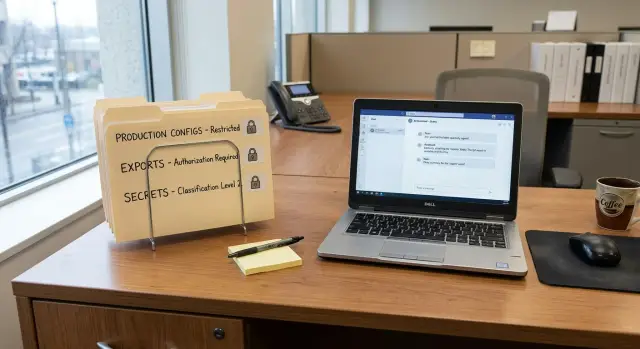
Table of Contents
What goes wrong when AI tools can read too much
Trouble usually starts with a small task and a lazy shortcut. Someone wants help fixing one bug, so they give the assistant access to the whole repo, a shared drive, or even their home folder. The assistant does not know which files are harmless and which ones could hurt the business. It reads what it can reach.
That choice often exposes far more than the task requires. By the time someone realizes the tool only needed two source files and a test folder, it may already have scanned secrets, old exports, config files, or private notes sitting nearby.
Some files create risk much faster than others:
.envfiles with tokens, passwords, and API keys- customer exports, backups, and test dumps with real data
- production configs, deployment scripts, and server details
- cloud credentials, SSH keys, and certificate files
Most of the time, nobody is trying to do anything reckless. A developer asks the assistant to explain a failing job. The tool reads a deployment file, picks up a token, and includes part of that config in its answer. A teammate copies the reply into chat or a ticket. No attacker broke in. The team simply let private data drift into places where more people and more tools could see it.
Broad access also makes review harder. Once the assistant can read almost everything, people stop noticing what it actually used. Later, when someone asks whether the tool touched a secret or an export, nobody can answer with confidence.
The safest starting rule is plain: if the task does not clearly need a file, the assistant should not see it. That feels slow for about five minutes. Then it starts saving time, awkward audits, and the quiet panic that comes with, "Wait, could it read that too?"
Which files to block first
Start with anything that could expose money, customer data, or production systems in one mistake. Teams often do the reverse. They open broad read access because it feels easier, then discover later that the assistant saw far more than it needed.
Secrets files come first. That includes API tokens, private keys, passwords, session secrets, certificates, and all the plain text files where someone pasted credentials "just for now." One forgotten .env file can expose email systems, billing tools, storage, or internal admin panels. Even if the model never repeats the secret, the risk begins the moment the file becomes readable.
Customer exports and old backups should stay closed too. CSV files, database dumps, zip archives, and support exports are easy to forget and often contain more data than the live app view. An assistant helping with product docs has no reason to sit next to ten thousand customer records.
Production material belongs on the block list as well. Deployment scripts, infrastructure files, server inventories, environment settings, and internal service names tell a very complete story about how your system works. A bad prompt or a bad generated change can turn that context into a real outage.
Local notes deserve more caution than most teams give them. Founders and managers often keep rough files with contract details, hiring discussions, draft plans, incident notes, and private business decisions mixed together. Those notes feel informal, so people ignore them. In practice, they are often more sensitive than the polished documents in the main repo.
A simple test helps: if a file would cause stress if it appeared in a group chat, block it by default.
Start with a boring default
Most teams give AI tools too much access on day one. It feels efficient for a week. Then someone notices the assistant can read old exports, SSH configs, local env files, or a backup folder that was never meant to be in scope.
A safer default is smaller and a little annoying. Good. If the assistant only sees one project folder, any mistake stays smaller too. It cannot wander through a home directory, pull in unrelated client work, or read personal notes sitting next to code.
Make that allowed folder narrow on purpose. For a web app, one repo is usually enough. Keep Desktop, Downloads, Documents, cloud sync folders, and shared drives out of bounds unless someone asks for them and can explain why.
Inside that project folder, separate reference material from live operational files. Readme files, API specs, mock data, test fixtures, and sample configs are usually fine. Real .env files, production certificates, database dumps, billing exports, and deployment configs should stay blocked at first. If the assistant needs to understand a setting, give it a redacted example instead of the real file. That solves the problem more often than people expect.
Read access and write access should be separate decisions. Teams blur them together all the time, and that is where trouble starts. A tool that can read a repo does not automatically need permission to edit files. A tool that can suggest changes in chat does not need to rewrite config or touch deployment scripts.
A sensible default looks like this:
- read one approved project folder
- no access to the user home directory
- no access to secrets, exports, backups, or production config
- write access only in a small scratch area, or not at all
It is not fancy, but it works. Start with less than you think you need. After a week or two, real patterns show up. Then you can open one folder, one file type, or one write action at a time, with a reason you can explain.
Open access step by step
Begin with the job, not the folder. Write the task in one plain sentence. "Summarize these notes." "Clean up this spreadsheet." "Rewrite these API docs." That tiny step blocks the common mistake of granting broad access just because it feels faster.
Then choose the smallest folder or file set that lets the assistant finish that one task. If it only needs product notes, share the notes folder. If it needs three sample CSV files, share those files and nothing around them.
A simple sequence works well. Define the task. Pick the smallest scope that supports it. Remove sensitive material before access starts. Test the workflow on sample files first. When the task ends, review what the assistant opened or changed.
That cleanup step before access matters more than most teams expect. Pull out .env files, customer exports, database dumps, deployment scripts, SSH keys, and production config before the session starts. The assistant does not need bad intent to create a problem. Broad read access is enough.
Testing with sample files is worth the extra few minutes. Use fake data, a scrubbed folder, or a copied document set first. If the assistant can finish the job there, your scope is probably right. If it fails, fix the setup before you widen access.
Take a simple case: a team wants help rewriting API docs. The assistant probably needs the docs folder and a few sample responses with private data removed. It does not need the whole repository, billing exports, or server config. That is enough context to do useful work without exposing the rest of the business.
When the task is done, check what the assistant actually used. If it only touched two documents, keep access that tight next time. If it truly needed one more folder, add that folder and stop there.
A simple team example
A small product team wants help cleaning up a messy backlog. Their assistant can tighten weak test names, spot stale docs, and suggest missing test cases. Useful work, but still not harmless if access is sloppy.
So they start with a hard limit: the assistant gets the app code and a public docs folder. That is it. Billing exports stay out. Production secrets stay out. The engineer keeps payment reports, customer CSVs, .env files, and live deployment configs in separate locations the assistant cannot read.
That setup feels boring, and that is exactly why it works. For this job, the assistant needs source code, tests, and docs. It does not need revenue data or API keys.
After a few days, the team sees real value. The assistant finds setup steps in the docs that no longer match the product. It catches tests that still refer to renamed functions. It also notices that several failures may be tied to old database changes, but it cannot see the migration history.
The team does not open everything at once. They review the work and ask one practical question: what extra access would solve a real problem right now? The answer is narrow. They approve one more folder for migrations, read-only, and nothing else.
That small change gives the assistant enough context to trace schema updates and suggest better test fixes. It still cannot read billing exports. It still cannot touch production config. If it makes a bad suggestion, the blast radius stays small because the workspace stays small.
That is what good access control looks like in practice. Match files to the task. Keep secrets and sensitive exports somewhere else. Add access only when the team can point to a clear reason.
Mistakes teams repeat
Most access problems do not come from dramatic failures. They come from ordinary shortcuts.
A developer mounts the whole repo instead of one folder because setup feels faster. Someone drops a database dump into the project root for a migration test and forgets to remove it. A team shares real .env files so the assistant can run the app without extra steps. A backup zip from last year sits in a shared directory because nobody remembers it is there.
These mistakes follow a familiar pattern. Setup speed beats access control. Test data turns out to be real data. Convenience beats cleanup. Nobody owns the removal date.
Temporary access is another repeat problem. A team opens one extra folder for one debugging task, fixes the issue, and moves on. Two months later, the permission is still there because nobody wrote down why it was granted or when it should end.
This is why simple discipline often helps more than more tooling. Keep dumps outside the assistant's readable path. Split fake credentials from real ones. Store exports and archives in a separate place with tighter rules. Put an expiry date on every exception.
If a file is not needed for today's task, keep it out of reach today. That one habit prevents a surprising amount of cleanup later.
Check access before you expand it
Before you grant one more folder, stop for five minutes and ask what the assistant actually needs. Teams usually expand access because it feels quicker. Later they discover an old export, a backup archive, or a forgotten .env file in the same shared space.
Use a short check:
- Can the assistant finish the task without secrets or customer data?
- Did someone remove env files, exports, and backups from the shared folder?
- Does the folder exclude deployment files, infrastructure code, and production settings?
- Who will remove the access, and on what date?
If any answer is fuzzy, clean the folder first and wait.
Exports and backups need extra care because they collect everything: user records, logs, old credentials, invoices, internal notes. One forgotten archive can expose more than the live app. Env files create the same problem in a smaller package. They look harmless, but they often hold database URLs, mail settings, API keys, and storage credentials.
Operational files should stay out unless the task is directly about operations. A coding assistant helping with UI copy, tests, or docs does not need Docker secrets, Terraform state, Kubernetes manifests, or live config.
And do not forget the last step: remove access when the task ends. Temporary access turns permanent through neglect more often than people admit.
Handle exceptions clearly
Exceptions are normal. Confusion starts when someone says, "Just give it access for now," and nobody writes down what that means.
An exception should be small, visible, and easy for another person to understand. You do not need a giant approval process. You just need a record that answers four questions: who asked, why they need it, which exact files or folders are included, and when the access ends.
Keep each exception narrow. "Repo access" sounds simple, but it often includes exports, backups, deployment files, and private notes that were never meant for the assistant. A folder list is safer. "Read /docs/release-notes and /content/product-copy until Thursday" is clear. "Read the whole repo" is not.
Every temporary exception needs a real end date. Not "we'll remove it later." A date. If that date passes, remove the rule. If the team still needs it, they can ask again. That extra step keeps old permissions from quietly becoming normal.
Review exceptions whenever the team changes tools or changes how work moves through the repo. A new coding assistant, a new indexing workflow, or a new handoff process can change the risk quickly. Old exceptions should not survive by default.
What to do next
Start with one low-risk task in one small folder. Draft work on non-sensitive docs, sample code, or a sandbox project is usually enough. That small test tells you more than a big rollout.
After the first week, review what actually happened. Which files did the assistant need? Which files did it touch by mistake? Where did a human still need to step in? If the same safe pattern shows up several times, turn it into a short internal rule.
That rule can stay plain:
- AI tools read only the approved folder for the task
- people move needed files into that folder by hand
- secrets, exports, backups, and production config stay blocked
- a human reviews every file change before merge
Boring rules are easier to follow, easier to explain, and much easier to audit.
If a new request comes up, do not expand access for everyone. Test it with one person, one task, and one folder again. Most teams learn pretty quickly that the assistant needs less access than they first assumed.
If you want help setting these guardrails without slowing development, Oleg Sotnikov at oleg.is works with startups and smaller companies on AI-first development workflows, infrastructure, and practical CTO-level guidance. That kind of outside review can help when you need clear rules, cleaner permissions, and less guesswork.
Frequently Asked Questions
Which files should we block first?
Block .env files, API tokens, private keys, customer exports, backups, and production config first. Those files expose money, user data, and live systems in one mistake.
If a file would cause stress in a team chat, keep it out of the assistant's reach by default.
Why not just give the assistant the whole repo?
No. Give the assistant only the folder or files that match the task. A bug fix usually needs a few source files and tests, not your whole repo, home folder, or shared drive.
Smaller scope makes mistakes smaller and review much easier.
What is a safe default setup?
Start with one approved project folder, read-only if possible. Keep the home directory, Desktop, Downloads, shared drives, secrets, exports, backups, and production settings out of bounds.
If the tool needs to write, give it a small scratch area instead of broad edit access.
What if the task really needs a config value or credential?
Move the task into a clean folder first. Put in only the files the assistant needs, and swap real secrets for redacted examples or sample data.
Most tasks work fine with fake values and a scrubbed config. Use the real secret yourself when you run the final step.
Should we test with sample files before giving real data?
Use fake or scrubbed files first. If the assistant can finish the job there, your scope is probably right.
Sample data also shows where your setup is too wide before real customer data or live settings leak into the session.
Should read access and write access be separate?
Separate those decisions. Read access lets the assistant inspect files. Write access lets it change them, which raises the risk fast.
For most teams, read-only access plus human-reviewed suggestions is a better starting point than direct edits.
How long should temporary access last?
Give every exception a real end date and an owner. When the task ends, remove the access instead of leaving it around for later.
Temporary permissions often turn permanent because nobody tracks them. A date fixes that.
Do we need to worry about local notes and personal files?
Keep personal notes, contract drafts, hiring docs, incident notes, and rough planning files outside the assistant's readable path. Those files often hold more sensitive details than the main repo.
If the task does not need them, do not leave them nearby.
How should we handle one-off exceptions?
Write down who asked, why they need it, the exact folders or files, and when access ends. Keep the scope narrow enough that another teammate can understand it in one glance.
"Read /docs until Friday" is clear. "Open the repo for now" is not.
What is the best first task for rolling this out?
Pick one low-risk task in one small folder. Docs cleanup, sample code review, or a sandbox project works well.
After a week, check what the assistant actually used and tighten your rule from there. Most teams learn that the tool needs less access than they first thought.


