SaaS infrastructure cost floor for a global product
SaaS infrastructure cost floor: learn how to set a realistic minimum budget for backups, monitoring, releases, and global uptime without false savings.
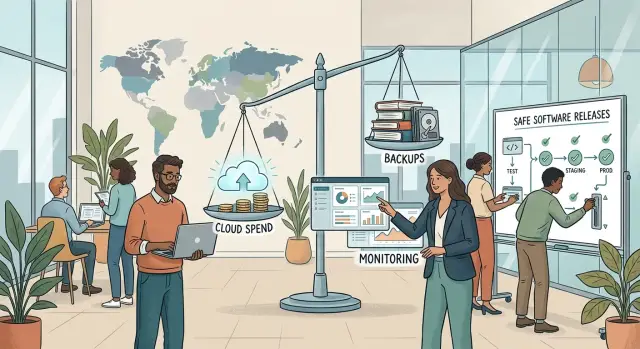
Table of Contents
Why the cheapest number fails
The lowest infrastructure number is almost never the cost of a single server. Teams start with hosting because it is easy to compare, then forget the quiet systems that keep the product usable when something goes wrong.
A cheap machine can run your app on a normal day. It does not pay for backup storage, log retention, uptime checks, alerts, staging space, rollback support, or the time someone spends keeping releases under control.
Backups are where many teams fool themselves first. Skipping them, keeping one copy, or running them only now and then looks cheap until a bad deploy, a broken migration, or an accidental delete wipes out recent customer data. Then the savings disappear in a weekend of cleanup.
Monitoring fails more quietly. If you do not pay for basic alerts and observability, customers become your monitoring system. They send support emails, cancel accounts, or complain in public before your team even knows the app is slow or down.
Release safety costs money too, even for a small team. If you push straight to production with no checks, no rollback plan, and nowhere to test risky changes, small mistakes spread fast. A bad config can block signups. A missed database issue can break billing. The hosting bill stays low while the outage bill climbs.
The cheapest number also hides labor. Someone still has to check backups, read alerts, and undo bad releases. When teams chase the smallest cloud bill without paying for those basics, they are not removing risk. They are moving it onto users and the team.
That is why the minimum budget cannot stop at compute. If it does, it is not a real floor. It is a gamble with a low monthly bill.
What the minimum budget must cover
A real floor is the lowest spend that still lets your product stay up, recover fast, and ship changes without chaos. Cut below that line and the savings do not last. You trade a smaller invoice for support load, churn, and lost sleep.
Start with one production setup that can stay boring on an ordinary day. You need enough compute, database capacity, and storage for normal traffic, plus a little room to breathe. If the app slows down at the same busy hour every day, or disk space keeps creeping toward full, you already cut too far.
Backups need their own home. A snapshot on the same server is not a backup in any useful sense. Keep copies in a separate location, run them on a schedule, and test restores often enough to trust them. That last part matters more than people think. Many teams feel safe because backups exist, then learn during an outage that they cannot restore cleanly.
For most teams, the minimum budget covers five things: production compute and a database with some headroom, backup storage outside the main environment, basic monitoring for uptime and errors, a release process with a rollback path, and time from a real person who can respond when alerts fire.
Monitoring does not need to be fancy. It does need to tell you when the site is down, when errors jump, and when storage keeps growing week after week. A simple alert that reaches the right person beats a dashboard nobody checks.
Release safety belongs in the budget too, even if no vendor lists it as a neat line item. Keep the previous build ready. Make database changes reversible when you can. Roll out changes in a way that lets you stop and go back fast. Without that, one bad release can burn more cash in an hour than you saved all quarter.
The human part is easy to ignore because it hides inside salaries, founder time, or a contractor retainer. It still counts. If alerts fire at 2 a.m., someone needs access, context, and a basic playbook. Tools do not fix incidents on their own.
Where to spend first
If money is tight, protect data before capacity. A slow app annoys users. A lost database can end the product.
Start with the database and its backups. Keep automatic snapshots on and store backups somewhere separate from the main server. If a machine fails or someone deletes the wrong table, you need a clean copy that survived the same problem. For a small SaaS, separate backup storage is often a better use of money than one more app server.
Next, pay for fast alerts before extra reporting tools. A simple error tracker, uptime checks, and alerts for disk, memory, and failed jobs help more than a big dashboard nobody watches. If billing breaks at 2 a.m., the team needs a clear alert, not another chart.
Risky changes need a test environment early. This matters most for payments, sign-in, database migrations, and anything that can lock users out. The test setup does not need to match production at full size. It only needs to be close enough to catch broken config, bad migrations, and obvious release mistakes.
Keep the release process short and repeatable. Run tests before each deploy, apply migrations in a fixed order, check app health right after release, record who changed what, and keep the last working version ready to roll back.
Only after that should you look at more servers. Teams often buy extra compute first because it feels concrete. In practice, many early outages come from bad releases, missing backups, or silent failures that nobody noticed for hours.
How to calculate your floor
Start with the parts that can wake you up at 3 a.m. if they fail. Count only the services customers depend on to sign in, use the product, save data, get emails, and recover after a bad deploy. If you serve users across regions, include what keeps the app reachable and fast enough for them.
The simplest way to find your floor is to price the boring parts first.
Write down every essential service and its real monthly cost. That usually includes compute, database, storage, DNS, CDN, transactional email, container registry, CI runners, and secrets management. Ignore side projects and nice-to-have tools for now.
Then add backups as a separate line. Include storage, snapshot retention, extra copies if you use them, and the time or tooling needed to restore data. Cheap backups are not cheap if recovery takes six hours and your most senior engineer has to drop everything.
After that, add monitoring and incident detection. Count uptime checks, logs, metrics, alerts, and error tracking. This is easy to underprice because each tool looks small on its own.
Then add release safety. If one rushed deploy can break billing or corrupt data, staging, smoke tests, migration checks, deployment automation, and rollback support belong in the floor too.
Finally, leave room for a bad month. Traffic spikes, noisy logs, extra backup storage, or a failed deploy can push spending up fast. A 10 to 20 percent buffer is usually more honest than pretending every month will be calm.
Once you have the total, challenge each line once. Ask a simple question: if we cut this, will users feel it during an outage, restore, or release? If the answer is yes, keep it.
That number is your floor. If it only works when nothing goes wrong, it is not a floor. It is a best-case month.
A simple example for a small global SaaS
Imagine a small SaaS with customers in North America, Europe, and some of Asia. Traffic is not huge, but people log in at different hours, so someone notices quickly if the app goes down while your local team is asleep.
This product does not need a fancy setup yet. One app server can run the web app and background jobs. One database can store customer data. One file store can hold uploads, reports, and exports. That is lean, but still sane.
The floor starts where failure stops being recoverable chaos. If the server dies, you need a recent backup. If a release breaks logins, you need alerts and a rollback script. If the database gets corrupted, you need proof that a restore works.
For a very small product, a realistic monthly budget might look something like this: $40 to $80 for the app server, $60 to $120 for the database, $10 to $30 for file storage and transfer, $20 to $40 for backups and restore testing overhead, and $20 to $50 for monitoring, logs, and alert delivery.
That puts the minimum spend around $150 to $320 a month for a simple setup. Some stacks land higher, especially if the database needs more memory or users upload large files. Even so, that range is much more honest than a fantasy number built on hope.
The operating rules matter as much as the bill. Run nightly backups. Restore one into a separate environment on a schedule and confirm the app can read the data. Send alerts to more than one person so a missed message does not turn into six hours of downtime.
Releases should stay boring. Shipping twice a week is fine if every deploy has a short checklist, health checks after release, and a rollback script someone has already tested. If rollback takes three minutes, a bad deploy is annoying. If it takes 45 minutes and guesswork, the cheap setup stops being cheap.
Where teams cut too far
The dangerous cuts are usually the ones that look harmless on a spreadsheet. A team removes one server, one tool, or one release step, and monthly spend drops by a few hundred dollars. Then a disk fails, a deploy goes wrong, or the only person with root access goes offline.
Backups are the first trap. If you keep them on the same server as the app and database, you do not have a backup. You have an extra copy that can disappear in the same outage, breach, or bad command.
Monitoring gets cut in a quieter way. Teams watch CPU, memory, and uptime because those numbers are easy to collect. Meanwhile, failed imports, stuck email queues, broken cron jobs, and payment retry errors pile up with no alert at all.
Release safety often goes next. Small teams push straight to production on Thursday night or Friday afternoon because nobody wants to slow down. That saves time right up until a bad release lands and the team spends the weekend rolling back by hand.
Restore tests are another common skip. Dashboards show green backup jobs, so everyone assumes recovery will work. Then a real incident happens and the archive is corrupt, incomplete, or much slower to restore than anyone expected.
The last cut is people and access. When one founder or senior engineer holds every password, token, and cloud account, the company creates a single point of failure. Vacations, illness, and simple miscommunication can stop recovery cold.
If your setup saves money by removing recovery, visibility, or safe releases, it is already below the minimum you can trust.
Quick checks before you cut more
Cheap infrastructure looks fine right up to the moment something breaks. Before you cut another service or move to a smaller server, test whether your setup can handle a bad day without panic.
A few checks catch most bad cuts:
- Restore yesterday's data into a safe test environment. If your team cannot do that today, the backup setup is not good enough.
- Break a payment webhook or disable a billing job in staging. Someone should get an alert within minutes, not hours.
- Roll back the last release on purpose and time it. If rollback depends on custom commands, missing notes, or one specific engineer, it is too fragile.
- Check access. At least two people should be able to reach backups, monitoring, deployment tools, and the cloud account.
- Put service health in one place so the team can see uptime, errors, queue issues, and payment failures without opening a pile of tabs.
These checks are boring, but they save money in a very direct way. A failed restore can cost more than a year of backup storage. A payment issue that sits unnoticed for six hours can wipe out all the savings from cutting monitoring.
If you answer "no" to even one check, pause the cuts. Fix that gap first. Then look for savings in places that do less harm, such as oversized instances, duplicate tools, or idle environments.
How the floor changes as you grow
Growth changes costs in uneven jumps. The floor should move when risk changes, not every time traffic moves up a little.
The first jump often comes from noise. More users create more edge cases, more failed jobs, and more support tickets. Alert volume climbs fast, and teams waste hours if they keep every warning and never tune anything.
Data growth changes the floor in a less obvious way. A small database is cheap to back up, copy, and restore. A larger one needs more storage, longer retention, and restore tests that take real time and real compute.
Restore time matters more as the product grows. When a small app goes down, slow recovery hurts. When a global product goes down, slow recovery can damage trust across several time zones at once.
Release habits also need to tighten. A team that ships once a week can get by with manual checks and a simple rollback plan. A team that ships every day needs cleaner deploy scripts, safer rollbacks, and some way to limit the damage when a bad release slips through.
A few signals tell you the floor has moved. Alerts start waking people too often, or people begin to ignore them. Backups finish later and restores take longer than expected. Deploys happen more often than the team can safely watch by hand. Customers now use the product across several regions. The stack has grown into too many services for one small team to manage calmly.
The cheapest way to stay under control is usually to keep the architecture boring for as long as you can. One solid database often beats three specialized data stores you barely need. One clear deployment path usually beats a pile of custom release steps.
Teams often raise spending too early because they add parts before usage really demands them. Better design is often cheaper than more infrastructure.
What to do next
Write your floor down. One page is enough. List the protections you refuse to cut, even in a hard cost review: backups you can restore, monitoring that catches real problems, and a release process that lets you roll back fast.
Then price that page before you chase a lower bill. Many teams do this backwards. They slash hosting first and try to patch the holes later. That is how a cheap month turns into an expensive outage.
A simple version of that page should name backup frequency, restore testing, uptime and error monitoring, alerting for real failures, release steps, rollback ownership, and who is responsible for each check.
Review the floor every quarter. Prices change, traffic changes, and teams pick up shortcuts over time. A setup that made sense six months ago may now include an extra tool nobody uses, or a risky release habit nobody questioned.
If the total looks suspiciously low, ask someone outside the team to review it. Fresh eyes often catch the missing line item: restore testing, log retention, a second backup copy, or the real cost of keeping rollback ready.
That kind of review does not need to be heavy or expensive. Oleg Sotnikov offers this kind of infrastructure and Fractional CTO advice through oleg.is, with a strong focus on lean systems, release safety, and practical AI-first operations. For small teams trying to cut spend without gambling on uptime, that outside check can pay for itself quickly.
The goal is simple: know the lowest number you can live with, write it down, and defend it when cost pressure starts.
Frequently Asked Questions
What is the real infrastructure cost floor?
Your floor is the lowest monthly spend that still keeps the product usable when something breaks. In most cases, that means enough compute and database capacity for normal traffic, backups in a separate location, alerts for real failures, a rollback path, and a person who can respond fast.
Why is one cheap server not enough?
Because a server only covers normal uptime on a good day. It does not cover backup storage, restore work, monitoring, log retention, staging, or the time your team spends fixing bad releases.
Should I spend on backups before more servers?
Protect data first. Buy separate backups and make sure you can restore them before you spend on extra app capacity. A slow app frustrates users, but lost data can kill the product.
What alerts should I set up first?
Start with the basics: site down, error spikes, disk growth, failed background jobs, and anything that can break billing or sign-in. Simple alerts that reach the right person beat a big dashboard nobody watches.
Do small SaaS teams really need a staging environment?
Yes, if you ship changes that can break logins, payments, config, or database migrations. Keep it small and close enough to production to catch obvious mistakes before users do.
How often should I test backup restores?
Test restores on a schedule, not only after a scare. A monthly restore test works for many small teams, and you should also test after major database changes. Make sure the app can actually read the restored data.
How much budget buffer should I keep?
Leave room for a bad month. A 10 to 20 percent buffer usually gives you enough space for traffic spikes, noisy logs, extra backup storage, or a messy deploy.
What is a realistic minimum budget for a small global SaaS?
For a very simple setup, many teams land around $150 to $320 a month. That usually covers one app server, one database, storage, off-server backups, and basic monitoring. If your database needs more memory or users upload large files, expect a higher floor.
Where do teams usually cut too far?
Teams often cut backups, restore tests, monitoring, and rollback support because each line looks small. Another risky cut puts all access in one person's hands. Those savings look fine on a spreadsheet and hurt badly during an incident.
When should I increase my infrastructure floor?
Raise it when risk rises, not every time traffic ticks up. Watch for noisy alerts, longer restore times, more frequent deploys, larger databases, and users spread across more time zones. Those changes usually mean your old floor no longer protects you well enough.


