Rerankers in RAG: when ranking beats longer context
Rerankers in RAG can improve policy and support answers, but extra latency is not always worth it. Learn what to test before rollout.
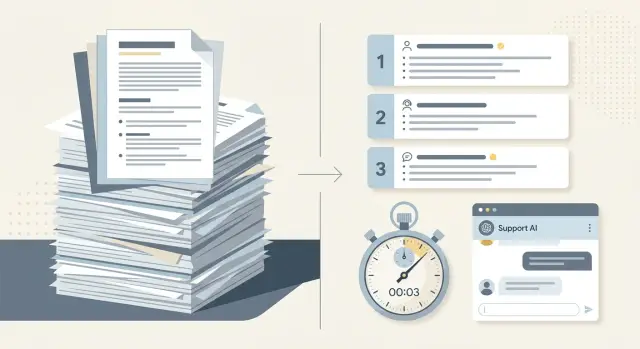
Table of Contents
Why policy answers go wrong
Policy questions usually fail for a simple reason: users ask in shortcuts, while companies write rules in layers. A person types "Can I get a refund?" The knowledge base may contain ten pages that look relevant, including billing rules, country exceptions, old campaign terms, and an outdated help article that still uses the same words.
The problem starts before the model answers. Short questions often match many pages at once, so retrieval pulls in a mixed stack of text. If the current rule sits in one small paragraph and older pages repeat similar phrases, the wrong page can look just as relevant as the right one.
Old policy content causes more trouble than many teams expect. Support centers rarely remove every retired rule, draft, or temporary exception. Some pages stay indexed, some get copied into FAQs, and some linger in internal notes. The model does not know which version matters unless retrieval makes that clear.
More context does not always fix this. In policy work, extra text can make the answer worse. When you push several related documents into the prompt, the model may blend them into a neat but false summary. It sees five paragraphs about refunds, one paragraph about a special case, and then gives a confident answer that ignores the special case because it got buried.
A simple example shows why. Imagine the current refund rule says annual plans are refundable for 14 days, but a two-year-old promo page says all sales are final. Both pages mention payment, plans, and cancellations. If retrieval sends both and the model gets a large context window, you do not get certainty. You get conflict.
Support teams pay for that conflict twice. First, users get a slow answer. Then an agent has to check it by hand. Fast wrong answers damage trust. Slow wrong answers damage it even faster.
That is why rerankers matter in policy and support work. The hard part is rarely finding more text. The hard part is putting the one relevant paragraph ahead of everything that merely sounds related.
When longer context helps
Longer context helps when the answer does not live in one neat paragraph. Many policy questions span two or three nearby sections: the main rule, an exception, and an example that changes how the rule applies. If retrieval already found the right part of the document, giving the model more of that local area often works better than trying to rank tiny fragments.
This comes up often in support and compliance work. A refund policy may define "digital goods" in one section, list time limits in the next, and add edge cases a few lines later. If the model sees only the time limit, it can answer quickly and still get the case wrong.
Longer context usually works best when a few things are true at the same time:
- One policy topic spans adjacent sections in the same document.
- The answer depends on definitions, exceptions, and examples together.
- Headings stay consistent across versions, and each version shows a date.
- Users are asking harder questions and can wait a little longer.
Document structure matters a lot here. If your manuals use stable headings like "Eligibility," "Exceptions," and "Examples," retrieval can pull a tight cluster of related text. Version dates matter too. They make it easier to keep the model inside one policy edition instead of blending old and new rules into one messy reply.
A small delay is usually acceptable for harder cases. People will wait an extra second or two when they ask about billing disputes, access rules, or contract terms. They care more about getting the exception right than getting a quick guess.
This approach breaks down when documents are noisy or scattered. If the answer lives across five unrelated files, longer context can flood the model with extra text. But when the policy is local, structured, and clearly dated, more context often beats more ranking.
Where rerankers help most
Rerankers pay off when search finds pages with the right words but the wrong meaning. That happens all the time in policy and support content. A query like "Can I get a refund after renewal?" may match billing guides, cancellation FAQs, old release notes, and the actual refund policy. Basic search sees shared terms. A reranker compares the full query with each candidate passage and pushes the real rule higher.
They also help when one small detail changes the answer. Support teams deal with questions where a single condition matters: trial or paid plan, monthly or annual billing, personal account or workspace account, 7 days or 14 days. If retrieval misses that detail, the model can sound confident and still be wrong. A reranker often does better because it scores passages for fit, not just word overlap.
Noisy FAQ pages are another common problem. FAQs rank well because they repeat common terms and cover many topics on one page. The trouble is that they give broad answers, while the actual rule sits in a policy page, a pricing note, or a narrow help article. Longer context does not always solve that. If you send ten mixed passages to the model, you are asking it to sort out the mess itself. Sometimes it does. Sometimes it grabs the most familiar wording instead of the correct source.
Rerankers are most useful when you want one short answer tied to one clear source. That is common in policy and support flows, where users ask for a direct yes, no, or condition-based answer.
Take a simple case: "Can I move unused credits to another workspace?" Search may return setup docs, account FAQs, and a page about billing credits. The real rule might live in a small policy section that says credits stay with the original workspace and do not transfer. In that case, picking the best one or two passages works better than dumping a long stack of related text into the prompt and hoping the model sorts it out.
How to run a fair test
Start with real questions, not made-up prompts. Pull 30 to 50 support questions from tickets, chats, or email threads. Keep the mix honest: simple policy lookups, messy account issues, and awkward edge cases. If the set is too clean, every setup will look smarter than it really is.
Before you test anything, write the expected answer for each question in plain language. Then attach the exact source for that answer, such as the policy section, help doc, or internal note that should support it. A smooth answer is not enough if it quotes the wrong rule or pulls from the wrong page.
Run the same question set through three versions: baseline retrieval, baseline retrieval with a longer context window, and retrieval with reranking. Keep everything else fixed. Use the same model, prompt, and chunking rules across all three. If you change several parts at once, you will not know what caused the result.
Track four measures every time: answer accuracy, source match, cost per answer, and response time.
A simple scorecard works well. Mark each answer as correct, partly correct, or wrong. Then note whether the system used the right source. For response time, do not rely on the average alone. Slow answers bother users more than slightly awkward phrasing.
After that, read the misses by question type instead of staring at one total score. Group them into buckets like refund policy, account access, exceptions, and multi-step cases. That is where the pattern usually appears.
Reranking often helps when several documents look similar and only one contains the sentence that decides the answer. Longer context can help when the answer sits across two nearby sections in the same document. A small gain in accuracy may still be a bad trade if it adds a full second to every routine support reply. On the other hand, for legal, billing, or compliance-heavy answers, that extra delay can be worth it.
A support desk example
A customer writes to support after using part of a monthly service and then asks for a refund. The question sounds simple, but the help center is messy. One article explains the current billing policy, another covers promo credits and discount codes, and a third describes older exceptions from a past migration.
If the system pulls a long context from all three, the model often mixes them together. It may answer with a partial refund rule that no longer applies, or bring up promo terms that have nothing to do with the case. The reply can sound clear while still being wrong.
This is where rerankers often help most. Basic retrieval may fetch ten passages that look related. A reranker then scores those passages against the exact question, such as "Can I get a refund after partial use?" In a good setup, the current billing policy moves to the top, while the old exception note drops low enough that the model stops treating it as the main rule.
The answer usually gets shorter and cleaner. Instead of trying to reconcile three policies at once, the model sees the document that should decide the case. A support agent can then reply with something simple: partial use is not eligible for a refund under the current plan, and promo terms do not change that rule unless the account matches a listed exception.
Teams do not need reranking for every ticket. If password resets and invoice downloads already work well with plain retrieval, extra ranking just adds delay. Many teams reserve reranking for refund and cancellation flows because those questions are easy to confuse, and one wrong answer can create both customer frustration and real cost.
That narrow use is usually the sensible middle ground. Spend a bit more time on the few cases where document order changes the answer, and keep the faster path for routine requests.
How latency changes the choice
A better answer is not always a better experience if it arrives too late. In policy and support work, people judge speed first when they are stuck in a task. A customer at checkout will wait far less than an internal agent trying to solve a messy case.
That changes how you use rerankers. If the model checks return rules, shipping limits, or refund policy during checkout, give that path a tight time budget and stick to it. If reranking adds 600 to 900 milliseconds but only improves answer quality a little, most teams should skip it there. A fast answer that is usually right beats a slower answer that arrives after the customer gives up.
Internal tools give you more room. A support agent working in a desk app can often wait an extra second if the answer is more precise and points to the right policy chunk. That delay may save two minutes of manual searching. In that case, reranking often earns its keep.
Device type matters too. Mobile users feel delays sooner because they are already dealing with small screens, weaker connections, and more distractions. Desk agents sit in a work flow with a keyboard, multiple tabs, and a clear goal. The same 1.2-second delay feels longer on a phone than on a support screen.
Measure the full answer time, not just retrieval time. If you time only the retriever or reranker, you miss what the user actually feels. Track the full path from request start to final answer on screen. Break that into time spent in retrieval, reranking, and generation, then compare it with answer quality and follow-up question rate.
That last number matters. A slower answer can still win if it cuts repeat questions, escalations, or manual policy checks. But if latency goes up and follow-up questions stay the same, you are just making people wait.
This is the kind of tradeoff Oleg Sotnikov often works through with teams at oleg.is: not chasing the fanciest setup, but choosing the one that fits the task, the time budget, and the cost of a wrong answer.
Mistakes that skew results
Most RAG tests flatter the system. Teams pick easy questions, use clean wording from the source documents, and then act surprised when scores look great. Real users do not write like that. They ask vague questions, mix two issues into one message, or use the wrong product name.
A fair test set needs messy questions. Include short tickets, policy questions with missing details, and prompts that use everyday language instead of document language. If your support team often gets "Can I still get a refund if I already used it?" do not replace that with a neat version like "What is the refund policy after partial usage?"
Stale documents ruin tests. So do duplicate pages. If retrieval pulls two old policy pages and one current page, reranking may still choose the wrong one because the source pool is already bad. Before you test rerankers, clean the index, remove near-duplicates, and mark which document is current.
Another common mistake is scoring the answer like a writing sample. A polite, smooth answer can still be wrong. That matters most in policy and support work, where one false detail can create refunds, chargebacks, or angry follow-up tickets. Score factual accuracy first. If you use citations, score source fit next. Tone comes after that.
Averages also hide ugly failures. If 85 questions look fine but 5 answers invent exceptions to a billing policy, the average score may still look good. Users will remember those 5. Read the worst cases by hand and group them by failure type.
For each test run, keep track of whether retrieval found the current document, whether duplicate or stale pages appeared in the top results, whether the final answer copied a wrong detail, and how much latency each step added.
One more trap shows up a lot: teams add reranking before they fix chunking and metadata. That is backwards. If chunks split policy rules in the middle, or metadata does not separate regions, product lines, or plan types, reranking has very little chance to save the result. Fix retrieval basics first. Then test whether reranking improves the hard questions enough to justify the delay.
Checks before launch
A good test run is not enough if your live data is messy. Policy answers break when the system reads an old rule, mixes two versions, or pulls a chunk that bundles five exceptions into one blob. Clean retrieval usually matters more than another round of prompt tuning.
Start with source control for the content itself. Each policy document should have one active version, a clear effective date, and a plain label that tells the retrieval layer which version to use. If the old return policy sits beside the new one with no date, the model may answer with both.
Chunk size is the next easy win. Keep chunks small enough to hold one rule, one exception, or one procedure step. When a chunk covers eligibility, deadlines, edge cases, and internal notes all at once, reranking has less chance to rescue it. Small chunks give the system something clean to retrieve and compare.
Latency needs a hard limit before launch, not after complaints arrive. Set a budget by question type. A password reset or shipping status question should feel instant. A detailed policy dispute can take a little longer if the answer gets much better. If reranking adds 400 milliseconds but only helps on rare edge cases, skip it for the fast support flows.
It also helps to keep a small set of bad answers and reuse them. Save the actual failure, the retrieved chunks, the final answer, and what the answer should have said instead. Twenty ugly examples usually teach more than two hundred easy ones. They also stop teams from claiming progress just because average scores moved a little.
Selective use usually beats blanket use. Rerankers tend to pay off on policy-heavy questions where two similar rules can change the answer. They usually do much less for simple support prompts like "Where is my invoice?" or "How do I change my email?" Those cases often need fast lookup, not another ranking pass.
A short pre-launch check helps:
- Active policies have visible dates and no duplicate live versions.
- Chunks isolate one rule well enough for a human to scan quickly.
- Each question type has a maximum response time.
- Known failures sit in a saved test set.
- Reranking is on only for routes where it wins by a clear margin.
That last point matters most. If the gain is tiny, users will notice the delay before they notice the improvement.
What to do next
Start with one policy or support flow that already creates repeat work for your team. Pick the case that fills the queue every week, such as refund rules, account access, or a billing exception. If you test on a vague or rare case, the result will not help you make a real product decision.
Build a small test set before you change anything. Twenty to fifty real questions is often enough to spot patterns. Include easy questions, messy questions, and a few that usually confuse the assistant. Then compare two setups side by side: simple retrieval with a reasonable context window, and retrieval plus reranking.
Use a simple rule for the decision:
- Keep the setup that gives the same answer quality with less delay.
- Add reranking only if it fixes wrong or incomplete answers often enough to matter.
- Expand to more flows only after the gain holds up in a second test set.
- Stop tuning if you add 500 milliseconds and users still get the same answer.
This is where many teams waste time. They keep adding chunks, prompts, and model tricks when the plain version already works. If the simpler setup answers just as well, keep it. Extra ranking logic is not a prize. It is one more moving part to run, monitor, and explain.
If your results still look messy, stop guessing. When retrieval settings, prompt wording, and infra limits keep clashing, an outside review can save a lot of time. The issue is often not the reranker at all, but bad chunking, weak source documents, or slow infrastructure.
That is also where a Fractional CTO view can help. Oleg Sotnikov works with startups and small teams on RAG architecture, latency tradeoffs, and rollout choices, especially when teams need to balance answer quality, cost, and response time without building a large platform around it.
For most teams, the next step is not bigger. It is narrower, measured, and backed by real support data.
Frequently Asked Questions
When should I use a reranker instead of a bigger context window?
Use a reranker when search finds many pages with the right words but only one page has the right rule. A larger context window helps more when the answer spans nearby sections in the same current document.
Does longer context usually fix policy mistakes?
No. Extra context often adds conflict when old and current policy text sit together. Give the model more local text from one current document, not a mixed pile from several sources.
What kinds of questions benefit most from reranking?
Reranking helps most on short policy questions where one detail changes the answer, like renewal timing, plan type, workspace rules, or refund exceptions. Those cases need the best one or two passages, not ten related ones.
When should I skip reranking?
Skip reranking on routine support flows that already answer well with plain retrieval, such as password resets, invoice lookup, or basic account changes. In those paths, extra delay usually hurts more than a small gain in answer quality.
How do I test reranking fairly?
Start with 30 to 50 real support questions from tickets or chats. Run the same set through plain retrieval, longer context, and retrieval plus reranking while you keep the model, prompt, and chunking the same.
What should I measure besides accuracy?
Track answer accuracy, whether the answer used the right source, cost per answer, and full response time on screen. Also watch follow-up questions, because a slower answer can still win if it stops repeat tickets.
Why do old policy pages cause bad answers?
Old pages make retrieval noisy and push the model toward the wrong rule. If retired promos, drafts, or past exceptions stay in the index, the system can blend them into a clean but false answer.
Should I clean my documents before I add a reranker?
Yes. Clean the index before you spend time on reranking. Remove duplicates, mark the current version, and add clear dates, or the reranker will sort a bad source pool instead of fixing it.
How small should policy chunks be?
Keep chunks small enough to hold one rule, one exception, or one step. If one chunk mixes deadlines, edge cases, and notes, retrieval and reranking both have a harder job.
What is a safe way to roll this out?
Start with one support flow that creates repeat work, like refunds or account access. Test it on real questions, set a hard time budget, and turn reranking on only where it beats the simpler path by a clear margin.


