Reference packs for AI tasks with short expiry rules
Reference packs for AI tasks work better when they expire fast. Learn how to set lifetimes, refresh stale inputs, and avoid old assumptions.
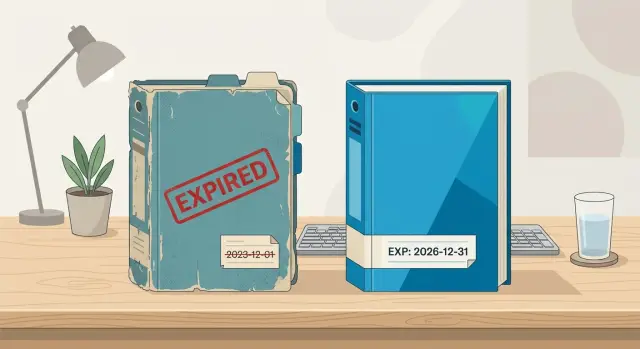
Table of Contents
Why old context breaks AI work
AI does not know which facts are old unless you tell it. If a prompt still carries last week's pricing, policy, or product scope, the model treats it as current truth. The answer can read clean and confident while still being wrong in a way that costs time, trust, or money.
The problem gets worse because teams copy context forward. One person pastes notes into a prompt, another saves that prompt as a template, and a third reuses it for a new task. A guess, a temporary workaround, or a half-decided rule starts moving across the company. After a few rounds, nobody remembers where it came from.
Small changes can bend the whole output. If support hours changed yesterday, the AI draft gives customers the old schedule. If engineering dropped a feature on Tuesday, the launch copy can still promise it on Friday. If legal updated one line in the refund policy, last week's pack can make the model write something that creates real risk.
Fresh input behaves very differently. A short note written today usually beats a long document saved six days ago. Current facts narrow the task. Old notes widen it with noise, old debates, and decisions that no longer apply. More context is not always better. Often, it is just older.
That is why reference packs need an expiry rule. The goal is not to build one perfect pack and reuse it forever. The goal is to give the model enough current context for one task, for one short window, and then replace it.
A simple test helps. Would you trust every sentence in the pack if a customer saw it today? Did any part of it come from memory instead of a current source? If a teammate reused it tomorrow, could it push the model in the wrong direction? If any of those questions feels shaky, the pack is already too old.
Teams that move fast learn this early. A model can draft code comments, release notes, support replies, and product specs in minutes. It can spread stale context through all of them just as fast. Speed only helps when the inputs stay fresh.
A short context lifetime fixes the habit at the source. Use context briefly, for a defined task, then discard it and build the next pack from today's facts.
What goes in a reference pack
A reference pack works best when it stays small. It should support one job, not every possible question around a project. If the task is "draft a release note," the model does not need your hiring plan, old sprint drama, or the full product roadmap.
Start with the minimum facts that let the model do that one task well. Most teams get better results when they cut context hard. Extra background feels safe, but it often pulls the answer in the wrong direction.
It helps to split the pack into two parts. One part holds stable facts that rarely change, such as product names, audience, brand tone, and rules you follow every time. The other holds details that can go stale fast, such as this week's pricing, the current feature list, open bugs, or a campaign deadline.
That split matters more than it seems. Stable facts can live in a reusable template for months. Changing details need a short lifetime and a clear date. Without that, the model treats old assumptions as if they were still true.
Most packs only need four elements: the task goal in one sentence, a short block of stable facts, a short block of current facts with a date, and the name of the person who owns the pack.
Keep source notes short. The model does not need a wall of pasted chat logs or ten pages from a meeting document. Brief notes such as "Pricing approved on 12 Apr" or "Feature X delayed after QA review on 9 May" do the job. Short notes give the model enough direction and make it easier for a human to spot old information.
Put dates next to any fact that might change. Do not bury them at the bottom. If a claim has no date, people stop questioning it.
Each pack also needs one owner. That person does not have to write every note, but they should clean up the pack, remove dead facts, and decide when it expires. On fast product teams, that often falls to a product manager, tech lead, or founder. One owner prevents the usual mess where five people add context and nobody removes it.
Lean teams usually learn this the hard way. A smaller pack with fresh notes beats a giant pack full of old truth every time.
Set a lifespan for each pack
A pack should live only as long as the facts inside it stay true. If the facts change faster than the pack expires, the AI keeps repeating old assumptions in a calm, confident tone. That is how small errors turn into wrong replies, bad specs, or wasted work.
Start with the pace of change. Support and sales work often moves by the hour. A discount changes, stock runs low, a bug gets fixed, or a prospect asks about a feature that just shifted on the roadmap. In those cases, a pack may need to expire at the end of a shift, after a campaign ends, or even after a single batch of tasks.
Product specs usually last a little longer, but not much longer. If your team updates scope during the week, a pack with feature rules, acceptance notes, or release assumptions should probably last for days, not weeks. A short lifespan forces the team to refresh the pack from the current source instead of trusting a version that looked right on Monday.
Longer windows only make sense when the material stays stable. Security policies, brand rules, legal wording, or naming standards can remain correct for weeks or months. Even then, they still need an owner and a review date. Stable does not mean permanent.
One rule works well: set the expiry to the shortest period after which someone would say, "I should double-check that first." If a person would verify it tomorrow, the pack should not survive until next week.
Write the rule in plain language so anyone on the team can follow it:
- "Use this pack only during today's support shift."
- "Replace this pack when pricing or availability changes."
- "Keep this spec pack for 3 days, then rebuild it from the current ticket and design notes."
- "Review this policy pack on the first workday of each month."
Teams that run fast AI workflows often figure this out before they change models or tools. Shortening pack lifetimes cuts a surprising amount of noise. When old context expires on purpose, the AI has less room to sound sure about things that are no longer true.
The goal is simple: make each pack fresh enough to help and short-lived enough to avoid drift.
Build the pack step by step
A good pack starts small. If you throw in every note, chat, and old spec, the model will treat all of it as current, even when half of it no longer applies. That is how stale context slips into work that looked fine at first glance.
Start with the job in front of you and work backward. Ask two plain questions: what is the model supposed to produce, and what facts does it need right now to do that well?
- Write the task in one sentence. Be exact about the output. "Draft a release note in 120 words for version 2.4" is better than "help with release notes."
- Add only the facts that affect the answer today. Current pricing, the latest feature names, approved tone, and any hard limits belong in the pack. Old brainstorms usually do not.
- Stamp the pack so nobody has to guess. Include the date, the owner, and an expiry such as "valid for 48 hours" or "expires after this sprint."
- Replace old notes instead of stacking them. If you update a policy or product detail, delete the outdated version before you save the new pack.
- Run a quick test. Use one prompt with the pack and the same prompt without it. If the packed version is clearer, more accurate, or less likely to invent details, the pack is doing its job.
The "smallest current facts" rule matters more than most teams expect. A pack is not a knowledge dump. It is a short working set. If the task is answering support tickets, the model may need the refund policy updated this week, not the full company handbook from last year.
A simple template is enough: what the model must produce, the current facts and constraints, the owner, the creation time, and the exact expiry. Keep it boring. Boring formats get used.
One habit makes a big difference: treat updates as replacement, not accumulation. Teams often keep old notes "just in case," then wonder why the model mixes current rules with dead ones. Clean packs beat big packs.
Careful technical teams handle changing inputs this way in production work too. If a team updates AI workflow prompts, code review rules, or deployment notes every few days, a short expiry forces them to refresh assumptions before those assumptions spread. That takes a few extra minutes and can save hours of cleanup later.
A product team example
A small startup ships updates every week. The product manager wants AI to draft release notes, so the team builds a pack from the current sprint: tickets marked done, merged pull requests, open bugs that still affect the release, and the decisions from that morning's stand-up.
It sounds simple, but stale context slips in fast. On Tuesday, the bug list may include a login error that looked serious on Monday. By Wednesday, an engineer has fixed it, QA has closed it, and the team has dropped it from the release notes. If the AI still reads yesterday's pack, it can add that bug back into today's summary and make the release look worse than it is.
This is where expiring context bundles help. The team sets a 24-hour lifetime on the pack. After that, nobody reuses it. They rebuild it from fresh sprint data, even if most of the content looks the same.
That short lifetime keeps the scope tight. It also creates a useful habit: the team only feeds the model what still matters today, not what mattered yesterday afternoon.
The routine is simple. After each stand-up, the team exports the current sprint status, pulls only the items marked for the next release note draft, removes closed bugs and outdated decisions, saves the pack with a clear timestamp, and archives the old one so nobody grabs it by mistake.
The payoff is not abstract. Release notes get cleaner. Support does not see phantom issues listed as active. Engineers spend less time correcting summaries by hand. A small team can save 15 to 20 minutes every release cycle, which adds up when launches happen two or three times a week.
A short context lifetime does not make the process slower. It cuts rework. For a startup moving fast, rebuilding the pack after each stand-up is usually safer than trusting a bundle that looked correct yesterday.
Mistakes that keep stale context alive
Teams rarely keep bad context on purpose. Usually, a pack that worked once keeps getting reused, copied, and patched until nobody knows which parts still fit the task.
One common mistake is using the same pack for jobs with different goals. A prompt for support replies, one for roadmap planning, and one for pricing analysis may all mention the same product, but they do not need the same context. When one shared pack tries to cover all three, the AI starts pulling details that are true somewhere, but wrong for this task.
Another problem is mixing hard rules with rough guesses. If a pack places "refunds require manager approval" next to "users usually prefer annual billing," the model may treat both lines as equally firm. That is how assumptions turn into fake policy. Rules, estimates, and open questions need clear labels or separate sections.
Old versions also linger longer than people expect. A folder may contain the current pricing table, last month's draft, and a "final-final" copy from two quarters ago. If the AI sees all of them, it has no built-in sense of which one your team still uses. People pause and ask. The model does not.
Small changes can break a pack
A pack often goes stale after the task changes, not after the product changes. Someone starts with a pack for launch copy, then adds notes for investor updates, appends support macros, and drops in a new customer segment. The file gets longer but less useful. More context does not fix a pack that has drifted away from its job.
A simple example makes the risk obvious. A product team changes trial length from 14 days to 7. Marketing updates the site copy. Sales updates the deck. The AI pack still includes an old positioning note and a spreadsheet export from last month. Now the model writes onboarding emails with both numbers. Nobody meant to create a conflict, but nobody cleaned the pack either.
Ownership matters
Numbers change fast, and numbers cause damage fast. If finance, product, or sales updates a metric, one owner should review the pack before anyone runs the task again. Skipping that step is how stale context survives.
The rule is simple: when facts change, rebuild the pack. Do not keep stacking notes on top of it. Short pack lifetimes work because they force that reset.
Checks before you run the task
A fast review before each run saves a lot of cleanup later. Five calm checks beat one polished answer built on bad context.
Start with time. Every pack needs a clear date, an expiry time, and a timezone if people work across regions. If the pack says it expires at 2:00 PM and you run the task at 2:07 PM, treat it as old, even if most of it still looks right.
Ownership matters just as much. If nobody owns the pack, nobody updates it when a product rule changes or a metric moves. Source notes matter too. When a claim, policy, or number has no source, the model has no way to separate a fact from a leftover guess.
Numbers need extra care because they go stale faster than tone, style, or writing rules. Prices, conversion rates, ticket volume, uptime figures, and release counts can drift in a day. If the task depends on live records, replace old numbers before you press run.
A quick checklist is enough:
- Read the timestamp and expiry before anything else.
- Check that each section has an owner and a source note.
- Scan for numbers that might have changed since the pack was saved.
- Ask whether today's task needs a fresh pack instead of a reused one.
Save the result with the pack version that produced it. That sounds dull, but it makes reviews much easier. When someone asks why the AI gave a certain answer, you can trace it back to "support-pack v12" or "pricing-pack v4" instead of arguing from memory.
Ask one more question before each run: does this task need a fresh pack, or is the old one still fit for this exact job? A bug triage summary might survive for a few hours. A sales reply that quotes current limits or costs may need a new pack every time.
If you use these packs regularly, keep the output tied to the input. Save the draft, note the pack version, and keep both together. When the result is good, you know what to reuse. When it is wrong, you know what to fix.
Next steps for your team
Start small. Pick one AI task your team repeats every week, such as drafting release notes, summarizing support tickets, or turning a product brief into user stories. Give its pack a short lifetime, like 24 hours or one sprint. That one change usually reveals how much stale context slips into daily work.
Then write a plain template that everyone can follow. Keep it simple on purpose. If the format gets too clever, people stop updating it. A basic version only needs the task name, the goal for this run, the approved sources, the pack owner, the expiry time, and the reset rule.
Add one line for what happens when the pack expires: "Rebuild this pack from current tickets, docs, and decisions. Do not reuse the old version." That sentence matters because stale context usually hides in copied prompts, saved notes, and old chat threads.
One person should own the reset. If everyone assumes someone else will refresh the pack, nobody does it. Pick an owner for each repeated task, even if that owner changes every sprint.
Track the cost of bad context for two weeks. Keep it light. A shared note or small spreadsheet is enough. Every time someone reruns a prompt, fixes a wrong answer, or spots an outdated assumption, log what went stale and how much time the team lost. Small mistakes add up quickly, and the numbers make the problem real.
A product team can test this in a few days. On Monday, they build a pack for bug triage with current labels, severity rules, and release notes. On Thursday, they expire it and rebuild it from the latest backlog. If the second run catches changes the first pack missed, the team has proof that a short context lifetime is worth the extra few minutes.
If your team already relies on AI for product, engineering, or operations, outside help can speed this up. Oleg Sotnikov shares his Fractional CTO advisory work on oleg.is, with a focus on practical AI workflows, lean development systems, and automation for smaller teams.
Put a date on the test before the week starts. By Friday, you should know whether a short-lived pack gives cleaner output for that task. If it does, apply the same rule to the next repeated task and keep going.
Frequently Asked Questions
What is a reference pack for an AI task?
A reference pack is a small set of facts for one AI job. It should tell the model what to produce, give the current facts it needs, name the owner, and show when the pack expires.
Why should a reference pack expire?
Because AI treats old notes like current truth unless you replace them. An expiry rule stops last week's pricing, scope, or policy from slipping into today's draft.
How long should a reference pack last?
Match the lifespan to how fast the facts change. A support or sales pack may last one shift, while a product spec pack may last a few days if the team keeps changing scope.
What should I include in the pack?
Start with one clear task, then add only the facts that affect that task today. Include stable details like product names or tone, then add current facts with dates so people can spot stale info fast.
Who should own the pack?
One person should own it, even if several people add notes. That owner cleans out old facts, checks updates, and decides when the pack expires.
How can I tell when a pack is too old?
Ask a simple question: would you trust every line in the pack if a customer saw it right now? If any part came from memory, lacks a date, or feels shaky for tomorrow's work, replace it.
Can I reuse one pack for support, sales, and product work?
No. Different jobs need different context, and one shared pack pulls in details that do not fit the task. Keep separate packs for support, pricing, specs, or release notes.
What should I do when facts change?
Replace old notes instead of stacking new notes on top. When pricing, policy, or scope changes, rebuild the pack from today's source and delete the outdated version.
Why do dates and source notes matter so much?
Dates show whether a fact still holds, and source notes show where it came from. That makes review faster and stops guesses from turning into rules or numbers the model repeats with confidence.
What is the simplest way to test this with my team?
Pick one repeated AI task this week and give its pack a short lifetime, like 24 hours. Track how often the team fixes wrong drafts or reruns prompts, then compare that with a fresh pack on the next run.


