Reduce cloud costs by fixing waste in your architecture
Reduce cloud costs by removing duplicate services, idle replicas, and extra queues before you ask vendors for a better rate.
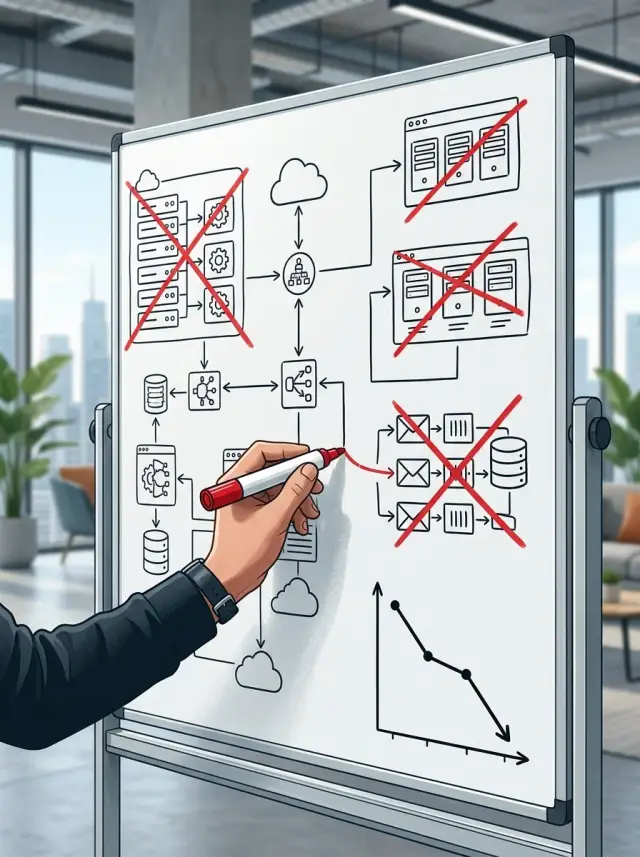
Table of Contents
Why the bill grows before traffic does
Cloud bills often rise long before customer traffic does. The reason is usually simple: teams add parts faster than they remove them.
A small team under pressure picks the fastest fix. It adds a queue for background jobs, a second database replica "just in case," another log tool because the first one feels limited, and a separate service for search or auth. Each decision makes sense in the moment. Few teams come back later and ask whether the old part still needs to exist.
That is how architecture waste starts. You do not get one extra line on the invoice. You get a chain of costs around every new service: compute, storage, backups, logs, monitoring, deployment steps, and support time when something breaks.
That support cost is easy to miss. A service that costs $80 a month can still trigger alerts, backup jobs, odd bugs, and hours of engineer time. The invoice shows one number. The team pays a lot more than that.
Duplication makes the problem worse. Teams often pay twice for the same job in two places. One system sends events to an analytics tool, a warehouse, and a logging platform even though only one of them drives decisions. Another team runs separate workers and queues for tasks that one job system could handle.
A growing SaaS team might split a once-simple app into five small services. Traffic doubles, but the bill triples. That happens because each service brings its own instance, secrets, logs, health checks, backups, and deployment flow. The product did not become three times more useful. It just became heavier.
Cloud discounts can help, but they rarely fix the real issue. If the design has duplicate services, idle replicas, and extra queues, a lower rate only makes the waste cheaper. It does not remove it.
That is why architecture decisions often matter more than procurement. If one customer request touches six paid services before it finishes, costs will climb fast even when traffic still looks modest.
Where waste hides in plain sight
Most cloud waste does not look dramatic. It looks reasonable, even careful. A team adds one more service, one more replica, one more queue, and six months later nobody remembers which part still earns its keep.
Duplicate background work is a common example. One service handles emails, reports, or file processing. Then someone adds a second worker during a rush, and both stay alive after the rush ends. Jobs still finish, so nobody complains. But now two services watch the same workload, log the same events, and burn money all day.
Database replicas fall into the same trap. Read replicas make sense when traffic is heavy or reports hit the main database hard. But many teams keep them long after peak load passes. If a replica sits at tiny CPU use most days and serves little real traffic, it is a comfort blanket with a monthly price tag.
Queues also outlive the problem they were built to solve. A team adds one when synchronous requests get slow during a launch. Later, the code improves, traffic settles down, and the queue stays. Now the app pays for the queue, the worker fleet behind it, and the extra monitoring around both.
Tool overlap is another quiet leak. Teams pay for separate search, cache, and scheduling tools when one or two parts could do the job well enough. A dedicated cron service, a message broker with delayed jobs, and app-level schedulers can end up doing roughly the same thing. The same goes for search products that index a tiny dataset and caches that mostly store data the database can return in milliseconds.
Nonproduction environments are often the most ignored line item. Staging, QA, demo, and preview setups start as temporary helpers. Then they run 24 hours a day, seven days a week, even though nobody uses them overnight or on weekends.
A few signs usually point to waste. Two systems process the same task, but nobody can explain why both still exist. A replica, queue, or cache shows very low use for weeks. An old fix still runs after the outage or traffic spike that justified it is gone. Test and staging systems stay fully on when the team is offline.
If you want lower cloud spend, start there before asking for discounts. Procurement might save 5 percent. Removing one forgotten service can save more, and the savings continue every month.
How to review the stack step by step
Start with one real customer action, not a full system diagram. Pick something common, like "user signs in," "customer uploads a file," or "team exports a report." One path tells you more than a wall of boxes because it shows what actually wakes up when money leaves your account.
Draw that path from the first click to the final response. Include every API, worker, queue, database read, cache hit, background job, and replica involved. If one simple action touches eight services, two queues, and three data stores, you have probably found waste already.
A plain spreadsheet is enough for this review. Give each row one component and note four things: what it does, how often it runs, what it costs, and what breaks if you turn it off. That last column matters more than people expect. Teams keep extra parts for months because nobody knows whether they still matter.
Then pull 30 days of numbers for each item in the path. Look at usage, error rate, and latency. Cost alone can fool you. A queue may look cheap, but if it carries almost no traffic and adds delay, it still makes the system worse. A replica may feel safe, but if it sits near zero most days, you are paying for comfort rather than need.
The patterns are usually obvious once you look: services that wake up for only a handful of requests, replicas with almost no read traffic, queues with tiny depth and no burst pattern, databases that mostly mirror data from somewhere else, and workers that run all day to handle jobs that appear twice an hour.
Make cuts one at a time. Merge one service into another. Remove one queue. Scale one replica down. Then watch error rate, latency, and support tickets for a few days. Small changes are boring, and that is good. Boring changes rarely take production down.
Many SaaS teams find that old "temporary" parts cause most of the bill. A team might keep a separate worker service, message queue, and read replica for a report that five customers use each week. Folding that flow back into the main app can save more than a vendor discount ever will.
Review the stack in the order customers use it. Follow one action, measure every hop, and remove the parts that do almost nothing.
What to keep before you cut
Cost work goes wrong when teams delete the parts that quietly protect revenue. Keep the pieces that earn their place every day: the ones that protect uptime, absorb real demand, or let teams ship without blocking each other.
Start with replicas. If paying users expect the app to stay up during a node failure, keep the replica count that covers that failure. One extra app replica behind a load balancer can be cheap insurance. Five replicas across several zones for a product with light, predictable traffic usually is not.
Use the same test for databases and caches. Keep the failover setup you need for the recovery goals you actually promised. Do not keep a larger setup just because it felt safer during an earlier launch.
Queues deserve the same honest review. A queue helps when traffic arrives in bursts and the rest of the system needs time to catch up. Image processing, imports, webhook retries, and email sends often fit that pattern. A queue that moves a small trickle of jobs all day, with no real spikes, may just add one more thing to monitor.
Separate services are worth keeping when teams release them on different schedules or when a mistake in one area carries more risk than the rest of the app. Billing code often changes more carefully because mistakes hurt trust. An internal admin tool or a notification worker may move faster. That split can make sense. If the same two people deploy everything together every Friday, extra services may only add overhead.
Most teams keep too much "just in case" gear. That habit gets expensive fast. A second queue, cache, or worker pool should answer one blunt question: what breaks if you remove it?
A short test helps. Keep a component if it handles load the main app cannot absorb, prevents a failure that would hit paying users, isolates code or data that needs tighter control, or lets one team ship without waiting on another. If it does none of those things, it is probably leftover architecture.
Cut carefully, then watch errors, latency, and support tickets for a week. That tells you more than keeping spare parts forever.
A simple example from a growing SaaS team
A SaaS team of eight prepared for a launch and made a set of quick choices that felt safe at the time. They added a queue for background jobs, spun up a separate worker service, and brought in a second search tool because they worried their main database would not keep up.
The launch went fine. Traffic rose for a few weeks, then settled. Six months later, usage was lower than it had been during launch month, but the extra pieces still ran day and night. Nobody touched them because nothing looked broken.
That is how waste sticks around. A service that made sense under pressure keeps billing long after the pressure is gone.
When the team finally reviewed the stack, the first surprise was search. The product only needed simple filters, a few text matches, and sorting by date. Their main database could already do that. They moved search back into the database, removed the separate search service, and got rid of one more system that needed backups, alerts, and upgrades.
The second surprise was the worker setup. One old worker existed only because a launch feature once needed heavy processing. By then, those jobs were rare. The main app could handle them during off-peak hours, so the team removed the old worker and the extra compute that came with it.
Then they looked at queues. They had two. One queue handled email and password resets, which was still worth keeping. The other processed a tiny number of low-priority jobs each day and spent most of its life doing nothing. They merged those jobs into the same queue and deleted the second one.
The bill dropped before anyone called procurement. No discount negotiation, no long vendor thread, no special contract. The savings came from removing things that no longer earned their place.
Cleanup like this often works faster than rate shopping. It also makes the product easier to run. Fewer services mean fewer dashboards, fewer alerts at 2 a.m., and fewer strange failures between systems.
That is why experienced CTOs usually start with a service map, not a pricing spreadsheet. If a tool handles almost nothing or duplicates something you already have, it is usually the first thing to question.
Common mistakes that keep costs high
A lot of teams try to cut cloud spend by shrinking the most visible line item first. That usually means production compute. It feels practical, but it often misses the real waste.
One common mistake is cutting production replicas before anyone checks what those replicas actually protect. If the app has weak failover, one database, or no tested recovery plan, dropping replicas may save money and raise risk at the same time. In many stacks, the bigger waste sits elsewhere: duplicate workers, old services nobody uses, or queues that keep running with almost no traffic.
Staging causes trouble too. Teams often size staging like production, then leave it running day and night for a month. That makes sense if you test under load every day. Most teams do not. A smaller environment that starts when people need it usually does the job for much less money.
Cleanup work also gets ignored because no one owns it. Extra monitoring tools stay. Old feature flag services stay. A second message broker stays because one project tried it last year and never removed it. Each tool may look cheap on its own. Together they become a steady monthly leak.
The same blind spot shows up in logs, backups, and software licenses. Teams count servers and forget everything around them. Logs grow fast, especially with noisy apps or debug mode left on. Backups pile up. Managed databases add storage, IOPS, snapshots, and transfer fees. Security, observability, and CI tools add license costs that never show up in a simple server count.
A SaaS team might think it runs lean because its app servers look small. Then a closer look shows 90-day log retention, large database snapshots in two regions, paid seats in three overlapping tools, and a staging cluster that mirrors production even though nobody uses it on weekends. That is where the money goes.
Finance usually spots the problem late. By then, the discussion turns into discount requests and vendor pressure. Procurement can help, but it cannot fix an architecture that pays twice for the same job. Someone on the technical side has to own the review, decide what stays, and remove what no longer earns its place.
The teams that spend less do one simple thing well: they review architecture costs before the monthly bill forces the conversation.
Quick checks before you call procurement
Procurement can help, but discounts rarely fix a bloated stack. Before you ask for a lower rate, check whether you are paying for parts of the system that no longer earn their keep. One deleted service often saves more than a long pricing call.
Start with a few blunt questions. Can one service do the job of two paid tools? Does each replica handle real reads every day, or does it sit there "just in case"? Does each queue protect users from spikes, or does it only add delay? Can you turn off dev, staging, or demo systems at night and on weekends? Would one month of cleanup save more than a small rate cut?
Duplicate tools are common. A team adds one service for logs, another for alerts, and a third for uptime, then discovers the cloud provider or the existing stack already covers most of that. The overlap looks harmless because each bill is small on its own. Added together, it stops being small.
Replicas need the same level of honesty. If a database replica exists for read traffic, check the read traffic. If dashboards show almost no real use, the replica is a comfort blanket, not a requirement. The same goes for extra queues. Some queues absorb bursts and keep the app stable. Others just push work a few seconds later and make failures harder to trace.
Nonproduction systems leak money in the most boring way possible: they stay on all day, every day. If nobody uses staging after work hours, schedule it to shut down. If demo environments sit idle for days, stop them by default and start them only when someone needs them. That change alone can do more than a vendor discount.
A simple comparison helps. Add up the monthly cost of duplicate tools, idle replicas, and always-on nonproduction systems. Then estimate what a realistic rate cut would save over the same month. If the cleanup number is bigger, do that work first.
Picture a small SaaS team with one unused replica, two overlapping paid tools, and a staging stack that runs overnight. Cleaning that up might cut hundreds or thousands a month. A 5% discount on the old bill may not even catch up.
Call procurement after this review, not before. You want a better price on a lean setup, not a discount on waste you chose to keep.
What to do next
Start with one customer flow, not your whole platform. Pick something easy to trace, such as signup to first payment or order to confirmation email. Follow that path through every service, queue, database, cache, and replica it touches. You will usually spot waste faster in one real flow than in a broad architecture review that never gets finished.
Set a clear spend target for the next 30 days. Make it specific enough to force tradeoffs, such as cutting infrastructure spend by 10% or keeping next month under a fixed number. If nobody owns that target, the audit turns into a nice document and nothing more.
Keep the first pass short. Trace one customer flow end to end and write down every component it uses. Mark one duplicate service you can remove safely this week. List each replica and queue, then note what problem it solves today. After you make the change, compare the next bill with the current one.
That last step matters. Teams often remove something, assume the savings will show up, and move on. Check the bill again. If a service still appears, find out why. An old environment may still run. Logs may still ship twice. A queue may still stay alive for one legacy job that should have moved months ago.
Be strict with replicas and queues. Some earn their keep because they protect a busy database or smooth out real traffic spikes. Others sit there because they felt safe to add and hard to question later. If a read replica handles almost no read traffic, write that down. If a queue only passes tiny jobs every few hours, write that down too. Cost follows habit more often than load.
A simple rule helps: keep the parts that protect revenue, uptime, or recovery time. Cut the parts that only protect old assumptions.
If you want an outside review, Oleg Sotnikov writes about this kind of architecture cleanup at oleg.is and advises startups and smaller teams on lean infrastructure decisions. A second opinion can cut through internal debate and make it clearer which changes are safe now.
Frequently Asked Questions
What usually makes cloud costs rise before traffic does?
Extra parts do. Teams add queues, replicas, workers, and paid tools during busy moments, then forget to remove them. Each part adds compute, storage, logs, backups, and engineer time.
Should I talk to procurement before I clean up the architecture?
No. Review the stack first. A lower rate helps a little, but removing one unused service or idle replica often saves more every month.
How can I find duplicate services quickly?
Trace one common customer action from click to response. Write down every service, queue, database, and tool it touches. If two systems do the same job or one wakes up for almost nothing, question it.
When does a queue still make sense?
Keep a queue when work arrives in bursts and the app needs time to catch up. Email sends, imports, retries, and image processing often fit. If jobs trickle in all day and the main app can handle them, the queue may only add cost and delay.
How do I know if a read replica is worth keeping?
Only if real read traffic needs it or your uptime target requires it. Check 30 days of reads and CPU use. If the replica sits near zero most days, you are likely paying for comfort.
What should I do with staging, QA, and demo environments?
Turn them off when nobody uses them. Most teams do not need full-size nonproduction systems running overnight or on weekends. Scheduled shutdowns can cut spend without touching production.
Are microservices causing the higher bill?
Not by themselves. Separate services make sense when different teams ship on different schedules or one area needs tighter isolation, like billing. If the same people deploy everything together, extra services often add overhead without much benefit.
How can I review cloud costs without a huge audit?
Pick one customer flow and put each component in a spreadsheet with four notes: what it does, how often it runs, what it costs, and what breaks if you turn it off. That gives you enough to make the first safe cuts.
What is the safest way to remove architecture waste?
Cut one thing at a time and watch errors, latency, and support tickets for a few days. Merge one queue, remove one worker, or scale down one replica. Small changes are easier to test and easier to reverse.
When should I ask an outside CTO to review the stack?
Bring one in when your team cannot agree on what stays, or when nobody owns the cleanup. An outside review can map one revenue path, show which parts still earn their place, and help you cut spend without guessing.


