React testing libraries for UI regressions that matter
React testing libraries help teams catch broken forms, dialogs, and loading states without brittle snapshots or noisy markup checks.
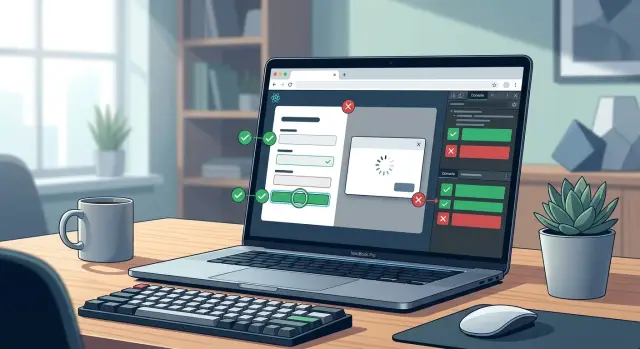
Table of Contents
Why snapshot-heavy tests miss real breakage
Snapshot tests often react to the wrong changes. Add one wrapper div, reorder a few props, or rename a CSS class, and the diff gets noisy even when the screen still works the same.
That noise trains people to ignore failures. After a few giant snapshot files in pull requests, reviewers stop reading them closely and click through the update without checking what changed.
The bigger problem is what snapshots do not see. They save markup, not user behavior. A form can look almost identical in a snapshot while the real experience gets worse.
Take keyboard use. If a refactor breaks tab order, a person using Tab can get stuck or jump to the wrong field. The snapshot may still pass because the HTML tree looks close enough, but the page is harder to use.
The same thing happens with focus, disabled states, loading text, and error messages. A button might render, yet never become clickable after an async action. A snapshot can stay green while the user sits there wondering why nothing happens.
Class names are another common trap. Teams rename a class, switch CSS modules, or move styles between components, and snapshot tests fail for no user reason. That failure feels precise, but it does not tell you whether the page still works.
A small example makes this obvious. Imagine a signup form with the same fields and button as yesterday. The snapshot matches closely enough to look safe. But the email field no longer receives focus first, the submit button stays disabled after valid input, and the error message does not appear for screen readers. Users notice that right away. A snapshot usually will not.
This is why many teams cut back on snapshot-heavy suites and lean on React testing libraries that check actions and outcomes instead. For UI regression testing, behavior-focused tests catch the breakage people feel, not markup trivia that nobody cares about.
What behavior-focused tests actually check
Good UI tests watch what a person can do and see on the screen. They do not care whether a button sits inside a div, a span, or a custom component. They care about whether the button appears, whether a person can press it, and what changes after that.
That starts with how the test finds elements. In React Testing Library, the safest queries are usually roles and labels because they match how people and assistive tools use the page. A test that looks for "Email" and then types into that field is much more useful than a test that grabs .input-3 or a random test id.
The next step is interaction. Real users click, type, tab between fields, press Enter, and submit forms. With user-event, your test can do the same. If a menu only opens after a click, the test should click it. If a form should move focus to the next field with Tab, the test should press Tab and check where focus lands.
A solid test usually checks a few plain things:
- text that appears or disappears
- whether a button is disabled or enabled
- whether a checkbox is checked
- whether an error message shows up
- whether focus moves to the right place
These checks sound simple, and that is the point. They catch breakage that people notice. If a signup form rejects bad input, the test should confirm that the warning text is visible and the submit button stays disabled. If the form becomes valid, the test should confirm that the button turns on.
Async states matter too. Many UI bugs happen between the click and the final result. After submit, the page may show "Loading...", then a success message, or an error alert if the request fails. The test should wait for the screen to settle before making the last assertion. Waiting for visible results is better than waiting for an arbitrary timer.
This is why behavior-focused tests age well. The markup can change a lot while the test still passes, as long as the screen still works for the person using it.
Packages to start with
Most teams do fine with a small stack. If you want React testing libraries that catch UI regressions without turning every refactor into cleanup work, start with the tools that test what a person can see and do.
A practical setup usually looks like this:
@testing-library/reactrenders your component and gives you screen queries that match real UI text, labels, and roles.@testing-library/user-eventsimulates typing, clicking, tabbing, and other interactions in a way that feels much closer to actual user behavior.@testing-library/jest-domadds readable checks such astoBeVisible(),toBeDisabled(), andtoHaveTextContent().VitestorJestruns the tests. Pick the one that already fits your repo and team habits.
@testing-library/react is the center of the setup. It pushes you toward queries like "find the button by its name" instead of "find the third div with this class". That matters because CSS classes, wrapper elements, and markup shape change all the time. The button text and label usually matter more.
user-event is where behavior-focused tests start to feel real. A click is not just a function call, and typing is not the same as setting an input value by hand. If a user tabs into a field, types an email, and presses Enter, your test should do the same. That flow catches more real breakage than markup trivia ever will.
jest-dom keeps assertions readable. expect(button).toBeVisible() tells you more than checking raw attributes or class names. When a test fails, you can usually see the problem in seconds.
Vitest and Jest both work well for UI regression testing. I would not overthink this choice. If the repo already uses one, keep it. Consistency saves more time than switching runners for a tiny speed gain.
A simple signup form test with these packages can cover a lot: the form renders, the user types, the submit button enables, and a success message appears. That is often enough to catch the breakages users actually notice.
Packages for network and async states
Most UI bugs show up when data is late, missing, or broken. That is why this part of UI regression testing needs a different setup than a simple click test.
For most teams, two tools cover almost everything: React Testing Library for what the user sees, and MSW for how the app talks to the server. Among React testing libraries, MSW is the one that usually makes async tests feel less fragile.
Use MSW at the network layer
MSW intercepts requests and returns fake responses without changing your component code. The component still calls the API the same way it does in the app, which keeps the test close to real behavior.
That is much better than stubbing fetch in every test file. Per-file fetch mocks create repeated setup, hide request mistakes, and tie tests to one implementation detail. If your app later switches from fetch to another client, MSW-based tests usually keep working.
Keep your mock data close to the real response shape. If the real API returns { items: [], total: 0 }, use that shape in tests too. Tiny made-up objects save a minute now and cost hours later when the UI maps fields that your fake data never included.
A small set of states catches most regressions:
- loading state while the request is still pending
- empty state when the server returns no data
- success state when content appears
- error state when the request fails or returns a bad status
You do not need ten cases for one screen. Four honest cases beat twenty shallow ones.
React Testing Library handles the waiting part well. Use findBy... queries when something should appear after the request finishes. Use waitFor more carefully, mostly for changes that do not map to one visible element.
A signup form is a good example. The test can submit the form, let MSW return a delayed response, check that the submit button stays disabled during loading, then confirm the success message appears. In another test, MSW can return a validation error and you can check that the form shows the message the user needs, not just that some promise rejected.
That style gives you behavior-focused tests. They catch broken loading flows, missing empty states, and bad error handling without locking the test to markup trivia.
Packages for browser and accessibility checks
Some bugs do not show up in jsdom. A modal may look fine in a unit test, then trap focus the wrong way in Chrome. A date picker may fail only when the browser handles keyboard input for real. That is where Playwright earns its place.
Playwright runs your app in actual browsers and lets you test what a person does: tab through a dialog, type into fields, press Escape, or submit a form. If a menu closes at the wrong time or focus disappears after a popup closes, Playwright will catch it. Snapshot tests usually miss that because they only compare markup.
For accessibility checks, start small and practical. jest-axe works well in component and integration tests, and axe-core gives you the same engine in broader setups. These tools catch common problems fast, like missing labels, low-level ARIA mistakes, and broken relationships between inputs and error messages. They will not prove the whole UI is accessible, but they catch the stuff teams forget on busy days.
A few checks give you a lot of value:
- When a dialog opens, focus should move into it.
- When the dialog closes, focus should return to the button or link that opened it.
- Every form field should have a clear accessible name.
- Errors should be attached to the right field and readable by assistive tech.
- Keyboard users should finish the flow without touching a mouse.
A signup form is a good example. If the email field only shows a placeholder and no real label, jest-axe will complain. If the form shows "Invalid email" on screen but never connects that message to the input, screen reader users may miss it. If the success dialog opens and the Tab key jumps behind it, Playwright will show the bug in minutes.
Used together, these tools cover a gap many React testing libraries leave behind. React Testing Library checks behavior inside the app. Playwright checks behavior inside the browser. Axe helps you catch accessibility problems before users do.
How to build one useful test
Pick one task a person does often and test that path end to end. Saving a profile works well because it covers typing, validation, loading state, a network request, and the success message. If that flow breaks, people notice it right away.
Start with the page, not the component in isolation. Render it with the same providers the app uses in real life, such as routing, query state, or auth context. Many React testing libraries support this style, but React Testing Library is the one most teams reach for because it keeps the test close to user behavior.
Keep your mocking narrow. Fake the network call, and fake time only if the page has delays, retries, or debounced input. Leave the rest alone. When teams mock hooks, stores, and internal helpers all at once, the test stops checking the real screen and starts checking their own setup.
Then use the UI the way a person would. Type into fields with user-event. Click the Save button. Wait for the loading text to disappear or the success message to show. Do not call component methods, set state by hand, or inspect private props. Those tests break when markup changes, even if the page still works.
A solid test for a profile form usually checks five things:
- the page shows the current profile data
- the user can change a field and submit
- the save request goes out once with the expected data
- the screen shows a clear success state
- the form returns to an idle state, such as an enabled button
That last point matters more than people think. A test that only checks "the API was called" misses a broken spinner, a disabled button that never resets, or a success banner that never appears.
A good rule is simple: assert one visible result and one side effect. For example, after clicking Save, the user sees "Profile updated" and the app sends one PATCH request. That gives you a test that catches real UI regression testing problems without turning into markup trivia.
A realistic example with a signup form
With React Testing Library and user-event, one small test can catch the failures users actually notice. A signup form is a good example because it mixes validation, loading state, and a clear success path.
test("signup flow handles validation and success", async () => {
  const user = userEvent.setup();
  const saveAccount = vi.fn(
    () => new Promise((resolve) => setTimeout(resolve, 50))
  );

  render(<SignupForm onSubmit={saveAccount} />);

  const email = screen.getByLabelText(/email/i);
  const password = screen.getByLabelText(/password/i);
  const submit = screen.getByRole("button", { name: /create account/i });

  await user.type(email, "sam@example");
  await user.tab();
  await user.type(password, "12345");
  await user.tab();

  expect(screen.getByText(/enter a valid email/i)).toBeVisible();
  expect(screen.getByText(/password must be at least 8 characters/i)).toBeVisible();

  await user.clear(email);
  await user.type(email, "[email protected]");
  await user.clear(password);
  await user.type(password, "StrongerPass9!");

  await user.click(submit);

  expect(submit).toBeDisabled();
  expect(saveAccount).toHaveBeenCalledWith({
    email: "[email protected]",
    password: "StrongerPass9!",
  });

  const successMessage = await screen.findByRole("heading", {
    name: /check your inbox/i,
  });

  expect(successMessage).toHaveFocus();
});
This test reads like a real interaction. The user types bad input, leaves the field, sees inline errors, fixes the values, sends the form, waits through the request, and lands on a success state.
That last part matters. Many UI regression testing setups stop at "the request finished." Users do not. They notice when the button never disables and they click twice. They notice when the success message appears off screen and focus stays behind on the form.
The test also stays calm during refactors. You can change class names, wrapper elements, or HTML structure, and it still passes if the form still works. It fails only when behavior breaks, which is what behavior-focused tests should do.
Mistakes that make tests brittle
A brittle test fails when the screen still works. That is the wrong kind of failure. UI regression testing should catch a broken user action, a missing message, or a blocked form, not a harmless DOM shuffle.
One common mistake is using test IDs when the UI already gives you better handles. If a field has a label or a button has a clear name, query it the way a user finds it. React Testing Library pushes teams in that direction for a reason. A selector like getByRole("button", { name: /sign up/i }) usually survives refactors better than getByTestId("signup-btn").
Another weak pattern is asserting exact markup for text that can move around. Designers change spacing. Copy wraps onto two lines. A message gets split across elements for styling. None of that means the user experience broke. If the same meaning is still visible, the test should pass. Check for visible text or an accessible name, not the exact HTML shape.
Teams also make tests less useful when they mock every hook. A component may depend on form state, routing, async loading, and permissions. If you replace all of that with fake return values, you stop testing the real behavior. You only test your mocks. It is usually better to mock the network edge or a single external dependency and let the component run normally.
Long tests cause a different kind of pain. One file tries to cover signup, error handling, retry, account settings, and logout in a single flow. When step three fails, the rest tells you nothing. Short tests are easier to read, easier to fix, and much better at pointing to the real break.
Snapshots deserve a hard look too. A tiny snapshot for a stable component can help. Huge snapshots often rot. Nobody reads 200 lines of diff after a small CSS tweak. People click update and move on, which means the test has stopped protecting anything.
A simple rule set works well:
- Prefer roles, labels, and visible text over test IDs.
- Assert meaning, not markup trivia.
- Mock boundaries, not every hook.
- Keep one user goal in each test.
- Delete snapshots you do not review.
Quick checks before merging
A test is ready to merge when it behaves like a user and complains only when the user experience changes. If it fails because a wrapper changed or a class name moved, the team will stop trusting it.
For UI regression testing, a small pre-merge review catches most weak tests before they land.
- Break the screen on purpose. Remove a button label, hide an error message, or skip a loading spinner. The test should fail for the same reason a person would notice the bug.
- Change harmless markup. Add a
span, reorder classes, or move a container. Good tests should keep passing. React Testing Library usually helps here when you query by role, label, or visible text instead of CSS selectors. - Read the test once, top to bottom. A new teammate should understand it without pausing. "Type email, click submit, see error" is clear. "Find third child and inspect innerHTML" is not.
- Cover the state changes people actually hit. Many bugs appear between states, not only at the end. Check loading, error, and success, especially when the screen depends on network data.
- Watch the runtime. Merge-time tests need to finish fast enough that people run them often. If one test takes seconds for no good reason, trim setup, mock less expensively, or move the heavier check to CI.
user-event helps a lot because it makes tests read like real usage. Typing, tabbing, and clicking expose broken flows better than direct event firing. If the component calls an API, pair that with mocked responses so the test can move through loading, failure, and recovery without waiting on real services.
One small habit saves time: after writing a test, ask whether it would still pass after a harmless refactor. If the answer is no, the test is probably checking markup trivia, not behavior.
Weak tests are cheap to merge and expensive to live with. Tighten them before they reach the main branch, or delete them and write one that checks what a user can actually do.
What to do next
Start small. Pick one flaky snapshot file, find the test that fails for markup noise, and replace just one case with a user-level check. A single test that clicks, types, and waits for visible feedback will teach the team more than ten snapshot updates that nobody reads.
That first replacement should be boring on purpose. Choose a common screen, such as a login form, a filter panel, or a modal. Check what the user can do and what they can see after each step. If the test still passes after harmless refactors, you are moving in the right direction.
Write down a default stack and make it the team's starting point. For many React projects, that means React Testing Library, user-event, and a small set of helpers for mocked network calls and async UI states. Clear defaults matter because teams get brittle tests when every engineer picks different React testing libraries and different testing styles.
A simple team note is enough:
- Use behavior checks before snapshots
- Mock network calls at the request level, not inside components
- Add browser tests only for flows with real browser risk
- Keep one example test per common UI pattern
Browser tests are worth the extra time when the browser itself can break the flow. Think file uploads, drag and drop, focus traps, payment steps, or anything that depends on real layout and navigation. For plain conditional rendering, a fast component test is usually enough.
If your test suite feels messy beyond one file, fix the setup before adding more cases. Shared test helpers, stable factories, and a short testing guide save a lot of time later.
Some teams also need a wider cleanup than test code alone. If you want help setting up React testing, tightening your frontend workflow, or moving toward an AI-assisted software process, Oleg at oleg.is offers Fractional CTO advice with deep experience in product architecture, infrastructure, and practical AI-first development.


