React Native vs native mobile for heavy offline apps
React Native vs native mobile matters more when offline rules shape the product. Compare bridge cost, plugin risk, and release speed over years.
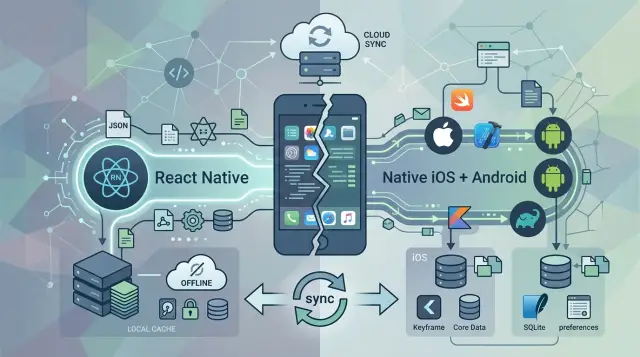
Table of Contents
Why this choice gets hard fast
The React Native vs native mobile decision looks simple when the app is mostly screens, forms, and API calls. It gets harder when the product must keep working with bad signal, no signal, or delayed sync for hours. At that point, the app is not just a client. It starts acting like a small local system.
That changes the job. The app now has to store records safely, apply business rules on the device, resolve conflicts, retry failed sync, and recover after the phone kills a background task. If users add photos, signatures, or scanned data, the moving parts grow again. Small mistakes here do not feel small. They show up as lost work, duplicate records, and support tickets nobody can reproduce twice.
React Native can still be a good choice, especially when a team wants one codebase and a fast first release. That short-term win is real. A small team can ship sooner, test the market, and avoid building two separate apps too early.
The problem shows up later. Heavy offline logic pulls more work toward local databases, background processing, file handling, and device-specific behavior. That is where extra layers start to cost time. A bug may live in JavaScript, a bridge boundary, a plugin, iOS code, or Android code. The team now spends more hours finding the problem before it can fix it.
Long-term ownership changes the math even more. Year one is rarely the hard part. Year three is harder, when OS updates land, plugins age, old devices still matter, and new developers inherit code they did not write. A stack that felt fast in a demo can turn into slow releases and careful workarounds.
Picture a field service app. A technician updates a job in a basement, takes three photos, captures a signature, and drives back into coverage later. If the app gets that flow wrong once a week, users stop trusting it. For products like that, the choice is less about developer comfort and more about how calmly the team can own the app for years.
What heavy offline rules add to the app
Heavy offline apps do more than cache a few screens. They have to keep working when the network drops, then sort out what happened later. That changes the app from a simple client into a small system that lives on the phone.
The hard part is not storing data. The hard part is deciding what the app should do when reality gets messy. A user edits a record on the train. Another user changes the same record in the office. The server gets one update now, one update two hours later, and both look valid.
That usually means you need rules for:
- local queues for actions that cannot reach the server yet
- retries with limits, delays, and duplicate protection
- conflict handling when two edits collide
- partial data, where some records are fresh and others are old
- clear status messages so users know what synced and what did not
Each rule sounds small on its own. Together, they shape most of the app's behavior.
A field service app feels this early. A technician may open a job in a basement, add notes, mark parts as used, capture photos, and collect a signature with no signal at all. The app has to preserve the order of those actions, keep the job usable offline, and sync later without creating double charges or missing work logs.
Healthcare apps run into the same problem fast. Staff may need patient details, medication notes, or visit updates in places where the connection is weak. If the app syncs the wrong version, or hides that data is incomplete, people lose trust in it very quickly.
Logistics teams also hit this wall early. Drivers, warehouse staff, and dispatchers often work with scans, route changes, proof of delivery, and time-sensitive updates. Partial data is normal, not rare. One late sync can change inventory counts, delivery status, or who sees the next task.
This is where React Native vs native mobile starts to matter more. Once offline rules grow, the app spends less time drawing screens and more time managing storage, queues, background work, and sync edge cases. That is real product logic, and teams will own it for years.
Where React Native bridge cost shows up
Bridge cost is the extra work a team takes on when app code and phone code live in two worlds. React Native lets you share a lot of app logic, but the phone still runs many important parts through iOS and Android APIs. When data, events, or background jobs move across that boundary, teams spend more time on setup, testing, and debugging.
For simple UI, that cost can stay low. A dashboard, settings screen, basic form flow, or standard API-driven app often fits React Native well. One codebase can save a lot of effort when the hard part is mostly presentation.
Heavy offline apps are different. An offline-first mobile app usually needs local storage, background sync, retry queues, file access, push handling, encryption, and conflict resolution. Those jobs depend on the operating system, and that is where the bridge starts to matter.
Teams usually feel the cost in a few places:
- moving large sets of local data between JavaScript and native code
- keeping background sync alive under iOS and Android limits
- wiring device features like camera, file system, Bluetooth, or location into offline workflows
- tracing bugs that appear partly in JavaScript and partly in native logs
A small example makes this clearer. Imagine a field service app that stores job photos, signatures, and checklists while the user has no signal. The screen itself is easy enough in React Native. The hard part is saving files safely, syncing them later, retrying failed uploads, and preventing duplicate records when the app wakes up after hours in the background.
Native apps often handle those paths more directly because the storage engine, background workers, and device APIs live in the same layer. React Native can still do the job, but teams often end up writing custom native modules or patching existing ones. That adds work every time the OS changes, a library breaks, or a new device behavior appears.
Newer React Native architecture helps with some performance issues, but it does not remove the need for native work when the product depends on deep offline rules. If most of your product risk sits in sync, storage, and background behavior, shared UI saves less than many teams expect.
How plugin risk grows over time
Plugin risk usually starts small. A team needs one feature React Native does not handle well on its own, so they add a package for Bluetooth, barcode scanning, encrypted storage, background sync, or file access.
That choice can look harmless in month one. The app ships, the feature works, and nobody feels pain yet.
The trouble shows up later because heavy offline apps depend on parts of the phone that sit close to the operating system. When your app must store data safely, sync in the background, survive bad networks, and keep working after app restarts, one weak plugin can touch a lot of behavior.
A plugin becomes risky when:
- one person maintains it in their spare time
- updates arrive months after iOS or Android changes
- issue threads fill up with workarounds instead of fixes
- the package wraps native code that your team does not know well
This is where React Native vs native mobile gets less abstract. With native code, your team owns the problem directly. With React Native, you may depend on a middle layer that nobody on your team wants to maintain, but someone eventually has to.
OS changes are the worst test. Apple adjusts background task rules, Android changes storage access, or permission prompts behave differently after an update. The plugin breaks at exactly the wrong time: right before a release, during a busy season, or after the app is already in users' hands.
Then the choices get expensive fast. You wait for the maintainer, fork the package, patch native code yourself, or cut the feature from the release. None of those options feel small when the app has years of planned ownership ahead.
Thin teams feel this even more. A single plugin emergency can eat three or four days, and that is before QA starts retesting offline flows on different devices.
If you expect long-term ownership, treat every plugin like future code you may inherit. The first missing feature is rarely the real cost. The real cost is owning that dependency after everyone else has moved on.
Release cadence over a year, not a sprint
A mobile team ships against three clocks at once: its own plan, Apple's review cycle, and Google's SDK deadlines. JavaScript code in React Native can move fast, but the app still lives inside iOS and Android release rules.
When a change stays in UI copy, layout, or simple business logic, React Native can shorten the path. Teams edit one shared code path and test less duplicated code. Heavy offline apps rarely stay in that easy lane for long. Local databases, background sync, file access, encryption, Bluetooth, camera flows, and push handling often pull the release back into native code and store review.
That is where the calendar gets messy. Apple and Google change SDK requirements on their own schedule. A plugin that worked fine in spring may lag behind a new iOS version or a new Android target level in autumn. Then the team does not just update React Native. It updates plugins, native wrappers, build tools, and tests across two operating systems. Each change opens a new regression window.
Store timing matters too. A bug found after submission can cost days, not hours. If the app has strict offline rules, the team must test cold starts, sync conflicts, retries, low-storage behavior, and upgrades from older versions. One shared JavaScript layer does not remove that work. Sometimes it adds one more place for bugs to hide: between JavaScript, the bridge, and a native module.
Two codebases can still move faster over a full year when the team has clear ownership and strong mobile experience. That often happens when:
- iOS and Android engineers can fix platform issues without waiting on a bridge or third-party plugin
- the app depends on OS features that change often
- QA already tests each platform separately
- releases need predictable rollback and version support
- the team expects to own the app for many years
The React Native vs native mobile decision often gets framed around week-one speed. Long-term app ownership changes the math. A slower start with native can lead to a calmer release rhythm later, especially when every update must keep offline data correct on real devices in the field.
A step-by-step way to choose
Start with the app's offline rules on a bad network day. Write down what users must do with no signal, weak signal, and stale data. Include conflict handling, local edits, retries, background sync, and audit needs. If those rules are hard to explain on one page, they will shape the tech choice more than team taste.
A team that expects long-term app ownership should score the work, not the framework brand. A simple 1 to 5 score is enough:
- Device access: camera, Bluetooth, NFC, background tasks, file system, location, push, and sensors.
- Performance: large local datasets, startup time, scrolling, encryption, and sync under load.
- Plugin depth: how much the app depends on third-party packages, and who will maintain them.
- Hiring reality: who you can hire, train, and keep for the next few years.
- Upgrade drag: how painful OS updates, SDK updates, and library changes will be over a year.
If device access and plugin depth score high, React Native vs native mobile often stops being a UI question. It becomes an ownership question. Every extra bridge, wrapper, or custom module adds one more place where bugs can hide.
Shared UI makes sense when the hard part lives in product flow, forms, and business screens, and the app uses only a small set of stable device features. In that case, React Native can save time and keep one product team moving.
Native ownership wins when offline behavior is the product, not a side feature. That is common in field service, healthcare, industrial, and logistics apps. If the app must sync large local stores, recover cleanly after failed writes, and use deep OS features, native usually gives fewer surprises over three years.
One practical rule helps: if you expect to write or maintain several custom mobile modules, choose native early. If most screens are shared and native work stays thin, shared UI still has a good case.
A simple example: field service app
Picture a technician inspecting HVAC units in a large warehouse district. Signal drops between buildings, some basements have no coverage at all, and the job still has to get done. The app needs to save notes, attach photos, collect a customer signature, and sync later without losing anything.
This is where React Native vs native mobile stops being a simple cost question. On paper, most screens look ordinary: a job list, a form, a camera button, a sync status badge. In practice, the hard part sits underneath the screen.
A lot of this app fits React Native well. Basic forms, job history, checklists, and local draft editing are usually fine. If the team keeps the offline rules clear and the device features simple, React Native can move fast and share code across iPhone and Android.
The pressure starts when the workflow gets messy. A technician may take 12 large photos, mark three of them on a sketch, save a draft, get a signature, then reopen the same job four hours later. If the app must queue uploads, compress images, encrypt local data, and recover from app restarts, native code starts showing up fast.
Conflict handling is often the point where teams feel the strain. Say the office changes the work order while the technician edits an older draft offline. Now the app has to decide what wins:
- keep the server version and drop local edits
- keep the local version and overwrite the server
- merge field by field and flag only the conflicts
- block submission until a person reviews the mismatch
That logic is not just UI. It touches storage, sync timing, background tasks, and error recovery. React Native can still drive the app shell, but teams often move camera flows, background sync, file handling, and signature capture deeper into native layers.
If the app only stores drafts and syncs when the user taps "submit," React Native is often a reasonable bet. If the app must survive bad networks, huge attachments, partial sync, and years of device updates, native usually gives the team fewer surprises. The extra build cost hurts early. The lower maintenance pain often pays it back later.
Mistakes teams make early
Teams often choose a mobile stack for the wrong reason. The most common one is hiring trend. If React Native developers seem easier to hire this quarter, the team picks React Native and moves on. That can work for simple apps. It breaks down when your app has strict offline rules, local conflict handling, background sync, and long ownership.
The React Native vs native mobile decision gets expensive when you treat hiring as the main filter. A cheaper hire at the start does not help much if the team spends the next two years fighting platform-specific bugs, bridge overhead, or uneven behavior between iOS and Android. A stack is not only about who you can hire fast. It is about what your team will keep fixing, upgrading, and testing.
Another early mistake is trusting a plugin before testing your actual edge cases. A plugin may look fine in a demo and still fail in the places that matter: flaky network, large local queues, app restarts during sync, camera uploads, encrypted storage, or background work after the screen locks. Teams read the feature list and assume coverage. They should run ugly tests instead.
A small field app shows this problem fast. A worker saves photos, notes, signatures, and job status updates in a basement with no signal. Later, the app must sync them in the right order, retry failed items, and avoid duplicate records. That is where plugin risk shows up. If one plugin handles files differently after an OS update, you now own a repair project.
Teams also ignore maintenance work that starts after launch. Background tasks need extra care. OS upgrades change behavior. Local data gets corrupted sometimes, and users need a way to recover without losing a full day of work. If you do not plan for app upgrades and data repair early, you push hard problems into production.
A simple rule helps: if your app must keep working when the network, OS, or plugin behavior gets weird, test those cases before you commit to the stack. That work feels slow in month one. It saves months later.
Quick checklist before you commit
React Native vs native mobile gets easier to judge when you force the choice into a few hard checks. Teams usually get burned when they pick a stack first and test real constraints later.
Use this before you lock the app architecture:
- Write down every device feature your app must control directly. That usually includes background sync, local database access, file storage, camera, GPS, push notifications, biometrics, and any Bluetooth or NFC work. If several of these sit near the center of the product, native code will matter more.
- Treat every plugin like part of your own codebase. Check when the maintainer last shipped an update, how quickly they answer issues, and whether they already support recent iOS and Android versions. A plugin with one tired maintainer can turn into a release blocker.
- Test ugly offline cases before the team gets attached to a stack. Change the same record on two devices, kill the app during sync, fill the phone storage, lose signal halfway through an upload, and reopen after a day offline. These tests expose where bridge layers and third-party packages get brittle.
- Estimate forced upgrade work across a full year. Apple, Google, payment SDKs, auth providers, crash reporting tools, and device makers all change on their own schedule. If your team expects frequent vendor-driven updates, count that maintenance cost now, not after launch.
- Ask who will own the app in year two or year four. A small team can move fast with React Native if the native surface stays narrow. If the app depends on deep OS behavior and long offline sessions, many teams end up writing more native code than they planned.
A simple rule helps: if your product can survive with a thin native layer, React Native may still save time. If offline rules, sync recovery, and device access are the product, native often saves more time than it costs.
What to do next
Choose for the app you will own in three years, not the app you want to demo next month. In a React Native vs native mobile decision, support load matters as much as build speed. If your product has long offline sessions, strict sync rules, device quirks, and a small team on call, the calmest option often wins.
A short proof will tell you more than another planning meeting. Build one real offline flow from start to finish, then put it under stress.
- download data on a weak connection
- edit records offline with business rules turned on
- attach files or photos
- recover after the app gets killed
- sync changes back and handle conflicts
That test should look like daily work, not a polished demo screen. Time how long it takes to build, how many platform-specific fixes appear, and how often the team hits plugin limits or native code anyway.
Keep a simple scorecard. Track how many external plugins you depend on, how often you need custom native work, how hard upgrades feel after an OS update, and how much testing each release needs. A stack that feels fast in month one can get expensive by month twelve.
If the result is still unclear, bring in a second opinion before the team commits. Oleg Sotnikov works as a Fractional CTO and startup advisor, and he helps companies pick practical architecture for long-lived products, infrastructure, and AI-augmented development teams. That kind of review is useful when the wrong mobile choice could lock you into years of extra support work.
A two-week proof with real offline rules is usually enough to cut through most debate. After that, the better path is usually obvious.


