Queue automation that stops daily babysitting by hand
If your team reruns jobs, fixes records by hand, and explains exceptions every day, queue automation starts with tracking those patterns first.
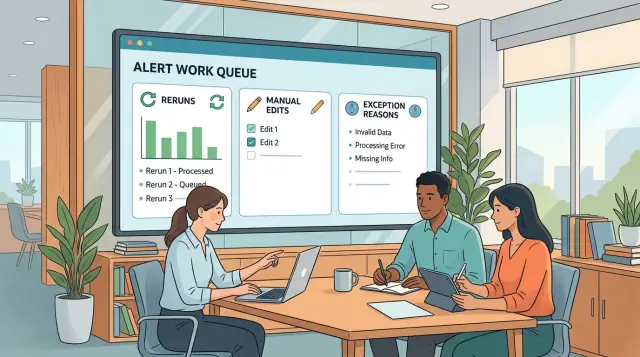
Table of Contents
What daily babysitting looks like
A queue that needs attention every day is not automated in any useful way. Software moves some items, but people still have to spot trouble, guess the fix, and push work through by hand.
The pattern is easy to recognize. Someone starts the morning by checking the dashboard for jobs that stalled overnight. Even when everything looks calm, they keep watching because they have seen too many failures that do not announce themselves.
Then the reruns begin. The same jobs get started again because they often pass on the second or third try. That sounds harmless, but it changes how the team works. People stop trusting the first result and start building extra time into the day for repeat work.
Manual fixes usually come next. A teammate edits a record, fills in a missing field, removes a bad character, or copies data from another tool so the item can move forward. That gets one case unstuck, but it also hides the real cause. The queue looks better than it is because a person quietly patched the problem.
The notes around those failures are often scattered. One person explains the issue in chat. Another adds a short comment to a ticket. Someone else keeps a private list in a spreadsheet or text file. After a week, nobody can tell which problems are rare and which ones happen every day.
That is how one person turns into the real system. They know which jobs to rerun, which records need edits, and which errors can wait. If they take a day off, the queue slows down or stops.
That is not queue automation. It is manual control with a thin software layer on top. You can spot it when the work only flows because one experienced person keeps catching exceptions before they pile up. Until the team can explain those exceptions in one place, trust stays low and babysitting stays part of the job.
What to track before you change the flow
Start with facts from the queue as it runs today. If you change rules too early, you can easily fix the wrong thing and keep the same hidden work.
Track reruns first. Count how many happen each day, which items get rerun more than once, and who triggers them. If the same two people handle most reruns, the process probably depends on habit and memory more than automation.
Manual edits need the same level of detail. "Fixed record" is not enough. Log the exact field that changed, the old value if you have it, and the new value that let the item move again.
Use plain language for exception reasons. "Customer used old account number" tells you more than "data issue." So does "PDF arrived without order ID." People should write the reason the way they would say it out loud.
For each touched item, capture five things: whether someone reran it, who stepped in, what field they changed, why they stepped in, and whether the item still failed after the rerun.
Wait time matters too. Note how long an item sits before a person touches it. Ten items that each wait 40 minutes can do more damage than one loud failure because they quietly slow the day down.
Keep a separate mark for cases that still fail after a rerun. Those cases often teach you the most. A rerun that works can reduce noise. A rerun that fails twice usually points to a rule, dependency, or bad input that needs real attention.
A simple example makes this concrete. If invoices sit for 25 minutes, then a team member changes the customer code and reruns them, the queue is not failing at random. It is waiting on a wrong or missing field, and the team has learned a manual workaround. That is the pattern to fix first.
Build a simple exception log
One shared sheet beats five private notes and a chat thread nobody can search later. If the queue still needs a person to watch it every morning, the fastest way to calm it down is to log every exception in one place the whole team can open.
Keep the setup plain. A spreadsheet or small database is enough if everyone uses the same fields every time. You do not need fancy tooling to learn where the flow breaks.
The log should include the item ID, current queue stage, rerun count, any manual change, and the reason someone touched the item. That tells you much more than a raw error total. A rerun with no edit points to one kind of problem. A manual edit before every rerun points to another.
The reason field needs discipline. If one person writes "bad input," another writes "input issue," and a third writes "wrong data from form," the log turns into noise. Pick a short set of labels and keep them stable. Simple labels work best: missing field, duplicate item, bad format, wrong route, timeout.
Those labels do not need to sound elegant. They need to be easy to choose when someone is under pressure.
Review the log at the same time every day for two weeks. Do not wait for a monthly report. A short daily review shows whether the same issue keeps returning, whether one stage causes most reruns, and whether one person keeps fixing the same thing by hand.
Say a support queue has 40 reruns in a week. The log shows that 26 came from "wrong route" at the triage step, and most needed the same manual field change before the item could continue. That gives you the first fix to make. You can add a rule or correct the form instead of treating each case as a fresh surprise.
Fix the busiest reason first, not the strangest one. When the top reason drops, the team feels the difference fast. Fewer manual saves and fewer repeat edits do more for trust than a long list of clever fixes.
Turn patterns into rules
After a few days of logging, the same causes start to repeat. That is when queue automation becomes real. You stop treating every broken item like a one-off problem and start writing rules for failures that keep coming back.
Most queue problems fall into a small number of buckets. Some items arrive with missing data, such as an empty customer ID or no approval code. Some fail because of timing, like a job running before another system finishes. Some fail because data lands in the wrong format or the wrong field. Others fail because an outside system times out or goes down.
That simple sorting changes the conversation. Instead of saying "the queue failed again," the team can say, "20 items failed because billing data was missing" or "8 failed because the partner API timed out." Once the reason is clear, the next step is usually clear too.
Separate rare cases from repeat failures. A weird edge case once a month may deserve a manual path. A failure that shows up every day needs a rule. If the same reason appears often, write one clear action for it. Missing field? Send it back with a note. Timing problem? Add a delay or retry window. Bad mapping? Fix the transform once instead of fixing items one by one.
Be strict about manual edits. If someone keeps opening records and fixing a field by hand, that work can hide the real problem for weeks. The queue looks healthier than it is while the source data stays broken. Manual fixes should teach the system what to do next, or they should stop.
The same goes for reruns. If an item always fails for the same reason, rerunning it is not recovery. It is wasted effort. Block the rerun, record the reason, and send the item to the right path.
A good rule is boring and specific. When the same failure appears tomorrow, the team should already know what happens next.
A simple example from one queue
Picture an order queue in a finance workflow. A new order arrives without a tax ID, but the queue accepts it anyway. The next job tries to create the invoice, hits a validation error, and stops.
A teammate sees the failure and clicks rerun. The same error comes back because nothing in the record changed. The rerun adds noise and wastes a few more minutes.
Later, someone else opens the order, fills in the missing tax ID by hand, and pushes it forward. This time the item clears the step and moves on. The order gets done, but the process still depends on a person noticing the problem and fixing it at the right moment.
This is where many teams fool themselves. On paper, the queue looks automated. In practice, people rescue the same type of item again and again.
After a few weeks, the exception log tells the story better than memory does. The same missing field shows up 18 times a week. If each case takes 5 to 7 minutes to inspect, rerun, edit, and confirm, the team loses about 90 minutes to 2 hours every week on one preventable issue.
That is not a staffing problem. It is a rule problem.
The fix is usually simple. Add a check before the order enters the queue. If the tax ID is blank, stop the item at intake, record the reason, and send it back for completion instead of letting it fail later.
That one change cuts manual reruns, removes hand edits from the middle of the flow, and gives everyone the same exception reason every time. Once a team sees that failure disappear from the log, trust starts to grow.
How trust starts to build
Trust grows when the numbers get boring. The queue still has exceptions, but the team stops treating every morning like a rescue mission.
One of the first signs is that reruns fall week by week. Not in a perfect line, but enough that people stop expecting a pileup after every release, import, or handoff. When manual reruns shrink from a daily habit to an occasional fix, confidence starts to feel earned.
Manual edits change too. Early on, people patch records because they do not trust the flow to finish cleanly. Later, those edits become rare, and when someone does step in, they can explain why in one sentence. That is a big shift. The team is no longer guessing.
You can usually see trust building in a few plain signals:
- Fewer items wait in a "needs review" state.
- The same exception reasons show up less often.
- Check-ins take minutes instead of an hour.
- More people can handle the queue without extra help.
Another sign is that the team learns the boundary between normal exceptions and real problems. A missing customer ID might still need a human. A duplicate file name might not. Once people agree on which cases need judgment and which cases should resolve on their own, the queue starts to feel stable instead of risky.
Daily check time drops for a simple reason: fewer items need rescue. Someone still looks at the dashboard or report, but they are scanning for outliers, not fixing a long list by hand. That matters more than a status label that says "automated."
The strongest signal is social, not technical. Ask three people how the process works. If they give roughly the same answer, trust is taking hold. If every answer ends with "ask Sam, she knows the weird cases," the queue is still fragile.
A healthy flow does not depend on memory, heroics, or a private notebook. People know what usually happens, what breaks, and when to step in. That is when the process starts to hold up on an ordinary busy day.
Mistakes that keep the queue fragile
A fragile queue usually does not fail in dramatic ways. It leaks time through small manual fixes that nobody writes down. The team reruns a job, edits one field, clears one stuck item, and moves on. A week later, the same problem appears again, and nobody can prove how often it happens.
One common mistake is tracking only hard failures. That misses the quiet saves. If someone fixes a record by hand so the queue can move again, that belongs in the log too. Manual saves hide real load on the team and make the process look healthier than it is.
Vague labels cause another mess. Reasons like "other," "weird issue," or "bad data" tell you almost nothing. They feel fast in the moment, but they kill pattern spotting later. A short, specific reason works much better, such as "missing customer ID" or "duplicate order from retry."
Teams also weaken the data when each person invents their own labels. One person writes "timeout," another writes "API slow," and a third writes "partner delay" for the same event. Now the numbers split across three buckets, and the problem looks smaller than it is. Pick a short label set and keep it tight.
A few habits keep queues stuck for months. People patch records by hand instead of adding a rule. They rerun items without writing down why the first run failed. They keep an hourly check "just in case." Then they call the process automated because most items pass.
Quiet hand edits are the worst habit because they feel helpful. They also block learning. If a fix happens more than once, turn it into a rule, a validation step, or a better exception path.
If someone still opens the queue every hour to make sure nothing odd happened, the process is not automated yet. It is a watched process with some scripts around it. Trust starts when the team can explain reruns, manual edits, and exception reasons in plain numbers, then watch those numbers fall.
Checks before you call it automated
Good queue automation feels boring. A normal day passes, items move, and nobody has to hover over a screen waiting for the next problem.
A quick gut check helps, but a few simple tests tell the truth faster. Run them against a normal week, not your best day.
Give one failed item to a new teammate. If they can find the reason in under a minute, your status labels and notes are clear enough. If they need to ask around, the queue still depends on tribal memory.
Look at last week and name the top three exception reasons. If nobody can do that without digging through chat, the team still sees failures as random noise.
Check every rerun. If a rerun fixes the item only because someone changed data by hand first, the rerun did not solve anything. It just pushed the work out of sight.
Watch for the queue hero. If one person knows which cases to ignore, which fields to edit, and when to rerun, that person is part of the system.
Measure one ordinary day. If the queue needs rescue work to finish that day cleanly, you do not have automation yet.
A small example makes this obvious. Say invoices fail because a customer ID arrives with extra spaces. If staff rerun those items after cleaning the field by hand, the queue may look healthy in the report. It is not. The fix lives in a person's habit, not in the flow.
Good automation also makes failure readable. People should be able to see what broke, why it broke, and what happened next without opening five tools or guessing from a generic error message. If the team cannot answer those questions quickly, trust stays low and manual checks keep growing.
A simple standard works well: can the queue run through a normal day without rescue work, and can any teammate explain the failures without calling in a hero? If not, the flow still needs work.
What to do next
Pick one queue, not the whole operation. Watch it for 14 days and record three things every time a person steps in: reruns, manual edits, and the reason the exception happened. Keep the reason plain, like "missing field," "wrong status," or "duplicate record." After two weeks, you will usually see the same few failures repeat.
Start with the repeat failure that keeps pulling people back into the queue every day. Do not start with the strange mess that happened once late on a Friday. If one bad mapping causes 40 percent of reruns, fix that first. One boring fix often does more than five clever ideas.
Ownership matters as much as the fix. Write down who owns the queue rules, who can change them, and where those changes get recorded. If nobody owns the rules, people will keep patching around them by hand and the queue will stay fragile.
A simple setup is enough: one shared log for exceptions and manual edits, one owner for queue rules, one approval path for rule changes, and one weekly review of repeat failures.
Keep the review short. Look for patterns, choose one fix, and check the numbers again the next week. If reruns drop and exception reasons get simpler, you are moving in the right direction.
Some queues cross product, ops, and engineering, and that is where teams often get stuck. One team sees the symptom, another owns the rule, and nobody owns the whole flow. When that happens, an outside review can save a lot of time. Oleg Sotnikov at oleg.is works as a Fractional CTO and startup advisor, helping teams improve software workflows, infrastructure, and practical AI-driven automation. If your queue problems span several teams, that kind of hands-on review can help you remove rescue work without rebuilding everything.
The goal is simple: a queue that runs without a daily hero. If the same person still has to "keep an eye on it," keep tracking until the fixes hold on their own.
Frequently Asked Questions
How can I tell if my queue is not really automated?
If someone checks it every morning, reruns the same jobs, or edits records by hand to keep work moving, you do not have real automation. You have a watched queue with some software around it.
What should I track first?
Start with reruns, manual edits, and exception reasons. Also track who stepped in, what field they changed, and how long each item waited before a person touched it.
How detailed should manual edit notes be?
Write the exact field, the old value if you have it, the new value, and why that change let the item move. "Fixed record" tells you almost nothing, so make the note specific.
How long should I watch the queue before I change rules?
Give it 14 days on a normal workload. That usually gives you enough repeat cases to see which failures happen often and which ones are just noise.
What exception labels work best?
Use a short, stable set that people can pick fast under pressure. Labels like "missing field," "bad format," "wrong route," "duplicate item," and "timeout" work better than vague notes like "other" or "data issue."
When should I rerun an item and when should I stop it?
Rerun an item when a retry can honestly fix a timing or temporary system problem. If the same item fails for the same reason until someone edits data by hand, stop rerunning it and route it to the right fix.
Which problem should I fix first?
Fix the busiest repeat failure first. If one bad mapping or missing field drives a big share of reruns, solve that before you chase rare edge cases.
How do I know trust in the queue is improving?
Trust grows when reruns drop, manual edits get rare, and check-ins shrink from an hour to a few minutes. You will also hear more consistent answers when you ask different teammates how the queue works.
What is a queue hero, and why is that a problem?
A queue hero is the person who knows which jobs to rerun, which fields to patch, and which errors can wait. Once one person carries that much hidden knowledge, the process depends on memory instead of clear rules.
When does it make sense to ask for outside help?
Bring in outside help when the queue crosses product, ops, and engineering and nobody owns the full flow. A fresh review helps when teams keep patching the same failures by hand and still cannot agree on the source problem.


