Prompt A/B tests without fake wins: a practical setup
Learn how to run prompt A/B tests with fixed task sets, clear scoring, and budget caps so tone changes do not look like real quality gains.
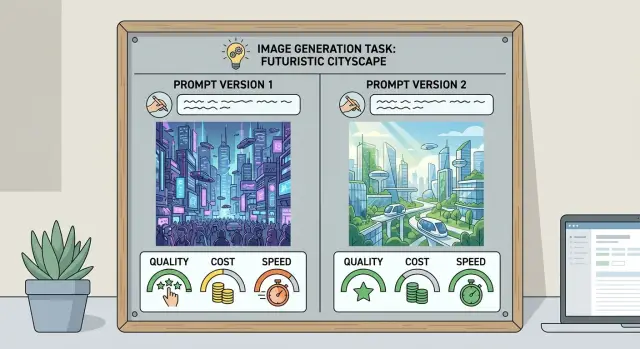
Table of Contents
Why prompt tests fool teams
Most bad prompt comparisons fail before anyone reads the answers. A team changes the prompt, swaps the model, updates the source document, and treats the result like a clean test. It is not. It is a bundle of changes, so nobody knows what actually improved.
Tone makes this worse. A reply can sound calmer, friendlier, and more polished while still missing facts or giving the wrong action. People often score that reply higher because it feels better to read. That is the mistake. They judge writing style as if it were answer quality.
Small samples create another trap. If you test five or ten prompts on a handful of easy tasks, weak answers stay hidden. You do not see the cases where the model confuses dates, skips a policy detail, or invents a step. The prompt looks better than it is because the test never pushed it.
Memory distorts results too. One impressive reply sticks in people's heads. They retell it in meetings and forget the six average answers next to it. Prompt A/B tests turn into story time unless every answer goes through the same scoring method.
A simple support example shows the problem. Say Prompt A answers refund questions in a plain tone, and Prompt B sounds warmer and adds extra reassurance. Reviewers may prefer Prompt B right away. But if both prompts still give the wrong refund window in two out of twenty cases, the warmer version did not win in any useful sense.
Teams also stack changes by accident. They shorten the prompt, add a better few-shot example, lower temperature, and test on fresher tickets all at once. Then they celebrate a gain that may have come from any one of those changes, or from none of them.
If you want results you can trust, treat prompt testing like a controlled comparison. Keep the task set stable, score facts before tone, and look at the whole batch instead of the one answer people keep quoting.
Pick one job and freeze it
If you test two prompts on two slightly different jobs, you are not testing the prompts. You are testing noise. A small wording change can look better only because the task changed under it.
Pick one narrow job and keep it narrow. If the prompt writes refund emails, then every test case should ask for a refund email. Do not mix in complaint triage, tone rewrites, and policy checks. Those are separate jobs, and each one changes what "better" means.
This matters in prompt A/B tests because style changes fool people fast. One prompt may sound smoother, while another follows instructions more closely. If the task shifts from case to case, your team will end up arguing about taste instead of results.
Write down the test frame before you run anything. Keep the job, model settings, tool access, and input format fixed. The input format needs more attention than most teams give it. If one test case includes a customer name, order ID, policy snippet, and desired tone, then every case should use that same structure. If half your examples are tidy and half are messy, prompt differences will mix with formatting differences.
It also helps to write one short note called "fixed for this test." Keep it plain. For example: "Model: same. Temperature: same. Support policy text: same. Retrieval tool: off. Output format: 3 short paragraphs." That note stops people from making quiet changes halfway through.
Oleg uses this kind of discipline in AI-first engineering work for a reason. When teams change the prompt, model setting, and tool access at the same time, they cannot tell which change helped. Freeze the job first. Then compare the prompts on ground that does not move.
Build a stable task set
Start with real work. If you test prompts on made-up examples, you usually test your imagination, not the job itself.
Take tasks from recent tickets, emails, bug reports, lead notes, or product requests. If a team wants AI to draft support replies, use actual support conversations with private details removed. If a founder wants help triaging product ideas, pull real submissions from the last few weeks.
A good set has range. Include easy cases that any decent prompt should handle, but add the messy ones too. The messy cases matter more because that is where weak prompts look good in demos and fail in daily use.
Keep the set balanced. Mix simple requests with unclear or incomplete ones. Include normal cases and a few edge cases. Remove near-duplicates that repeat the same pattern, and keep the original wording, typos, and context intact.
Duplicates can quietly distort results. If ten tasks all ask the same thing in slightly different words, one prompt may look better only because it matches that pattern. A smaller, cleaner set is often better than a large padded one.
Save the exact input for every task. Save the format you expect back too. That might be a short reply, a JSON object, a ranked list, or a yes-no decision with one sentence of reason. If the output shape changes between runs, scoring gets sloppy fast.
Use a simple file or spreadsheet and lock it down. Give each task an ID, the exact input text, any fixed context, and the expected output shape. If you run prompt A/B tests more than once, this saves a lot of arguments later.
Do not tune the set after the first few runs. That is where fake wins start. Once people see weak results, they often remove hard tasks, rewrite confusing inputs, or add examples that fit the new prompt better. Then they are no longer testing the prompt against a stable task set. They are teaching the test to like the prompt.
If you need a new set, make a new version and label it clearly. Keep the old one unchanged so you can compare results honestly.
Write success criteria people can score
Most prompt A/B tests go wrong at the scoring stage. Teams often give points for tone, polish, or nicer phrasing, then miss the bigger issue: one answer is simply more correct. Score accuracy first. Style should matter only after the answer does the job.
A good rubric uses plain checks that different people can apply the same way. For most tasks, four checks are enough: correct, complete, safe, and on format.
Correct means the answer gave the right action or fact. Complete means it covered the needed parts without leaving gaps. Safe means it avoided risky, misleading, or policy-breaking advice. On format means it followed the required structure, length, or fields.
That is usually enough to compare prompts without turning the review into a debate club. If the task is customer support, accuracy and policy fit should carry more weight than warmth.
Keep the scoring simple. A pass or fail system often works better than a fussy ten-point scale. If you need more detail, use a small range like 0, 1, and 2 for each check. Large scoring ranges invite opinion and make weak differences look bigger than they are.
Write down what counts as failure before the test starts. If the model invents a refund window, misses a required disclaimer, or ignores the requested JSON format, say in advance how that will be scored. Otherwise reviewers will make those calls on the fly.
You also need tie rules. If Prompt A and Prompt B both reach the same correct answer, mark it as a tie even if one sounds smoother. Teams often force a winner when there is none.
Set cost and speed limits first
A prompt can look better in a test and still be worse for the business. If it takes twice as many tokens, slows every request, or makes staff clean up messy output, you pay for that gain again and again.
Set the budget before you run the test. Pick a ceiling per task or per full task set, then keep both versions under the same rule. That stops teams from calling an expensive prompt "better" when it only buys a tiny bump in quality.
Speed needs the same treatment. Use a response time limit that matches the real job, not a lab number. If a support agent needs an answer in 10 seconds, a prompt that takes 22 seconds is not a winner. If a batch job runs overnight, you can allow more time, but say that up front.
Track the full cost, not just model price. Count input and output tokens per task, retries and timeouts, average response time, slow runs, and the cleanup time after the model answers.
That last part matters more than many teams expect. A prompt that writes friendlier answers may still lose if staff spend 30 extra seconds fixing tone, removing made-up facts, or trimming long replies. In small teams, that hidden labor often costs more than the API call.
A simple rule helps: reject changes that cost more for tiny gains. If Prompt B raises pass rate from 78% to 79% but doubles token use and adds retries, keep Prompt A. If Prompt B raises pass rate by 8 points while staying inside your budget and time limit, the extra cost may be easy to defend.
This is where prompt A/B tests get real. You are not judging style alone. You are judging total work done for the money and time spent. Teams that set these limits early waste less time chasing wins that disappear the moment real traffic hits.
Run the test step by step
Small setup changes can ruin prompt A/B tests faster than bad prompts do. If the model version, temperature, tool access, or context window changes between runs, you are testing two different systems, not two prompts.
Lock the task set and every setting before you start. Use the same tasks, model, parameters, tools, and output format for both versions. Then run Prompt A and Prompt B on every single task. Do not split tasks between them, because one batch may be easier than the other.
Hide labels before anyone scores the answers. If reviewers know which prompt wrote the draft, they will lean toward the one they expect to win. Score every answer with one rubric. Use the same scale for all outputs, even when one answer has a nicer tone or cleaner layout.
Put quality, cost, and speed in one table. If one prompt scores 4% higher but costs twice as much and adds 8 seconds, that trade-off may not be worth it. If you only tested a small batch, run more tasks before you call a winner.
Keep the review sheet plain. Record task ID, prompt version, rubric score, token use, response time, and any hard failures such as missed facts or broken format. That makes it much easier to spot a fake win caused by style alone.
A thin sample can fool you. If one prompt looks better after 10 tasks, but most of the gain comes from 2 unusually easy cases, wait. Add another 20 or 30 tasks and check whether the gap still holds.
This process feels slow the first time. It saves time later because you stop arguing about which answer actually worked.
A simple example from customer support
A support team at an online store wants better refund replies. They test two prompts on the same 40 tickets, all taken from real cases they handled last month.
Prompt A tells the model to sound warm, show empathy, and explain the refund process in full sentences. Prompt B tells it to keep the reply short, confirm what it knows, and ask one clear follow-up question if any detail is missing.
At first, Prompt A feels better. The replies are longer, softer, and more polished. Some people on the team prefer them right away because they sound more human.
Then they score both prompts against the rules that matter for the job. Each reply gets a score for accuracy, policy fit, and handling time. Accuracy means the answer matches the order details in the ticket. Policy fit means the reply follows the company refund rules. Handling time means an agent can review and send it fast.
The results are less flattering for the warmer prompt. Prompt A gets the best tone scores. Prompt B gets better accuracy scores, breaks policy less often, and agents review it faster because it is shorter and asks one direct follow-up.
A typical ticket makes the difference obvious. A customer says, "My package arrived damaged. Can I get a refund?" Prompt A writes a kind, detailed reply and sometimes offers a refund too early, before checking whether the store needs photos first. Prompt B says the team can help, asks for the order number and damage photos, and stops there.
That shorter answer is less charming, but it does the job better. It keeps the agent inside policy and cuts review time by a few minutes across a batch of tickets.
If the team judged the test on tone alone, Prompt A would win. Once they score the whole task, Prompt B is better. That is how fake wins happen: style improves, but the work gets worse.
Mistakes that create fake wins
Most bad test results do not come from math errors. They come from small shortcuts that tilt the result before anyone notices. In prompt A/B tests, a prompt can look better even when it did not do the job better.
One common mistake is changing the task set between rounds. If Prompt A answers 50 easy tickets and Prompt B gets 50 harder ones, the comparison is already broken. Teams do this by accident all the time when they test on whatever requests came in that week.
Other mistakes create the same false signal. Reviewers know which prompt they already like, so they read those answers more kindly. The team saves only the nicest examples and ignores the messy middle. Failed outputs get fixed by a human, but nobody counts that repair work. Or a prompt with prettier wording wins even when both prompts solve the task equally well.
That last one is sneaky. Smooth language feels smart. It often wins early reactions. But if both prompts reached the same answer, a tie is still a tie. Better style matters only if style is part of the job and part of the score.
Hidden human repair work can distort results even more. Say one support prompt sounds warm and polished, but it misses refund rules often enough that an agent has to rewrite 1 in 5 replies. The other prompt sounds plain, yet it follows policy almost every time. If you score only the final cleaned-up answers, the weaker prompt can look like the winner.
A fair test stays strict in boring ways. Use the same tasks, hide which prompt produced each answer, score every output, count fixes, and mark ties honestly. That sounds less exciting, but it is how you avoid claiming progress that disappears the moment the prompt goes into real use.
Quick checks before you trust the result
A result can look clean and still fool you. Before you call a winner, check whether both prompts faced the same job under the same rules. If Prompt B answered easier tickets, had a looser reviewer, or spent twice the tokens, the test did not prove much.
Do one short review pass before you accept any result. Confirm that both prompts answered the exact same tasks, with the same context and the same input data. Confirm that every reviewer used one score sheet with fixed criteria and the same pass or fail rules. Check cost, speed, and failure rate alongside quality. Count token spend, response time, and broken outputs. Ask whether one prompt only won on tone. A friendlier reply can still miss the policy, the calculation, or the next step. Then rerun the comparison on a fresh batch next week. If the gap disappears, the first win was probably noise.
Reviewer drift causes more damage than most teams expect. If two people score the same answer very differently, fix the score sheet before you test again. A prompt cannot win fairly when people judge it by feel.
A simple support case shows the problem fast. One prompt writes polished, warm replies. Another sounds plain, but it gives the right refund steps in fewer tokens and fails less often. If your team rewards style more than task success, you will pick the worse prompt and call it progress.
For prompt A/B tests, keep the acceptance bar boring. Same tasks, same scoring, visible cost, visible latency, then one rerun on new work. If the prompt still wins, use it. If not, treat the result as a draft and keep testing.
What to do next
A prompt wins only when the people doing the work notice the difference. If the new version sounds nicer but does not reduce edits, save time, or cut mistakes, keep the old one. Style alone is cheap. Real work is the test.
Keep the task set you used, along with the scoring rubric and the cost limits. That small habit saves a lot of confusion later. When someone proposes another prompt change next month, you do not need to rebuild the whole test from scratch. You can run the same tasks again and compare results on equal terms.
A simple routine works well. Keep the winning prompt only if it improves daily output. Store the task set, rubric, and test notes in one place. Retest when the model changes or your workflow changes. Reject any change that breaks cost or speed limits, even if quality improves a little.
Retesting matters more than many teams expect. Models change, support policies change, product language shifts, and small workflow edits can change what a good answer looks like. A prompt that performed well in March can become mediocre after a model update. If you do not rerun the same stable task set, you are guessing.
This is also where many teams get stuck. They know they should test prompts, but they do not have a clean rubric, fixed examples, or a hard budget for tokens and response time. So every comparison turns into a debate.
If your team needs help building a repeatable setup for prompt A/B tests, Oleg Sotnikov at oleg.is works on AI-first engineering systems and can help define practical task sets, scoring rules, and cost limits that fit real work.
The goal is not to find a perfect prompt and freeze it forever. The goal is to build a test you can rerun anytime, with results your team believes.
Frequently Asked Questions
What makes a prompt A/B test unfair?
It is unfair when more than one thing changes at once. If you change the prompt, model settings, source text, or task mix in the same run, you cannot tell what caused the result.
Freeze one job, one task set, and one setup before you compare anything.
How many test cases do I need?
Use more than a tiny sample. Ten easy tasks can make a weak prompt look good because hard cases never show up.
Start with real work, include messy cases, and rerun on a fresh batch if the gap looks small.
Should tone matter in the score?
Score accuracy first. A polished answer still fails if it gives the wrong fact, misses a rule, or takes the wrong action.
Let tone break ties only when style is part of the job.
Can I change model settings while I test prompts?
No. Keep the model, temperature, tool access, context, and output format the same for both prompts.
If you change settings during the test, you stop testing prompts and start testing two different systems.
What should I put in a scoring rubric?
Keep it simple. Most teams do well with four checks: correct, complete, safe, and on format.
Use pass or fail, or a small 0 to 2 scale. Write failure rules before the test so reviewers do not guess midstream.
How do I build a good task set?
Pull tasks from recent real work, not made-up examples. Support teams can use real tickets with private details removed, while product teams can use real requests or bug reports.
Keep the original wording, include edge cases, and remove near-duplicates that repeat the same pattern.
What should I track besides answer quality?
Track token use, response time, retries, broken outputs, and human cleanup time. That full picture tells you whether the prompt saves work or creates more of it.
A small quality gain may not justify a slower, longer, or messier answer.
Why should reviewers score answers without seeing the prompt name?
Because people bring bias into scoring. If reviewers know which prompt they expect to win, they often judge those answers more kindly.
Blind review keeps the score closer to the work on the page.
When is a new prompt not worth using?
Do not ship it just because it sounds nicer. Use it only if it improves the work in a way your team can feel, like fewer edits, fewer policy mistakes, or faster handling.
If the gain is tiny and the cost jumps, keep the old prompt.
How often should I rerun prompt tests?
Retest whenever the model changes, your policy changes, or the workflow changes. A prompt that worked last month can drift when the environment around it changes.
Keep the same saved task set and rubric so you can compare runs on equal ground.


