Post-merger software integration needs one early owner
Post-merger software integration works better when one technical owner decides what stays, what goes, and how teams avoid fragile stopgaps.
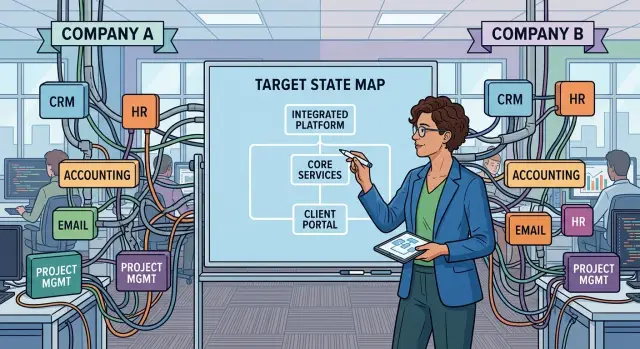
Table of Contents
What breaks first after the deal
The first problem is usually not a major migration. It is hesitation.
Teams keep both tools running because nobody wants to switch off something that still works. That feels safe for a week or two. Then sales logs activity in one CRM, support answers from another, and finance exports data to a spreadsheet because neither system fits the old process. Nobody sets out to create a mess. People are just protecting their own work.
The rules split almost immediately. One team treats a customer as "active" after a signed contract. Another waits for first payment. Support opens one account per company, while sales keeps separate records for each buyer. The software simply reflects those choices, so the merger creates conflicting logic before anyone touches a database.
Then the quick fixes begin. Someone writes a script to copy contacts every night. Another team adds a one-way sync for invoices. A third relies on a Friday import file to patch missing fields. None of these workarounds looks serious on its own. Together, they become fragile daily infrastructure that breaks when one field name changes.
Trust goes next. A rep updates a phone number in system A. Support still sees the old number in system B. Finance sends an invoice from system C. Now the same customer exists in three versions, and every team thinks its own screen is the right one.
You can usually spot the damage early:
- Two tools do the same job, and each team defends its own version
- The same customer follows different status rules in different departments
- Small scripts and CSV imports keep daily work alive
- Staff ask "which record should I use?" before they act
Once that starts, the company is not really integrating systems. It is running parallel businesses with shared branding.
Why one technical owner must step in early
Software integration drifts when nobody can make a final call. Product wants speed. Finance wants fewer licenses. Security wants fewer exceptions. Operations wants less risk. Each group has a fair point, which is exactly why one person needs clear authority early.
That owner does not need to know every system better than every specialist. The job is to end stalemates, enforce one shared plan, and stop teams from building private workarounds. Without that, people keep old tools alive, add one more connector, and promise to clean it up later. Later rarely arrives.
A good owner keeps product, finance, security, and operations in the same room when a decision affects all four. Separate meetings create separate truths. One team approves a bridge for customer data, another changes billing rules, and a third hears about it after launch. That is how duplicated systems turn into the normal way of working.
Decisions also need deadlines. If two teams are still arguing about which CRM stays after three weeks, the owner picks a direction and records why. A delayed choice still has an outcome. Most of the time, it protects the mess that already exists.
A few rules keep this under control:
- One person has final approval on system choices
- Teams record exceptions in one place, not in side chats
- Shared meetings include business, security, and operations people
- Every disputed tool gets a decision date
- Tradeoffs use business impact first, not team comfort
Business impact is the fairest tiebreaker. If one system saves two departments 15 hours a week, reduces billing errors, and removes a vendor contract, that matters more than which team likes its current screen layout.
When internal politics block that role, a neutral fractional CTO can fill it for the integration period. The point is simple: one owner, one rulebook, and fewer temporary bridges that turn into permanent costs.
Find duplicates and rule clashes
Start with a plain inventory. Write down every system each team uses, even if it feels small or temporary. Include official tools, old tools nobody retired, and the spreadsheets people keep on the side because they do not trust the main system.
This sounds basic, but many integrations stall here. Sales uses one CRM, support uses another, finance keeps its own billing file, and HR still pulls reports from a tool the acquired company stopped paying for months ago. If nobody maps that mess early, teams end up connecting systems that should not survive.
Then mark one system of record for the areas that cause the most damage when they split: customers, billing, and staff records. If two systems can both change the same customer status or invoice value, teams will keep arguing over whose numbers are right. The software will not settle that for them.
Rule clashes need the same attention. Two companies may sell the same service but follow different rules for refunds, account approvals, discount limits, or user roles. In one company, a manager can credit an invoice. In the other, only finance can do it. If you connect those systems before writing down the difference, you hard-code confusion.
A short review usually exposes the trouble fast:
- Which tool creates the customer record first?
- Which tool sends the invoice or refund?
- Who can change permissions or user roles?
- Where do people still export CSV files by hand?
- Which tool has no clear owner today?
That last question matters more than most teams expect. Tools without owners tend to linger because nobody wants to switch them off, yet nobody wants to fix them either. They quietly create bad data and manual work.
You do not need a perfect map on day one. You need one that is clear enough to spot duplicate systems, rule conflicts, and risky workarounds before another bridge gets built.
Set one rulebook before you connect anything
Two systems can exchange data and still create chaos. The problem usually is not the API first. It is the meaning of the data, who can change it, and which path a routine task should follow.
Before any sync starts, both sides need the same definitions. Decide what "customer" means. Is it any person in the CRM, a signed account, or a billing entity? Do the same for orders, invoices, and users. If one team counts a trial account as a customer and the other does not, every report turns into an argument.
Approvals need one path too. Refunds, discounts, new vendor setup, user access, and invoice changes should follow one flow, not two old ones taped together. When both paths stay alive, staff pick the easier route, and the merged company ends up with mixed controls.
Small format choices cause expensive mistakes. Pick one date format, one currency rule, and one status list before systems start talking. "04/05/2026" should mean one date to everyone. An invoice total should round the same way in finance, sales, and support. Statuses like "open," "pending," and "closed" need plain definitions, or dashboards stop matching by the second week.
Permissions need the same discipline. Some people can edit source records. Others should only view them. Some changes need approval and a log. If nobody sets this early, the loudest team often gets write access everywhere. That is how clean data gets messy within a month.
A workable rulebook usually covers four things:
- Shared definitions for core records
- One approval path for common work
- One format for dates, currency, and statuses
- Clear edit and view rights by role
This step can feel slow, but it saves time later. Teams often rush to build temporary bridges first and then spend months fixing sync errors caused by conflicting rules rather than bad code.
A neutral technical lead can force these decisions early. That person does not need to design every screen. They need to settle definitions, stop duplicate workflows, and make sure each system follows the same rules before the first connection goes live.
Choose what stays, moves, or stops
After a merger, teams usually argue for the tool they know best. That is a poor way to decide. Keep the system that matches the process the merged company wants to run, not the one backed by the louder manager.
A sales team may love one CRM because it feels familiar. But if another CRM already matches the agreed pipeline, reporting, and approval rules, that one should stay. Familiarity matters less than fit.
For each duplicate system, ask four direct questions:
- Does it support the process you want going forward?
- Is the data cleaner and easier to trust?
- Can the combined team run it without extra workarounds?
- Does it cost less to keep and support?
This is where integrations often go off track. Companies keep two tools alive because shutting one down feels risky. Then they pay for both, train on both, and reconcile data by hand.
Retire duplicate tools when usage is weak, licenses are expensive, or the tool survives only because one team does not want to change. That is not a technical reason. It is delay.
Move less data than people ask for. Most teams do not need every old record inside the new system. They need active customers, open deals, unpaid invoices, current contracts, and whatever history finance or compliance requires. Archive the rest in a read-only format people can access when needed.
Temporary bridges need hard stop dates. If one system sends data to another for six months, write down who owns that bridge and the date it ends. Without that date, the bridge becomes part of normal operations.
Record each decision in plain language. One short note per system is enough: what stays, what moves, what stops, when the bridge ends, and why that choice won. Months later, that note saves hours of repeated debate.
A simple plan for the first 90 days
The first 90 days should reduce chaos, not add to it. The biggest mistake is piling on new tools and custom connectors before anyone agrees on the target setup.
For the first two weeks, freeze new software purchases, new custom integrations, and side projects that create another dependency. Teams will say they need a quick fix. Most quick fixes turn into six-month problems. Keep critical operations running, but stop adding more moving parts.
By weeks 3 and 4, build a plain inventory of what exists today. Write down each system, who owns it, what contract or license supports it, what data it holds, and where that data goes next. It sounds dull, but it usually exposes the real mess quickly. One CRM may feed billing, another may feed support, and a third may exist only because one sales director never trusted the first two.
Month 2 is for decisions, not more discovery. Pick the target system for each major function: CRM, finance, support, identity, reporting, and internal communication. Then settle rule conflicts. If one company treats a customer as "active" after a signed contract and the other waits for first payment, choose one rule and write it down before anyone builds another bridge.
Month 3 should focus on one business process at a time. Move lead handoff first, or invoicing first, or support escalation first. Do not migrate five flows at once. A smaller sequence can feel slower for one week and much faster by the end of the quarter. As each process lands in the chosen system, remove the old bridge instead of keeping it around "just in case."
Every week, review customer impact. Check for delayed invoices, duplicate emails, broken account access, and support tickets that bounce between teams. If customers feel the merger through errors and delays, the plan is slipping.
A neutral technical lead helps when internal teams keep defending their old tools. That is often where the first 90 days either become clear or stay messy.
A realistic example: three CRMs after one merger
After a merger, the mess often starts with customer data. One sales team keeps every new lead in its CRM. The other does not care much about leads and tracks named accounts instead. Support works from a third tool because it needs ticket history, contract notes, and product issues in one place.
For a few weeks, everyone thinks they can keep all three systems running. Then the same customer shows up three times with different owners, different stages, and different revenue numbers. Sales calls the account "open." Support thinks it is a past customer. Finance sees a quote under a different company name.
Marketing makes it worse by sending campaigns from two mailing lists. One customer gets the same message twice. Another gets an upsell email right after asking support to cancel. Nobody planned that outcome. Split systems create split rules.
What the technical owner decides
A single technical owner makes two early calls. First, the company gets one customer record. One place answers the basic questions: who owns this account, what products they use, what contract is active, and which contacts can receive messages. Second, the company gets one quote flow. Sales cannot keep producing quotes from two systems with different approval rules and price logic.
That owner does not try to move everything at once. Open deals move first because revenue depends on them. Active customers with open support work move next. Old leads, lost deals, duplicate contacts, and stale notes go into an archive plan instead of blocking the whole project.
Short-term scripts can still help for a month or two. That is fine if the team treats them as temporary patches rather than a new permanent layer. Each script needs an owner, a removal date, and a clear reason to exist before anyone turns it on.
That is what good integration looks like in practice. One person decides what counts as the real customer, how money moves through the quote process, and which data deserves a careful migration. The rest gets parked, archived, or switched off.
Mistakes that keep the mess alive
Most merger mess does not last because the tech is unusually hard. It lasts because people keep making small exceptions that seem harmless at the time.
A common mistake is letting each department keep its own rule list after systems start to merge. Sales wants one account-name format, finance keeps another, and support adds a manual note for edge cases. A month later, nobody knows which record is correct. The software only mirrors the disagreement.
Another problem starts when teams connect old systems before they agree on the rules. If one company treats a "customer" as a signed contract and the other treats it as an active user, the bridge copies confusion at machine speed. Unclear definitions spread fast.
Temporary bridges cause their own trouble. Teams often say, "We'll sync these tools for now and replace them later." That can work for a short window. After that, the bridge starts charging rent. People build reports on top of it, add another mapping, then another exception, and the cleanup keeps slipping.
The same thing happens with data migration. Teams try to move every field because it feels safer. Usually it is not. If nobody has used a custom field in two years, moving it only creates more places for mismatched data, broken automations, and support tickets. Move the data people actually use. Leave the rest behind unless someone can explain why it still matters.
These signs usually mean the mess is getting deeper:
- Every team asks for "just one exception"
- The sync logic is more complicated than the target process
- Nobody owns the date when a bridge shuts down
- Reports depend on copied fields that users do not trust
- Decisions stall because every manager wants veto power
Waiting for full consensus sounds careful, but it often freezes the work until the old setup hardens into policy. A merged company does not need endless debate on every choice. It needs clear rules, a firm owner, and a deadline people treat as real.
Quick checks before you approve another bridge
A bridge can calm people down fast. Sales keeps selling, finance still closes the month, and support still sees customer records. That short-term relief is why teams keep adding one more connection. The trouble starts later, when nobody remembers why the bridge exists or who has to fix it on Friday night.
Start with the problem, not the connector. If the bridge only saves a few manual exports each week, it may not be worth months of cleanup risk. Write the exact workflow in one sentence: "orders created in system A must appear in system B within 10 minutes so billing can invoice." If nobody can state the problem that clearly, stop.
Name an owner before anyone builds. A bridge without an owner turns into shared neglect. One person, usually from the team that feels the outage first, should approve changes, watch errors, and answer when data looks wrong.
Set an end date at the start. Temporary bridges become permanent because nobody plans the removal work. Pick a review date, define what makes the bridge unnecessary, and put the shutdown task on the same plan as the build.
Testing needs real business steps, not just sample records moving between systems. Ask the team that uses the process every day to test it. If support, finance, or operations cannot run a normal task from start to finish, the bridge is not ready.
Then trace what happens when source data changes. A renamed field, a new status, a deleted record, or a tighter validation rule can break more than the bridge itself. It can create duplicate accounts, wrong invoices, or reports that no longer match.
Before you approve another bridge, your team should be able to explain five things on one page: the exact problem, the owner, the removal trigger, the real workflow test, and the likely break points if upstream data changes. If that page is hard to write, the bridge will be harder to live with.
Next steps if you need a neutral technical lead
If nobody can make final calls, the merger stays stuck in debate. Name one technical decision maker this week. Give that person clear authority to choose systems, stop duplicate work, and say no to another quick bridge when it only hides the problem.
Then get the facts onto one page. Ask each team for two things: the systems they rely on most and the business rules that clash with the other side. Keep it plain. Examples are enough: two CRMs with different sales stages, two billing tools with different tax logic, or two support desks with different SLA rules.
A short reset is usually enough:
- Pick the decision maker and publish the role
- Ask every team for its top systems and worst rule conflicts
- Set a 30-day deadline to choose target systems for finance, CRM, support, identity, and reporting
That deadline matters. Integration drifts when teams treat target-system choices as open-ended research. Thirty days is usually enough to decide what stays, what moves later, and what stops now. You do not need every migration plan yet. You need decisions that stop more duplication from spreading.
If internal leaders keep deadlocking, bring in a neutral outsider. A good fractional CTO or technical advisor can cut through politics because they are not protecting an old org chart or a favorite tool. They can map dependencies, compare cost and risk, and force tradeoffs into the open.
For startups and smaller companies, Oleg Sotnikov at oleg.is is one option. He works as a fractional CTO and startup advisor with deep experience in software architecture, infrastructure, lean operations, and AI-augmented engineering, which makes him a practical fit when a merged company needs clear technical ownership for a short, messy transition.
The first win is simple: one owner, one list of conflicts, one deadline. That alone cuts weeks of drift.
Frequently Asked Questions
What should we do first after a merger if our software stack is messy?
Start by freezing new tools, new custom integrations, and side fixes for a short window. Then map every system each team still uses, including spreadsheets and old tools nobody retired. That gives you a clear view before more mess spreads.
Why do we need one technical owner so early?
One owner stops endless debates and forces real decisions. Without that person, each team keeps its own tool, adds another sync, and waits for someone else to clean it up later. The owner does not need to know every tool best; they need authority to choose and move the plan forward.
How can we tell if we have too many duplicate systems?
Look for places where two tools handle the same job or the same customer appears in different versions. If staff ask which record to trust, export CSV files by hand, or rely on small scripts every day, you already have duplicate systems creating work.
How do we choose a system of record?
Pick one source for each area that causes real damage when numbers split, usually customers, billing, and staff records. The right choice is the system you want the merged company to run going forward, not the one one team likes more.
Should we migrate all old data into the new setup?
No, and trying to move everything usually slows the whole project down. Move active customers, open deals, unpaid invoices, current contracts, and anything finance or compliance needs. Archive old or stale data in read-only form unless someone has a clear reason to keep it live.
When is a temporary bridge acceptable?
A temporary bridge is fine when it protects a real business flow for a short time, like getting orders into billing. Give it one owner, one removal date, and one clear reason to exist. If nobody can explain when it ends, do not build it.
What rules should we settle before connecting systems?
Agree on plain definitions first. Teams need the same meaning for customer, invoice, order, user, status, date format, currency handling, and approval flow. If you sync data before you settle those rules, you copy confusion faster.
What if teams keep defending their old tools?
Do not let familiarity decide. Ask which tool fits the future process, holds cleaner data, and takes less manual repair. If a team wants to keep a tool, they should explain the business reason, not just say people know the screen already.
What should happen in the first 90 days?
Use the first two weeks to stop new complexity and keep operations stable. In weeks three and four, build a full inventory. In month two, choose target systems and settle rule conflicts. In month three, move one business process at a time and remove old bridges as soon as the new flow works.
When should we bring in a neutral fractional CTO?
Bring one in when internal leaders keep blocking each other or nobody can make a final call. A neutral fractional CTO can compare cost, risk, and business impact without defending an old org chart. That often helps small and mid-sized companies move faster with less politics.


