PHP queue packages for Laravel and Symfony compared
PHP queue packages for Laravel and Symfony differ in retries, worker control, delayed jobs, and monitoring. Compare the practical choices.
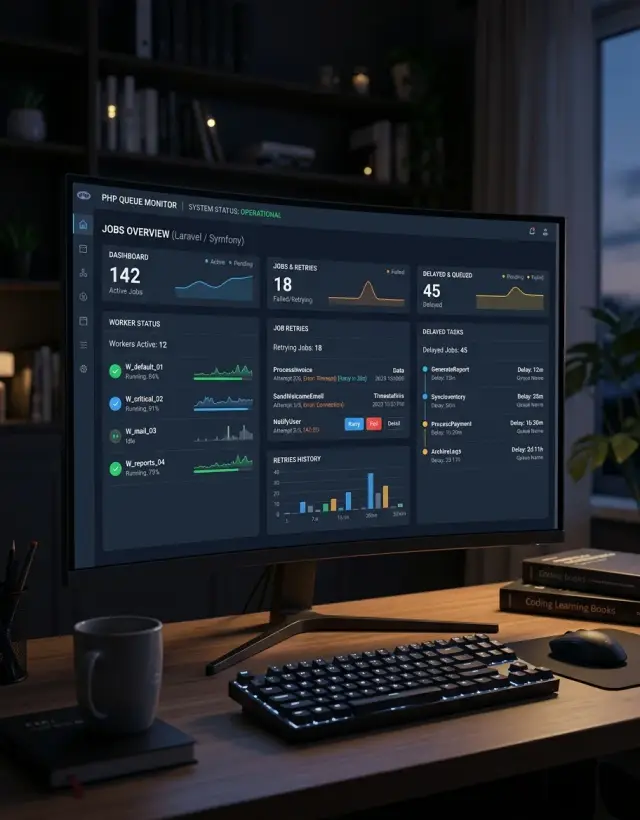
Table of Contents
Why queued work gets messy
Users expect a page to load now, not after your app sends emails, imports a CSV, or waits for a webhook call to finish. That is why teams push this work into the background. The request stays fast, and the heavy task runs later.
That sounds clean until the queue becomes its own small production system. You now have workers, retries, time limits, failed jobs, and tasks that may run twice if a worker crashes at the wrong moment. Most PHP queue packages can handle this, but they cannot save a team from weak defaults or poor visibility.
The first problem is distance. When a user clicks a button and the app responds right away, everyone feels good. But the real work may still be sitting in line, waiting on a slow worker, a locked database row, or a third-party API that keeps timing out. The user thinks the action finished. The system knows it only started.
Retries make this worse when nobody watches them closely. A failed email job might retry for an hour. A broken import might sleep between attempts and come back later. A webhook job can bounce around the queue all afternoon. On paper, retries look helpful. In practice, they can hide a real problem until support gets the first angry message.
Delayed tasks add another layer of confusion. Some delays are planned, like sending a follow-up email tomorrow. Others happen by accident because workers are busy, a queue is misconfigured, or a job keeps becoming visible again after a timeout. When that happens, the task did not disappear. It just became harder to notice.
Teams usually get into trouble because queued work is less visible than a failed page load. A broken checkout page gets noticed in minutes. A stuck background job may sit there for hours unless someone checks dashboards, failed-job logs, and queue depth. If nobody sees the backlog growing, users will spot the damage first.
That is why choosing between Laravel queues, Symfony Messenger, and other PHP queue packages is only part of the job. The harder part is making background work easy to see, easy to retry on purpose, and hard to duplicate by accident.
What to compare before choosing a package
Start with the parts your app already uses. If your team runs Redis today, a queue tool that works well with Redis will usually cause less pain than adding RabbitMQ, SQS, or another broker just for one feature. The same goes for monitoring, deploy flow, and local development. Boring fits often beat fancy options.
With PHP queue packages, transport support shapes almost everything after that. A database queue is easy to start with, but it can feel slow under heavy load. Redis is fast and simple for many Laravel apps. Message brokers give you more control, but they also add more moving parts, more alerts, and more things to fix at 2 a.m.
Retries need a close look. Two tools may both say they support retries, but the real question is how they retry. Check whether you can set retry limits per job, add backoff between attempts, and send failed jobs to a separate place for review. Fixed retry timing is fine for small apps. Busy systems usually need more control, especially when a payment API or email provider starts timing out.
Delayed work and scheduled work sound similar, but they solve different problems. A delayed job runs once, later. A schedule runs again and again. If you need both, make sure the package handles both cleanly instead of forcing one into the other. A password reset email sent in 10 minutes is not the same as a nightly cleanup task.
Worker visibility matters more than most teams expect. You want to see what is running now, what failed, what is waiting, and which queue is growing too fast. Without that, duplicate jobs and silent failures stay hidden for days. Good worker visibility also helps when one queue blocks the rest because a slow job sits at the front.
A simple check helps:
- Which transports do we already trust in production?
- Can we control retries and backoff per job?
- Does the tool separate delayed jobs from recurring schedules?
- Can the team see failures, queue depth, and busy workers quickly?
- How much care will this need every week?
That last point decides more than people admit. If your team is small, choose the option that people will actually maintain. Oleg Sotnikov often works with lean teams, and the same rule shows up again and again: the best queue stack is usually the one your team can understand, monitor, and fix without guessing.
Laravel options worth reviewing
If most of your app already runs on Laravel, staying inside its queue system usually makes life easier. You write jobs as normal PHP classes, dispatch them from controllers or services, and keep queue rules close to the code that does the work.
Laravel queues support several drivers, so you can start simple and move up later. The database driver is fine for small projects and early testing. Redis fits faster apps with steady background work. SQS makes sense when you want managed infrastructure and clear worker scaling. Other drivers exist too, but these are the ones most teams look at first.
One nice part of Laravel queues is how much behavior lives inside the job class. You can set the queue name, timeout, number of tries, backoff, and even delay before the job runs. That keeps job rules easy to find. When a mail job should wait 10 minutes, or an import job should only try twice, the code says so directly.
Horizon and scheduler
Horizon is the add-on many Laravel teams end up wanting once traffic grows. It gives you a live view of workers, queue size, throughput, runtime, and failed jobs. That matters when the queue starts to feel like a black box. You can spot a worker that stopped, a queue that keeps growing, or a job type that fails more than it should.
Laravel also includes the Scheduler for recurring work. You define scheduled tasks in code, then let one cron entry trigger the scheduler every minute. That is cleaner than scattering cron jobs across a server. It works well for reports, cleanup tasks, sync jobs, and batch dispatching that feeds the queue.
This stack fits best when the app already follows Laravel patterns. The queue, Horizon, and Scheduler share the same conventions, config style, and deployment flow. If your team lives in Laravel every day, that consistency saves time. If your app mixes several frameworks or needs a very custom message bus, the fit is less obvious.
Among PHP queue packages, Laravel gives one of the smoothest starts. You can launch with basic workers, then add Horizon and stricter queue rules when the load gets real.
Symfony options worth reviewing
If your app already uses Symfony for events, commands, and dependency injection, Messenger is usually the first tool to try. It keeps queued work inside the same mental model as the rest of the app. That matters more than people think when the team has to debug a failed job at 2 a.m.
Messenger handles async messages through transport routing. You define which messages stay sync and which ones go to a queue, then send different job types to different transports. A common setup is simple: emails go to one transport, slow API sync jobs go to another, and urgent work stays separate from long running tasks.
Retry control is one of Messenger's better points. You can set retry rules per transport, which is enough for many apps, or tune behavior for specific message types when some jobs need a different backoff pattern. That makes a real difference when one flaky third-party API fails often but image processing jobs almost never do.
Symfony Scheduler is worth a look in newer projects. It covers recurring work such as nightly reports, cleanup jobs, or periodic data pulls. If you already use Messenger, Scheduler feels like a natural extension instead of a separate cron patchwork.
A practical split looks like this:
- Messenger for background jobs and delayed message handling
- Scheduler for recurring tasks that need a clear schedule
- Enqueue when broker choice matters more than tight Symfony defaults
Enqueue still has a place. Some teams want more freedom around brokers and queue backends, especially in mixed environments or older systems. If you need that flexibility, Enqueue can fit well, though it usually adds more setup and more things to keep straight.
For many Symfony teams, the best choice is the boring one: start with Messenger, add Scheduler if recurring work grows, and only bring in Enqueue when you have a clear reason. Among PHP queue packages, that path tends to stay easier to run and easier to explain to the next developer who joins the project.
How retries, delays, and visibility differ
Retries decide whether a short outage stays a minor delay or turns into a pile of duplicate work. If a mail provider or payment API is down, fixed retries can make things worse fast. Five attempts in five seconds often means five extra errors, five noisy alerts, and no real progress.
Backoff helps because it slows the retry loop on purpose. A job might retry after 30 seconds, then 2 minutes, then 10 minutes. That gives the outside service time to recover and keeps your workers free for other jobs. In practice, this matters more than the raw retry count.
Delayed tasks solve a different problem. They are not failed jobs waiting for another try. They are jobs you want to start later, such as sending a reminder tomorrow morning or releasing a report after nightly imports finish. Clear rules matter here. If the delay depends on local time, business hours, or another job finishing first, you need to define that up front or the timing gets messy.
Where the stacks differ
Laravel queues make retries and delays easy to set per job, and Laravel Horizon gives a much clearer view of what workers are doing right now. You can usually spot active jobs, failed jobs, and workers stuck on long tasks without much digging.
Symfony Messenger handles retries well too, but visibility depends more on how you wire the transport, failure storage, logs, and monitoring. It can work very well, but the live picture is less turnkey.
A few defaults save a lot of pain:
- Use backoff for outside services, especially email, SMS, and payments.
- Set timeouts that match the job, not one global number.
- Add duplicate protection for jobs that charge money, send messages, or write records.
- Track long-running jobs separately so one stuck worker does not hide for hours.
Timeouts and duplicate protection deserve as much attention as retries. A job that times out after doing half the work may run again and send the same email twice or charge the same card twice. Good PHP queue packages help with retries, but your app still needs idempotency, locks, or unique-job rules to keep retries safe.
Setting up a safe worker flow
A safe worker setup starts with one slow task, not ten. Pick something easy to spot and easy to retry, like sending a welcome email or importing a CSV file after upload. If that one job runs cleanly for a few days, you have a base you can trust.
Set rules per job type. An email job might need a short timeout and a few retries. A file import may need more time, fewer retries, and a longer pause before the next attempt. One global setting for every job usually causes trouble.
A simple starting point looks like this:
- email job: timeout 30 to 60 seconds, 3 tries, backoff 30 seconds
- file import: timeout 5 to 10 minutes, 2 tries, backoff 2 to 5 minutes
- webhook retry: short timeout, more tries, increasing backoff
- report generation: long timeout, low worker priority, limited retries
Store failed jobs where the team can review them and replay them. In Laravel, that often means the failed jobs store and Horizon for visibility. In Symfony Messenger, use a failure transport and make sure someone checks it. A failed job that disappears is worse than a failed job that shouts for help.
Keep your worker count low at first. Two or three workers tell you more than twenty. If the queue stays short during normal traffic, your setup is probably fine. If pending jobs keep climbing, add workers slowly or fix the slow job before you scale.
One small habit saves a lot of time: watch growth, not just failure. A queue can look healthy for hours while it quietly falls behind. When the backlog jumps from 50 jobs to 5,000, users feel it long before the server crashes.
Set one alert on day one:
- no worker heartbeat for a few minutes
- backlog grows faster than workers clear it
- oldest queued job is older than your target delay
- failed job count jumps above normal
That is enough to catch most real problems early. You do not need a huge monitoring setup on day one. You need one slow job, sane retry settings, a visible failure bucket, and a small worker pool you can actually watch.
A simple example from a busy app
Picture a small online store during a lunch rush. A customer places an order, pays, and expects the confirmation page to load right away. The app should save the order, return the page fast, and push the slower work into a queue.
One job can handle the follow-up work after checkout. It sends the order email and updates stock counts so the last few items do not oversell. That keeps the web request short, which matters when many people check out at the same time.
This is where PHP queue packages earn their keep. The customer does not wait for mail delivery or stock recalculation. The worker does that work a few seconds later.
A second task can wait on purpose. If the payment fails or the gateway never confirms it, the app can schedule a recovery attempt for 30 minutes later. That delay gives the customer time to fix a card issue or complete a second step without the store hammering the payment service every few seconds.
At night, the app runs a scheduled task that clears expired carts. This is boring work, but it keeps reports clean and stops old carts from triggering reminders after the sale is already lost. In Laravel, that often sits in the scheduler. In Symfony, teams usually wire the same idea through Messenger plus a scheduled command.
What the team watches
The flow looks healthy until one part slows down. Good worker metrics make that visible early. Teams usually watch:
- queue length for order jobs
- time spent waiting before a worker picks a job up
- retry count for payment recovery
- failure count for email and stock updates
If email sending starts to lag, the queue grows first. If stock updates lag, overselling risk goes up. If payment recovery retries spike, the payment provider may have a problem.
A setup like this is simple enough to understand, but busy enough to expose weak defaults. Short web requests, clear delayed tasks, and visible worker metrics do more than keep the app tidy. They stop one slow step from turning checkout into a support problem.
Mistakes that cause stuck or duplicate jobs
Most stuck jobs come from the same pattern: the app cannot tell whether a task is still running, already finished, or ready for a retry. Once that happens, queues start to look random even when the bug is simple.
Where duplicates start
The first mistake is giving one job too much to do. If a single handler imports a file, updates customers, sends emails, and clears cache, a failure in the middle leaves mixed results. The retry starts from the top, so the app may send the same email twice or write the same record again.
Smaller jobs are easier to rerun because each one has one clear outcome. If one step fails, you fix that step instead of replaying the whole chain.
Duplicate work also appears when the app has no lock, no unique job ID, and no idempotency check. That matters most for side effects such as email, billing, and webhooks. Laravel teams often use unique jobs or overlap protection. Symfony Messenger teams usually solve the same problem with a lock or a stored operation ID in the handler. The exact method matters less than the rule: if the same message arrives twice, the second run should do nothing.
Retry rules that backfire
One retry policy for every job is a common shortcut. It looks neat, but it causes trouble. Resizing an image can retry five times. Charging a card or sending a password reset should not. Give risky jobs short retry limits and a clear failure path.
Worker restarts cause another ugly bug. A deploy, container restart, or memory limit can kill a long task before the worker finishes it. If the queue's visibility timeout is shorter than the real runtime, the message shows up again and another worker grabs it. A job that needs 90 seconds should not become visible after 30.
The scheduler can double your workload too. If two servers run the same scheduled command, both can dispatch the same batch. Keep scheduled work in one place, or use a shared lock so only one instance runs.
A few habits prevent most of this:
- Split big jobs into small steps
- Set retries and timeouts per job
- Add deduplication for emails, payments, and webhooks
- Run one scheduler, or lock it across servers
Quick checks before launch
A queue can look healthy right up to launch day and still break on the first slow request, worker restart, or third-party outage. With PHP queue packages, the last checks matter most when something goes wrong, not when everything works.
Run a few short failure tests before real traffic hits the system. They take less than an hour, and they catch the problems that usually create duplicate jobs, stuck workers, or silent data loss.
- Force one job to fail and confirm your team can see it in one place. In Laravel, that often means Horizon or the failed jobs table. In Symfony Messenger, it usually means the failure transport and logs.
- Retry one failed item by itself. If the only recovery option is replaying a whole queue, someone will eventually re-run work that already finished.
- Create a delayed job, restart the workers, and check that the delay still holds. Some setups look fine until a deploy wipes out work that was supposed to run later.
- Compare worker timeouts, retry timing, and queue visibility with the slowest real job. If a task takes 90 seconds but your worker gives up after 60, duplicates are likely.
- Turn off one outside service for a few minutes and watch the rest of the queue. A broken email provider or billing API should not stop image processing, imports, or internal cleanup jobs.
One common miss is timeout drift. A team sets a 30-second worker timeout because most jobs finish fast, then adds a PDF export that takes two minutes under load. The worker kills it, the queue releases it, and the same export starts again. Users see duplicates, and the queue looks "busy" for no clear reason.
Separate queues help more than many teams expect. Put slow jobs, risky integrations, and normal background work in different lanes. If one service misbehaves, the rest of the app can keep moving.
This is also where experienced review helps. On projects like the ones Oleg Sotnikov advises, small queue settings often decide whether an app runs calmly on lean infrastructure or burns time and money chasing repeat failures.
What to do next
Start with the built-in queue tools in Laravel or Symfony. Extra brokers, dashboards, and worker layers add work fast, and most teams do not need them on day one. One queue, a small worker pool, and clear retry rules will take you further than a complex setup you cannot debug at 2 a.m.
Before release, write a short test plan and run it on purpose, not just in your head. Retries and delays often look fine until a worker dies mid-job or the same task runs twice.
Check these cases first:
- A job fails once, then succeeds on retry
- A job hits the retry limit and moves to failed state
- A delayed job runs close to the expected time
- A worker stops during processing and the job becomes visible again
- A non-idempotent job, like charging a card, does not run twice
Keep the test plan small. Five cases are enough if they match the jobs that matter most in your app.
After launch, watch three numbers every week for a while: worker cost, queue depth, and failed jobs. If queue depth keeps growing, add workers or shorten the job. If costs jump, check whether workers sit idle. If failures repeat in the same place, fix the job before raising retry counts.
A simple rule helps: retries are fine for temporary problems, not for broken code. If a mail provider times out, retrying makes sense. If a job crashes because data is missing, retries just create noise.
If you are comparing PHP queue packages across Laravel, Symfony Messenger, and custom infrastructure, keep the design boring until real load forces change. Mixed stacks can get messy fast. Oleg Sotnikov at oleg.is can review the tradeoffs as a Fractional CTO if you need a second opinion on worker flow, costs, or failure handling.


