PHP mail and notification packages for transactional apps
Compare PHP mail and notification packages for transactional apps: provider SDKs, template tools, preview setups, and ways to catch mistakes early.
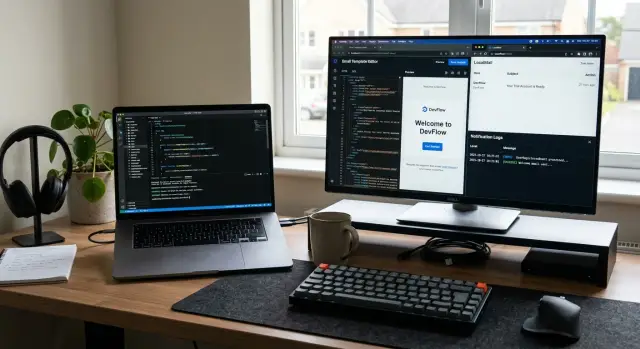
Table of Contents
Why email breaks in internal apps
Internal apps usually send mail for very different jobs. A password reset must arrive fast and link to the right account. An invoice email must show the right amount, name, and billing contact. A status alert may go to a manager, a warehouse inbox, or a customer. When one mail flow works, teams often assume the rest will work too. That is where trouble starts.
The failure is not always technical. A mail server can be fine while the message still confuses people. One broken variable in a subject line, one button with the wrong label, or one missing total on an invoice can create more support tickets than a short outage. Users forgive a delay more easily than a message that looks fake or incomplete.
Staff tools add another layer of risk because they often pull data from messy places. A back office app may use an old contact record, a copied customer profile, or a stale email address saved by a sales rep months ago. Then the system sends the right message to the wrong person. That is worse than no message at all.
A few common break points show up again and again:
- reset emails use expired tokens or the wrong environment domain
- invoice emails pull old billing fields after an account change
- status alerts go to a shared inbox nobody checks
- test sends reach real users because someone skipped a preview step
That last one happens more than teams like to admit. A developer changes a template, clicks "send test", and the app uses live recipient data because the preview path and live path share the same code. One missing safety check turns a harmless test into a customer problem.
If you are comparing PHP mail and notification packages, this matters more than feature lists. The package can be solid, but your data, template logic, and recipient rules still decide whether the email helps or harms.
A simple example: a finance admin updates an invoice in a back office tool and resends it. The app keeps the old contact from the first draft, but the new PDF shows the new company name. The email looks half right and half wrong. That kind of mistake makes people stop trusting every message after it.
What your app needs before you pick a package
Teams often compare packages too early. Start with the messages your app actually sends, because a password reset and a weekly summary do not need the same level of care.
Write down every message flow, even the boring ones people forget after launch. Internal apps and back office tools usually send more than expected:
- password resets and login codes
- user invites and account changes
- approval requests and status updates
- billing notices and failed payment alerts
- export-ready, import-failed, or job-complete messages
For each one, note who gets it, what triggers it, and what happens if it never arrives. That last part matters most. If a missing email blocks a sale, a login, or a payment, treat it as a must-send flow. If it only saves someone a click, it can sit in a lower-priority bucket.
This split helps you choose between simple mail tools and a fuller notification setup. Must-send flows need retries, clear logs, and a way to trace delivery problems fast. Nice-to-have alerts can stay simple, or move to digests later if people start ignoring them.
You also need to know who owns the words. If developers write and change every template, code-based templates may be enough. If support, operations, or a founder edits email copy, you need previews, an approval step, and a template system that does not turn small text changes into developer work.
Think one step past email too. Many teams start with email, then add in-app notices, SMS, or Slack once the workflow grows. If that is likely, pick a notification layer that can route the same event to more than one channel. If your app will stay email-only, keep it simple. A smaller tool is often easier to debug.
That is the real filter for PHP mail and notification packages. The best choice is the one that matches your message map, your editing process, and the channels you expect to support next year.
Provider SDKs, SMTP mailers, and notification layers
Direct provider SDKs give you the most control. If you send through Amazon SES, Postmark, Mailgun, or SendGrid, their PHP SDKs usually expose provider-specific parts that a generic mail layer does not. That includes message tags, delivery streams, template IDs, suppression handling, webhook events, and detailed status data.
That control matters when support asks, "Did this message bounce, get delayed, or never leave our app?" A direct SDK often answers that faster. The trade-off is tighter coupling. If you switch providers later, you may need to rewrite part of your mail code.
Symfony Mailer sits in the middle. In plain PHP, it gives you a clean way to build and send messages without writing raw SMTP code. In Symfony apps, it fits naturally with config, environment settings, and transport switching. It works well when you want one consistent API and may move between SMTP and provider transports over time.
Laravel Mail and Notifications go one step further. Mail handles email well, and Notifications help when one app event should trigger more than one alert. If an invoice fails, you might email the finance team, send an SMS to the account owner, and show an in-app warning in the admin panel. That fan-out is where Laravel feels practical, because one notification can target several channels without a lot of repeated code.
Where each option fits
- Use a provider SDK when delivery data and provider features matter every day.
- Use Symfony Mailer when you want clean mail code in plain PHP or Symfony.
- Use Laravel Mail when email is one part of a larger app workflow.
- Use Laravel Notifications when the same event must reach people in different ways.
A generic layer makes simple cases easier, but it can hide useful provider features. You may lose access to native templates, message streams, advanced tracking, sandbox modes, or precise event metadata. That sounds minor until you need to debug a missing password reset or separate billing mail from product updates.
For most transactional apps, start with the simplest layer that still exposes the delivery details you know you will need. If your team checks bounces, complaints, and delivery logs often, hiding everything behind one abstraction is usually a mistake.
Template systems that fit real teams
When teams compare PHP mail and notification packages, they often focus on delivery and ignore who will edit the message six months later. That choice matters more than people expect. A decent template is not just markup. It is part of your review process, your rollback plan, and your support load.
Raw HTML is the simplest option, but it ages badly if more than one person touches it. A developer can keep everything in the app, reuse small snippets, and commit changes with the rest of the feature. The downside is obvious: marketing, support, or operations usually cannot fix a typo or update a footer without asking for a deploy.
Blade and Twig sit in a better middle ground for many PHP teams. They support layouts, partials, and variables in a way most developers already understand. You can keep a shared header, footer, and button block in one place, then pass order numbers, names, or reset links into each message. Reviews are also cleaner because template changes live in Git, next to the code that feeds them data.
Provider-hosted templates solve a different problem. They let a non-developer edit copy, swap subject lines, or pause a bad change without touching app code. That sounds convenient, and sometimes it is. The trade-off is control. Review flow often gets weaker, version history is harder to trust, and rollbacks can turn into guesswork unless the provider gives clear template versions and good audit logs.
A simple rule works well:
- Use raw HTML for tiny apps with one developer.
- Use Blade or Twig when engineers own email quality.
- Use provider-hosted templates when non-developers change copy often.
- Avoid splitting one email across too many places.
Mixed setups cause the most pain. The layout lives in the app, the body lives in the provider, and variables get renamed in one place but not the other. That is how teams ship emails with blank names, broken buttons, or old branding.
If a real team needs clean reviews and safe rollbacks, app-based templates usually win. If the support or marketing team edits copy every week, hosted templates can work, but only if someone owns naming rules, approval, and template history.
Local preview tools that catch mistakes early
A local mail catcher saves you from the most common email mistakes. Tools like Mailpit and MailHog receive messages from your app without sending anything to real inboxes, so you can open every email in a browser and inspect it before anyone else sees it.
That matters more than most teams expect. A message can look fine in code and still fail in the details: the wrong link, a missing logo, a blank customer name, or a raw template variable like "{{ first_name }}" showing up in the final email.
For PHP apps, a simple setup is usually enough. Point your dev environment to a local SMTP server, send test emails as usual, and check the output in Mailpit or MailHog. If your framework has a preview mode, use that too. It is a fast way to review layout changes without touching a real provider account.
What to inspect before any real send
A quick visual pass catches most problems early:
- Check every link and button target.
- Confirm images load and fallback text makes sense.
- Look for empty fields, broken variables, and strange spacing.
- Read the subject line and preview text like a real user would.
- Open both HTML and plain text versions if your app sends both.
One small example: a back office tool sends an approval email after staff review a request. In local preview, the message may look fine for a normal test user, then break for "Alexandria Catherine Montgomery-Smith" because the name wraps badly and pushes the button off line. A second test with an empty company field might reveal an awkward sentence or extra comma. Those are easy fixes before release and annoying support tickets after release.
Do not stop with normal test data. Send emails with long names, empty optional fields, accents, Cyrillic, and other non-English text. If your app supports uploaded images or custom branding, test those too. Encoding issues and layout bugs often show up only in edge cases.
Keep sandbox credentials separate from production accounts at all times. Use different environment variables, different API keys, and clear naming in your config. Teams get into trouble when a local test points at a live provider by accident. That mistake is avoidable, and local preview tools make it much less likely.
How to test a new mail flow step by step
Test one email path at a time. If you try to check signup, password reset, invoice, and approval notices together, small mistakes slip through.
Start with a single event, a single template, and one recipient type. For example, test the email that goes to a manager after an order needs approval. That keeps the data simple and makes bugs easier to spot.
-
Render the message locally with fake but realistic data. Check the subject line, greeting, dates, currency, button text, and empty fields. Most early bugs are boring ones: double spaces, raw variable names, missing labels, or a subject like "Notification" that tells the reader nothing.
-
Read the email in plain text and HTML. Plenty of teams only check the pretty version. Then a customer opens the plain text fallback and sees a wall of junk. Look at line breaks, link text, and whether the message still makes sense without styling.
-
Send it through a sandbox account from your provider. Review the full message, not just the body. Check headers, tags, sender name, reply-to, and any metadata you use for tracking or routing. If your support team filters by tag, one typo can waste a lot of time later.
-
Break it on purpose. Use a bad address, slow the provider response, or force a temporary failure. Then confirm your app retries the send, writes a clear log entry, and follows a simple fallback path. That fallback might be a queued retry, an admin alert, or a note in the back office so someone can resend it by hand.
-
Ask one non-developer to read the message before release. Do not give them background. If they cannot tell who sent it, why they got it, and what action to take in ten seconds, the email still needs work.
This kind of test takes less time than cleaning up support tickets after launch. A calm, boring email is usually a good email.
A simple example from a back office tool
A refund flow is a good test for your mail setup because one staff action often needs two very different messages. A support agent opens an order in the back office, clicks "Approve refund", and expects the app to do the rest without drama.
The clean way to handle it is to create one event, such as RefundApproved, with the facts both messages need: order number, customer email, refund amount, payment method, who approved it, and when. Your app sends that event once. After that, your notification layer decides who gets what.
The customer gets a short receipt. It should confirm the refund amount, the order, and when the money should appear. Finance gets an internal notice with more detail, such as the payment provider, internal order ID, and the staff member who approved the action. Same event, different templates, different rules.
That split matters. Customers do not need internal notes, and finance does not need friendly marketing copy. If you keep both messages tied to the same event, you avoid duplicate logic and weird mismatches later. The refund amount comes from one place, not two separate bits of code that can drift apart.
This is where email template systems and local email preview tools earn their keep. Before launch, you render both templates with test data and inspect the result. In one common mistake, the customer receipt uses refund_amount, but the event payload contains amount_refunded. The email still sends, but the amount line shows up blank.
A local preview tool catches that in minutes. You see the missing value before a customer does, fix the variable name, and rerun the preview. That is much cheaper than explaining to finance why their internal notice has the right number while the customer receipt does not.
For PHP mail and notification packages, this kind of small flow tells you a lot. If a package makes this easy to model, preview, and test, it will probably hold up when your app grows.
Mistakes that create support tickets
Support tickets often start with messy mail code, not with the email provider. One part of the app sends through a provider SDK, another uses raw SMTP, and a third builds its own helper inside a job. That split sounds harmless until messages behave differently. One email gets tagged, another does not. One retries, another fails quietly. Users then report missing receipts, double alerts, or password reset emails that arrive late.
Hard-coded template text causes another steady stream of problems. When developers place subject lines and body copy inside controllers or queue jobs, simple edits turn into code changes. Small wording fixes wait for a deploy. Placeholders drift out of sync. Someone forgets to update one branch of the app, and customers get old text in one message and new text in another.
Formatting bugs are even more annoying because they make the app look careless. A back office tool might email an invoice total in dollars when the user expects euros. A delivery notice might say "today at 09:00" but use the server timezone instead of the customer's local time. If the app serves more than one region, locale mistakes show up fast.
Sending test messages from production accounts is a classic own goal. A developer runs a queue worker with a real API key, sends sample data, and actual users receive fake notices. That kind of mistake creates support work, refund requests, and awkward explanations. Separate credentials and inboxes for each environment save a lot of pain.
Delivery failures need the same care. If the app ignores bounces, soft failures, or provider errors, the team has no clear answer when a customer asks where the email went. Duplicate sends cause similar trouble when retry logic runs without an idempotency check.
A few habits prevent most of this:
- Keep one sending layer for the whole app
- Store templates outside controllers and jobs
- Use non-production credentials for local and staging tests
- Log provider message IDs, failures, and retry attempts
- Format time, currency, and language from user settings
Good email code rarely gets noticed. Bad email code fills the support queue by Friday afternoon.
A short pre-release checklist
A mail flow can look fine in a demo and still annoy real people an hour after release. One wrong sender name, one blank field, or one noisy retry loop is enough to create support tickets you did not need.
Run this check on the final build, not just on mockups. Open the message in the app, inspect the raw data that fills it, and send it through the same path your users will hit.
- Check the sender name and reply address. People decide whether to open or trust a message in seconds. If replies go to a dead inbox, users often contact support instead.
- Read the subject line and the plain-text version. The HTML email may look fine while the text part turns into a messy wall of links and placeholders. If a message needs an unsubscribe option, confirm that it is present and that it points to the right flow.
- Test preview data with missing names, long company titles, empty order notes, expired tokens, and unusual characters. A template that works for "Jane" can break badly on a blank first name or a 60-character project title.
- Review retries, logs, and alerts before launch. A temporary provider error should not trigger fifty retries or wake up the team all night. You want enough logging to debug one failed send, not so much noise that real issues get buried.
- Lock down test accounts and staging data. No test run should ever reach a real customer list. Use safe recipient overrides, tagged sandbox domains, or a hard block that reroutes mail from non-production environments.
A small realistic check helps: create one normal user, one user with half the profile fields missing, and one internal test account with a real-looking address. Send the same message to all three and compare the result. That takes ten minutes and catches more problems than another round of visual tweaks.
If your team uses PHP mail and notification packages across several apps, write this checklist once and keep it near every release. Boring checks save real time.
Next steps if your stack feels messy
A messy mail stack usually grows by accident. One feature sends through SMTP, another calls a provider SDK, and an old admin screen still builds raw HTML in a controller. That mix works until someone changes a template, a variable name, or a retry rule and support tickets start piling up.
If you use PHP mail and notification packages, fewer paths usually means fewer bugs. Pick one sending layer for new work and move old flows toward it over time. Keep exceptions rare and documented. A one-off shortcut almost always turns into a second system.
A clean reset does not need a rewrite. Start with the parts that break most often:
- Choose one delivery path for email. That can be a provider SDK or a mailer, but not both for the same type of message.
- Add local preview for every new template so people can check layout, copy, and missing variables before code review ends.
- Use sandbox testing before production sends. It catches bad event wiring, broken headers, and odd edge cases without spamming real users.
- Write naming rules that everyone follows. Event names, template names, and variable names should be boring and predictable.
Names matter more than teams expect. "user.invited" is clearer than "sendInviteNow". "billing.invoice_paid" tells you when it fires and what it means. Template variables should read like normal data, such as "first_name" or "invoice_total", not leftovers from old controllers.
If your app sends several kinds of messages, keep a short map in the repo. List each event, the template it uses, the sender, and the fallback behavior if delivery fails. That tiny document saves real time when a teammate joins late or a bug lands on Friday afternoon.
Some teams need a second opinion because the problem is not one bug. The problem is drift. Oleg Sotnikov reviews PHP stacks like this as part of Fractional CTO support and helps teams settle on a practical setup for delivery, templates, testing, and cleanup. The useful outcome is not a giant audit. It is a short plan your team can follow next sprint.


