PgBouncer transaction vs session pooling before rollout
PgBouncer transaction vs session pooling affects prepared statements, temp tables, and app behavior. Learn failure modes, driver quirks, and safe switch steps.
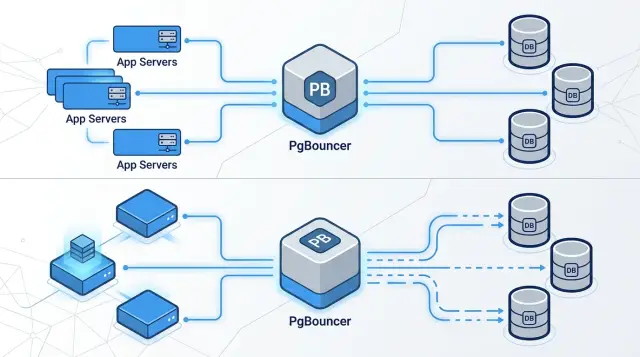
Table of Contents
What problem PgBouncer actually solves
A busy app can open far more Postgres connections than the database should handle directly. Each connection costs memory, even when it sits idle. Postgres gives every client its own backend process, so a pile of sleepy connections still puts pressure on the server.
PgBouncer fixes that mismatch. It sits between your app and Postgres, accepts many client connections, and shares a much smaller set of real database connections underneath. Your app can keep connecting as usual, while Postgres only handles the number of server connections it actually needs.
This matters most when traffic is uneven. A short spike can push hundreds of web requests, workers, cron jobs, and scripts to connect at once, even if only a fraction are running queries. Without a pooler, Postgres pays for all of them anyway. With Postgres connection pooling, you cap server connections and let PgBouncer queue or reuse them instead.
The result is practical, not magical: fewer open connections on Postgres, lower memory pressure, and steadier behavior when traffic jumps. But PgBouncer is not a free speed boost. It is mainly a pressure-control tool for the database. Once you add it, the next question is whether your app can live with the pooling mode you choose.
That is where the PgBouncer transaction vs session pooling decision starts to matter.
How session pooling works
Session pooling keeps one Postgres connection tied to one client for the life of that client session. If your app opens a connection and holds it for a while, PgBouncer keeps handing the same server connection back until the client disconnects.
That behavior is easy to reason about. It also preserves session state. If your code runs SET search_path, changes a time zone, creates a temp table, or uses prepared statements that stay open for later queries, those things are still there on the next transaction because the app keeps the same backend connection.
This is why session pooling often works well as a first step. Older apps, admin tools, migration scripts, and some ORMs quietly assume a stable session. They set options once at login and never touch them again. They create a temp table, fill it, and read from it later. Session pooling usually keeps those paths working with fewer surprises.
The downside is simple: you give up a lot of connection reuse. If PgBouncer has to hold one server connection for each active client session, Postgres can still end up with many open connections under load. If your API, workers, and admin jobs all keep sessions open longer than they need, the savings are limited.
Use session pooling when your code depends on connection-local state or when you want the safest first rollout. It is usually the easier migration path because the app still behaves much like it did with direct connections.
How transaction pooling works
Transaction pooling is the aggressive option. PgBouncer gives a client a real Postgres connection only for the life of one transaction. As soon as that transaction ends with COMMIT or ROLLBACK, PgBouncer takes the server connection back and can hand it to another client.
That changes the math fast. Instead of tying one Postgres backend to each app connection, many app clients can share a much smaller pool of real database connections. If your API gets lots of short requests, this usually cuts idle waste and keeps Postgres from spending memory on sessions that are mostly waiting.
The trade-off is just as clear. Your code cannot assume anything about the database session after a transaction ends. The next statement might run on a different backend with different session history. Transaction pooling works best when each request starts a transaction, does its work, and ends cleanly without leaving any state behind.
A good mental model is a taxi rank, not a private car. You use a connection for one trip, then it goes back into the line. You should not expect anything you left in that session to still be there next time.
This mode is a strong fit for short web requests, read-heavy services, and jobs that wrap each unit of work in one transaction. It is a bad fit for code that quietly depends on temp tables, session-level SET commands, long-lived cursors, session advisory locks, or prepared statements that must survive across transactions.
If your app already has clear transaction boundaries, transaction pooling can feel almost invisible. If it has hidden session habits, it will fail in ways that look random until you trace the connection behavior.
What breaks when code relies on session state
Some Postgres features assume later queries will hit the same backend connection. That assumption holds in session pooling. It often fails in transaction pooling.
Prepared statements are the classic trap. If your app prepares a statement once and expects to reuse it across many transactions, the next request may land on a backend where that statement was never created. Then you get errors like "prepared statement does not exist" or the opposite problem, where a statement name already exists on one backend but not another.
Temp tables fail the same way. If code creates a temp table, commits, and then reads from it later, that later query may run on a different backend where the table never existed.
Session settings are easier to miss because frameworks often hide them. A SET search_path, SET TIME ZONE, or SET ROLE only changes the current session. If your app expects those values to stay in place after commit, transaction pooling will eventually prove it wrong.
LISTEN/NOTIFY also needs a stable session. A listener has to stay attached to one connection to receive notifications. Session advisory locks have the same issue. Long-lived cursors do too. If code opens a cursor, fetches part of the result, and comes back later, transaction pooling breaks that pattern quickly.
When reviewing code, watch for a few obvious red flags: prepare once and reuse later, create a temp table and read it after commit, run SET at login and assume it sticks, keep a LISTEN connection inside the main app pool, or fetch large results through cursors across multiple steps.
Even one of these patterns is enough to justify targeted testing before rollout.
Failure modes to expect after the switch
The first warning sign is usually not a database crash. It is a half-working system. Some requests pass. Others fail for reasons that seem unrelated.
Prepared statements often break first. After a deploy, one request works and the next fails with "prepared statement does not exist" or "already exists". The cause is usually a driver-side statement cache that assumes a sticky backend connection.
The same pattern shows up with session variables, temp tables, cursors, advisory locks, and SET commands. The failure looks random, but the cause is consistent: connection state no longer follows the request.
Long transactions are another common problem. A worker opens a transaction, does slow work inside a loop, and keeps that transaction open for minutes. Migrations or other jobs then sit behind it waiting for locks or for a free slot in a small pool. Teams often discover this when a release is already underway.
App-side pools create a second trap. If each app process still keeps 20 or 50 idle client connections, PgBouncer may end up managing a large pile of sleeping clients. Postgres stays protected, but latency can climb because requests now wait in two places: first in the app pool, then in PgBouncer.
Admin scripts fail more often than people expect. A script connects, runs SET search_path, creates a temp table, then assumes every later command hits the same backend. That may work in local testing and fail in production on the second or third statement.
A quick symptom map helps:
- Sudden statement errors after deploy usually point to prepared statement caching.
- A request passes once and fails on the next call when code depends on session state.
- Migrations hang when long transactions or lock waits block the pool.
- Large numbers of idle clients usually mean app pools are still too big.
- Strange admin job behavior often means the task needs session pooling or a direct Postgres connection.
These are much easier to find before rollout than during a production incident.
Driver and framework quirks to test
Most PgBouncer surprises do not come from Postgres itself. They come from driver defaults that looked harmless before pooling changed.
Start with prepared statements. Many drivers and ORMs auto-prepare after a query runs a few times. In session pooling that often works fine because the same backend stays attached to the client. In transaction pooling, the next transaction may land on a different backend and the prepared statement is gone. Before you switch modes, check driver docs and logs for auto-prepare behavior.
Session state is the next place to look. Some ORMs set search_path, TimeZone, or other SET values when they open a connection. That works when the app keeps the same backend. It fails when PgBouncer reuses backends across many clients. If you depend on those settings, set them at the start of each transaction, push them into SQL where possible, or keep those workloads on session pooling.
Background workers need extra care. A web request usually starts and ends fast. Workers often do not. They may open a transaction, call an external API, wait on a queue, and only then write results. That can hold a server connection far longer than expected and block unrelated work.
A few checks catch most of the pain. Run your test suite with auto-prepare on and off. Trace one request and one worker job to see where transactions really begin and end. Run migrations, health checks, cron jobs, and one-off scripts outside normal app traffic. Then compare app-side pool limits with PgBouncer limits and Postgres max_connections.
That pool math matters more than people think. If each app instance opens 50 connections and you deploy 8 instances, your code may try to hold 400 client connections. PgBouncer can queue that traffic, but if the real server pool is 40 or 80, latency climbs fast and Postgres often gets blamed for a sizing problem elsewhere.
Treat API servers, workers, admin scripts, and migration tools as separate programs. They often deserve different pooling choices.
Mixed workloads: API, workers, and admin tools
A mixed workload is where the PgBouncer transaction vs session pooling choice stops being theoretical.
Most web APIs fit transaction pooling well. A request comes in, runs a few queries, commits, and ends. It does not need the same Postgres backend a second later. A simple JSON API that loads a user, writes an audit row, and returns in 40 ms is the easy case.
Background workers are different. Batch imports, reporting jobs, and cleanup tasks often hold transactions open for much longer. Some create temp tables, use cursors, or depend on session settings staying in place. Those jobs usually belong on session pooling, and a few are better off bypassing PgBouncer entirely.
Admin consoles are another common trouble spot. Someone opens psql or a GUI, runs SET ROLE, changes search_path, inspects temp objects, pauses between queries, and occasionally leaves a transaction open by accident. That behavior fits session pooling far better than transaction pooling.
In practice, splitting traffic by workload is usually the cleanest answer. Put stateless API traffic on transaction pooling. Keep workers with temp tables, long transactions, or sticky session behavior on session pooling. Send admin access to a separate session pool or direct Postgres port.
Trying to force every client into one mode is where teams waste time.
Migrating with less risk
Switching to transaction pooling is rarely a huge code project. The real risk is hidden session assumptions that only appear under load.
Start with a plain inventory of everything that opens a Postgres connection: API servers, background workers, cron jobs, migration tools, admin scripts, and one-off maintenance jobs. Teams often test the main app and forget the script that runs once a night and depends on session state.
Then audit for the usual problem areas. Search code and SQL files for SET, temp tables, LISTEN/NOTIFY, advisory locks, cursors, and driver-side prepared statement settings. Check migration tools and seed scripts, not just request code. Note which services keep long transactions open or hold a connection while doing non-database work.
If your driver can disable auto-prepare, do that before the first round of testing. It removes one of the most common causes of breakage in transaction pooling. You can add it back later if you really need it.
Do not switch the whole stack at once. Start in staging with one low-risk service, ideally a small API or internal job that runs short transactions and does not rely on connection-local state. Watch error rate, query latency, pool saturation, transaction time, and server connection count. Metrics tell you something is wrong. Logs usually tell you what.
After staging looks clean, roll out by workload rather than by team. Move one service, let it run, then move the next. Leave migrations, admin jobs, and unusual SQL paths for last because they are where odd behavior tends to hide.
If the environment is messy, a second opinion helps. On larger migrations, someone who has seen PgBouncer failures before can usually spot the risky paths quickly.
Checks before and after launch
Start with numbers, not guesswork. Before you route real traffic through PgBouncer, capture a simple baseline from Postgres and your app: active connections, idle connections, queueing, and sessions waiting for a slot. After launch, compare the same numbers every few minutes. If waiting climbs while database load stays flat, the pool is too small or clients are holding connections too long.
Pool settings deserve a careful pass. Check pool_size, reserve capacity, client limits, and timeouts before the switch. A common mistake is setting max_client_conn high enough to accept traffic while leaving the real server pool too small for login spikes, worker bursts, or admin tasks.
It is also worth running one realistic test sequence before launch: sign in and sign out in the main app, run background jobs that read and write data, execute migrations the same way your team does in production, watch logs for prepared statement errors and temp table failures, and make sure you can bypass PgBouncer or switch back to session mode quickly.
Check logs from three places at the same time: the app, PgBouncer, and Postgres. Look for missing prepared statements, temp relations that disappear, and transactions that stay open longer than expected. Those problems usually show up early.
Keep rollback boring. Store direct Postgres connection settings, keep session mode ready if you start with transaction pooling, and decide in advance who can flip the switch. If rollback requires a long meeting, the rollout plan is not done.
A simple rule for your team
Treat pooling mode as a service rule, not a global default. Most teams do better with a short policy: APIs use transaction pooling unless they need session state, while migrations, admin tools, and long-lived jobs stay on session pooling or connect directly.
That one rule prevents a lot of future mistakes. It also stops new services from copying the wrong setup just because an older app happened to use it.
A small release test is worth keeping in CI. Make it run through PgBouncer and fail when code assumes the same backend connection stays attached across requests. Open a connection through the pool, set some session state or create temporary state, then run the next step as if it were a fresh request and confirm the app does not depend on the old session.
This kind of bug often sleeps through local testing and shows up after deploy. One reliable test is cheaper than a late-night rollback.
Revisit pool settings whenever the workload changes shape, not just when traffic grows. A new batch job, reporting task, or worker pattern can stress Postgres connection pooling in ways your API never did. Recheck pool size, timeouts, reserve capacity, and how many client connections each service opens.
If the switch touches a lot of services, getting another set of eyes on the rollout plan is often worth it. Oleg Sotnikov at oleg.is works with startups and small teams on infrastructure and Fractional CTO work, and this is exactly the kind of practical review that can catch a bad assumption before production.
The goal is simple: each service knows which mode it uses, one test guards against session-state bugs, and the team revisits settings when the system changes. That is usually enough to make the first rollout calm instead of messy.
Frequently Asked Questions
What is the real difference between session and transaction pooling?
Session pooling keeps one Postgres connection tied to one client for the whole session. Transaction pooling gives a client a real server connection only while one transaction runs, then puts it back in the pool.
Choose session mode when your code needs connection-specific state. Choose transaction mode when requests stay short and stateless.
Which mode should I use for a normal web API?
Most web APIs should start with transaction pooling if each request opens a transaction, runs its queries, and finishes cleanly. That setup lets many app clients share a smaller number of Postgres connections.
If your API quietly relies on temp tables, session SET commands, or sticky prepared statements, keep it on session pooling until you remove those assumptions.
When should I keep session pooling?
Stay on session pooling when your code expects the same backend connection to stay around. That includes temp tables used after commit, long-lived cursors, LISTEN/NOTIFY, session advisory locks, and login-time SET commands that must stick.
It also makes sense as the safer first rollout when you do not fully trust older scripts, admin tools, or ORM behavior.
Why do prepared statements break in transaction pooling?
They fail because many drivers cache prepared statements as if one client always talks to the same backend. In transaction pooling, the next transaction may hit a different backend where that statement does not exist.
Turn off auto-prepare during testing if your driver allows it. That change removes a very common source of random-looking errors.
Do temp tables, SET commands, and LISTEN/NOTIFY work with transaction pooling?
Not across transactions. A temp table or a session SET lives on one backend connection, and transaction pooling may send your next query to another one.
LISTEN/NOTIFY has the same problem because the listener needs one stable connection. Keep those workloads on session pooling or send them straight to Postgres.
Can background workers use transaction pooling?
Sometimes, but only if the worker keeps transactions short and avoids session state. A worker that starts a transaction, calls an external API, waits on a queue, or loops for minutes will hold a server connection too long.
Treat workers as separate programs. Short stateless jobs can use transaction pooling, while batch jobs and sticky sessions usually need session pooling.
Why can latency rise even when Postgres has fewer open connections?
That usually means requests wait in more than one place. Your app may still keep a large client-side pool, and PgBouncer may queue again before Postgres sees the work.
Long transactions cause the same pain. Shrink app-side pools, check PgBouncer limits, and look for code that holds transactions open longer than needed.
How should I test PgBouncer before production?
Run tests through PgBouncer, not straight to Postgres. Exercise one web request, one worker job, migrations, cron jobs, and any admin script that touches the database.
Watch app logs, PgBouncer logs, and Postgres logs together. Look for prepared statement errors, missing temp objects, long transactions, and requests waiting for a pool slot.
Do migrations, psql, and admin scripts need a separate connection path?
Yes. Admin tools and migrations often assume a stable session because people run SET ROLE, change search_path, inspect temp objects, or leave a transaction open by accident.
Give them a session pool or a direct Postgres path. Do not force every client through transaction pooling just because the API can handle it.
What is the safest way to roll out PgBouncer on a mixed system?
Move one workload at a time, not the whole stack at once. Start with a low-risk API that uses short transactions, then let it run long enough to show real behavior.
Keep rollback simple. Save direct Postgres settings, leave session mode ready, and decide before launch who can switch traffic back if errors appear.


