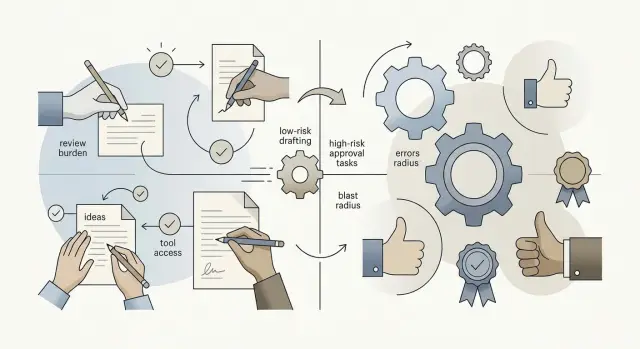
Part-time CTO AI prioritization with a simple payback score
Learn part-time CTO AI prioritization with a simple score for cleanup work, failure cost, and volume so you can back ideas that repay fast.

Table of Contents
Why flashy AI ideas win too often
Teams often choose the idea that looks best in a demo. A chatbot answers in seconds, a draft appears on screen, everyone nods, and the room moves on. That moment feels convincing, but it does not tell you whether the idea will save real time every week.
Low-volume work fools people most often. If a task happens six times a month, even a strong AI result may barely change anyone's workload. A plain task that happens 300 times a week usually matters more, even if the demo looks boring.
Messy inputs create another problem. A tool can seem fast until someone has to clean the source text, remove duplicates, fix broken fields, and rewrite half the answer before sending it. At that point, the AI did not remove work. It moved the work somewhere else.
Risk gets ignored for the same reason. It is harder to see in a live demo. A wrong answer in a support reply, invoice note, or internal summary can create rework, customer friction, or direct cost. Saving three minutes means little if one bad output creates an hour of cleanup.
A part-time CTO sees this pattern all the time. Teams pick the idea that feels new. The better bet is often a quiet task with clear inputs, high volume, and low downside when the model misses. The useful question is not, "Does this look smart?" It is, "Does this save time after the edits, exceptions, and mistakes?"
The ideas with the best payback rarely look flashy. They look a little dull, which is usually a good sign.
What the score should measure
A useful first pass ignores novelty. It looks for work that shows up every week, eats real staff time, and has a clear finish line. If a task happens twice a year, even a clever model will not move the business much.
A simple score should answer three questions:
- How much cleanup will people do after the model gives an answer?
- What happens if the answer is wrong, late, or incomplete?
- How many times does this task appear in normal operations?
Cleanup matters more than most teams expect. A draft that saves 10 minutes but needs 15 minutes of checking is a bad trade. Score tasks well when the output is close to usable and staff only need a quick review. Score them poorly when people must fix fields, rewrite text, or chase missing details.
Failure cost keeps the list honest. A weak summary of an internal meeting is annoying. A wrong invoice, a missed compliance step, or a bad support reply can create delays, rework, or lost trust. Early pilots should lean toward low-risk tasks, even if the time savings look smaller.
Volume is the last piece. A five-minute task done 200 times a week often beats a one-hour task done once a month. Small teams need wins that show up in daily operations, not ideas that only shine in demos.
Keep the first ranking light. Use a 1 to 5 scale, spend 20 minutes, and accept rough numbers. The goal is not to predict the future. The goal is to sort a messy list into "try soon," "wait," and "not yet."
How to rate cleanup work
Cleanup work is the time people spend fixing AI output before they can send it, save it, or use it. This number tells you whether the idea saves real time or just creates a neat first draft that still needs handholding.
Watch what staff do after the AI response appears. Count the edits they make for tone, format, missing fields, and wrong facts. If they keep correcting the same things, the task has high cleanup work even if the draft looks polished at first glance.
Use a simple 1 to 5 scale where higher numbers mean more cleanup:
- 1: People use the output almost as is, with only small edits now and then.
- 2: Most cases need a light fix, like a greeting, one missing field, or a format tweak.
- 3: The draft helps, but staff still edit several parts in many cases.
- 4: People rewrite large sections often.
- 5: Nearly every case needs a full rewrite.
Be strict when you score it. A response can sound fine and still create work if it skips an order number, gets a fact wrong, or uses the wrong tone for a customer complaint. One missing field can turn a quick review into a few minutes of checking notes and patching the reply.
This rating often separates a useful tool from a flashy demo. Give a low cleanup score to tasks where people can skim the result, make a tiny fix, and move on. Raise the score when staff must read every line carefully because they expect problems.
A simple test works well: ask whether a busy team member would trust the draft after a quick check. If yes, cleanup work is low. If they treat it as raw material, cleanup work is high.
How to rate failure cost
A part-time CTO usually asks one blunt question: if this is wrong, who pays for it? That keeps the team away from demos and focused on damage. A bad answer from an internal draft tool is annoying. A bad answer sent to a customer can mean refunds, lost trust, or a compliance problem.
Start by splitting mistakes into two groups. Small errors waste time and need a quick fix. Expensive errors create real harm: wrong prices, wrong legal language, false delivery promises, incorrect financial data, or advice that sends a customer down the wrong path.
A 1 to 5 scale works well here too:
- 1 means the AI gets used only for private drafts, notes, or rough summaries.
- 2 means the output helps a staff member, but a person checks it before anyone acts on it.
- 3 means the AI affects routine internal work where mistakes slow people down or cause rework.
- 4 means the output can reach customers or change money, deadlines, or records.
- 5 means one bad result could cause serious loss, trust damage, or a compliance issue.
Customer-facing work should almost always score higher than internal draft work. A rough product brief that a manager edits is fairly safe. An AI reply that promises a refund policy to a customer is not. The model may sound confident in both cases, but only one creates a public problem.
Review steps can lower the real risk, but only if they are strict and specific. "Someone will glance at it" is not a control. A proper check looks more like this: the AI creates a draft, a trained person approves it, and the system keeps risky actions blocked until approval happens.
If a task has a high failure cost, push it down the list for now. Bring it back after you add guardrails, templates, approval rules, or a human reviewer. That is often how a risky idea becomes a safe pilot.
How to rate expected volume
Expected volume is the repeat count. If a task happens 60 times a day, even a small time saving adds up fast. If it happens twice a month, the payoff usually stays small no matter how clever the AI looks.
Start with the normal work, not the weird exceptions. Ask the team how often they do the task in a day or week, and count real repeats: triaging tickets, writing first replies, tagging leads, checking invoices, filling the same fields again.
Exact numbers help, but rough ranges are usually enough. Speed matters more than perfect math. If nobody tracks the task, use a simple scale like this:
- 1 = once a month or less
- 2 = a few times a week
- 3 = every day for one person
- 4 = every day for several people
- 5 = many times a day across teams
Shared repetition should score higher. A task that shows up in support, sales, and operations often beats a narrow task that only one specialist handles. Repeated work is where AI often earns its keep.
One support example makes this obvious. If five agents each classify 40 incoming messages a day, that is 200 repeats before lunch. Even a small assistant that saves 20 seconds per message can return hours every week.
Do not let edge cases distort the score. Rare escalations, odd customer requests, and one-off cleanup jobs belong in a note, not in the main volume rating. Score the common path first, because that is where the money usually is.
If you feel stuck between two numbers, choose the lower one. Conservative scoring keeps the list honest and makes the top ideas easier to trust.
Put the three ratings into one score
Use the same 1 to 5 scale for all three factors. That keeps the score easy to explain and stops people from hiding a risky idea behind fuzzy wording.
Start with expected volume as the base number. Then subtract cleanup work and subtract failure cost.
AI payback score = expected volume - cleanup work - failure cost
This works because volume tells you how often the idea can save time or reduce manual effort. Cleanup lowers the score because people still need to fix, check, or rewrite the output. Failure cost lowers it again because some mistakes are cheap, while others create real damage.
If two ideas sound equally exciting, the math often breaks the tie fast. An idea scored at volume 5, cleanup 1, failure cost 1 ends up with a 3. Another idea scored at volume 4, cleanup 4, failure cost 4 ends up at -4. The second one may look more impressive in a meeting, but the first one is far more likely to pay back.
Keep the comparison inside the same list of ideas. Do not compare scores from different teams unless they used the same rating logic. A 3 on one team's list and a 3 on another can mean very different things if people scored loosely.
You do not need a giant spreadsheet. You need one score that makes low-drama, high-volume work rise to the top and pushes fragile, cleanup-heavy ideas down the list.
Score ideas in 20 minutes
A part-time CTO usually does not have room for a two-hour workshop just to rank automation ideas. You can get a usable list fast if you stay narrow, use one team, and keep the scoring rough.
Start with 10 to 20 repeat tasks from a single group. Pick work people do every day or every week: triaging support tickets, cleaning CRM records, checking invoices, writing follow-up emails. If a task happens once a quarter, skip it for now.
Then ask the people who do that work to score each task. They know where the mess is, which mistakes hurt, and what eats time. A manager alone often guesses wrong.
- Put every task on one sheet.
- Give each task the three ratings.
- Cap discussion at 10 minutes per idea.
- Move on when the group is within one point.
- Sort the final scores and mark the top three.
That time limit matters. If a task needs half a day of debate, it is probably too vague for a first AI test. Keep the names concrete. "Handle refund requests" works better than "improve customer service."
One simple meeting format works well: one person reads the task, one person explains the current process in a minute, and the rest score it. The CTO or team lead only breaks ties and watches for obvious bias.
After you sort the list, do not start three pilots at once. Take the highest scorer and run a small test first. Use a narrow slice of real work, measure time saved and error rate, and stop quickly if the idea looks worse in practice than it did on paper.
The goal is not a perfect ranking. The goal is to leave the meeting with one clear first bet.
A simple example from a support team
A 12-person support team has three AI ideas on the table: ticket summaries, refund replies, and contract language review. All three sound useful. Only one is likely to pay back fast.
Refund replies usually win. The team sends them all day, and most follow a narrow pattern: order found, policy checked, refund approved or denied, polite explanation sent. Cleanup work is low because the model needs a few policy rules, past examples, and a clear tone. Failure cost is also fairly low. If the draft looks slightly off, a support agent can fix it in seconds before sending.
Contract language looks more impressive, but the score often falls apart once you rate the risk honestly. Volume may look decent if sales sends many contracts each week. Still, failure cost is high. One bad suggestion about liability, payment terms, or data use can create a real business problem. Cleanup is higher too, because the model needs legal context, approved fallback language, and tight review rules.
Ticket summaries sit in the middle. They happen often, but they can get messy when customers jump between products, screenshots, logs, and long email threads. That usually means more setup than teams expect.
A rough scoring pass might look like this:
- Refund replies: low cleanup, low failure cost, high volume
- Ticket summaries: medium cleanup, low failure cost, medium to high volume
- Contract language: high cleanup, high failure cost, medium volume
The boring task often beats the flashy one. That is usually the right answer. If a team can save 30 seconds on 400 refund replies a week, the gain shows up almost at once. A legal drafting assistant may still matter later, but it should start with a much smaller pilot and much tighter review.
Mistakes that skew the list
A score stops helping when people bend it to defend a favorite idea. This happens fast if one senior person says an idea matters and moves it to the top without proof. If they have data, recent examples, or a clear cost estimate, put that into the sheet. If they do not, leave the score alone.
Teams also hide work that starts after the AI answer appears. A draft reply may look cheap and fast, but the real cost changes if a manager rewrites half the message, checks policy details, and handles customer follow-up. Count every minute of cleanup, not just the first output.
Another common mistake is mixing very different work in one ranking sheet. Sales outreach, bug triage, support replies, and invoice checks do not fail in the same way and do not create the same volume. Put similar tasks together so the numbers stay comparable.
The cost of a bad result often gets cut down too much. If the mistake reaches a customer, the team may need refunds, manual repair, extra support time, or a direct apology. That is not a small footnote. It changes the order of the list.
One more trap is endless debate. Teams spend two weeks arguing about whether a score should be 3 or 4, then test nothing. Usually that means the list is already good enough and people are avoiding the hard part.
A short checklist keeps the ranking honest:
- Ask anyone who wants to override a score for real evidence.
- Include manager review and correction time.
- Keep each sheet limited to similar tasks.
- Count the full cost of customer-facing errors.
- Test the top idea instead of polishing the spreadsheet again.
If the top item looks boring but saves 10 hours a week with low risk, pick that one first.
Quick checks before a pilot
A pilot gets messy fast when five people can change the rules. Put one person in charge of the test. That person collects feedback, watches the numbers, and decides when the team needs to pause. If nobody owns it, the pilot drifts and the team starts arguing from memory.
Pick one measure that tells you if the idea pays off. Hours saved per week is a good choice because most teams can track it with a simple note or timesheet. Avoid stacking goals like speed, quality, customer happiness, and cost all at once. One clear measure makes the result easier to trust.
Set a short review window before anyone starts. For most AI pilots, one or two weeks is enough to spot the first problems. Check quality on a schedule, not only when someone complains. A support reply assistant can look great in a demo, then slip once real ticket volume shows up.
Use a simple stop rule:
- pause the test if mistakes start reaching customers
- pause it if staff spend more time fixing output than doing the task by hand
- pause it if the error rate rises for several days in a row
- pause it if the team quietly stops using the tool
A person should have the authority to stop the pilot the same day. That matters more than a pretty dashboard.
Keep notes on edits while the pilot runs. Track what people changed, how often they stepped in, and which cases failed. Later, those notes help you rescore the idea with less guesswork. They also show whether the weak spot is the model, the prompt, the workflow, or the input data.
What to do with the winner
A high score does not earn a big rollout. It earns a small test.
Pick one narrow workflow that real people already do every week. Keep the scope tight enough that you can run it in two weeks without changing half the team's habits. Good examples are drafting first replies for support, sorting inbound requests, or turning call notes into a clean summary.
Set the rules before day one. Decide who uses the tool, what counts as a good result, and when a human steps in. If the output affects customers, money, or compliance, keep a reviewer in the loop the whole time. Remove that review only after the output stays stable long enough to trust it.
Track a few numbers from the first run:
- time saved per task
- error rate compared with the current process
- cleanup time after the AI output
- number of tasks handled during the test
- cases sent to a human for correction
Those numbers matter more than demo quality. A tool that writes pretty answers but adds 10 minutes of cleanup is not a win.
One small example makes this concrete. A support team tests AI for refund request triage. For two weeks, the model labels each ticket and suggests the next action. A reviewer checks every result. By the end, the team can see whether the model saves 30 seconds or 5 minutes per ticket, how often it sends work to the wrong queue, and whether cleanup shrinks or grows.
That is where this scoring method pays off. The score picks the best bet, and the pilot shows whether the bet survives real work.
If the shortlist still feels fuzzy, Oleg Sotnikov at oleg.is can review it, help rank the ideas by payback, and shape a small pilot around real operating gains instead of novelty.