Operator notes can reveal missing states in your product
Operator notes often expose missing states, handoff gaps, and silent failures. Learn how to review them and turn issues into product fixes.
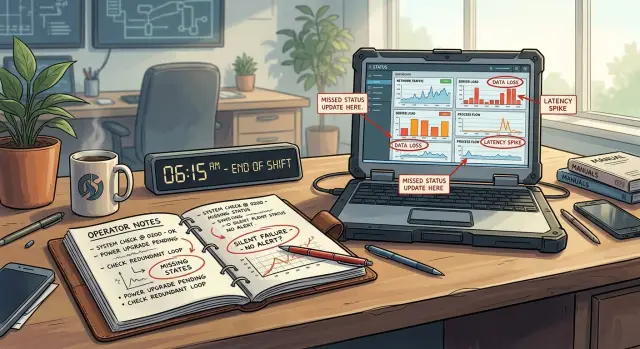
Table of Contents
Why handoff notes matter
Most operator notes exist because something broke the normal flow. People do not stop to add extra context when the system already shows what happened, what comes next, and who owns it.
That makes shift handoff notes unusually honest. They show where the product runs out of words, runs out of states, or leaves people guessing. If a team keeps writing the same note, the software probably needs to remember that fact on its own.
A repeated note often points to a missing product state. Picture a support queue where agents keep typing, "Customer already sent documents, wait for finance before closing." If that line appears every day, the ticket probably needs a status like "pending finance review." Without it, each shift has to rebuild the same context by hand.
Workarounds tell the same story. Notes like "Check the spreadsheet before approving" or "Message shipping if the label fails again" mean the product asks people to remember too much. Memory works for one careful operator. It falls apart when the queue gets busy, a new person joins, or a case sits overnight.
Three signs usually matter most:
- The same note shows up across many cases.
- The next shift cannot act without reading free text.
- People add warnings to prevent a mistake the system could block.
Extra context in a note also shows that the system failed to carry something forward. Maybe the customer already called twice. Maybe a payment failed after inventory got reserved. Maybe a case looks closed, but one hidden step still sits with another team. If the next shift needs that background to avoid a bad decision, the product should preserve it in the record instead of hoping someone types it again.
Operator notes deserve more respect than they usually get. They are not messy leftovers from operations. They are small bug reports, missing requirements, and edge cases written in plain language by the people who run into them first. When three shifts keep leaving the same sentence, that sentence already belongs in the product.
Pick the notes that deserve review first
Do not start with the neatest notes. Start with the ones that sound a little messy, impatient, or oddly specific. Those are often the notes people write after the product forced them to patch a gap by hand.
Begin with anything that mentions retries, waiting, overrides, or manual checks. Phrases like "try again in 10 minutes," "refresh until it appears," or "ask a manager to force it through" usually mean the system has a state nobody named in the product. Sometimes they point to a silent failure case where the screen looks fine, but the work never finished.
Busy shifts deserve extra attention. When volume rises, weak spots show up fast. Delayed updates, half-finished jobs, race conditions, and confusing statuses become obvious when nobody has time to babysit the tool.
Edge cases and escalations belong near the top of the pile too. If a note appears when an order gets edited twice, a payment arrives late, or a customer changes one field after approval, that does not make it unimportant. It makes it expensive when it happens.
A quick filter works well:
- Pull notes that mention retrying, waiting, checking by hand, or using an override.
- Pull notes written during the busiest shifts.
- Pull notes attached to escalations or unusual cases.
- Group the same note from different people into one pile.
When you group notes, keep the original wording. Do not clean it up too early. "Stuck in pending again, had to flip status twice" tells you more than "pending state issue." The rough phrasing shows where the product confused the operator, what action they took, and how often they expect the problem to return.
At that point, the notes stop looking like noise. If three or four people describe the same workaround in their own words, you are probably looking at a missing product rule that people already wrote down for you.
What to mark in each note
Operator notes usually hide four facts: what the person tried to do, what they expected to happen next, where the flow broke, and what human patch kept the work moving. Most teams only mark the complaint. That misses the part you can turn into a product fix.
Start with the action. Use a verb, not a vague label. "Tried to close the ticket after payment" is much better than "billing issue." The action tells you where the operator entered the flow and which state change should have happened.
Then mark the next state they expected to see. If someone wrote, "approved but order never moved to packed," the note already gives you a missing requirement. After approval, the product should show a clear status change or explain why it did not happen. Many silent failures look small because the action worked halfway. The note shows the gap between "done" and "shown as done."
Pay close attention to anything that pushed the operator outside the product. A phone call, message, spreadsheet update, or manual check is not just extra work. It is evidence that the product could not carry the task to the next step on its own.
Some phrases deserve a tag every time. "Stuck," "not sure," "had to watch," and "never updated" usually point to the same handful of problems. The system gave no status, the status changed too late, or the product left the operator guessing. You do not need perfect wording. You need consistent tags so patterns show up after ten notes instead of a hundred.
A small example makes this clear. An operator writes, "Tried to resend login code, customer said it still did not work, had to call them back after watching the account for five minutes because status never updated." Mark the action: resend login code. Mark the expected state: delivery or failure should appear. Mark the manual patch: phone call and waiting. Tag "had to watch" and "never updated."
That one note gives you likely requirements right away. Show delivery status clearly. Tell the operator when the resend fails. If the product cannot do that, people will keep writing notes to cover the same hole.
How to review notes in order
Start with one full week of handoff notes, exactly as people wrote them. Do not tidy the wording, fix typos, or merge similar notes yet. Raw notes show where operators pause, repeat themselves, and invent little rescue moves. That roughness often points straight to a missing state.
Use the same review pass every time so you do not drift into debate too early.
- Read the notes from top to bottom and keep them unchanged.
- For each note, mark four parts: the state the user was in, the trigger that changed something, the failure that followed, and the workaround the operator used.
- Count repeats before you argue about why the problem happened.
- Write one short sentence that says what the product failed to do.
- Turn that sentence into a ticket and give it one owner.
A note like "Refund page spins forever after customer lookup, refresh and try again" is enough to work with. The state is "refund in progress." The trigger is the lookup. The failure is the endless spinner. The workaround is the refresh. You do not need a long postmortem to spot the gap.
Count first because repeated pain beats clever theories. If six notes mention the same stuck screen, that pattern matters even if each person describes it a little differently. Teams often waste time arguing about root cause while the same silent failure keeps hitting users.
The sentence you write should be plain and testable. For example: "When customer lookup times out during a refund, the screen must show a retry state with a clear message instead of spinning forever." That is already close to a requirement, and it is much better than a vague ticket like "fix refund bug."
Give the ticket one owner, not a department. Shared ownership sounds polite, but it usually leaves the note sitting in a backlog. One person can pull in design, support, or engineering if needed. The owner makes sure the missing behavior gets defined, built, and checked.
If the same note shows up three times in a week, treat it as product work instead of operator folklore.
Turn notes into real requirements
A note like "If it gets stuck, refresh and try again later" is not a workaround you should keep forever. It usually means the product has an unnamed state. The team sees the problem in daily work, but the software does not describe it yet.
Operator notes often expose missing product states and silent failure cases long before anyone writes a ticket.
Start by replacing vague fixes with state changes you can actually build. If a note says "wait 10 minutes and re-run," ask what really happened in those 10 minutes. Did the item move from "processing" to "timed out"? Did a background job stop? Did an external service fail to answer? A requirement gets much better once the state has a name.
Then write the trigger for each transition. "Stuck" is not a trigger. "No response from the payment service for 45 seconds" is a trigger. "Three failed delivery attempts" is a trigger. Now the team knows when the item moves forward, when it pauses, and when it fails.
Do not stop at the internal logic. Add what the user sees when a step fails or times out. If the screen still says "processing" while an operator has already given up and moved on, the product hides the truth. Show a real status, keep any entered data, and offer the next safe action.
Permissions matter too. Someone must own retry, override, and cancel actions. If every operator can force a retry, people will create duplicate work. If nobody can cancel, stuck items pile up until a manager steps in.
A requirement like this is often enough:
- After 45 seconds with no gateway response, move the order to "payment delayed."
- Show the customer "Payment is still processing" instead of a spinner.
- Let support retry once.
- Let a finance admin cancel the payment attempt.
- Log the reason for the delay.
That is usually enough to replace the old note that said "check logs and requeue manually." Keep the change small. You do not need a full redesign. Name the state, define the trigger, show the right message, and assign who can act. That is how operator notes become product requirements people can build and test.
A simple example from a support queue
A support team keeps seeing the same note at shift change: "payment cleared but order stayed pending." One note is easy to dismiss. The fifth note in a week is a pattern.
The late shift writes it because they can see the customer paid, but the order never moves to the next status. The morning shift does the same cleanup every day. They call finance, confirm the charge by hand, then decide whether to push the order through, refund it, or email the customer.
That routine tells you what is missing. The product does not have a safe middle state for this case. It jumps from "pending" to "done" in the normal path, but real orders do not always move that cleanly.
Teams that read those notes closely usually add three things: a visible review state after payment succeeds but the order does not progress, an alert if the order sits too long after the charge clears, and a reason code that explains why the status stopped moving.
The review state matters because it tells support what is happening without a phone call. "Pending" is too vague. It mixes unpaid orders, slow checks, and stuck orders into one bucket. A clear state like "payment received, review needed" gives the team and the customer a more honest picture.
The alert matters because people should not discover the problem only when the next shift reads the queue. If ten minutes pass after a successful charge and the order still has not advanced, the system should flag it.
The reason code matters because it turns a messy note into something you can count. Instead of fifty versions of the same sentence, the queue starts showing patterns such as "charge confirmed, fulfillment not started" or "payment settled, fraud check timed out." Now the product team can see which failure case happens most often.
That is how shift handoff notes become missing product states. The note looks small. The gap behind it is not.
Mistakes that hide the real issue
Teams often read operator notes and blame the person who wrote them. That is usually backwards. If three people describe the same task in three different ways, the flow may be forcing them to guess, retry, or watch for edge cases the product never names.
A shift handoff note like "had to refresh twice, then it went through" is not bad writing. It is a sign that the system has a state nobody can see. Inspect the steps before you judge the operator.
Another common mistake is merging different failures under one label such as "system glitch." That label saves a minute now and costs hours later. A timeout, a stale status, a duplicate charge warning, and a permissions mismatch can all feel random to staff, but they are different problems.
Rare notes need extra care, not less. If a note mentions money, safety, identity, or access, stop and inspect it even if it happened once this month. Low volume does not mean low risk.
Teams also waste time fixing the wording of the note instead of the gap behind it. Changing "weird error" to "unexpected behavior" makes the record cleaner, but it does nothing for the next shift. Ask a better question: what state was missing from the product? Was payment pending? Did approval expire? Did the user lose access while the screen still showed them as active?
The last trap is stopping at the first workaround. Workarounds feel good because the queue moves again. They also hide repeat failures for weeks.
Pause when you see notes like these:
- Staff had to refresh, retry, or reopen a case.
- The screen showed one status, but the outcome was another.
- Access changed without a clear reason.
- Money moved, or almost moved, in a way staff did not expect.
- The team invented a manual step to stay safe.
A support note like "Refund failed, tried again after reopening customer profile" makes the choice obvious. You can tell the agent to write better notes, or you can admit the product hides a refund state, loses context after an error, and trains staff to fix it by luck. Only one of those responses prevents the same note tomorrow.
A quick check before release
A release can pass tests and still create confusion by the next shift. One of the fastest ways to catch that gap is to ask what a tired operator would need to write down for the next person.
Start with state. If someone opens an item, can they tell whether it is waiting, failed, paused, sent, refunded, or done? If they still need a note that says "I think this went through, but please check again," the product is hiding a state people need.
Failure status should also be plain on the screen. "Error" is too vague. People need to see which step failed, when it failed, and whether anything completed before that point. That cuts guesswork and keeps the next person from repeating work that already happened.
Retries need special care. If a user can click again after a timeout or partial failure, the product should block duplicate orders, duplicate messages, or duplicate refunds. Safe retry behavior is not a nice extra. It decides whether shift handoff notes stay short or turn into warnings.
Manual overrides need a reason field that people actually fill in. A note like "approved after supplier confirmed stock" is enough. Without that record, the next person has to reconstruct a human decision from scattered clues.
A quick pre-release pass works well when one person who did not build the feature does four checks:
- Open an item in the middle of the workflow and name its exact state.
- Force one step to fail and see whether the screen shows the last successful step.
- Retry the same action twice and check for duplicates.
- Do a manual override, then read the log as if you were the next shift.
Finish with one blunt question: would operator notes get shorter after this change? If the answer is no, the release may fix code but still leave the real work to people. That usually means a missing state, a hidden failure, or an unsafe retry path is still in the product.
What to do next
Pull one recent week of notes and review them with people from product, ops, and support in the same room. A single week is enough to spot patterns, and it is recent enough that people still remember what happened.
Read the notes line by line and stop on repeated workarounds. When someone writes "had to refresh again," "asked the customer to wait 10 minutes," or "moved it to a different queue," that usually points to a missing product state, not just a messy process.
A short review flow works well:
- Collect one week of operator notes or shift handoff notes.
- Mark the same workaround every time it appears.
- Ask what the system failed to say or failed to do.
- Turn that gap into one plain requirement sentence.
Keep the requirement boring and specific. "Show invoice sync in progress" is better than "improve sync visibility." "Block duplicate retries until the first job finishes" is better than "reduce confusion during processing."
Then pick the smallest gap first. Do not start with a full redesign if the notes point to one missing status, one timeout message, or one retry rule. Small fixes ship faster, and they tell you quickly whether you found the real issue.
After the change goes live, watch the next round of operator notes. If the workaround disappears, you fixed something real. If people still leave the same note, look one step earlier in the flow. The product may still hide the actual state, or it may fail quietly in a place nobody tracked.
A common example is support writing, "customer says payment failed, but dashboard still shows pending." The first fix might be nothing more than a clear pending state with a last-updated time. Often, that is enough to stop duplicate actions and extra tickets.
If your team can see the pattern but keeps struggling to turn it into a clean product change, an outside review can help. On oleg.is, Oleg Sotnikov offers fractional CTO advisory on product architecture, AI-first workflows, and operational reviews that can help teams turn repeated operator notes into fixes people can actually ship.
Frequently Asked Questions
What does a handoff note usually reveal?
It usually tells you the product left something unclear. The operator had to explain a state, a failure, or a next step that the system did not show on its own. When that keeps happening, the note is not extra context anymore. It is a product gap.
How can I tell if a note points to a real product problem?
Look for repeats. If people keep writing the same warning, manual check, or retry step, the flow likely misses a state or rule. Notes like "wait 10 minutes," "refresh again," or "ask finance first" often point to behavior the product should handle.
Which notes should I review first?
Start with notes about retries, waiting, overrides, and manual checks. Then check notes from busy shifts and escalations. Those notes show where the tool breaks under pressure and where people have to patch the process by hand.
What should I mark in each note?
Tag four things: what the person tried to do, what they expected next, where the flow broke, and what they did to keep work moving. That gives you enough detail to spot missing states without turning every note into a long report.
When does a repeated note become product work?
Treat it as product work once the same note shows up a few times in a short period, especially within one week. You do not need a huge sample. If several people describe the same workaround, the pattern already matters.
How do I turn a workaround into a product requirement?
Write the hidden state and the trigger in plain words. Instead of "refresh and try again later," say what changed, what failed, and what the screen should show next. A good requirement names the state, the trigger, the user message, and who can retry or override it.
Should I ignore notes that only show up once?
No. Rare notes can carry the most risk when they involve money, access, identity, or safety. Even one note matters if the cost of getting it wrong is high.
What mistakes do teams make when reading operator notes?
Teams often blame the operator, merge different failures into one vague label, or polish the wording instead of fixing the gap. They also stop at the first workaround because it moves the queue again, even though the same issue returns the next day.
How can I check for missing states before a release?
Open an item in the middle of the flow and ask whether a tired operator can name its exact state without writing a note. Then force a failure, retry the action, and check whether the product shows the last successful step and blocks duplicate work. If people still need free text to explain what happened, the release still has a gap.
What is the best first step if my team wants to act on this now?
Pull one recent week of notes and review them with product, ops, and support together. Group repeated workarounds, write one plain sentence for each gap, and fix the smallest one first. If your team sees the pattern but cannot turn it into a clean change, an experienced CTO or advisor can help turn those notes into something your team can build.


