Model downgrade plan for AI cost spikes and outages
Build a model downgrade plan that cuts AI spend during spikes, handles outages calmly, and protects features that should stop instead of degrade.
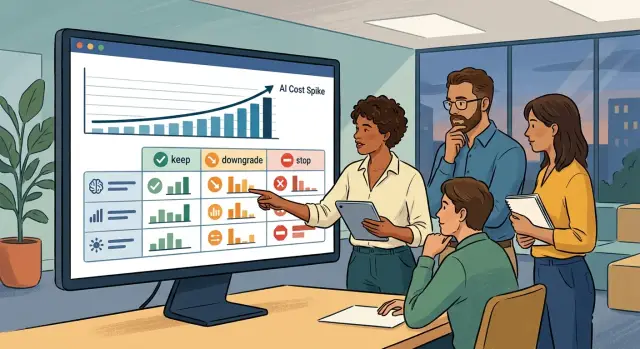
Table of Contents
What fails first when model costs jump
Model costs do not always rise slowly. They can jump in a few hours if usage spikes, a provider changes limits, or a feature starts sending larger prompts than expected. A team that looked fine in the morning can end the day far over budget.
Users usually do not notice the bill first. They notice the product getting worse. Replies take longer, timeouts appear more often, and flows that felt smooth start to feel unreliable.
Quality slips next. A chatbot gives shorter answers, summaries miss details, and extraction tasks stop catching fields they used to find. In a flow with several model calls, one weak step can throw off everything after it.
That is why multi-step features often break before simple ones. A support assistant that drafts one reply may still work on a smaller model. A workflow that classifies a ticket, pulls facts, writes a reply, checks tone, and updates a CRM has far more ways to fail when latency rises or output quality drops.
Teams often make the problem worse with a rushed swap. Someone changes the model name, pushes to production, and hopes the cheaper option will behave the same way. It often does not. Context windows differ, output formats change, and instruction-following gets less reliable. The budget pressure drops for a moment, but small errors start leaking into the product.
Those small errors cost real money. Support agents fix bad drafts by hand. Customers retry failed actions. Engineers drop planned work and spend the day patching prompts, rate limits, and parsing code.
A support inbox makes the pattern easy to see. If one strong model summarizes a thread, detects urgency, drafts a reply, and suggests the next action, a sudden cost jump will not first show up in the finance dashboard. It will show up as a queue that slows down, reply drafts that look off, and tickets that no longer update cleanly.
Without a downgrade plan, people guess under pressure. They cut costs where it seems safe, keep expensive calls where change feels risky, and hope users will not notice. Hope is not enough. Clear rules are.
Which features can downgrade and which must stop
Teams often assume every AI feature can fall back to a cheaper model for a few days. That is rarely true. Some tasks only get a little worse. Others turn into refund issues, support tickets, or risky account changes.
List every AI feature in one place, including the small ones people forget. Add summaries, reply drafts, tagging, search query rewrites, data extraction, fraud checks, pricing suggestions, and any action the model can trigger.
Sorting by risk works better than sorting by team or page.
- Low risk: internal summaries, labels, simple rewrites, and rough drafts. These can usually move to a smaller model for a while.
- Medium risk: customer-facing text, recommendations, or extraction that feeds another system. These might downgrade if you tighten prompts, add limits, or do manual spot checks.
- High risk: anything tied to money, contracts, permissions, or account status. These should stop when quality drops.
The safest downgrade targets are narrow tasks with clear structure. A smaller model can often classify a ticket, pull fields from a form, or draft a first reply. Open-ended judgment is different. If a feature needs careful reasoning, exact policy use, or stable formatting in edge cases, a cheap fallback can cost more than it saves.
Draw a hard line around actions with real consequences. Refunds, plan changes, contract language, access removal, and profile edits need human review or a full stop. If a model writes a weak summary, someone can fix it in a minute. If it changes billing or closes an account by mistake, cleanup gets much harder.
Keep the rule simple: downgrade work people can inspect quickly, and stop work that can damage trust, money, or access.
Set the minimum bar for every feature
Every AI feature needs a floor, not just a target. When costs jump or a model goes down, your team needs to know what still counts as good enough and what should stop.
Start with answer quality. Do not ask, "Is this the best result?" Ask, "Would a normal user trust this enough to act on it?" Rough wording may be fine for a draft email. It is not fine for a refund decision.
Wait time matters just as much. Users forgive a weaker answer faster than they forgive a spinning screen. Pick a limit for each feature and write it down in plain numbers. A chat reply might get 8 seconds. A background summary might get 2 minutes. After that, the system should fall back, retry, or stop.
Format errors need their own rules. Some tasks can survive messy output. Others cannot. If your app expects JSON, one missing bracket can break the whole flow. If the feature fills a CRM record, one wrong field can create hours of cleanup.
A workable plan answers five questions:
- What does a minimum acceptable answer look like?
- What is the longest delay users will accept?
- Which format mistakes can the system repair?
- Which mistakes make the result unsafe to use?
- Who can approve a temporary downgrade?
Write down the point where a bad answer costs more than no answer. Teams avoid this because it feels harsh. It is still better to pause a feature than to send false pricing, wrong legal text, or broken customer data.
Keep the rules short enough for support and product staff to use during a rough day. They should not need a long rubric or an engineer on call to decide. A simple table with "keep running," "downgrade," and "stop" is usually enough.
If a support agent can read the rule in 20 seconds and make the same call your CTO would make, the bar is clear enough.
Map your fallback options before launch
Most teams wait too long to map fallbacks. Then a model gets expensive, rate-limited, or slow, and people start making rushed choices in production. Fix that before launch.
For each feature, pick one primary model and write down why you chose it. Keep the reason plain. Maybe it writes better replies, handles longer context, or stays inside your latency target. If nobody can explain the choice in one sentence, the setup is probably too fuzzy.
Then assign one backup model for that same feature. It should be cheaper, smaller, or easier to access during an outage. One backup will not fit every job. A support reply tool, a meeting summary, and a coding assistant fail in different ways.
A one-page map is usually enough. Include the feature name, the normal model, the backup model, the non-AI fallback, and the person who can pause or stop it.
The non-AI fallback matters more than teams expect. If summary generation fails, show raw notes. If reply drafting fails, let staff use saved templates. If classification fails, route the item to a manual review queue. A clumsy manual path is still better than a broken feature pretending to work.
Users also need a short, honest message when service drops. Keep it calm and specific: "Replies may take longer right now" or "This feature is using a simpler mode for the moment." Do not hide the change behind vague language. People will notice when output quality drops.
Write down who can approve a full stop before you need one. That choice should not depend on whoever happens to be online. In a small company, it may be the founder or CTO. In a larger team, it may be the product owner during business hours and the on-call lead after hours.
Teams that run lean often keep this map next to release notes and incident steps. It sounds basic. It saves time when pressure hits.
Build the switch rules step by step
Trouble starts when teams treat every slowdown like a full outage. A good downgrade plan begins with four numbers you watch all the time: spend, rate-limit failures, latency, and error rate. When one of them moves, you need a preset action, not a debate in the middle of an incident.
Write thresholds in plain language and attach each one to a single response. They should be specific enough that two people would make the same call.
- If hourly spend goes 25% above forecast for 15 minutes, move internal summaries to the cheaper model.
- If rate-limit failures stay above 2% for 5 minutes, turn off low-priority generation.
- If p95 latency goes above 8 seconds, switch background jobs before touching live user flows.
- If error rate goes above 5% on customer-facing text, stop that feature and show a fallback message.
Do not switch everything at once. Split features into groups and move one group at a time. Start with work users can live without for a while, such as tagging, summaries, or draft suggestions. Leave high-risk actions on the stronger model until data shows they can move safely.
A short pause between changes helps. Switch one group, wait a few minutes, then check the same four numbers again. That small delay often keeps a bad incident from getting worse.
Log every model change. Record the time, the feature group, the old model, the new model, and the reason for the switch. If a rule fired automatically, log that too. Good logs help you fix weak thresholds later instead of arguing about what happened.
Recovery needs rules as well. Many teams test the downgrade path and forget the return path. Set stricter restore thresholds so the system does not bounce back and forth. You might downgrade at 5% errors, then restore only after errors stay under 1% for 30 minutes and latency returns to normal. Bring features back in reverse order and keep watching spend, because recovery can trigger a second spike.
A simple example from a support inbox
Picture a support inbox for a software product on a bad day. Ticket volume jumps, your main model gets expensive or slow, and the team still has to answer real people with real problems. The right first move is to sort tasks by potential damage, not by cost.
Start by moving ticket summaries to a cheaper model. Summaries are internal. If the smaller model misses some nuance, a human can still open the ticket and read the original message. You save money quickly, and the support team still gets enough context to work.
Sentiment checks are different. Keep them only if they change where the ticket goes. If angry or urgent messages jump to a faster queue, the check still earns its keep. If nobody uses that signal for routing, turn it off.
Pause automatic replies before you let a weaker model guess. A bad reply does more harm than no reply. It can promise the wrong fix, miss the customer's real issue, or sound careless when the user is already frustrated.
For anything tied to refunds, credits, account access, or policy rules, set a hard stop. Do not let a downgraded model make that call. Send those tickets to staff, even if the queue grows for a while. A human delay is easier to repair than a wrong refund denial or a policy mistake.
A simple fallback map for this setup might look like this:
- Summaries switch to a cheaper model.
- Sentiment stays on only for priority routing.
- Suggested replies stay internal for agents to edit.
- Automatic customer replies pause.
- Refund and policy decisions go straight to staff.
Customers usually handle delay better than confusion. If wait times rise, say so in plain words. "We are receiving more requests than usual, so replies may take longer today" works better than hiding the change and letting response quality slip.
That is the practical test. If a feature helps staff work faster, it can often downgrade. If it talks to customers or makes decisions tied to money or rules, it needs tighter limits or a full stop.
Mistakes teams make under pressure
Pressure exposes weak decisions fast. Many teams think they have a downgrade plan, but the real plan is just one vague idea: "use the cheaper model if costs jump." That sounds neat. It breaks quickly in production.
The first mistake is using one fallback model for every task. A small model might handle tagging, spam checks, or short summaries just fine. The same model can fail badly on refund decisions, contract review, or anything that needs careful reasoning. Treating all AI work as one kind of job creates random quality drops that nobody sees coming.
Another common mistake is letting a feature keep running when it should stop. Silent failure feels safer because the product stays online. In practice, it is often worse than a visible block. If the output gets weak but still looks polished, users trust bad answers, agents copy them, and the mess spreads.
Some features should degrade. Others should pause and hand off to a person. If an answer can affect money, legal terms, access, or customer trust, a hard stop is often the better call.
Teams also skip the boring part: logs. Then an incident starts, and nobody can answer basic questions. Which model replied? Did the normal route run, or the cheap fallback? Did the system retry with another model, or did the user get the lower-grade answer on the first pass?
You need a record for each response: request ID, model name, fallback tier, prompt version, and final outcome.
Budget alerts fail in a similar way. One person gets the notice, misses it during dinner or sleep, and the bill keeps climbing. Cost and outage alerts should go to a shared channel and at least one backup owner. Product and support leads often need those alerts too, because they deal with the fallout.
The last mistake is forgetting the manual path. When AI output breaks, people still need a way to finish the task. If support drafts start slipping, the system should route messages to a human queue with enough context to answer quickly. Slow and correct beats fast and wrong.
Teams that stay calm during outages usually made these choices early. They did not wait for a bad invoice or a broken weekend launch to decide which features can bend and which must stop.
Quick checks before you ship
A downgrade plan can look fine on paper and still fail at 2 a.m. The last review before launch should test whether people can act fast, not whether the document sounds complete. If the team has to debate basic rules during an outage or cost spike, the plan is still too loose.
Run a short pre-ship check with engineering, product, and support in the same room. Keep it practical. Ask what each person would do in the first five minutes if the main model got slow, expensive, or unavailable.
A few checks matter more than the rest. Ask three people to name the stop rules without looking at notes. Make sure support can disable an AI feature quickly without a deploy or a long approval chain. Check that logs show which model handled the request, which prompt version ran, and what that request cost. Cap spend per feature, not only at the full account level, so one noisy flow cannot burn the whole budget. And test the non-AI path. Users should still be able to finish the task, even if it becomes slower and more manual.
That last part gets skipped too often. Teams start treating AI as inseparable from the product and stop designing for life without it. That is a mistake. If a reply draft fails, the agent should still send a manual reply. If summarization fails, the user should still open the full thread and move on.
A small drill exposes weak spots fast. Tell support the main model is down for one hour, then watch what happens. Do they know where the switch lives? Do they know what message users should see? Can finance or ops tell which feature caused the spike?
If people cannot explain the fallback in plain language, it is not ready for production.
What to do next
Put a date on the calendar and turn this into a habit. A downgrade plan only helps if people can use it quickly when costs jump or an API goes down.
Start with the five AI features that cost the most. Ignore the long tail for now. If a chatbot summary, support draft, search answer, image prompt, or internal copilot uses most of the budget, review those first and decide what happens when the best model becomes too expensive or unavailable.
For each feature, write down the normal model, the backup model, the maximum cost you will accept, the point where the feature can downgrade, the point where it must stop, and the person who can change the rule.
Then test the plan this month, not next quarter. Run one outage drill where the main model fails for an hour. Run one cost-spike drill where usage doubles or pricing changes enough to hurt your margin. These drills do not need a big setup. A short tabletop exercise usually shows the weak spots quickly.
One owner should hold the full picture. If product owns user experience, engineering owns routing, and finance owns budgets, gaps appear. Pick one person who owns budgets, routing rules, and stop rules together. That person does not need to do every task, but they need clear authority.
Keep the shared document short. One page is enough if it lists each feature, the normal model, the fallback, the stop condition, the budget limit, and who gets alerted. Product, support, and engineering should all use the same page. If three teams keep three versions, someone will make the wrong call under pressure.
If you want a second opinion on that setup, Oleg Sotnikov at oleg.is advises startups and smaller companies on AI-first development, infrastructure, and operating costs. That kind of outside review is often useful before a spike or outage forces rushed decisions.
A small plan, tested once, beats a perfect plan sitting in a document nobody opens.
Frequently Asked Questions
What should we downgrade first when costs spike?
Start with low-risk work that staff can check fast, like internal summaries, labels, and draft suggestions. Leave anything tied to refunds, access, contracts, or account changes alone until you confirm quality and latency stay within your limits.
Which features should never auto-downgrade?
Do not let a weaker model make decisions about money, permissions, legal text, or account status. If the output can damage trust or force cleanup, pause the feature or send it to a person instead.
How do I decide whether to downgrade a feature or pause it?
Use one rule: downgrade work people can inspect in seconds, and stop work that can hurt users if it goes wrong. A rough summary usually costs less than a wrong refund denial or a bad policy decision.
What numbers should trigger a model switch?
Watch four numbers all the time: spend, rate-limit failures, latency, and error rate. Set a clear threshold for each one and tie it to one action, so the team does not argue during an incident.
Should we use one backup model for every feature?
No. Different features fail in different ways, so one cheap model will not cover every job well. Pick a backup per feature and write down why it fits that task.
What should the non-AI fallback look like?
Keep the fallback plain and usable. Show raw notes when summaries fail, route work to a manual queue when classification breaks, and let staff use saved templates when reply drafting goes down.
How do we stop the system from bouncing between models?
Set stricter rules for recovery than for downgrade. For example, switch down when errors rise above your limit, then switch back only after errors stay low and latency stays normal for a while.
What logs do we need during a downgrade?
Record the request ID, model name, fallback tier, prompt version, cost, and final outcome for every response. Those records show what changed, who saw the cheaper path, and where quality dropped.
How should we explain a downgrade to users?
Tell users the feature may run slower or in a simpler mode for a while. Short, direct messages work better than vague wording because people notice when replies change.
What should we test before we ship an AI feature?
Run a short drill before launch. Make sure support can turn features off without a deploy, confirm everyone knows the stop rules, and test the manual path so users can still finish the task when AI fails.


