Mobile release trains when App Store reviews slow down
Mobile release trains help teams ship on time when App Store approval shifts. Plan flags, server support, and hotfix rules without chaos.
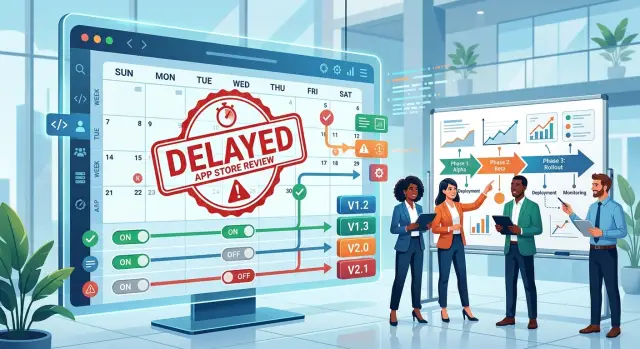
Table of Contents
Why review delays ruin a clean release plan
A sprint can end on Friday, the build can go to review that afternoon, and the team can still be waiting on Tuesday. App Store review delays sound like a scheduling problem, but they spread into almost every part of release work. One slip in approval time can throw off QA, support, marketing, and the next sprint at the same time.
Many teams plan as if shipping happens the moment developers finish coding. Mobile apps do not work like that. Once a build enters review, the team loses control of the final timing. Product may mark a feature done, but users still do not have it. Engineers move on to new work while other people are stuck waiting for the last version to appear in the store.
That gap creates a messy reality: two app versions stay active at once. Some users update right away. Others stay on the older build for days, sometimes longer. Support has to ask which version a customer has. QA has to check whether a bug exists in both versions or only one. Developers cannot assume every device behaves the same way anymore.
Backend changes make this worse. A server update can ship today because the web team or API team is ready. The mobile build that depends on that change may still be in review. If the server starts sending new fields, changing rules, or removing old behavior too early, the live app can fail in ways that look random to users. A checkout may stop working. A form may not submit. A screen may load blank data.
This is why daily work gets awkward fast. A product manager reshuffles tickets because the release date moved. An engineer keeps a fix out of the branch at the last minute. QA tests one build from the store and another from internal testing. Support answers bugs that might disappear after update, except many users cannot update yet.
With mobile release trains, the hard part is not only building the release. It is handling the time when the team is ready, but the store is not.
Set a release train the whole team can follow
A release train works when it feels boring. Everyone knows when code stops moving, when the build goes out, and what happens if the store review takes longer than usual. That predictability matters more than squeezing in one more feature.
For most teams, one ship day and one code freeze day each week are enough. Keep them fixed. If you change them every sprint, people start treating the calendar like a suggestion.
A simple cadence might look like this:
- Monday afternoon: code freeze for the next mobile build
- Tuesday: QA finishes checks and the team submits to the store
- Wednesday to Friday: buffer for App Store review delays
- Next Monday: planned release day if approval lands on time
That buffer is the part teams skip, then regret. If review usually takes one day, plan for three or four. You are not wasting time. You are buying calm. Designers, marketers, support, and backend engineers can all plan around a date that has some room in it.
You also need a clear rule for late changes. Most teams get into trouble when someone says, "This is small," and slips in a last-minute fix. Decide in advance who can approve an exception. Keep that group small. One product owner, one engineering lead, and one release manager is often enough. If those people are not available, the change waits for the next train.
Write the rules on one page. Not a long process document that nobody opens. A short page is enough if it answers the real questions:
- When does the train freeze?
- Who approves exceptions?
- What counts as a release blocker?
- When does a change move to the next train?
That one page should live where the team already works, and it should stay plain. Good mobile release trains do not depend on memory or hallway conversations. They depend on a schedule people trust, a little calendar slack, and a small set of people who can say yes or no when pressure rises.
Sort features before the train leaves
A release train works better when every feature has a clear status before release week starts. If teams wait too long to sort work, they end up arguing over half-finished ideas while the build clock keeps moving.
Start by putting every item into one of three buckets:
- Must ship now because the release depends on it
- Can wait for the next train with little user impact
- Can ship in the build but stay hidden until the team turns it on
This sounds basic, but it cuts a lot of noise. A team that runs mobile release trains well does not treat every ticket like an emergency.
Risk should decide more than excitement. A new payment flow, a deep settings rewrite, or anything that needs server changes across several screens usually deserves harder scrutiny than a visual polish fix. If an item still has open design questions, flaky tests, or unclear analytics, cut it early. Cutting it on Monday feels annoying. Cutting it on Thursday night is how teams miss the train.
Keep build dates and launch dates separate in your plan. The build may need to go to the store this week, while the feature goes live next week after approval, support prep, or a backend check. When those two dates blur together, people rush code that should have waited.
One owner per feature also helps. That person decides whether the feature is ready, whether it needs a flag, and whether it should move to the next train. Shared ownership often means nobody wants to make the stop or go call.
On small teams, this matters even more. A founder, one mobile developer, and one backend engineer can move fast, but they can also carry hidden risk without noticing it. One backend change that looks harmless can force an app update, break an older client, and create support issues at the same time.
A good rule is blunt: if a feature needs debate during release week, it probably was not sorted early enough. Put it on the next train, keep the build calm, and ship the release you can actually support.
Plan feature flags before you need them
Teams get into trouble when they treat a flag as a last-minute switch. Add the flag while developers build the feature, not after QA finds a problem or App Store review slips by three days. In mobile release trains, the flag is part of the feature, just like the API, the screen, and the tests.
A good flag starts with boring defaults. If anything goes wrong, the app should fall back to behavior you already trust. That usually means the flag stays off by default, older app versions keep the old flow, and the server accepts both old and new requests for a while.
A small example makes this real. Say your team ships a new checkout screen in version 5.4, but review takes longer than expected. With the flag off, version 5.4 behaves like 5.3, so marketing can still launch other approved changes. When approval finally lands, the team can turn on the new checkout for 5 percent of users first instead of betting the whole release on minute one.
A flag is ready when a few basic rules are clear:
- The default state is safe for both new and old app versions.
- One person owns the flag and writes down when the team can flip it.
- QA tests the off state with the same care as the on state.
- The server handles both code paths without guessing.
- The team sets a removal date so the flag does not live forever.
Ownership matters more than teams expect. If everyone can flip a flag, nobody really controls it. Pick a small group, usually the release owner and the engineer on call. Set simple rules too: no flag changes during a major campaign without approval, and no risky flips late on Friday unless the issue blocks users right now.
Test the off state hard. Many teams only test the shiny path, then find out the fallback broke two sprints ago. Run smoke tests with the flag off, on, and half rolled out if your system supports that.
Do not use flags to hide code you do not trust. If the new path crashes, leaks data, or depends on a server change that is not ready, pull it from the train or fix it. A flag should control exposure, not excuse unfinished work.
Keep the server friendly to more than one app version
When App Store review delays stretch from hours to days, the server has to live with two realities at once. Some users run the new app, some stay on the old one, and both still expect the product to work. If your backend only matches the latest build, mobile release trains start breaking in quiet, expensive ways.
The safe default is simple: support the current app version and the previous one at the same time. For many teams, that single rule removes a lot of launch week stress. It gives you room for slow approvals, phased rollouts, and users who do not update right away.
A good API usually changes in an additive way. Add new fields before you remove old ones. If the new app needs delivery_eta, add it without changing the older fields that the last release still reads. If the previous app expects is_premium, keep sending it until update adoption is high enough that dropping it will not hurt real users.
A small rule helps here: remove old response fields based on actual usage, not hope. If 35% of active users still run the older app, the field is not old yet. Teams often cut too early because the new build passed QA. Production traffic tells the truth faster than optimism does.
Version checks can help, but they age badly when they spread across the codebase. Use them only when the contract truly differs between app versions. If you can make the response work for both versions without branching, do that instead. Fewer branches mean fewer surprises during review delays.
One concrete example: a checkout API adds support for promo bundles in version 6.4. Version 6.3 does not know that concept exists. The server can return the new bundle data for 6.4 while still sending the older total and line item fields that 6.3 understands. Both apps keep selling, even if the newer build sits in review for three extra days.
Watch API errors by app version, not just by endpoint. A spike in 400s or 500s from version 6.3 tells you much more than a generic checkout alert. Split logs, dashboards, and crash reports by app version so the team can spot breakage fast and decide whether to roll back, patch the server, or wait.
Write hotfix rules before release week
When App Store review delays stretch out, teams get tempted to treat every bug as an emergency. That is how release week turns messy fast. Set the rule early: a hotfix is only for a problem that breaks the main user journey, puts data at risk, creates a security issue, or causes a clear spike in crashes.
Everything else waits for the next train. That includes small layout bugs, copy edits, low-impact edge cases, and feature tweaks. If users can still finish the main task with a reasonable workaround, it is not a hotfix.
A simple mobile hotfix process usually works better than a clever one:
- Cut the hotfix branch from the version that is live in production
- Change only the code tied to the urgent bug
- Test only the affected flow, plus a short smoke test for nearby areas
- Merge the fix back into the release branch and the main branch
- Tag it clearly so nobody guesses which code went live
Use one branch path and stick to it. Do not patch from three places at once. Do not slip in a small extra cleanup because it feels harmless. Extra changes are where hotfixes get risky.
Small fixes ship faster and fail less. If a hotfix touches several screens, a shared library, and analytics events, it is probably too big. Break the problem down or wait for the next scheduled release. The goal is not to make the app perfect. The goal is to stop the damage with the least change possible.
Choose a server fix first when it solves the issue safely. If a bad promo price, broken API response, or unstable feature flag causes the problem, fix it on the server and protect every supported app version at once. That often beats waiting for another app review.
A simple example: a new checkout step confuses users on iOS 17, but the old flow still works. Turn off the new step on the server, keep orders moving, and save the app patch for the next train. If the app crashes before launch, though, you likely need a binary fix and a fast submission.
Teams that run mobile release trains well are strict here. They decide what deserves an urgent patch before anybody feels pressure.
A launch week example with a late approval
On Monday morning, the team freezes version 8.6. After that, only release fixes can enter. A new onboarding flow is already inside the app, but the team hides it behind a flag and leaves it off.
That choice pays off two days later. On Wednesday, QA signs off and the team submits the build, but nobody knows whether Apple will approve it in a day or in five. Users can still open the app, sign in, and pay without touching the new flow.
The backend is ready for both 8.5 and 8.6 before the build goes out. Version 8.5 keeps using the old profile format. Version 8.6 can send one extra field for preferred language, and the API accepts both request shapes and returns the response each version expects.
Thursday brings the usual pressure. Marketing wants the new onboarding flow live for a Friday campaign, but the release manager keeps the flag off. If approval lands late, the team will not guess. They will wait for the build to appear in the store, watch installs, and enable the feature later from the server.
Apple approves the app late on Friday afternoon. The team still does not flip the flag for everyone. They turn it on for 5 percent of users, check crashes and completion rate, and leave the wider rollout for Monday morning.
An hour later, support reports a checkout bug for some users who still run 8.5. A new discount type from the server makes the older app fail on one screen. Because the API already knows how to talk to two app versions, the backend sends the new discount data only to 8.6 and a simpler payload to 8.5.
The bug stops there. No one rebuilds 8.6, no one cancels next week's train, and main development keeps moving. If the issue had hit revenue for every user, the team would have cut a small hotfix branch, but this one gets contained at the server and scheduled for a proper client fix in the next train.
This is how mobile release trains hold up under App Store review delays. The schedule stays fixed, the new flow waits behind a flag, and the server gives older apps enough room to keep working while approval timing shifts.
Mistakes that create last-minute chaos
Teams create their own panic when they pack too much risk into the app binary. If every feature ships only with the binary, one delayed review can trap unrelated work for days. A copy fix, a new checkout flow, and a test feature should not all depend on the same approval clock.
The server causes the next mess. Some teams ship an API change that only the newest app understands, then hope users update fast. They do not. Old and new app versions live side by side for a while, so the server has to handle both without drama.
This is where many mobile release trains start to wobble. A team says the backend change is small, removes an old field, and calls it cleanup. Then support gets tickets from users who still run last week's build and cannot save data.
Code freeze often fails because people treat it like a suggestion. A designer spots a spacing issue, a product manager asks for one more field, and an engineer slips in a "safe" refactor. Each change looks harmless on its own. Together, they create a build nobody tested as a whole.
Feature flags can help, but sloppy flag use creates a different mess. Someone flips a flag in production without naming an owner, writing a rollback step, or checking what happens to users already inside that flow. A flag is not a safety net if nobody knows how to turn it off fast.
Hotfixes cause the worst confusion when teams use them to finish work that was not ready. A hotfix should fix a broken login, crash, or payment bug. It should not carry half-built settings screens, renamed API fields, or "while we're here" cleanup.
A few warning signs usually show up before release week goes bad:
- The app binary contains features that could have stayed behind flags.
- The server rejects older app versions too early.
- People keep adding "tiny" fixes after freeze.
- Nobody wrote a rollback step for new flags.
- The team talks about a hotfix before the release even ships.
When a team avoids these habits, review delays stay annoying but manageable. When they ignore them, a three-day approval delay can turn into a week of avoidable cleanup.
Quick checks and next steps
A release train stays calm when the team checks a few dates and names before anyone presses submit. If App Store review times shift, small gaps turn into missed launches, confused support teams, and rushed hotfixes.
Keep one short release note for every train. It should answer the questions people ask under pressure, not tell the whole story.
- Lock the freeze date and the submit date, and name the fallback plan if approval takes longer than expected.
- Check every feature flag owner. Confirm the default state, who can change it, and the exact rollback step.
- Test the server with the new app version and the older one still in the wild.
- Decide when a flag is enough and when the team must ship a real hotfix.
- Write down who can approve an exception after the freeze.
The server check matters more than many teams think. If review slips by three days, users still open the old app. That old client still needs clean responses, stable auth, and no surprise fields that break a screen. A one-hour compatibility check before release day can save a weekend of cleanup.
Feature flags also need plain rules. If a flag has no owner, nobody wants to touch it during launch week. If the default state is unclear, people guess. If rollback takes five steps across two tools, it is too slow.
For mobile release trains, the best next move is boring on purpose: write the checklist, run it every cycle, and cut anything nobody uses. Teams get faster when release rules feel obvious.
If your team keeps rebuilding this process every month, Oleg Sotnikov can help put lean release rules in place, tighten delivery workflows, and add AI-assisted QA as a fractional CTO or advisor. That kind of support is often enough to stop launch week from turning into guesswork.


