Mobile API compatibility rules before forced upgrades
Set mobile API compatibility rules before the first forced upgrade so older app versions keep working, fallback fields stay stable, and sunset dates stay clear.
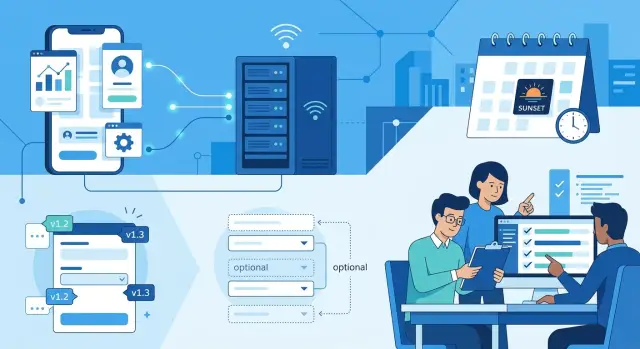
Table of Contents
Why old apps break after one backend change
Most mobile users do not update apps the same week you ship a release. Some turn off auto-updates. Some use company-managed phones. Some simply open the app they already have, and it keeps talking to your production API for months.
App stores make this worse in a very ordinary way. Reviews take time, rollouts can be gradual, and users do not all get the same build at once. Your backend team may think a new app version is already live, but a large share of real users can still be on older code.
That is why one small contract change can cause a messy failure. If the app expects avatar_url and the backend suddenly sends photo, an old profile screen may show nothing. If a field changes type, a save action can fail without a clear error. The change may look tiny in a pull request and still break a real user path.
The hardest part is timing. Engineers often see green tests and move on. Support sees the problem later, after release, when users report blank screens, missing buttons, or requests that spin forever. By then, the backend change is already in production and the broken app version is still out in the world.
A simple example makes the risk clear. An older app sends country as a two-letter code. The backend now expects a full country name and rejects the request. New builds work. Older builds cannot finish sign-up. Nothing changed in the UI, but the flow is broken.
Forced upgrades do not fix this if you treat them as an emergency brake. They work only when you plan them early, add version checks before you need them, and give users a clear deadline. Without that setup, the backend still has to support older clients longer than the team expects.
Mobile API compatibility rules exist for one reason: your API is not talking to one app version. It is talking to many app versions at the same time.
Write the contract first
A mobile app release can stay in users' hands for months. That is why the backend team needs a written contract before anyone changes a response. If the response shape lives only in code or in chat messages, old clients will guess, and guesses break.
For each endpoint, name every field the client can expect and mark which ones are required. Required should mean one thing: the server always sends that field, in the same type, with the same meaning. If user_id is a string today, do not make it a number next week because it feels cleaner.
Optional fields need rules too. Say whether a field may be null, an empty string, an empty array, or completely missing. Those are not small differences on mobile. One Android build may treat null as fine and crash on a missing field. An older iPhone app may do the opposite.
Defaults remove a lot of guesswork. If optional data is unavailable, decide what the server returns:
avatar_url:nulltags:[]bio:""notifications_enabled:false
Pick one default for each optional field and keep it stable. Do not switch between missing, null, and empty values across releases.
Enums need the same care. If the app receives a new value such as "paused" in a status field, older clients should not fail. Write down a fallback rule like: unknown enum values must map to "other", hide the badge, or show a neutral state. This single line saves a lot of support tickets.
Keep all of this in one shared doc that product, backend, and mobile teams use every week. A simple table is enough. Good mobile API compatibility rules are boring on purpose: field name, type, required or optional, allowed empty state, default, enum values, and client fallback behavior. When everyone works from the same page, contract changes stop turning into surprise app bugs.
Change responses without surprises
Good mobile API compatibility rules are boring. A response can grow, but it should not suddenly change shape just because the backend team cleaned up a model or renamed something in the database.
Add new fields first. Then wait until released app versions actually read them. If clients need display_name, ship it alongside name for a while. Old apps keep working, and new apps can switch when they are ready.
Keep names and types stable. If age is an integer today, do not turn it into a string next week. If avatar_url is a flat field, do not replace it with avatar: { url: ... } and expect old clients to guess what happened. A small backend refactor can break thousands of phones that never update on day one.
A safe change usually looks like this:
- add a new field without removing the old one
- keep the old field populated during the transition
- keep the old error code, even if the server has a newer internal reason
- mark the old field as deprecated in your contract and give a real removal date
- remove it only after usage drops low enough to accept the risk
Error handling deserves the same care as success responses. Mobile apps often branch on exact codes like EMAIL_TAKEN or SESSION_EXPIRED. If you replace those with a new format too early, the app may show the wrong message or get stuck in a retry loop.
A clear deprecation note helps more than a vague warning. Write the field name, what replaces it, and the date you plan to remove it. Pick a date your team can actually keep. If you miss it, move the date and say so. Silent removals are worse than slow cleanups.
I have seen small teams save weeks of cleanup by treating response changes like database migrations: additive first, removal later, and no surprises in between. That approach feels slower for a day and much faster over a quarter.
Use fallback fields on purpose
One of the safest mobile API compatibility rules is plain: if you rename, split, or replace a response field, send the old field and the new field together for a while. Old apps keep working. New apps can move to the better shape without forcing a same-day update.
Both fields should come from the same source in the backend. Do not build the new field with one code path and patch the old field with another. That drift causes strange bugs fast. A user may see one value on an older app screen and a different value on a newer one, even though both screens show the same account data.
A small example looks like this:
{
  "display_name": "Sam Lee",
  "full_name": "Sam Lee"
}
While both fields exist, keep the format aligned. If the old field is a string, do not turn it into an object. If old clients expect an empty string, do not quietly switch that field to null unless you already know they handle it. Fallback fields only help when they behave like the original contract.
You also need proof that clients stopped using the old field. Record app version on every request. Then track which versions are still active and which endpoints they call. If older versions still make follow-up requests that depend on display_name, you know removal will break real users, not just a test device in the office.
Pick the sunset date when you add the fallback, not months later when nobody remembers why the extra field exists. Write that date in the ticket, keep it visible for the backend and mobile teams, and remove the old field only after the date passes. If the numbers still show a meaningful group on older builds, extend the date. Carrying one extra field for a few more weeks is usually cheaper than breaking profile screens for paying users.
Pick sunset dates your team can keep
A sunset date is a promise to your own team as much as to users. If you remove support too early, old builds fail in ways support cannot explain and QA cannot reproduce. If you wait forever, the backend carries dead logic that nobody wants to touch.
Set one minimum support window for every released app build and stick to it. For many teams, 6 to 12 months is realistic. Pick the number that matches your release pace, your user base, and how often people update on older devices.
Do not pick dates by guesswork. Check real usage by app version first. If version 4.2 still sends 18% of traffic, removing its response shape next month is asking for trouble. If version 3.9 sends 0.3% of traffic and that number keeps dropping, a near sunset date may be fine.
Deprecation and removal need different dates. Deprecation means
Roll out a contract change
Backend teams usually break mobile apps during rollout, not during design. The fix is simple: write down what the server will do, what each client version will do, and what counts as safe before anyone merges code. If the response shape changes, spell out the old field, the new field, the fallback, and the date when you plan to remove the old one.
Ship client support before you remove anything on the server. That order matters more than most teams admit. If app version 5.2 can read both full_name and display_name, you can release that client, wait for adoption, and only then start removing full_name.
Risky changes need a flag, even if the code looks small. A flag lets you turn the new contract on for 1 percent of traffic, then 10 percent, then more. If older clients start failing, you can switch it off in minutes instead of rushing a hotfix through the app stores.
A rollout plan can stay short:
- Define server behavior for old and new clients.
- Release client support for both formats.
- Hide the server change behind a flag.
- Track errors, empty states, and parse failures by app version.
- Stop the rollout if older versions spike.
Do not watch only server error rates. Old clients often fail quietly. The request still returns 200, but the screen shows a blank name, missing avatar, or endless loader. Break your dashboards out by app version so you can spot that pattern fast. If your team already uses Sentry or Grafana, make a view just for affected endpoints and app versions.
Pausing a change is not a failure. It is cheaper than breaking sign-in, profile screens, or checkout for users who have not updated yet. A good forced app upgrade policy starts with this habit: support the old client long enough to prove the new one works in the wild.
A simple profile response example
A profile endpoint is where teams often create a break without noticing. The old app expects full_name at the top level. A newer app reads profile.name. If the backend swaps one for the other in one release, older clients can show a blank name or fail the screen.
One of the easiest mobile API compatibility rules to enforce is simple: add before you remove. Keep the old field, add the new field, and support both for a fixed window.
{
  "user_id": "123",
  "full_name": "Maya Patel",
  "profile": {
    "name": "Maya Patel"
  }
}
Version 1 keeps reading full_name. Version 2 reads profile.name. Both apps work, and the backend team gets time to move traffic safely instead of betting on instant adoption.
Do not leave that overlap open forever. Pick a real end date, write it down in the ticket, and share it with the app team. Ninety days is common, but the exact number matters less than the habit. Everyone should know when full_name will disappear.
Metrics should decide whether you stay on schedule. Track a few numbers during the support window:
- requests by app version
- daily active users on version 1
- errors on the profile screen after the new field ships
- how many requests still depend on
full_name
Now the team can make a calm decision. If version 1 drops below a small threshold, such as 1 percent of active traffic, remove full_name on the planned date. If 8 percent of users still send old requests a week before sunset, push the date and say so clearly.
This approach sounds basic, but it prevents a lot of avoidable damage. Old clients keep working, new clients get the cleaner structure, and the backend team removes the old field when the data says it is safe.
Mistakes that break old clients
Most breakages come from tiny backend edits that look harmless in code review. An old app version does not see them as tiny. It expects the same field names, value types, and status codes it shipped with, and it keeps those assumptions for months.
Renaming a field is a common trap. A team changes full_name to name to clean things up, tests the latest build, and ships. Older clients still read full_name, get nothing back, and show a blank profile. If you want cleaner naming, keep both fields for a while and fill them with the same value.
Status codes cause a different kind of damage. Teams sometimes reuse an existing code for a new meaning because it feels close enough. That is risky. A client may retry on one code, show an error on another, or log the user out on a third. If the meaning changes, add a new response field or a new endpoint behavior. Do not quietly teach 409 or 200 a new job.
null is another quiet breaker. If a string always existed and now you return null, older clients may crash, fail validation, or print ugly placeholders like "null" on screen. Empty string, fallback text, or a second optional field is usually safer until the client knows how to handle missing data.
Removing a field after one internal test is also a bad bet. Internal testing proves one thing: your team checked one path. It does not prove that real users on older versions stopped depending on that field. Mobile API compatibility rules only work when you keep old contracts alive long enough for real adoption to catch up.
Teams also overestimate auto-update. Many users delay updates. Some phones have low storage. Some companies pin app versions for weeks. A forced app upgrade policy helps, but it should support your contract plan, not replace it.
A short check catches most of these mistakes:
- Keep old field names until the sunset date passes.
- Keep status code meaning stable.
- Treat nullability changes as breaking changes.
- Remove fields only after version data says old clients are mostly gone.
Quick checks before release
If you skip the oldest supported app check, the rest of the release review does not matter much. A response that looks fine in a test tool can still break a real app on a real phone. Open the oldest app version you still support, go through the affected screens, and watch how it handles the new payload.
This is where mobile API compatibility rules stop being theory. Old clients usually fail on small changes: a field disappears, a string becomes a number, null shows up where the app expects text, or a nested object arrives instead of a flat value.
Use a short checklist before every backend release:
- Compare the new response with the last shipped contract. Keep required fields present, keep field names unchanged, and keep types stable.
- Test the response with the oldest supported app version, not only the current one. If parsing fails there, users will feel it first.
- Update the docs with two dates for every contract change: when a field was added and when you plan to remove it.
- Ask support to read the change note and explain what users will actually see. If they cannot describe the result in one or two plain sentences, the team still has gaps.
- Split alerts and error dashboards by app version. A single spike in 400s or crash reports means much more when you can see that version 3.8 is failing and version 4.2 is fine.
One small example: if an old profile screen expects full_name as a string, keep that field even if the new app now uses first_name and last_name. You can add the new fields now and remove the old one later, on the date your team has already published.
Teams also forget the human side. Support needs a simple answer for users: will they see missing data, a retry message, or no visible change at all? Write that answer before release day. If you cannot, the change is still too vague to ship.
What to do next
Start with one API that causes the most support noise. Write down what the app expects today, which fields you can change safely, and the oldest app version you still plan to support. If those dates are not written anywhere, the team will guess, and old clients will break again.
A short working pass is enough for this week:
- Pick one API and add support dates, deprecation dates, and a clear owner.
- Review the main user flows with mobile, backend, QA, and support in the same meeting.
- Add a deprecation field to your API change template so every response change has a sunset plan.
- Check whether your forced app upgrade policy matches the dates you publish to the team.
That meeting matters more than another long doc. Mobile engineers know which old versions still matter. QA knows which combinations fail in real life. Support knows what users actually complain about when a response shape changes.
Keep the template simple. For each change, include the old field, the new field, the fallback behavior, the first app version that supports it, and the date when you plan to remove the old behavior. This is how mobile API compatibility rules become routine instead of tribal knowledge.
A small example: if you replace full_name with display_name, do not remove full_name on the same release. Add display_name, keep full_name for a fixed period, and write the removal date before anyone ships the backend change. If the team cannot commit to a date, the change is not ready.
Some teams can do this on their own in a day or two. Others need an outside review because rollout timing, fallback fields, and upgrade rules touch product, support, and engineering at the same time. Oleg Sotnikov does that kind of review as a fractional CTO and startup advisor, with hands-on experience in production systems, API design, and AI-augmented software teams. A short review can catch the sort of contract mistake that turns into weeks of cleanup.
If you do only one thing after reading this, make support dates visible and real. Once the team sees them on every API change, fewer surprises reach users.


