Missing module boundaries in generated code projects
Missing module boundaries turn small generated code changes into wide diffs. Learn the signs, a simple fix plan, and quick checks for each merge.
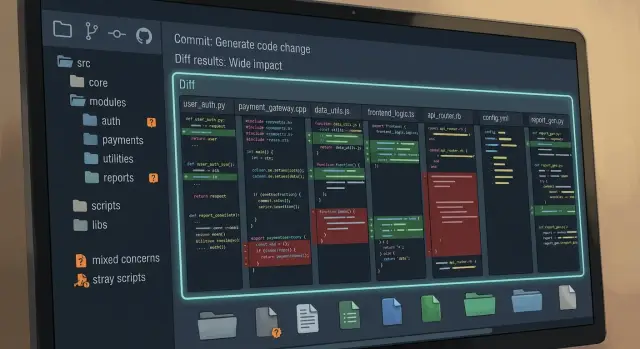
Table of Contents
Why this problem spreads fast
Weak boundaries turn small changes into wide diffs.
A developer opens one file to update a form, then ends up changing a shared helper, a generic utils folder, a build script, and a data mapper in another part of the project. Generated code makes that sprawl easier to see, but it usually does not create the problem. The real issue is a project with no clear line between UI logic, business rules, data shapes, and scripts that should have stayed separate.
A simple request shows the pattern fast. Add one field to a customer profile and that field can show up in the screen, validation rules, the API request, response mapping, a shared type file, and some old script used to sync test data. The idea is small. The diff is not. Reviewers spend more time tracing file movement than checking whether the feature actually works.
Ownership gets blurry right after that. The UI team edits server files because validation sits next to request code. The backend team steps into screen logic because shared types live in the same folder. Reviews slow down, and the discussion shifts from the change itself to arguments about structure.
Bug fixes get worse too. If one bug can hide in six places, developers stop making tight patches. They either edit more files than needed to feel safe or avoid risky files entirely. Over time, that teaches the team to accept messy changes as normal. Then the codebase starts charging interest on every fix.
Why generated code makes the mess obvious
Code generators copy your structure at speed. If a template points one feature at api/, ui/, helpers/, and scripts/, the generator will write to all of them every time.
A person can work around weak structure for a while with small edits and memory. A generator cannot. It follows the path you gave it, so missing boundaries show up in plain sight. Wide generated diffs are usually a structure problem before they are a generator problem.
A small change, like adding a field to a form, should stay inside one module or maybe two. In a messy project, that same change spills into validation, shared formatting, admin screens, test fixtures, and some old script nobody meant to touch.
Loose imports make this worse. A feature reaches into utils/ or common/, grabs one helper, and quietly pulls in ties to code that does not belong in the change. Broad helpers cause the same spread. One helper starts as convenient, then becomes a meeting point for auth, billing, jobs, and admin screens. When the generator updates one module, all those hidden ties move together.
You can often spot the pattern in a single generated commit. One feature edits files in four or five folders. A helper change triggers updates in unrelated screens. Scripts outside the feature folder change too. The same files reappear on every re-run.
That last part matters most. A one-off mess is annoying. A generator repeats the same mess every time. It keeps teaching the codebase to spread.
What missing boundaries look like
You can often spot missing module boundaries before reading much code. Open the project tree and you see folders named utils, common, shared, or misc. Those names do not tell you what belongs there, so people keep dropping in one more file until the folder becomes a junk drawer.
Mixed concerns are the next clue. A screen component sits next to pricing rules, a background job, and a data export helper. Someone fixing a button label now touches code that also sends emails or updates invoices. That is how diffs get wider than the change itself.
Stray scripts are another warning sign. A repo grows files like scripts/cleanup.js, scripts/fix-users.ts, one-off-import.py, and a few shell scripts nobody owns. Some read production data, some patch broken records, some rewrite imports. All of them sit outside any clear module, so nobody knows which changes are safe and which ones can break a live workflow.
Tests show the same problem in a quieter way. If a test for one feature imports helpers from three distant folders, the feature cannot stand on its own.
Checkout code makes this easy to see. The form lives in components/checkout, tax rules sit in utils, the receipt email job sits in jobs, and a refund script sits in scripts. Add one coupon rule and the change spreads across the UI, pricing logic, jobs, and scripts. Then the team cannot answer a basic question fast enough: "Where does this go?"
That question matters more than teams admit. If every new task starts with a debate about folders, people choose the nearest empty spot and move on. A month later, the project feels random.
A simple example from one feature
A team adds one field to a billing form: "VAT ID". On paper, that sounds small. One input, one validation rule, and one database column.
In a codebase with weak boundaries, that change spreads fast. The billing form lives in a general forms folder, the API schema sits in shared, and background jobs pull the same types from a catch-all common package. No folder clearly owns billing.
The generator makes the problem visible. It rebuilds types for the form, the API client, server handlers, and a batch job that creates invoices at night. Those files do not look related in the pull request, but they all move because one shared type leaked into too many places.
The pull request now mixes the frontend form, local validation, generated request and response types, backend handlers, database models, invoice jobs, export jobs, and a repo-wide import rewrite from some helper script. The problem is not only size. Review gets fuzzy. One reviewer checks the form. Another skims the backend. Nobody feels sure about the job changes because they look machine-made and sit next to harmless import churn.
That is how mixed concerns turn a one-field task into a risky merge. The wrong edit can hide in the noise: a renamed field in an invoice job, an old import path, or a default value change that slips through because the diff is too wide to read carefully.
If one billing field touches half the repo, the issue is not the field. The issue is the structure.
How to redraw the boundaries
Start with the product, not the code. Write down the parts users actually touch every day: accounts, billing, projects, notifications, admin. Each part gets one folder, and the folder name should match the product language. billing is clear. core, utils, and misc are not.
Inside each module, split work by type. Keep screens and components in one place, business rules in another, and jobs or sync tasks somewhere else. A checkout page should not sit in the same flat folder as tax rules and a nightly invoice script. Those parts change for different reasons, so they should live apart.
A simple layout usually works better than a clever one. A billing module with ui, domain, and jobs is enough for many teams. If you change invoice wording, the diff stays in ui. If you change proration logic, it stays in domain. If you adjust a retry worker, it stays in jobs. The folder itself becomes a guardrail.
Teams usually make the same mistake too early: they move code into shared the first time they see a pattern repeat. Wait until two modules actually need the same code. Even then, move the smallest possible piece. A date formatter might belong in shared code. Invoice status rules probably do not.
It also helps to give every module one plain ownership rule. Billing owns invoices, payments, and tax calculations. Projects owns project setup, status, and member roles. Notifications owns message templates and delivery jobs. That settles arguments fast. If code does not match the rule, move it.
You do not need a big rewrite. Pick one feature, rename folders so humans can read them, split UI from rules from background work, and write down what that module owns. After that, new code has a place to go, and diffs stop spilling across the repo.
How to tame folders, helpers, and scripts
Start with names that hide too much. Folders like utils, common, shared, and misc turn small edits into scavenger hunts. Rename them before you move logic around. Boring, specific names work better: billing, auth, notifications, import-jobs.
Stray scripts are a quiet source of wide diffs. A script in /scripts that rewrites billing files, updates email templates, and patches schema output will touch unrelated areas in one run. Put that script next to the module it changes, even if that feels less tidy at first.
The same rule helps generated output. Keep generated files beside the template, schema, or config that creates them. If a developer edits one source file, the diff should stay in one neighborhood. A reviewer should be able to see cause and effect without jumping across the repo.
Huge helper files cause their own problems. A date formatter, parser, API wrapper, and permission check end up in one place because they all feel generic. Then every module imports the same file, and one edit shows up everywhere. Split helpers by purpose and keep them near the module that owns that behavior.
Deep imports are another warning sign. If orders reaches into billing/internal/helpers/format.ts, the boundary is already broken. Import from the module's public entry point, or move the truly shared code into a small, clearly named place both modules can use.
A good test is simple: if you change one feature, can you roughly predict the diff before you open it? If not, the folders, helpers, or scripts still hide too much.
Mistakes that make diffs wider
Wide diffs rarely start with one big change. They grow from shortcuts.
One common mistake is creating a new shared folder every time two modules want the same code. That feels tidy for a day, then it becomes another junk drawer. A pricing rule, a date formatter, and an API mapper end up side by side, so changing one feature drags unrelated files into the diff.
Another problem appears when generators write into files people also edit by hand. A developer fixes copy, adjusts a query, or adds a guard clause. The next generation step rewrites the file, and Git shows a noisy mix of real product work and machine output. Reviews get slower because nobody can tell what changed on purpose.
Teams also hide product rules inside helpers because utils feels neutral. Then a refund rule, a signup limit, or a permission check lives far from the module that owns it. Later, one policy change forces edits in places that look generic.
Old scripts create the same spread. A repo collects setup scripts, sync scripts, seed scripts, and migration helpers that nobody uses anymore. People still run them just in case, and those scripts keep touching paths and files the current workflow no longer needs.
Even moving files can widen diffs if the team never fixes ownership. The mess just shifts location. Nobody says which module owns validation, API shapes, or background jobs, so every edit still crosses boundaries.
The contrast is easy to see. A clean checkout change touches the checkout module, its tests, and one generated schema. A messy one also edits shared helpers, an old import script, a hand-tuned generated file, and a few moved files with stale imports. Same feature, much wider diff.
Good boundaries feel a little strict. That is usually a sign they are doing their job.
Quick checks before you merge
Before you merge, spend ten minutes looking at the shape of the diff. Missing boundaries often show up there first.
Start with file count and spread. One feature should mostly stay inside one module and its nearby tests. A few shared files are normal. Half the repo is not.
Then check every generated file and ask what source created it. Each output should map back to one schema, template, config, or prompt. If nobody can point to the source, the generation flow is too loose.
Look at scripts with extra suspicion. A script should touch the module it belongs to, not wander across unrelated folders because that seemed convenient.
It also helps to ask the reviewer to explain each changed area in one plain sentence. "UI changed because of the new form" is clear. "This folder also moved because the generator kind of needed it" is a warning.
One more test is worth doing: if you remove this feature tomorrow, can you back it out without breaking another feature? If not, the change is too tightly coupled.
A quick example makes the point. Add a new "export CSV" option to reports and a clean diff might touch the reports UI, one reports service, one generator input, and the generated report client. A messy diff also changes auth helpers, a root-level maintenance script, and unrelated generated types. That kind of merge often creates follow-up bugs a week later.
This check is boring, but it works. When a diff is small, traceable, and easy to undo, reviewers move faster and production surprises drop.
What to do next
Start with the feature that keeps blowing up your pull requests. Pick one area where a small change touches too many folders, helpers, or scripts, then map where that feature actually lives. Most teams find the same pattern fast: UI code sits next to data access, background jobs call shared utilities with no owner, and generated files land in places that make every edit look bigger than it is.
A short cleanup pass works better than a big rewrite. For a week or two, pause new shared helpers unless they solve a real duplicate problem inside one module. Teams often make things worse by adding another common folder every time generated code feels awkward.
A simple order helps. Trace one noisy feature from entry point to database or API call. Mark which folders belong to that feature and which do not. Note every helper or script that reaches across those folders. Then move only the files that shrink the diff right away.
After that, fix one generator path before touching the whole repo. If your generator writes models, handlers, tests, and support files into mixed folders, choose one output path and clean that up first. One clear path teaches the team more than a broad plan nobody follows.
If the team keeps circling the same boundary problems, an outside review can help. Oleg Sotnikov at oleg.is works with startups and small businesses on module boundaries, code generation workflows, and Fractional CTO support, so a short review can be useful when the issue is no longer one bad folder but a pattern across the codebase.
Keep the result short. A good guide should fit on one page: naming rules, folder ownership, generator output paths, and a few examples of what belongs together. When a new feature starts, the team should know where files go without asking in chat. That is usually when missing module boundaries stop creating wide diffs.
Frequently Asked Questions
How can I tell if weak module boundaries are the real issue?
Look at a recent pull request. If one small product change touched UI files, business rules, generated types, and old scripts in different folders, your boundaries are weak.
Another clue is team confusion. When people keep asking where code belongs, the structure no longer gives clear answers.
Are wide diffs always a code generation problem?
No. Generators usually expose the mess faster because they follow the structure you already gave them.
If one template writes into ui, api, helpers, and scripts, the generator will spread every small change across those places.
Which folders should I fix first?
Start with vague folders like utils, common, shared, and misc. Those names invite people to drop in unrelated code.
Rename them to product areas first, such as billing, auth, or notifications. Clear names make later cleanup much easier.
Should I move repeated code into shared right away?
No. Wait until two modules truly need the same code.
Even then, move the smallest piece you can share. A tiny date formatter may fit in shared code, but billing rules should stay with billing.
Where should generated files live?
Keep generated output close to the source that creates it. Put it near the schema, template, config, or prompt that drives the generation.
That setup makes cause and effect easy to follow. A developer changes one source file and sees the related output nearby.
What should I do with stray scripts?
Move each script next to the module it changes. A billing repair script belongs with billing, not in a root scripts folder.
Then delete scripts nobody uses. Old cleanup and sync files often keep touching parts of the repo that your current workflow no longer needs.
How should I split a module without making it too complex?
A simple split works well for most teams. Keep UI code in one place, product rules in another, and background work like jobs or sync tasks in a third.
For example, a billing module might have ui, domain, and jobs. That keeps invoice text, tax rules, and retry workers from mixing together.
Can I fix this without rewriting the whole project?
Yes. Pick one noisy feature and clean only that path.
Trace it from the entry point to the API or database call, then move the files that shrink the diff right away. Small wins teach the team faster than a repo-wide rewrite.
What should reviewers check before they merge?
Check the shape of the diff before you read the code line by line. One feature should mostly stay inside one module and its nearby tests.
Ask a simple question for every generated file: what source created this? If nobody can answer fast, the generation flow is too loose.
When does it make sense to bring in a Fractional CTO or advisor?
Ask for outside help when the same boundary problem keeps coming back after a few cleanup passes. That usually means the repo needs ownership rules, generator path fixes, and someone to make hard calls.
A short review from an experienced CTO can save time if your team keeps debating folders instead of shipping product work.


