Kysely vs Drizzle vs raw SQL for TypeScript backends
Kysely vs Drizzle vs raw SQL: compare type safety, migration control, and escape hatches so you can pick the right fit for awkward product rules.
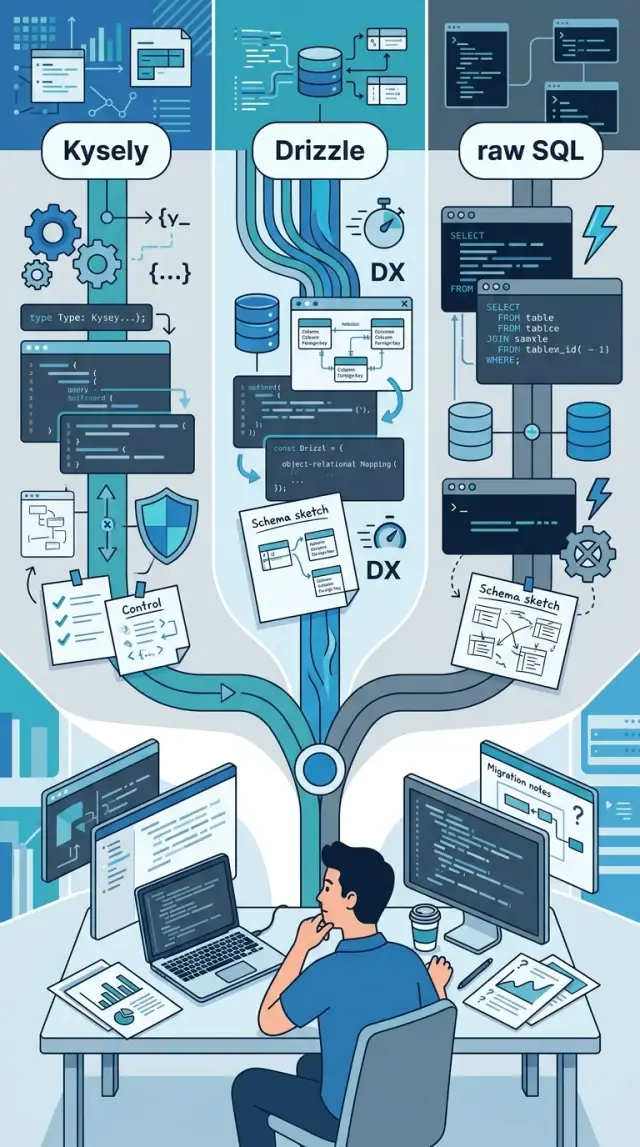
Table of Contents
Why this choice gets messy fast
The choice between Kysely, Drizzle, and raw SQL looks simple when your app still fits on a whiteboard. You want fast queries, clean code, and refactors that do not turn into a week of stress. On paper, all three can work.
The trouble starts when the product stops being neat. A small app becomes a real business, and real businesses collect awkward rules. Billing needs proration and refund edge cases. Reports need grouped totals, filters, and exports that match finance numbers exactly. Permissions stop being "admin" and "user" and turn into a pile of exceptions.
That is when database tools show what they are really like.
A tool can feel great for normal CRUD work and still fight you the first time you need a messy join, a hand-tuned query, or a migration that must happen in a very specific order. Teams usually want two things at once: speed now and safety later. Those goals pull in different directions.
A startup might begin with a few tables for accounts, subscriptions, and events. Six months later, the same team needs usage-based billing, audit logs, soft deletes, role checks, and a report that compares this month to the last 13 months. The code does not break because the team got sloppy. It breaks because the work changed shape.
The wrong pick spreads pain quietly. Developers avoid refactors because types do not tell the whole truth. Migrations become tense because one bad step can block a deploy. Query code gets harder to read, and every unusual feature turns into a debate about whether to stay inside the tool or drop down to SQL.
That is why this decision sticks. It affects every feature you build after the first version ships.
What each option gives you on day one
Early on, the gap between these options is not about long-term theory. It is about how your team writes the first real query, adds the first table, and fixes the first mistake without losing half a day.
Kysely feels close to SQL from the start. It is a typed query builder, so you still think in joins, filters, and subqueries, but TypeScript catches wrong column names and shaky result shapes. If your team already likes SQL, Kysely usually feels familiar within an hour.
Drizzle gives you a more unified setup. You define schema, write queries, and handle migrations in one style. Many teams find that easier to keep in their head. The early win is consistency. The table definition in code often becomes the first place everyone checks.
Raw SQL is the plainest option. You keep full control, get zero abstraction, and never argue with a library when a query gets weird. That freedom is great if the team writes SQL well, but you also take on more work around typing, query reuse, and safety checks.
Team habits matter at least as much as syntax. A backend team that already reviews SQL carefully may move faster with Kysely or raw SQL than with a higher-level style it does not trust. A product team with mixed experience often settles into Drizzle faster because the schema and migration flow feel more guided.
A rough rule works well. Pick Kysely if your developers want typed help without giving up the feel of SQL. Pick Drizzle if the team wants one code-first pattern for schema, queries, and migrations. Pick raw SQL if your queries are already unusual and your team is disciplined enough to build its own guardrails.
That last part matters more than people admit. A tool cannot fix weak database habits. It can only make your current habits easier to live with.
How type safety feels in real code
Type safety pays off in boring places first. You notice it when you join three tables, rename one column, and your editor tells you what broke before you run anything.
Autocomplete does a lot of useful work on joins and column names. A simple users.email versus user.email typo is easy to miss in raw SQL, but a typed builder catches it fast. That saves time on ordinary backend work, not just weird edge cases.
Kysely feels closest to writing SQL by hand. The query still looks like SQL, so developers who think in SELECTs, joins, and predicates usually settle in quickly. You get checks on selected columns and result shapes, which helps when a report query returns aliased or nested data.
Drizzle feels stricter earlier. It pushes more decisions into table definitions, so the schema becomes a bigger part of daily coding. That can be nice when your team wants one clear source of truth in TypeScript. It also means you spend more time shaping tables and relations before the query code feels natural.
Schema drift is where confidence drops fast. If the database changes and your generated or declared types lag behind, the editor gives you a false sense of safety. The code looks clean, yet production fails because a column changed type or a nullable field stopped being nullable. No tool fixes that by itself. Teams need a habit that keeps schema and types in sync.
Raw SQL gives you none of those guardrails by default. You can still write excellent code with it, and sometimes it is the clearest option, but you need tests and careful review to catch simple mistakes. Most teams think they will spot every typo and mismatch. They usually do not.
A small billing page makes the difference obvious. If it joins subscriptions, invoices, and customers, Kysely and Drizzle will usually catch bad column names while you type. Raw SQL often waits until runtime, when the bug costs more and takes longer to trace.
How migrations feel after month six
The first few migrations feel easy. Month six is when the pain shows up. By then, you are not adding one clean table. You are renaming columns that reporting still uses, backfilling old rows, and trying not to break production at 2 a.m.
Drizzle often feels smooth early because schema and migration flow sit close together. Teams who like a TypeScript-first workflow usually enjoy that. Kysely feels looser. It gives you migration tools, but it does not force one schema style, so the team gets more freedom and more room to be inconsistent. Raw SQL feels slower on day one, yet six months later it often reads like the most honest record of what changed.
One practical question matters more than tool preference: who writes migrations, and who reviews them? If app developers write them but nobody checks query plans, lock risk, or rollback steps, trouble starts fast. A migration is not just code style. It is an operational change.
When you compare tools, test them against the changes that usually hurt: renaming a table or column without breaking old code, backfilling millions of rows in safe batches, rolling back when half the deploy succeeded, and keeping app code and schema changes in sync.
This is where raw SQL often wins on risky production work. A careful SQL script makes intent obvious. You can see the lock-sensitive steps, split work into batches, and add guards around each stage. That clarity matters when billing data, audit logs, or customer reports are on the line.
It also helps to separate schema changes from data fixes. Add the nullable column first. Deploy the app code. Run the backfill as a separate job. Only then make the column required or remove the old one. Teams skip this because it feels slower. It is usually much faster than cleaning up a bad release.
Mixed approaches age better than dogma. Use Drizzle or Kysely for the simple, frequent changes your team makes every week. Switch to hand-written SQL when a migration touches a lot of data, needs careful rollback logic, or depends on database-specific behavior. That balance gives you speed without pretending every change is safe enough for generated migration files.
When product rules get awkward
Real products stop looking neat once pricing, permissions, and reporting pile up. A plan might bill by seat, waive charges for internal users, apply country tax rules, and hide some rows from support staff. That is where the clean examples stop being useful.
Drizzle feels nicest when your data model maps cleanly to tables and relations. You define the schema, get strong types, and move fast. The trouble starts when one query grows into five conditions that only apply on Tuesdays, or when pricing logic depends on a mix of billing state, feature flags, and account history. You can still do it, but the query often gets harder to read.
Kysely usually bends better under that kind of pressure. Its builder stays closer to SQL, so odd joins, conditional filters, and computed fields feel less forced. If you need to add clauses step by step based on request input or product rules, Kysely often reads more like the query you meant to write.
Raw SQL is still the honest answer for some work. Search pages, finance exports, admin reports, and ranking queries often need window functions, common table expressions, hand-tuned indexes, or database-specific features. Trying to hide that behind a pretty API can waste time.
Teams usually feel the pain in the same places: billing rules that depend on several tables and date ranges, permission checks that change by role, tenant, and resource state, reports that group and rank in ways the app did not expect at first, and search queries with scoring or custom sorting.
Escape hatches matter because deadlines do not care about abstraction purity. Drizzle has SQL escape hatches, but you should test how natural they feel before you commit. Kysely also lets you drop lower without a big mental switch, which is one reason many teams keep it longer.
If your team reaches for hand-written SQL every week, that is not a failure. It just means your product rules live closer to the database than a table-first tool wants. In that case, use one simple test: when the query gets weird, how much friction do you feel before you can just write it?
A simple way to choose for your team
For most teams, this is not a philosophy debate. It is a reading test and a change test. Pick the option your team can still understand when the easy tables are gone and the awkward product rules start piling up.
Start with your backlog, not the docs. Pull out the three hardest queries you already know you need. Include the annoying ones: a billing rule with exceptions, a permissions check with joins, and a report that cuts across several tables.
Then run the same small trial in each option. Write those three queries. Add one report that joins several tables and returns the shape your API actually uses. Create one migration with a column rename and a backfill. Then read the final code as a group and ask how much you understand at a glance.
That test tells you more than any feature table. A tool can look clean on day one and feel noisy six months later, especially when queries stop matching the happy path.
My bias is simple. If your team spends more time expressing SQL than defining schema files, Kysely often feels more natural. If your team likes schema-first work and wants tight coupling between tables, types, and migrations, Drizzle may fit better. If your product has strange reporting rules, database-specific features, or a lot of hand-tuned queries, raw SQL is still hard to beat.
One more rule matters more than people admit: keep raw SQL available even if you choose a builder. The parts that fight the tool do not get easier because you stay loyal to it.
A good gut check is boring and practical. If the query code reads close to plain SQL, your future self will thank you. If a rename plus backfill already feels risky, migrations will hurt later. If cross-table reports turn verbose fast, reporting work will drag. And if only one teammate can explain the code, the choice is already too expensive.
The best pick is usually the one that keeps ordinary work boring and leaves you a clean escape hatch for the weird stuff.
Example: a SaaS app with billing and reports
Picture a small SaaS product with four tables you touch every day: users, plans, invoices, and feature_limits. On week one, all three options seem easy enough. You create a user, attach a plan, issue an invoice, and check whether the account can use exports or extra seats.
The calm part ends when billing rules stop being neat. One customer upgrades halfway through the month, keeps some trial credit, and later gets a partial refund. Another downgrades after using more seats than the lower plan allows. Now your code has to explain money, not just fetch rows.
For the customer dashboard, Drizzle often feels comfortable first. You can load the user, current plan, latest invoice, and current limits in a style that stays close to app code. Teams that like defining schema in TypeScript usually move fast here.
Kysely starts to feel better when that dashboard grows teeth. Maybe you need current usage versus limit, days left in trial, failed payment state, and the next invoice estimate in one response. Kysely keeps more of SQL visible, so joins, subqueries, and conditional filters stay easier to read when the query gets longer.
The admin report usually separates the tools faster than basic CRUD does. Say finance wants a monthly report with revenue by plan, refunds, trial conversions, and accounts that went over limits. That query may need CTEs, grouped totals, date buckets, and maybe a window function. Kysely handles that sort of work well. Raw SQL still feels most natural when the query already exists in your head as SQL.
Keep raw SQL small and deliberate in this app. Use it for proration math that must match invoice rules exactly, refund reports where every cent must reconcile, and one hard report that uses database features directly.
Problems start when raw SQL spreads across route handlers and each query bakes in slightly different billing rules.
That is the real test here. Drizzle feels nice for routine tables and simple reads. Kysely gives you more room when reports and conditional joins pile up. Raw SQL wins the awkward corners, but only if you isolate it and test the totals. Judge the choice by month-six billing changes, not by how fast the first user table compiles.
Mistakes teams make
Teams often make this choice after a clean demo. That is a bad filter. A neat CRUD screen says almost nothing about the awkward 10 percent of queries that show up later, like billing edge cases, permission rules, report exports, and "why does this count look wrong on Tuesdays?"
Type safety helps, but teams often ask it to do too much. It can catch a misspelled column or a bad null assumption. It will not tell you that a join changed the result set, a migration dropped data you still need, or a report matches the wrong business rule.
That is why tests still matter. If pricing, invoicing, or access control can lose money or lock users out, write tests around SQL behavior, not just TypeScript types.
Another common mistake is treating raw SQL like a failure. Teams hide it behind layers of helpers because they want the codebase to look pure. Six months later, nobody can read the query path, the builder code looks like a puzzle, and one honest SQL file would have been simpler.
Raw SQL is not the problem. Unnamed, scattered, unreviewed raw SQL is the problem. Keep escape hatches explicit, put the tricky queries in one place, and test them like any other business logic.
Migrations cause a different kind of pain. Teams tie schema changes too tightly to app releases, then one deploy expects a column before another deploy adds it. That works in local development and breaks during a real rollout.
A safer habit is boring on purpose: add first, backfill second, switch reads and writes after that, then remove old columns later. It takes longer, but it avoids late-night fixes.
Slow queries expose the last mistake. Many teams pick a tool without asking who will debug production issues. When a dashboard times out or an index stops helping, someone must read the generated SQL, inspect the plan, and decide what to change.
If nobody on the team feels comfortable doing that, the nicest abstraction will not save you. The tool should make SQL easier to inspect, not easier to ignore.
Quick checks before you commit
Ask a few blunt questions before you lock in a database layer. Most tools look fine on basic CRUD. Trouble starts later, when a report gets weird, billing rules pile up, or one column rename touches half the codebase.
- Can one developer read a messy query and explain it table by table, without guessing?
- Can you rename a column and see every break fast, in code, tests, and migrations?
- Can you mix builder code and raw SQL for one awkward case without weird wrappers?
- Can the team inspect the final SQL before release and catch a bad join or full scan?
- Can a new developer learn the rules in a day and make a safe change soon after?
These checks sound simple, but they expose the real tradeoff. If your team struggles to explain a complex query, raw SQL will turn into copy-paste fast. If your tool makes SQL hard to inspect, you may ship slow queries with nice TypeScript types and no clue what hit the database.
Column renames are another good stress test. A clean API means very little if a rename turns into a scavenger hunt across migrations, schema files, and hand-written queries. Try one before you commit. If the process feels tense in a small demo, it will feel worse in production.
I would trust the option that makes failure obvious. Hidden magic is usually the first thing a team regrets.
One small trial tells you more than a feature table. Build the same three tasks in each option: a filtered search screen, a billing backfill, and a report with one ugly join. Then ask who on the team can maintain that code six months from now. That answer is usually more honest than any benchmark.
What to do next
Most teams learn this too late: the hard part is not the first week. It is month six, when someone needs a strange report, a risky data fix, or a migration that touches live customers. A short spike will tell you more than another long meeting.
Use one small feature as the test. Pick something annoying enough to be real, like a billing adjustment, a report with grouped totals, or a permission rule with a few joins. Build the same slice end to end, then compare how the code reads, how the migration feels, and how easy it is to drop to plain SQL when the builder starts fighting you.
Keep the trial tight. Time-box it to one or two days. Include one normal query, one awkward query, and one schema change. Write down where raw SQL is allowed, who reviews it, and which migration style you will test.
That raw SQL rule matters more than people expect. If nobody writes it down, every awkward query turns into a fresh argument. Keep the rule simple. Use the builder for routine reads and writes. Use raw SQL for vendor-specific features, heavy reporting, bulk updates, or anything that gets less readable when forced through abstractions.
Migration style also needs a real test, not a theory. Generated files may feel fast at first. Hand-written SQL may feel safer when the change is sensitive. Pick one approach, run it through code review, and see what happens when someone else on the team has to understand it a week later.
If the team is still split, an outside review can help. On oleg.is, Oleg Sotnikov reviews schema design, migration flow, and query boundaries as part of Fractional CTO advisory. A short review can save weeks of rework when billing logic, reporting, or legacy data starts complicating the code.
Pick the option your team will still trust when the easy queries are gone.
Frequently Asked Questions
Which option should most teams start with?
Start with your real backlog, not a feature chart. If your team thinks in SQL and expects awkward joins and report queries, Kysely often feels like the safer default. If your team wants schema, queries, and migrations to live in one TypeScript style, Drizzle usually fits better. If your product already depends on tricky reporting or database-specific SQL, raw SQL may save time.
Is raw SQL too risky for a production app?
Not if you treat it like normal business logic. Keep it in clear files, review it, and test the totals and edge cases. Raw SQL gets risky when developers scatter it across handlers and nobody owns the rules.
Does type safety replace tests?
No. Types catch misspelled columns, bad null assumptions, and some result shape mistakes. They do not prove that your billing math, joins, or permission rules match the product rules, so you still need tests.
Which one handles complex reports better?
For hard reports, raw SQL usually gives you the cleanest path. Kysely comes close because it stays near SQL and handles joins, subqueries, and conditional filters without too much friction. Drizzle works fine for simpler reads, but long report queries can get noisy faster.
What makes migrations painful after a few months?
Pain usually starts when teams couple schema changes too tightly to app releases. A safer pattern is simple: add the new column, ship code that can handle both shapes, backfill in a separate step, then remove the old path later. That approach lowers deploy risk no matter which tool you use.
Can I mix a query builder with raw SQL?
Yes, and most teams should. Use the builder for routine reads and writes, then drop to SQL for bulk updates, vendor-specific features, finance reports, or anything that reads worse through abstractions. That keeps ordinary work simple without trapping you.
When does Drizzle make the most sense?
Drizzle fits teams that like a schema-first workflow and want one clear TypeScript source for tables, types, and migrations. It feels comfortable on CRUD work and routine backend features. If your product rules stay fairly direct, Drizzle can keep daily work tidy.
When does Kysely make the most sense?
Kysely works well when developers already think in SELECT, joins, predicates, and subqueries. It gives you type checks while keeping the query close to plain SQL. That balance helps when filters, joins, and computed fields change based on request input or business rules.
How should we test these options before choosing?
Run a short spike with real work. Write one normal query, one awkward query with joins and conditions, and one migration with a rename plus backfill in each option. Then ask your team which version they can still read and change without guessing.
What should the team agree on before committing?
Decide who can write raw SQL, who reviews migrations, and who inspects final SQL when a query turns slow. Set the rule before the codebase grows, or every awkward case turns into a fresh argument. If your team wants a second opinion, a short CTO-level review can catch weak spots in schema design, migration flow, and query boundaries early.


