Incident system for AI agents: clear rules for action
Build an incident system for AI agents with alert thresholds, command rights, and human stop points that keep one engineer in control.
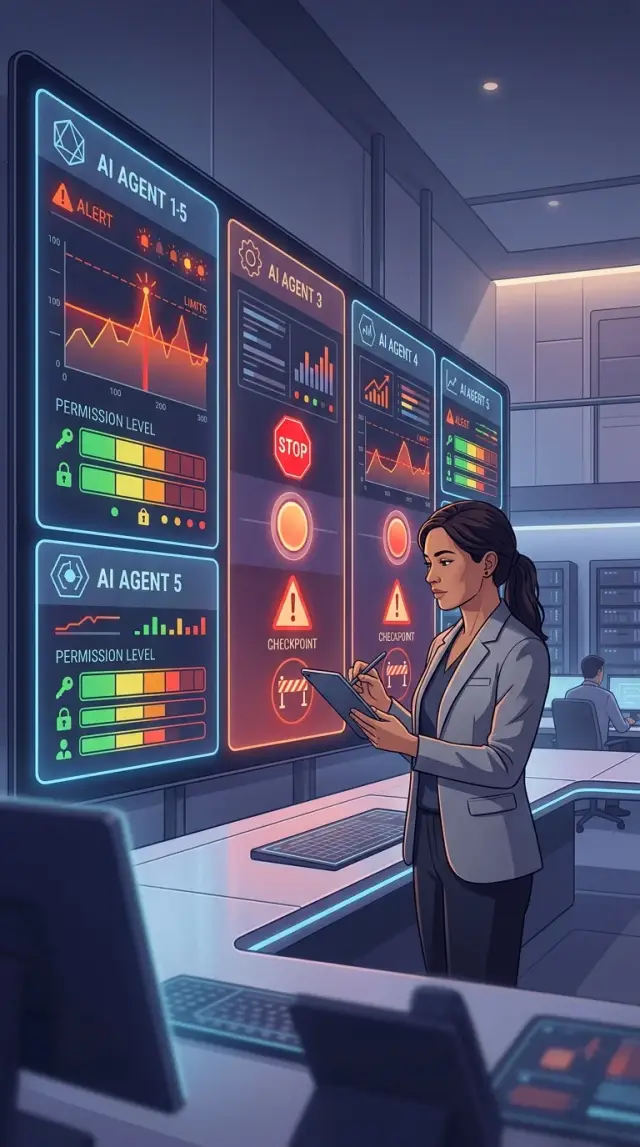
Table of Contents
Why incidents get messy fast
A small outage can turn into three different stories in minutes. One engineer sees a spike in errors, one agent blames the last deploy, another points at the database, and a third starts digging through logs that have nothing to do with the real fault.
That drift is the first problem. When people and agents work from different guesses, they waste time on parallel actions that do not help. The engineer now has two jobs: find the issue and stop the agents from making it worse.
False alarms cause a different kind of damage. If agents trigger on every brief error burst, the engineer starts to ignore them. After a week of noisy alerts, even a real payment failure can look like another harmless spike. Trust drops fast, and response slows down right when speed matters most.
Slow response is costly, but risky auto actions can cost more. An agent that restarts services, rolls back code, clears queues, or blocks traffic too early can turn a minor issue into customer-facing downtime. If the wrong fix hits production, recovery takes longer because the team has to undo the fix and solve the original problem.
This gets harder in a lean setup. One person cannot read every alert, inspect every graph, review every suggested action, and keep a clear timeline in mind at the same time. AI can help a lot, but only if each agent knows exactly where its authority stops.
A useful incident setup does not try to make agents act like a full operations team. It gives them narrow jobs, clear thresholds, and hard limits. One agent collects evidence. Another groups similar alerts. A third suggests a rollback and waits for approval.
That is the goal: move fast without letting automation guess. The engineer should know which alerts matter, which agent can act, and where the system must stop and ask for a human decision. When those rules are clear, incidents stay smaller, calmer, and much easier to fix.
Decide what the system owns
Start with a hard boundary around what an agent may touch. If that boundary is fuzzy, automation starts guessing. On a lean team, one engineer may watch deploys, background jobs, logs, and customer-facing errors at the same time, so each area needs clear limits.
Write down the actual systems and customer actions in plain language. Include app servers, databases, queues, scheduled jobs, CI/CD runs, and customer actions such as sign up, login, checkout, and password reset. That makes the scope real. It also shows where a bad automated action could hurt users fast.
A simple ownership map should answer five questions:
- Which systems can agents access?
- Which customer actions depend on those systems?
- Can agents observe, suggest, change, or never touch each area?
- Which rules change between test, staging, and production?
- Which engineer makes the final call?
The labels matter more than most teams expect. "Observe" means reading logs, metrics, traces, and deploy history. "Suggest" means proposing a rollback or naming a likely cause. "Change" should stay narrow and reversible, such as restarting a worker or pausing one noisy job. "Never touch" should cover things like deleting data, editing billing records, changing permissions, or sending customer messages.
Keep test actions separate from production actions. In test or staging, agents can try wider moves because the blast radius is small. In production, the default should stay close to read-only. If you allow write actions, make sure they are easy to undo and do not change customer data.
Name one engineer who makes the final call before anything breaks. During an incident, shared ownership often turns into confusion. One person should decide whether an agent's suggestion is safe, whether production changes should continue, and when a human must step in.
If another engineer cannot read your map and understand it in a minute, the system still owns too much.
Set alert levels that mean something
If every alert looks urgent, nobody trusts the system. The engineer gets numb to the noise, and agents start guessing. A good setup uses a small set of alert levels that people can read fast and act on without debate.
Three or four levels are enough for most teams:
- Info: something changed, but users do not feel it
- Warning: users might feel it soon if the pattern continues
- Major: users feel it now, but the service still works in a limited way
- Critical: core flows fail, data is at risk, or the outage spreads fast
Each level needs three anchors: customer impact, time window, and number. Customer impact answers what broke. Time window tells you whether this is a blip or a real incident. Number tells you how many errors, users, or systems crossed the line.
For example, a CPU spike for 30 seconds should not wake anyone up. A checkout error rate above 3% for 5 minutes is different. If 200 payments fail in that same window, the alert should move straight to Major or Critical because the damage is already real.
Use two thresholds, not one. The first starts action. The second controls noise. An alert might enter Warning at 1% failed requests for 5 minutes, but only page the engineer or trigger an automated rollback at 3% for 5 minutes. That gap keeps the system calm when traffic burps or a single node misbehaves.
Delete alerts that nobody acts on. Be strict about this. If an alert fires and the team keeps ignoring it, the alert is wrong. Lower its level, combine it with another signal, or remove it. Every alert should have an owner and a clear next action.
Good thresholds sound boring. That is exactly what you want. At 3 a.m., "checkout failures above 3% for 5 minutes" beats "anomaly detected" every time.
Give each agent command rights
If every agent can do everything, the system breaks down the moment pressure rises. One agent should inspect, one may suggest, and only one should carry out risky changes. Some actions should stay with the engineer.
A simple split works well on a small team:
- An observer agent reads logs, metrics, traces, recent deploys, and config diffs.
- A triage agent groups alerts, suggests the likely cause, and proposes next actions.
- An action agent can restart a service, clear a stuck queue, or scale a worker within fixed limits.
- A rollback agent can revert the last deploy, but only when a defined trigger fires.
- The engineer approves risky changes, pages people, and handles anything outside the playbook.
Read access can be broad. Write access should be narrow. Restart rights are usually safer than rollback rights, so do not give both to every agent by default. Database writes, firewall changes, secret rotation, and anything that can remove customer data should stay with one trusted actor or the engineer.
Make each agent announce intent before it acts. That can be a short plain message: "I plan to restart checkout-api because error rate is 18% for 10 minutes and the last deploy changed memory use. I will wait 60 seconds for cancel." That gives the engineer a real chance to stop a bad move. It also leaves a clean record of who did what and why.
A deny list matters just as much as allowed actions. Keep it short so people can remember it under stress. No agent should run commands that delete production data, disable backups, erase audit logs, change billing settings, or rotate secrets during an incident unless the engineer gives direct approval.
This is where many teams get sloppy. They write broad permissions because it feels faster. It is faster right up to the first wrong rollback or mass restart. Clear command rights keep automation useful. Agents stay in their lane, and the engineer keeps control when the cost of a mistake is high.
Add stop points before damage spreads
Automation should move quickly on small, reversible tasks. The moment an action can delete data, charge a customer, or publish a status update, the system should stop and ask a person. When the possible damage gets bigger, control matters more than speed.
For a one-engineer team, fixed stop points work better than vague rules. Agents do better when the boundary is plain. Restarting a service or clearing a safe cache might be fine. Dropping records, issuing refunds, changing billing settings, or posting a public message should wait for approval every time.
Set a hard retry limit too. If an agent tries the same fix three times and the alert still fires, stop the loop. Repeated retries waste time and can make a small outage worse. After the limit, the agent should gather logs, list every command it ran, and hand the case to the engineer.
Disagreement between agents is another place to stop. If one agent wants a rollback and another wants to change config or restart jobs, do not let them keep acting. Hand off to a human. Different recommendations usually mean the agents do not have enough context, and guessing under pressure is risky.
A short rule set is often enough:
- Pause before destructive actions, money-related changes, or public communication.
- Pause after a fixed number of failed repair attempts.
- Pause when two agents recommend different next steps.
- Pause when an agent cannot explain why the action is safe and reversible.
Picture a checkout outage after a deploy. One agent restarts the API. Another suggests re-running failed billing jobs. Payment errors keep coming. That is the moment to freeze automation, leave customer charges alone, and let the engineer decide. Good stop points do not slow the team down much. They stop one bad call from becoming a bigger incident.
Run the incident step by step
When an alert fires, do not rush to fix it in the first minute. First confirm that the signal is real. One agent can check a second metric, compare it with the recent baseline, and verify monitor health so the team does not chase a bad alert or a short spike that already passed.
Once the signal looks real, split the work. Give one agent the fact-finding job: what broke, when it started, which service is affected, how many users feel it, and whether the issue is getting worse. Give a second agent one narrow task: check recent changes such as deploys, config edits, feature flag updates, expired certificates, or infrastructure events.
Keep the fix path narrow too. Let only one agent suggest actions. That agent should offer one best move and one fallback, with a short reason, expected result, and risk. If three agents propose three different fixes at once, the engineer loses time sorting noise instead of restoring service.
Then use the same loop every time: approve, act, verify, record. The engineer approves the action, an agent runs the allowed command or prepares the rollback, and everyone checks whether the change helped. Record the exact action, who approved it, the time, and what happened after. Small notes matter when the first move helps only halfway.
Verification needs a little patience. Watch the metrics long enough to catch rebounds, delayed queues, or hidden retries. If error rate drops for one minute and then climbs again, the incident is still open.
Close the incident only after the service settles. That usually means the alert stays clear for a set window, customer-facing metrics look normal, and no backlog keeps growing in the background. If the graphs still wobble, keep the room open and keep watching.
Keep everyone aligned during the incident
Confusion spreads faster than the bug. When one engineer works with several agents, the fix can go off track if updates live in chat, logs, and memory at the same time. Use one shared incident note as the source of truth.
That note should stay plain and boring. Each entry needs four things: time, owner, current fact, and next action. If an agent ran a check, say what it checked. If the engineer took over, say why.
Use one format for every update
Short updates keep the incident moving. They also make bad guesses easier to spot.
- 14:07 - Agent A - Error rate rose from 2% to 18% after deploy - checking payment service logs
- 14:10 - Engineer - blocked rollback - new deploy also changed database schema
- 14:14 - Agent B - found timeout spike on one endpoint - preparing safe config revert
This format does two useful things. Nobody has to decode a wall of text. The engineer can scan the timeline in seconds and see what changed, who owns it, and what happens next.
Approval records matter just as much as status updates. If the engineer approves a step, write the reason in one sentence. If the engineer blocks it, write that too. "Blocked restart because queue depth was stable and restart would drop in-flight jobs" is enough. Later, that note explains the decision without a long meeting.
Leave a trail for the next incident
When the system is stable again, save a short after-incident note in the same place. Keep it tight:
- what failed
- what action helped
- what action almost made it worse
- what rule should change before the next run
A team of one with AI agents can move very fast. A clean shared note is what keeps that speed useful instead of chaotic.
A simple example: checkout errors after a deploy
At 2:14 p.m., five minutes after a release, checkout errors jump from 0.4% to 6.2%. That crosses the agreed threshold, so the incident opens at once. No one has to debate whether it is bad enough. The rule already answered that.
This is where a clear incident setup helps a small team. One engineer does not need to chase every clue by hand while customers fail to pay.
The agents split the work. One compares recent logs with the last stable period and finds a sharp rise in 500 errors on the checkout endpoint. Another checks the last deploy, the changed files, and any config updates. A third watches payment signals to see whether the gateway itself is failing or whether the problem starts inside the app.
Within two minutes, the engineer gets a short summary:
- errors started right after deploy 1842
- payment provider response times look normal
- failures cluster around a new tax calculation call
- rollback is likely to reduce the error rate fast
The agents can suggest action, but they cannot roll back production on their own. That is the stop point. The engineer reads the evidence, checks that the rollback plan is safe, and approves it.
After the rollback, the work is not over. One agent keeps watching checkout errors for the next 15 minutes. Another checks payment success rate and confirms that completed orders return to their usual level. The deploy agent verifies that no follow-up jobs or migrations still run from the bad release.
The alert closes only after recovery holds steady for the full watch period. If the error rate drops for two minutes and then climbs again, the incident stays open.
That small pause matters. Fast action fixes the first problem. Careful watching makes sure the team does not close the incident while customers still hit a broken checkout.
Common mistakes that create noise or risk
Most failures start before the incident itself. Teams set rules that look safe on paper, then discover that every small wobble wakes the engineer, two agents try to fix the same thing, or an agent keeps retrying until a minor issue turns into a full outage.
The first trap is low thresholds. If a tiny spike in latency or a short dip in success rate triggers a page, the engineer learns to ignore alerts. Agents learn the wrong lesson too, because they act on noise instead of real trouble. Set thresholds high enough to catch user pain, not every blip. A five-minute error trend usually tells you more than one bad minute.
Access rules create the next batch of problems. Two agents should not share the same write rights for the same service, database, or deployment step. One can inspect, another can prepare a rollback plan, but only one should execute changes in that area. When two agents can both write, you get races, duplicate actions, and confusing logs.
Retry logic needs a hard wall. If an agent can restart a job, roll back a deploy, or shift traffic, cap the number of attempts and force a human check after that. Infinite retries look active, but they often hide the fact that the first action made things worse.
It also helps to split jobs cleanly:
- one agent gathers facts
- one agent suggests the next move
- one engineer approves or rejects risky changes
- one agent carries out the approved action
That separation sounds strict, but it saves time when pressure rises. You can see who decided, who acted, and why.
The last mistake is skipping the short note after the incident. Do not wait for a long formal report. Write down the trigger, the alerts that fired, what each agent did, where a stop point should have kicked in, and what rule you will change next. On a small team, that note becomes your memory. Without it, the same noisy alert and the same risky behavior come back next week.
Quick checks and next steps
A good setup should make sense at a glance. One engineer should be able to open a single view and see three things right away: the alert level, who owns the incident, and what the system is doing now. If that information lives across several screens, people lose time and agents start working with stale context.
Risky commands need tighter rules than simple investigation steps. An agent can collect logs, compare recent deploys, or update the internal incident note on its own. It should not roll back production, change firewall rules, rotate secrets, or delete data unless a person approved that path in advance or the workflow hits a hard stop.
A short review catches most weak spots:
- Check that the main incident screen shows severity, owner, and current action together.
- Check that every risky command has a clear approval rule or a hard stop.
- Check that each threshold fits in one plain sentence.
- Check that agents only have the rights they need for their part of the job.
- Check that the on-call engineer can pause automation fast.
Thresholds matter more than many teams think. If nobody can explain why an alert fires, the rule is too vague.
The same goes for the wider engineering setup around those agents. This kind of disciplined, AI-first operating model is close to the work Oleg Sotnikov does through oleg.is: practical automation, clear limits, and systems that help a small team move faster without losing control.
If your incident process still depends on memory, scattered chats, and broad agent permissions, fix those three areas first. You do not need a complex framework. You need clear thresholds, narrow command rights, and stop points that keep a bad guess from turning into a bigger outage.