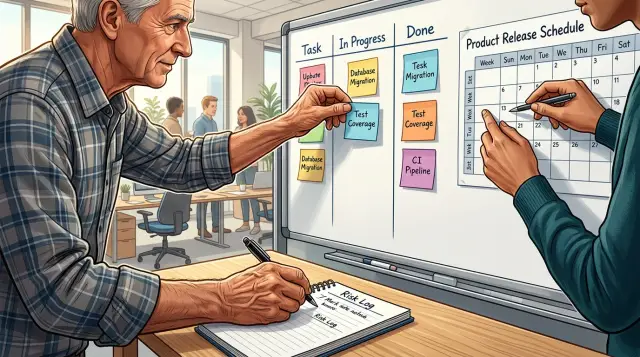
First AI project: choose one painful queue and fix it
A first AI project works best when you pick one busy manual queue, measure time and errors, and ship a small fix that shows value in weeks.

Table of Contents
Why big AI plans stall
Most teams do not fail because AI is hard. They fail because they start too wide.
Someone says, "Let's automate support, sales, ops, and finance," and everyone agrees. It sounds ambitious, so it feels safe. But a broad plan hides the questions that matter: what hurts most, what should happen first, how success will be measured, and who owns the work.
When those answers are missing, the project turns into meetings, diagrams, and tool demos. Progress looks busy, but nothing changes in daily work.
Cost is usually fuzzy too. A team knows a process feels painful, yet nobody can say how many hours it eats each week, how many mistakes it creates, or how long customers wait because of it. If the pain is vague, the result will be vague as well. Almost any tool can sound promising when nobody measures the problem first.
Competing priorities slow things down even more. The support lead wants faster replies. Finance wants fewer manual checks. The founder wants "an AI strategy." All of those goals can be reasonable, but a first project needs one clear target. Without that, the same debate keeps coming back and the work never starts.
Long timelines make it worse. People get excited in week one, then real work takes over. By month three, the team has seen slides and maybe a pilot, but no daily improvement. Budget patience drops. Trust drops faster.
That is why a good fractional CTO usually narrows the scope instead of expanding it. One manual queue with clear volume beats a grand plan every time.
A small business does not need an "AI transformation" deck on day one. It needs one problem that can show clear savings in a few weeks. Once that works, the next decision gets much easier.
What makes a good first queue
The best first queue is usually boring. That is a good sign.
Look for work that repeats every day or every week, follows roughly the same steps, and is easy to count. A person opens the item, checks a few details, makes a simple choice, then updates a system or sends a standard reply. That kind of work gives you a fast, honest test.
Complaints matter too. If people keep saying, "I lose half my morning on this," pay attention. Annoying work often makes a better pilot than rare, high-stakes work because you can save time quickly without betting the whole business on one experiment.
A good queue also has numbers behind it. You should be able to answer basic questions without guessing: how many items arrive each week, how long each one takes, where mistakes happen, and what those mistakes cost. If you cannot count the pain, you will struggle to prove the result.
A queue is usually a strong first candidate when most of these are true:
- New items arrive on a regular schedule.
- Staff follow the same steps in most cases.
- The team already dislikes the task.
- You can track volume, time, and error rate.
- One person can review the output before it goes live.
That last point matters a lot. Human review keeps risk low while the system learns the job. The reviewer should be able to scan the output in seconds or a few minutes, not redo the whole task from scratch.
This is why small businesses often get early wins from intake sorting, document checks, support tagging, or invoice matching. The queue is narrow, the rules are clear, and the payoff shows up fast.
Measure the pain before you buy tools
Teams often guess this part, and that is how a simple queue turns into an expensive pilot with no clear win.
Start with volume. Count how many items hit the queue on a normal day, a busy week, and a full month. Pull the numbers from your inbox, ticket system, spreadsheet, or chat logs. If 15 requests arrive on a calm day but 90 pile up by Friday, that difference matters.
Then time the work. Watch someone handle 10 to 20 real items and record the average minutes per item. Include the boring steps people forget to mention: opening extra tabs, checking old notes, copying a reply, updating a record, and fixing small mistakes before sending. A task that sounds quick can take much longer once you count the whole flow.
Next, look at errors and delays. Where do people get stuck? What has to be corrected later? Which mistakes annoy customers or create extra back and forth? A queue does not need to be dramatic to be expensive. Small delays repeated 200 times a week add up fast.
At this stage, you should be able to say something simple and concrete, such as: "This queue gets 300 items a week, takes 12 staff hours, and creates 15 avoidable mistakes." That gives you a real baseline. Without one, you will not know if the pilot helped.
Pick one job inside the queue
Most manual queues are really several small jobs stacked together.
A support agent might read the request, decide what it is about, copy a few details into a system, notice what is missing, then write the first reply. If you ask AI to do all of that on day one, the pilot gets messy fast.
Split the queue into separate actions instead. In a support inbox, that often means four simple jobs:
- categorize the message, such as refund, billing, or shipping
- pull details like order number, customer name, date, or total
- draft a first reply for a person to review
- flag missing information, such as an invoice or account ID
Each job has a different risk level. Sorting messages is usually low risk. Pulling fields is often easy to test because you can compare the output with the source. Drafting replies can save more time, but people still need to check tone and facts.
For a first project, pick one output and stop there. Do not ask the same pilot to classify the request, extract data, write a response, update a system, and send the email. It sounds efficient, but it makes debugging hard because nobody knows which step failed.
A better start is plain and narrow. Make the system return one category label. Or extract five fields from incoming PDFs. Or produce a draft reply that staff approve before it goes out.
The narrower the test, the easier it is to score. Did it choose the right category? Did it pull the correct order number? Did the draft save two minutes without adding mistakes?
Many teams chase the most impressive demo. The better first choice is usually the most repeatable job.
Run a small pilot in weeks
A pilot should feel almost boring. That is a good sign. You are not trying to automate the whole workflow yet. You are checking whether one small job inside the queue can save real time without creating extra cleanup.
Start with real cases from last month, not polished demo data. Pull a batch of 50 to 200 items from the queue. Keep the mix honest. Include simple cases, messy cases, and the ones that usually slow people down. Before the AI touches anything, mark the correct outcome for each case so you have something solid to compare against.
Keep the task narrow. Ask the system to do one job only: classify the request, draft a first reply, extract order details, or flag missing information. Do not ask it to read, decide, write, and send in the same pilot.
For the first two weeks, let one experienced staff member review every result. That person should approve, edit, or reject the output and note why. This review step matters more than the model name. It catches bad patterns early and shows you where the rules, prompt, or input data need work.
Track a few numbers in a spreadsheet:
- time spent per case before and after
- how often the reviewer accepts the output as is
- how often they make small edits
- which cases should always go to a person
Quality matters as much as speed. If the AI is fast but creates rework, the pilot failed. If it saves 10 minutes per case and the reviewer only fixes a few small errors, that is a strong start.
A good fractional CTO often helps most at this stage by keeping the scope tight, setting review rules, and making sure the result is safe enough to use in production.
Simple example: refund email triage
A store gets about 300 refund emails each week. That is enough volume to hurt, even if each message looks simple on its own.
A support person opens every email, looks for the order number, figures out why the customer wants a refund, judges how urgent the case feels, and routes it by hand. The same steps repeat all day. People copy order IDs, scan for clues, and make small routing choices again and again.
This works well as a first AI project because the input is plain language, the volume stays steady, and the team already knows what the output should look like. You do not need a giant automation plan. You need a small system that reads each email and pulls out the details staff already use: order ID, refund reason, and urgency.
Once those fields are filled, the team can suggest the next step. A damaged item goes to support. A duplicate charge goes to billing. A late delivery moves to the shipping team. Staff still make the final call when the case looks messy.
That human check keeps the pilot safe. If an email has no order ID, mixes two problems, or uses vague language like "this happened again," a person reviews it before anything goes out. The AI handles the boring first pass. The team handles the odd cases and customer judgment.
The savings show up quickly because the queue is predictable. If staff save just 2 minutes on each of 300 emails, that gives back about 10 hours a week. At 4 minutes saved, the team gets roughly 20 hours back. That is enough to cut response delays or move one person to harder work.
Mistakes that waste the first pilot
Most first AI projects fail for boring reasons, not technical ones.
The most common mistake is choosing a task that barely happens. If a job shows up twice a week, you will wait too long for feedback and save almost no time. Start with a busy queue where the cost is easy to see in hours, delays, or missed replies.
Another mistake is aiming for full automation on day one. That usually creates cleanup work and trust issues. A reviewer who approves, edits, or rejects the output gives you faster learning and fewer bad surprises.
Scope causes plenty of damage too. One pilot should test one queue and one job inside it. If you mix refund emails, invoice matching, lead scoring, and support tagging into the same trial, nobody can tell what worked.
Messy input quietly ruins good models. Shared inboxes often contain broken templates, half-written subject lines, forwarded chains, screenshots, and missing account numbers. If you ignore that mess, the model will look worse than it really is.
A small cleanup step helps. Remove duplicates, split long email threads, define the fields the model needs, and send items with missing data to human review.
Teams also forget the fallback path. Every model has uncertain cases. When that happens, the work should go to a person, not stall in a hidden folder or send a risky reply.
A simple rule works well: if confidence is low or required data is missing, send the item to manual review with a short reason attached. That keeps the queue moving and gives you examples to improve later.
Quick checks before launch
A pilot often fails before it starts because nobody pinned down the basics.
Before you turn anything on, answer five plain questions:
- How many items hit this queue each week, and what does that work cost now in staff hours or outside spend?
- Can one reviewer spot wrong outputs quickly?
- Do you already have 50 to 100 real examples with the input and the correct outcome?
- Will the team use the output next week in normal work?
- Did you choose one pass or fail metric, such as "cuts sorting time by 30 percent" or "gets 90 percent of cases into the right bucket"?
Most first pilots break on the same weak spot: no owner. Someone must review outputs, answer edge cases, and decide whether the result is good enough to use. If that person is unnamed, the project will drift.
A small support queue makes this easy to test. Say a team sorts 70 refund emails a day. They know it takes about 90 minutes of staff time, one team lead can review mistakes in 10 minutes, and agents will use the sorted inbox tomorrow morning. That is a workable starting point.
If you cannot answer one of these questions yet, pause and fix that gap first. A short delay now is cheaper than spending three weeks on a pilot that nobody can judge.
What to do after the first win
A good result in week two does not mean the job is done. Keep the same metric running for another month and watch it under normal conditions. If response time dropped from 18 hours to 4, or if one person got back 6 hours a week, check whether that still holds when volume changes, staff rotate, and edge cases pile up.
Most teams want to add more tasks right away. That is usually a mistake. Fix the rough edges first so the first project stays reliable instead of turning into a pile of exceptions.
Look at the small problems that showed up during the pilot. Maybe the model mislabels a few requests. Maybe the handoff to a human feels clumsy. Maybe staff still copy data between tools by hand. Those fixes often matter more than adding another feature.
A simple next step is enough: keep one scorecard for 30 more days, clean up prompts and routing rules, write down the cases that still need a person, and make sure the team trusts the output before you widen the rollout.
After that, move to the next manual queue with similar inputs. If the first win came from sorting refund emails, the next queue might be warranty requests or account update messages. Similar input shapes make the second rollout faster because your team already knows where errors happen and how to review them.
Do not jump too far. A team that starts with email triage should not immediately try to automate product pricing, customer identity checks, and backend provisioning in one go. Those jobs touch different systems and carry more risk.
This is the point where outside help can save time. When the next queue affects product behavior, customer data, or production infrastructure, an experienced fractional CTO can review system boundaries, failure modes, and rollout order before small mistakes turn into support issues or downtime.
Oleg Sotnikov does this kind of practical review through oleg.is. If you already have one pilot in motion and need a second opinion on scope, controls, or the next queue to tackle, that kind of short consultation can keep a small win from turning into a larger, expensive mess.