Event storming without workshops using tickets and logs
Learn event storming without workshops by pulling domain events from support tickets and logs, then grouping them into modules in one hour.
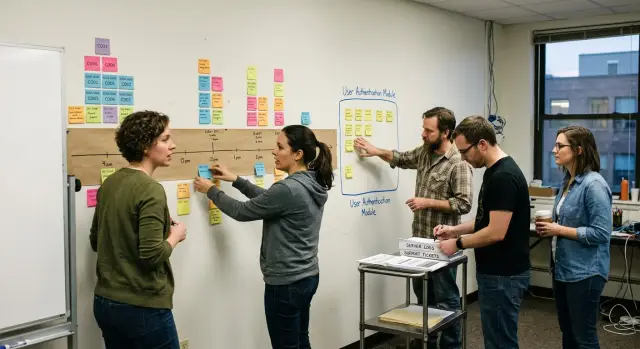
Table of Contents
Why some teams avoid workshops
Most teams do not hate event mapping. They hate the usual workshop version.
Put six people in a room with a wall of sticky notes and the work often drifts away from the product. Someone debates the perfect name for an event. Someone else jumps to architecture. Twenty minutes later, nobody has agreed on what actually happened for a real user.
That drift is common because workshops reward fast talk more than clear evidence. The person with the strongest opinions can pull the whole wall in one direction, even if they only know part of the flow. A support lead may know the real refund path from dozens of tickets, but a louder engineer or founder can still dominate the session.
Teams also get stuck on words too early. They argue about whether an event should be called "refund requested," "refund created," or "refund opened" before they have even laid out the order of actions. That sounds minor, but it wastes time and creates fake disagreement. Most of the time, people are fighting over labels because they still cannot see the flow.
There is another reason people avoid workshops. The clean version of the process rarely matches real work. Sticky notes tend to show the happy path. Tickets and logs show the messier truth: duplicate actions, retries, missing data, manual fixes, and the moments when users got confused enough to contact support.
A simple example makes the problem obvious. In a workshop, a team might say, "Customer asks for refund, system issues refund, customer gets confirmation." In tickets and logs, the same story often looks different. The payment provider times out. Support reopens the case. The customer submits the request twice. Finance checks one order by hand.
That is why a lighter approach works better for skeptical teams. Start with things that already happened, not memory, status, or whoever speaks first. When the raw material comes from tickets and logs, the conversation gets shorter, sharper, and much harder to hijack.
What to collect before you start
Start with evidence, not opinions. If you want a useful map in one hour, pull the traces of work that already went wrong, got stuck, or kept coming back.
Recent tickets are the first place to look. Go after repeats, not odd one-off cases. Five tickets about a refund that stayed pending tell you more than one strange outage. Keep the original wording from users and support. Those phrases often point to the moments that belong on the map: refund requested, payment captured, refund approved, refund failed, customer notified.
Logs help when tickets are too vague. Pull a short time window around failed or slow actions, usually a few minutes before and after the problem. You are not trying to debug every error yet. You are trying to see order and timing: what happened first, what changed next, and where the flow stopped moving.
If your product keeps an audit trail, bring that too. Status history is often easier to use than application logs because it shows business changes in plain language. A line like "order moved from paid to refund_pending" is easier to map than a stack trace. The same goes for admin notes, webhook history, and timestamps on state changes.
Keep the prep small. A short packet is enough: 10 to 20 recent tickets from one flow, log snippets around failures or delays, status changes or audit records for the same cases, and three to five user actions that matter most.
Those user actions keep the session grounded. Write them as simple verbs: place order, cancel order, request refund, upload document, approve payout. Skip everything else for now. If a team tries to map the whole product, the hour disappears fast.
A narrow scope works better. Pick one flow, one type of problem, and one recent time period. For a startup team, that might mean only refund issues from the last 30 days. That is enough to spot real domain events and later turn them into cleaner modules.
Walk into the session with one page of evidence, not a folder full of raw data.
What counts as a domain event
A domain event is a business fact that already happened. It is not a click, a screen name, or a team task. If a support ticket says, "Customer asked for a refund," that is still a request. The event comes later, when something in the business actually changes: "Refund approved," "Refund rejected," or "Refund issued."
Write events in past tense because they describe facts, not intentions. Past tense also keeps the map honest. "Payment captured" works. "Capture payment" does not. One is a result. The other is an action someone or something tries to do.
This split matters more than it seems. Teams often fill a wall with items like "User clicked refund," "Agent opened case," or "Submit button pressed." Those are interface steps. They may help with UI work, but they do not explain how the business behaves. If you want domain events from tickets or logs, look for the moment a state changed.
A simple rule helps: name the thing that changed, then the change. "Order shipped," "Invoice sent," "Subscription renewed," and "Access revoked" all travel well across tools, teams, and code. Button labels do not. "Confirm refund modal" will age badly the first time the product team renames the screen.
Actors matter only when they change the rule. "Refund approved" is often enough. But if your business treats finance approval differently from automatic approval, then the actor belongs in the event name or note. "Refund approved by finance" and "Refund auto-approved" are different facts because they follow different rules and trigger different follow-up steps.
When a line from a ticket feels vague, push it until the fact becomes clear. "Customer contacted support" is usually noise for event mapping. "Account reactivated" is useful. It tells you what changed, and that is the raw material you need later when you group behavior into modules.
Run the one-hour session
Put two to five people in the room. One person drives the board and the clock. Everyone else brings evidence: recent tickets, log snippets, support notes, and maybe one or two screenshots if they explain a business change.
This works for teams that hate workshops because it feels like a review of real work, not a brainstorming exercise. You are not asking people to invent a perfect model. You are asking them to point at what already happened.
A practical 60-minute flow looks like this. Spend the first 10 minutes writing raw facts from tickets and logs as short past-tense notes. Use the next 10 minutes to merge notes that describe the same business change. Then spend 15 minutes placing the events in time order. Use another 15 minutes to mark what started each flow and circle rules, waits, and handoffs. Save the last 10 minutes for stopping points, repeated patterns, and open questions you want to park.
In the first few minutes, keep the notes blunt and factual. Write "customer requested refund," "refund approved," or "payment failed after retry." Skip guesses like "system had an issue" or broad labels like "refund process."
Then clean the pile. Different teams often describe the same event in different words, especially when one note comes from support and another comes from logs. If two notes mean the same business change, keep one label and move on.
When you sort by time, do not fight over edge cases for ten minutes. Put the obvious events in order first. If one part branches, show the split and keep going.
Now mark the action that started each flow. It might be a customer action, a staff action, a scheduled job, or a message from another system. This matters because unclear starts create messy modules later.
Circle three things as you go: rules, waits, and handoffs. A rule is where the business decides something, like "refunds over $500 need review." A wait is dead time, such as "bank response pending." A handoff is where work moves between people or systems.
You do not need full coverage in one pass. Stop when new tickets only repeat the same path with small wording changes. If the last few items add no new event, no new rule, and no new handoff, the map is good enough to turn into modules.
Before you leave, keep a short parking area for disputes and missing data. Do not let them swallow the hour.
A simple example: order refund flow
This method gets concrete fast. A support ticket says a customer asked for a refund after seeing two charges for one order. The log backs it up. The same payment was captured twice within one minute, with the same order ID and amount.
That gives the team something better than guesses. They have a real problem, a customer complaint, and a clear sequence they can trace.
From ticket and logs to events
Instead of talking about screens, endpoints, or database tables, write down what happened in business terms. A clean first pass might read like this:
- payment captured
- payment captured again
- refund requested
- refund approved
- refund sent
Keep the duplicate capture in the map at first. It tells the story clearly. You can decide later whether the system should block it, merge it, or flag it for review.
Once those events sit in order, the flow gets easier to read. The payment part is about taking money and making sure the same action does not run twice. The refund part starts after someone spots the problem, whether that is a support agent, an automatic check, or the customer.
What the modules become
This is where module design starts to feel practical. Payments and refunds may touch the same order, but they do different jobs. The payments module owns capture attempts, transaction references, retries, and duplicate protection. The refunds module owns requests, approvals, payout status, and the record of what went back to the customer.
The map also settles one messy question fast: where does idempotency belong? It belongs in payments. That module should stop the second capture from succeeding for the same order. The refunds module fixes the outcome after the mistake, but it should not carry the rule that prevents the mistake.
A small example like this often changes how the team sees the system. One ticket and one log trail can turn into a short event map, two clear modules, and one next step that is hard to argue with: make duplicate payment capture impossible.
Turn the event map into modules
When you look at a finished event map, do not slice it by screen, team, or database table. Slice it by business outcome. If several events exist to complete one job, they usually belong together.
A refund flow shows the pattern well. "Refund requested," "refund approved," "refund sent," and "refund closed" all push one result: money goes back and the case ends. That set often becomes a Refunds module. The name tells you what the module does, not where the data sits.
Different rules usually mean different modules. If one area needs manager approval, time limits, or fraud checks, keep it separate from an area that only stores status. The split matters where decisions change. Rules change more often than fields.
Keep outside systems at the edge of the map. A payment gateway, email tool, ERP, or webhook should not decide your boundaries. Those tools are neighbors, not the center. Your module should speak in business events such as "refund sent" or "customer notified." A thin integration layer can handle the external API.
Avoid vague names like "Core," "Shared," or "Processing." They hide the job. Names like Refunds, Inventory Reservation, Billing, and Customer Notifications are better because a new developer can guess the purpose in seconds.
A quick check helps. Group events that lead to one business result. Split groups where approvals or rules change. Move external calls to the edge. Pick a plain name that matches the job. Then test the group with one real ticket.
That last check catches bad splits fast. Take one real support ticket or bug report and walk it through the module. If a simple ticket jumps across three modules before anything useful happens, your cut is probably wrong. If one module tries to cover two unrelated tickets, it is too broad.
A good module can explain one real piece of work from start to finish without dragging half the product into the discussion.
Mistakes that spoil the map
This method gets messy fast if the team writes what the system should do instead of what already happened. That one mistake ruins the whole map. A command like "issue refund" is a request. An event is a fact, such as "refund approved" or "refund paid."
The wording matters more than it looks. When teams pull items from tickets and logs, they often copy button labels, job names, or API actions. Those are useful clues, but they are not the timeline. The timeline should show facts in the order people or systems could observe them.
Vague names cause the next problem. "Status updated" tells you almost nothing. Updated from what, to what, and why? A better event name carries meaning. "Refund rejected because payment already settled" is longer, but nobody has to guess. If two people read the map and imagine different stories, the event name is too loose.
Another common mistake is mixing several journeys on one line. A refund flow, a chargeback flow, and a support complaint flow may touch the same order, but they are not the same story. Put all three on one timeline and you get fake connections, duplicate events, and a map nobody trusts. Split them first. You can join them later where they truly meet.
Teams also let database tables decide module boundaries. That feels tidy, but it usually gives you thin modules with names like Orders, Payments, and Statuses that leak into each other. Modules should follow business change, not storage. If the same cluster of events answers one business question, keep it together even if the data lives in several tables.
Rare edge cases can wait. Teams lose half the hour on one strange ticket from last year and never finish the main path. Start with the common flow that happens every week. Add exceptions only after the normal story makes sense.
A simple test helps. Each note should describe a fact that happened. Each event name should make sense without extra explanation. One timeline should cover one journey. Module lines should follow event clusters, not table names. Odd cases should stay off the main path until the end.
When a map feels muddy, the fix is usually simple: rename facts, split journeys, and ignore the database for a while.
Quick checks before you keep the result
A rough map can feel finished too early. Give it one last review before you turn it into module names, tickets, or code. If the map fails these checks now, it usually creates messy modules later.
Start with the simplest test: hand the flow to someone who did not join the session. A new teammate should be able to read it from left to right and tell the story back in plain business language. If they need you to explain what a note means, rename it or split the step.
Each event should mark a real change in the business, not a screen action or a technical detail. "Refund requested," "refund approved," and "refund sent" are events. "User clicked submit" and "API returned 200" are not. This check keeps logs from pulling the map into UI noise.
The map also needs traceability. Every note should come from something you can point at: a support ticket, an audit log, an incident note, a chat with ops, or a real record from the system. If nobody can answer "where did this event come from?" treat it as a guess until you verify it.
Read the module names out loud next. They should sound like the business, not the framework. "Refunds," "Payments," and "Orders" are clear. "RefundHandlerService" and "TransactionOrchestrator" are code labels, not domain names.
Do one cleanup pass before you keep the result. Remove notes that describe pages, buttons, forms, or HTTP calls. Merge duplicates that say the same thing with different words. Circle gaps where the story jumps and nobody knows what happens. Mark guesses so they do not become facts by accident.
A small refund flow shows the difference. If your map says "customer opened refund page," "customer clicked button," and "POST /refund completed," you are mapping the interface. If it says "refund requested," "refund reviewed," and "refund issued," you have something you can turn into modules.
Keep the map only when it reads like the business itself. That version lasts longer than the current UI, and it gives you module boundaries you can defend later.
What to do next
Do not try to clean up the whole map at once. Pick one module where the team already feels pain, such as refunds, failed signups, or invoice changes. On one page, write the events that happened, the commands that triggered them, and the rules that decide what can happen next. If two people describe the same rule in different words, pause and fix that first.
This page is a working draft, not a formal spec. It gives the team a shared view they can test against. That is usually the first real win: less guessing, fewer side arguments, and a clearer place to start coding.
Repeated failure points should move straight into engineering work. If the map shows the same break again and again, turn it into a test and an alert. A refund that gets requested twice, an order that stays stuck in "pending," or a webhook that arrives late should not live only on the whiteboard. Put those cases where the team will see them during development and in production.
The map also helps you choose boundaries. Events that share the same rules usually belong in the same code package or service. Split them only when there is a clear reason, such as different ownership, different release timing, or very different scaling needs. If you split too early, you create extra coordination work before you get any real benefit.
Some teams stall here. They have a rough map, but they are not sure whether the modules make sense or whether they missed a rule. A short review from an experienced fractional CTO can help. Oleg Sotnikov at oleg.is works with startups and small teams on this step, turning rough event maps into practical modules, tests, and delivery plans without adding process that does not help.
Keep the next move small and concrete. Take one module, write its events and rules on one page, add two tests for known failure cases, and let that shape the next sprint.


