Escalation budgets for enterprise accounts that protect the roadmap
Escalation budgets for enterprise accounts set clear rules for pages, response times, and exceptions so support stays strong without derailing planned work.
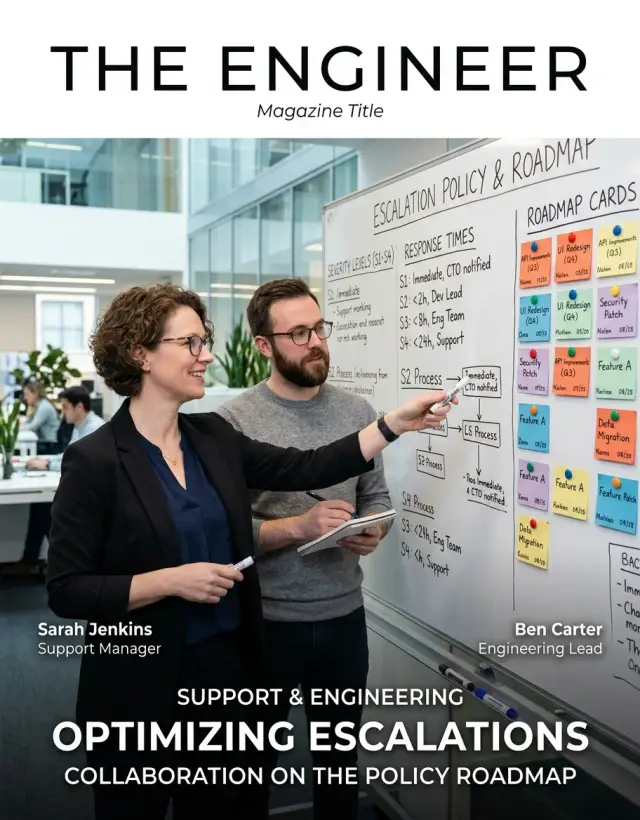
Table of Contents
Why premium support starts taking roadmap time
Premium support usually starts with a fair promise: large customers get faster help when something breaks. The trouble begins when "urgent" stops meaning outage and starts meaning pressure from an account manager, a renewal deadline, or a customer who shouts louder than everyone else.
Once that happens, work stops following the product plan. Engineers drop planned tasks, reopen old code, and try to fix one customer issue right away. A bug tied to one contract jumps ahead of a feature that would help every customer next quarter.
That queue jumping is expensive, even when the request looks small. An engineer might spend ten minutes reading the ticket, twenty minutes remembering how that part of the system works, then lose another hour getting back into the roadmap task they were already doing. Do that a few times a week and the team loses days, not minutes.
Some escalations are real. If login is down, data is missing, or payments fail, engineering should get paged fast. But many requests are not incidents. They are account pressure wrapped in urgent language: "important client," "board meeting tomorrow," or "possible churn risk." Those cases may need attention, but they should not look like production failures.
Vague promises make this worse. Sales says, "we will take care of anything." Customer success says, "engineering is on it." Engineering hears about the issue only after the customer expects instant action. Now each team has a different idea of what premium support includes, and conflict is almost guaranteed.
This pattern shows up in startups and larger teams alike. It burns roadmap time quietly. Nobody notices at first because each interruption looks reasonable on its own.
That is why an escalation budget matters. It turns support from a political contest into a clear operating rule. Teams can still respond fast to real incidents, but they stop treating every tense email as a page to engineering.
What an escalation budget should cover
An escalation budget needs hard edges. If the rules leave room for debate, every painful ticket starts to look like an emergency, and engineering loses planned work one interruption at a time.
Start with a fixed page allowance. For most enterprise accounts, that means a monthly or quarterly limit on how many times support can pull in an engineer outside normal backlog work. Count actual interruptions, not just tickets. If an issue forces an engineer to stop planned work, join an incident channel, or make a same-day change, it counts as a page.
A simple setup is often enough. Two emergency pages per month works for many accounts. Five per quarter can fit larger customers with uneven usage. Monthly limits are easier to track. Quarterly limits fit customers with seasonal spikes.
Use plain severity labels so non-technical teams can classify issues without guessing:
- Sev 1: the product is down for many users and there is no workaround.
- Sev 2: an important workflow is blocked, the workaround is weak, and business impact is real.
- Sev 3: the issue is serious but users can still work through it.
- Sev 4: the customer needs help, but the issue is a question, minor bug, or routine request.
Response targets should match those levels. Sev 1 can page engineering right away, with a human response in 15 to 30 minutes. Sev 2 should go through a support lead first, then reach engineering within a defined window such as two business hours. Sev 3 belongs in normal triage. Sev 4 stays with support or customer success.
It also helps to write down what sits outside the budget, because this is where confusion usually starts. Feature requests, product changes, training, onboarding, how-to questions, customer-side setup mistakes, local network issues, planned migration help, release coordination, and repeated pages for the same issue after a workaround exists should not count as emergency engineering work.
A small example makes the line easier to see. If one finance team cannot export a report but can still download the raw data and finish the job manually, that is usually Sev 3. It is not a page. If checkout fails for every buyer and there is no manual path, that is Sev 1.
A good escalation budget does not block help. It separates true incidents from expensive noise, and that keeps support useful without turning the roadmap into a pile of interruptions.
Who can page engineering
Engineering should not accept pages from a crowd. If too many people can trigger an urgent handoff, normal support starts to look like an emergency.
Set named roles on both sides and write them into the account plan. Use names, job titles, phone numbers, and backup contacts. "Anyone from the customer team" is not a role.
In most cases, a short list is enough:
- one primary technical contact from the customer
- one backup technical contact from the customer
- one internal account owner
- one support lead or incident manager on your side
Sales and customer success should stay out of the paging path. They can gather context, calm a tense call, and keep the customer informed. They should not wake engineers, because they are under pressure to say yes fast, even when the issue is not urgent.
Each enterprise account also needs one internal owner. That person keeps the contact list current, checks whether the issue matches the support policy, and decides whether on-call engineering needs to get involved. Without that owner, requests bounce between support, account teams, and engineers until everyone loses time.
Backups matter more than most teams expect. Nights, weekends, and holidays expose weak process fast. If the only approved customer contact is on a flight, support needs a second named person who can confirm the business impact and approve the page.
The same rule applies on your side. If the account owner is out, name a backup who can make the call without hunting through old notes and email threads. That alone can save 20 minutes during a real incident.
If you use a fractional CTO model, keep the path just as tight. One advisor or delegated technical lead can approve engineering pages. Everyone else should route through that person.
It feels strict at first. That is the point. Customers still have a clear emergency path, and engineers keep their time for work that actually needs them.
When a page is allowed
A page should interrupt engineering only when waiting is likely to cause real damage. That line needs to stay narrow, or premium support starts acting like a private engineering team.
Most teams do well with a simple policy. Page engineering for live production problems that affect service health, customer data, or account security:
- a production outage or severe service failure that blocks normal use
- clear risk of data loss, data corruption, or missing records in a live system
- a security incident, suspected breach, exposed credentials, or abuse in progress
- a widespread issue with no workaround where business operations stop
Everything else should stay with support until normal triage happens. Setup help, feature questions, billing confusion, how-to requests, and one-off user mistakes do not belong in the on-call queue.
A customer asking how to configure SSO, where to find an export, or whether a feature can work a different way may feel urgent on their side. It is still not an engineering page. Support should own those cases, set expectations, and move product feedback into the usual roadmap process.
Engineering should also expect a minimum intake before anyone pages them. Support needs to gather the account name, exact steps to reproduce, time of first failure, affected users, current impact, and any logs or error messages already available.
If support cannot answer basic questions like "Who is affected?" or "What changed?" they are not ready to page. The main exception is a live security issue, where speed matters more than a perfect ticket.
Bad pages need to go back. If someone skips the intake rules, the on-call engineer should return the case to support for completion instead of starting a blind investigation. That feels strict for a week or two. Then the noise drops fast.
A simple example makes the line clear. If an enterprise account reports that all users suddenly get 500 errors and orders stop processing, support gathers request IDs, timestamps, and scope, then pages engineering. If the same account asks for help mapping fields in an import template, support handles it during business hours.
That discipline protects response time for real incidents and protects roadmap time for everyone else.
How to build the workflow step by step
Start with the promises you already made. Pull the support terms from every enterprise contract, custom SLA, and sales addendum. Many teams discover that half the pain comes from loose language like "urgent issues" or "priority access," which leaves support and engineering to guess.
Next, count real interruptions from the last quarter. Do not rely on memory. Pull tickets, chat logs, incident pages, and direct messages to engineers, then sort them by account, severity, time of day, and outcome. One pass is usually enough to spot the pattern: a few accounts create most of the pages, and many of those pages are not production emergencies.
Set limits by tier, then write exceptions in plain language. A top-tier customer may get a small number of engineering pages per month for production outages or security events. A lower tier may get none outside business hours. Keep the exception list short or people will use it as a back door.
Simple rules work better than clever ones. For example, page engineering for active outages, data loss risk, security incidents, or blocked go-live events with a signed deadline. Do not page for feature requests, training questions, minor bugs with workarounds, or issues caused by the customer's own changes. Require support to record the impact, affected users, and steps already tried before any page goes out. Give one named owner on the customer side the right to request escalation.
Then test the workflow with support, sales, and engineering in one room. Take five or six recent cases and run them through the draft rules. Sales will spot contract friction. Support will find missing steps. Engineers will point out where the rules still let noise through.
Use the first month as a trial, not a verdict. Review every page, measure how many were justified, and adjust the numbers before habits harden. If a company does not have a strong technical lead yet, outside Fractional CTO help can be useful here. A good advisor can write the rules, keep them fair, and stop premium support from turning into open-ended engineering labor.
A simple enterprise account example
Imagine a SaaS company with one large customer on a premium support plan. The customer pays for fast response, but the contract gives them only two engineering pages per month. That limit matters because it keeps urgent help available without turning every request into an interruption.
The customer has a named support contact. Regular support handles user training, setup questions, and small bugs that have a workaround. If a new admin needs help with permissions, support takes the call. If one report exports the wrong date format, support logs it for the normal bug queue. Engineering does not get paged for either case.
Now picture a real incident. At 9:07 a.m., the customer reports that all users in their production account cannot log in. Support checks status, reproduces the issue, and confirms that the problem blocks normal business use. Because this is a live outage, support pages the on-call engineer within minutes. The engineer joins, fixes the auth issue, and posts updates until service is back. That page counts as one of the customer's two monthly pages.
Later that same month, the customer asks three times for a custom approval step and a different SSO mapping rule. They say the request is urgent, but nothing is broken. Support records the request, adds business context, and sends it to the next roadmap review. Product and engineering then decide whether it fits the shared product, belongs in paid custom work, or should wait.
This is where an escalation budget helps most. It splits work into two buckets: incidents that need action now, and requests that need a decision later.
Two pages a month is often enough for a serious enterprise account. If a customer uses both pages on avoidable issues, the team has a clear reason to tighten training, improve runbooks, or revisit the support terms.
Mistakes that create noise
Noise often starts with access. If every stakeholder can contact engineers directly, normal support turns into interruption. Engineers stop judging severity and start reacting to the loudest message.
Another common mistake is calling every bug "urgent" to protect a renewal. That may calm an account team for a day, but it weakens the meaning of urgency for everyone. Soon, a real outage sits in the same queue as a report layout complaint or a missing field in an export.
Teams also create noise when they skip account history before escalating. That leads to repeat pages for the same issue, or pages for problems the customer caused with a recent config change. Support should check past tickets, known workarounds, contract terms, and recent product decisions before paging anyone.
Live calls create their own trap. A sales rep or support manager promises custom work to keep the customer calm, and engineering inherits work they never scoped or approved. Premium support is still support. It is not permission to turn every tense call into product work.
The mess gets worse when teams track pages only in chat threads. Chat moves fast, but it forgets. A week later, nobody knows who approved the page, what the customer impact was, how long the interruption lasted, or whether the same account already used its monthly allowance.
A few warning signs show up again and again:
- engineers get paged even when a workaround exists
- two or three people escalate the same issue
- renewal pressure changes the severity label
- custom promises appear without a ticket or estimate
- nobody can count pages by account
If even two of those are normal, the process is already too loose. A good support policy protects both sides: the customer still gets serious issues handled fast, and engineering keeps time for planned work instead of constant noise.
This is one place where an outside review can help. A Fractional CTO can look at the page path, reset the rules, and remove habits that make premium accounts louder than they should be.
A short rollout checklist
A rollout works when the policy is easy to use on a bad day, not just easy to approve in a meeting. If people need a long debate to decide whether to page engineering, the rules are too loose.
Start with one person who owns the final yes or no on every escalation. In many teams, that is the support lead, head of customer success, or on-call manager. One owner cuts down side deals, mixed messages, and "just this once" pages that quickly become a habit.
Before you turn the policy on, check a few basics:
- Put one named owner on every engineering page. No account manager or sales rep should bypass that step.
- Write severity levels in plain language and make every team use the same version. A Sev 1 should mean the same thing to support, success, and engineering.
- Test whether a support rep can explain the rule in under a minute. If they need a slide deck, the policy is too complex.
- Show engineers the remaining page budget for each account in the ticket or on-call view.
- Make the contract, support guide, and internal playbook say the same thing.
A small example helps. Say an enterprise customer reports a slow report export at 8:30 p.m. Support checks severity, sees the account has already used most of its escalation budget, and confirms the system is still running. That case stays with support until the next business day. The rule protects engineering time without leaving the customer in the dark.
This is where many teams slip. They launch the policy in their ops tools, but forget to update contracts and renewal language. Then support has to enforce limits that sales never explained.
If you want the policy to stick, keep the first version boring and strict. Clear rules beat clever rules. When the team can apply them the same way for 30 days in a row, you can tune the edge cases.
What to do next
Do not roll this out across every enterprise account at once. Start with the noisiest accounts first. Pick the customers that trigger the most "urgent" messages, the most after-hours pings, or the most direct requests to engineers.
That gives you a clean test. You will see quickly whether the budget is too loose, too strict, or simply unclear.
Run the policy for 30 days. Keep the log small so the team will actually use it. You do not need a new tool. A shared doc or simple table is enough.
Track a few plain facts:
- who asked for the escalation
- what problem they reported
- whether the page matched the policy
- how much engineering time it used
- what happened for the customer
After a month, patterns usually show up fast. One account may page engineering for training questions. Another may report real production issues, but only during business hours. A third may have a support plan that promises too much for the price.
Use that data to reset support tiers and response promises. If a customer uses six hours of engineer time each month for non-incident requests, change the terms. Move those requests into office hours, route them through support, or price the extra access properly.
This is also the point where teams get honest about capacity. If two engineers keep losing a day each week to escalations, the roadmap is already paying the bill. Fix the rules before you add more premium accounts.
If the lines are blurry, an outside review can save a lot of internal argument. Oleg Sotnikov at oleg.is works with startups and smaller companies as a Fractional CTO, and this sort of support boundary problem is exactly the kind of operating issue worth fixing early.
Keep the first version simple. If the team can explain the policy in one minute and follow it under stress, it will hold.
Frequently Asked Questions
What is an escalation budget?
An escalation budget sets a hard limit on how often support can interrupt engineering for one customer. It keeps real incidents fast while stopping every tense email or renewal concern from jumping ahead of planned work.
Why does premium support eat roadmap time?
Roadmap work slips when engineers keep dropping planned tasks to handle one-off customer pressure. Even small interruptions cost time because people need to switch context, inspect old code, and then rebuild focus on the work they left.
How many emergency pages should one enterprise account get?
Most teams can start with two emergency pages per month for a large account, or five per quarter if usage spikes by season. Pick one simple rule, track it, and adjust after a month instead of inventing a complex model on day one.
When should we page engineering right away?
Page engineering for live production outages, data loss or corruption risk, security incidents, or a widespread failure with no workaround. If users can still work through the issue, support should usually keep it in normal triage.
What should never count as an emergency page?
Keep feature requests, training, onboarding help, billing questions, setup mistakes, and minor bugs with a workaround out of the on-call path. Those cases may still matter, but they need backlog review or normal support, not an emergency interruption.
Who should have permission to page engineering?
Limit that right to a very small group: a named customer contact, an internal account owner, and a support lead or incident manager. Sales and customer success can help with context, but they should not wake engineers directly.
What information should support gather before paging?
Before support wakes anyone up, they should collect the account name, exact steps to reproduce, first failure time, affected users, current business impact, and any logs or error messages. If support cannot answer basic questions, they should finish intake first unless they see a live security issue.
What happens when a customer uses up the escalation budget?
Once an account hits its limit, support should route new non-incident requests into normal triage, office hours, or paid custom work if that fits your model. If the customer burns pages on avoidable issues, fix training, tighten runbooks, or rewrite the support terms.
Do we need a new tool to track pages?
A shared table or doc works fine at first. Track who asked for the escalation, what broke, whether the case matched the policy, how much engineer time it used, and which account spent the page.
How should we roll this policy out?
Start with the noisiest accounts, not every customer at once. Run the policy for 30 days, review every page, and fix the confusing parts before the team turns exceptions into habit.