Duplicate AI spend starts with one broken workflow
Duplicate AI spend grows when teams buy new tools instead of fixing inputs, edge cases, and owners in the workflow they already run.
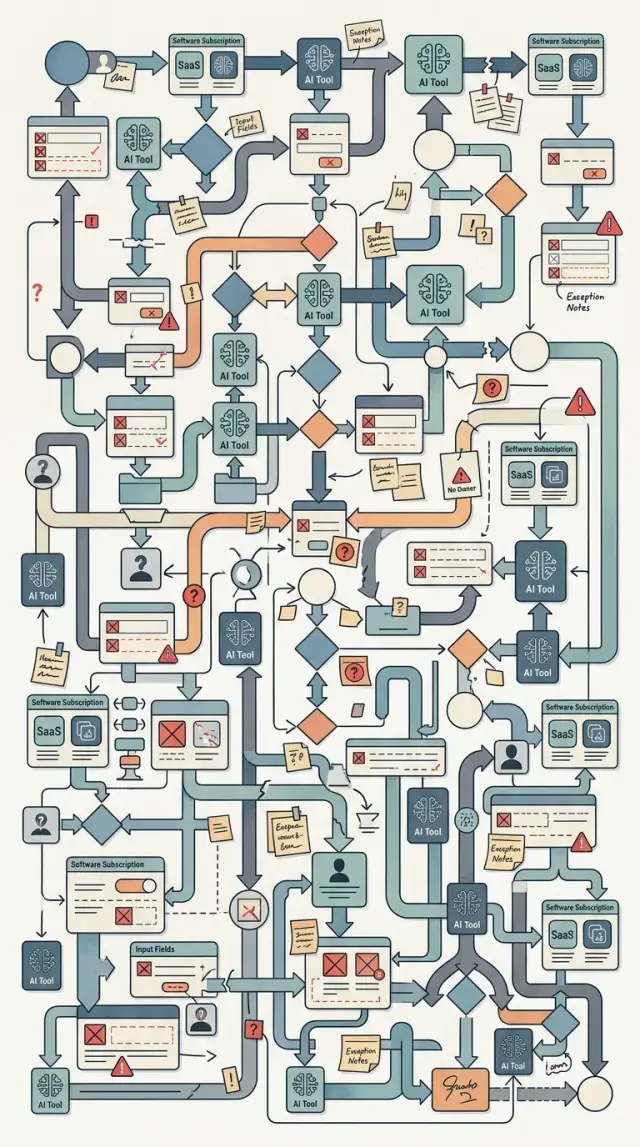
Table of Contents
Why the workflow still breaks after a new AI tool
Teams usually buy an AI tool to fix one slow, expensive, or annoying step. They patch that step and expect the whole workflow to improve.
It usually doesn't work that way. The tool changes one layer, but the old workflow stays underneath.
If the intake form is vague, the AI still gets vague input. If the rules live in five different documents, the tool follows the wrong version. If work moves from one team to another without a clear owner, the gap stays there.
Most messy workflows have the same problems: incomplete forms, exceptions nobody wrote down, approvals that depend on memory, and handoffs where everyone assumes someone else will catch mistakes.
When those problems stay in place, people still fix errors by hand. They rewrite prompts, fill in missing details, correct bad output, and chase people for decisions. The new tool saves a few minutes in one spot, then gives that time back through cleanup.
That is why results barely move even when software spending goes up. The company pays for the tool, the setup time, and the human repair work around it. Sometimes it pays for two or three tools that all try to patch the same weak process.
A sales team is a simple example. It adds AI to write follow up emails. That sounds useful. But if lead data arrives partly filled, product names are inconsistent, and account owners change in the middle of a deal, people still edit every message before it goes out. The team bought speed, but kept the confusion.
A new tool can help, but only after the workflow is clear enough to support it. Clean inputs, simple rules, and one owner for each step usually do more than another dashboard.
Where duplicate spend starts
Duplicate AI spend usually starts long before anyone sees a budget problem. It starts when two teams try to fix the same pain on their own.
The pattern looks harmless at first. Support buys an AI writer to draft replies. Operations buys an AI sorter to route the same incoming requests. Both tools touch the same queue, both need the same data, and both promise to save time.
The overlap stays hidden because each team sees only its own slice of work. One manager looks at reply speed. Another looks at ticket routing. Nobody stops to ask a basic question: are we paying twice to process the same step?
That is where an AI workflow audit helps. It shows where tools read the same inputs, trigger on the same events, or pass work back and forth for no good reason.
The real cost spreads quietly. Two teams connect different tools to the same inbox or ticket queue. Each tool needs setup, testing, prompts, and error checks. Both teams still keep a person in the loop because odd cases break the flow. Each subscription looks small on its own, so nobody adds up the full number.
Renewals make this worse. Monthly charges fade into the background, and annual contracts get approved by different people. Six months later, the company is paying for overlap, extra review time, and duplicate logs or storage, but nobody sees the whole picture in one place.
This happens in small companies all the time. A founder approves one tool for support, another for sales operations, and a third for internal triage. On paper, those look like separate needs. In practice, all three tools classify, rewrite, and pass along the same requests.
The spend does not start with too many tools. It starts with one broken workflow, and more software gets piled on top of it. If the inputs stay messy and nobody clears the overlap, the bill grows faster than the result.
Bad inputs create repeat work
AI tools fail in very ordinary ways. They do not need a major outage to waste money. A misspelled label, an empty field, or a file in the wrong format is enough to make the same task happen twice.
Bad labels are a common start. If one person tags a request as "billing," another uses "invoice," and a third picks "urgent," the routing tool has no clear pattern to follow. It sends the work to the wrong queue, or it sends the same item to more than one team. Someone then reads it again, fixes the label, and moves it by hand.
Missing fields create the same drag. If a form does not require an order number, account ID, or product name, the AI tool has to guess or stop. Most teams then do the slow part by hand. They ask the customer for details, wait for a reply, reopen the task, and start the process again.
Mixed file formats add another layer of repeat work. One customer uploads a clean CSV. Another sends a phone photo of a printed invoice. A third pastes text into an email. The automation handles only one version well, so staff convert files, rename columns, or copy data into a template before the tool can do anything useful.
Late data is even worse than many teams expect. If the CRM sync runs overnight but support agents work live during the day, they act on old information. They answer with the wrong status, then send a correction later. That second pass costs time, and it adds to duplicate AI spend.
A support team might buy a classifier, a reply assistant, and a search bot. The tools can look sensible on paper. But if intake data is messy, all three tools repeat the same confusion.
Fix the inputs first. Use one label set with clear names. Make the fields that matter required. Accept fewer file types, or convert them at intake. Sync the data before people need it. That work is not glamorous, but it usually saves more money than the next tool purchase.
Exceptions pile up when nobody owns them
Most AI tools handle the clean path. Trouble starts with the cases that do not fit the script.
Refunds, urgent complaints, and unusual requests need rules before any tool can help. If the team never sets those rules, the tool skips the hard parts and people pick them up by hand.
That sounds manageable at first. It rarely stays that way. One person tags the case for review, another asks a follow up question, and someone else tries to close it later. The work keeps moving, but the case does not really move forward.
Support teams see this all the time with refund requests that miss payment details, urgent complaints from major customers, or requests that do not fit any standard policy.
Teams often leave those cases outside the tool because they feel too messy to automate. Then the work bounces between support, finance, operations, or a manager. Nobody owns the stop point, so nobody owns the delay.
The queue starts to grow around the exceptions, not the normal work. A dashboard may show fast handling for simple tickets, while the messy cases sit for two days in an inbox, chat thread, or spreadsheet. Customers notice the stuck cases, not the clean ones.
This is also where duplicate AI spend starts to creep in. Instead of fixing the exception path, companies buy another tool to sort, summarize, or route the same unresolved work. Now two tools touch the case, three people read it, and the customer still waits.
A small example makes it clear. A customer asks for a refund after a billing error and marks the message urgent. The AI assistant drafts a reply, but the refund breaks normal policy. Support sends it to finance. Finance asks for manager approval. The customer follows up again, another agent opens the thread, and the whole review starts over.
One messy case can eat more time than ten normal ones. If nobody owns exceptions, the exception queue becomes the real workflow.
One owner per step beats shared responsibility
Shared responsibility sounds fair, but it often means nobody makes the hard call. When one step breaks, three teams add their own fix. One team buys an AI assistant, another adds a classifier, and a third pays for manual review. The workflow still breaks, and the spend keeps growing.
Each step needs one owner. That person does not need to do all the work. They need to decide what good input looks like, what happens when the step fails, and whether a new tool is worth the cost.
That owner also needs a clear view of money. If they see only output, they miss the real cost: extra seats, API usage, retries, and staff time spent fixing bad results. Once one person can see both the rules and the budget, it gets much easier to stop bad purchases.
A single change channel matters just as much. Without it, requests come from everywhere. Sales wants faster replies, support wants better summaries, operations wants fewer errors, and each team buys something small. Six months later, nobody can explain why four tools touch the same task.
The fix is simple. Give one person final say for each workflow step. Send change requests through one queue or one review meeting. Show that owner the cost of tools and the cost of cleanup. Then review every handoff between teams at a regular pace.
Those handoffs need extra attention because that is where work gets blurry. If support sends a ticket to engineering, someone should define the required fields, the accepted format, and who sends it back when information is missing. If nobody owns that line between teams, exceptions pile up fast.
Shared responsibility works for discussion. It fails for workflow control. One named owner per step usually cuts more waste than another AI tool because it removes the reason people bought overlapping tools in the first place.
How to map the workflow step by step
Start with the workflow that annoys people every week, not the one that looks good in a slide deck. Pick something with real pain: missed follow ups, slow approvals, bad data, or repeat rework. That is usually where duplicate AI spend hides.
Keep the map plain. A shared document, whiteboard, or spreadsheet is enough. If the map needs a special app just to explain the process, the process is already harder than it should be.
Write the workflow in the order it happens:
- Name the trigger. What starts the work, and what input arrives first?
- List each step in sequence. Include every tool, handoff, and approval.
- Mark the manual moments. Note where a person fixes data, copies text, checks output, or chases someone for an answer.
- Mark every exception and put one owner beside it.
- Add the current costs. Count software, contractor time, internal hours, and the cost of delays before you buy anything else.
Most teams miss two things. First, they forget the inputs. If the workflow starts with messy notes, bad forms, or missing fields, the tool will only process the mess faster. Second, they ignore exceptions because they seem rare. They usually are not.
Shared responsibility also muddies the map. If three people can approve, reject, or fix the same step, nobody truly owns it. Put one name on each step, even if others can help. That alone often explains why work stalls.
Once the map fits on one page, weak spots stand out quickly. You can see where work loops back, where people patch bad inputs by hand, and where two tools do nearly the same job. Fix those first. Then decide whether you need another tool at all.
A simple example from customer support
A support team gets tickets from three places: email, chat, and web forms. On paper, the setup looks modern. One AI tool sorts the ticket, another writes a short summary, and a third drafts the reply.
The team still waits. Customers still ask twice. Billing cases still land in a manual review queue because those tickets need account checks, refunds, or policy decisions that the tools cannot finish on their own.
A normal ticket often moves like this. An email arrives and the first tool adds a category tag. The second tool turns the message into a summary for the agent. The third tool suggests a reply. Then the agent notices it is really a billing issue and sends it to another queue. A finance lead or support lead reads it again and writes the actual answer.
That means the same case gets classified, summarized, and drafted before a person does the real work anyway. That is duplicate AI spend in a very ordinary workflow.
The bigger problem is ownership. No one owns the tags, so the same billing issue gets labeled "payment," "invoice," or "refund" depending on the channel. No one owns the templates, so agents keep editing the draft from scratch. No one owns the exception rules, so odd cases pile up until senior staff step in.
Now the team pays for three tools, but the queue does not move faster. In some cases it moves slower because people stop to check bad tags, weak summaries, and reply drafts they do not trust.
You can usually spot this when agents say, "I still have to read the whole thread myself," or, "chat tickets work, but email ones are messy." The software changed. The workflow did not.
A better fix is usually boring. Give one person ownership of tags, keep one set of templates that people actually use, and write a short rule for when billing cases go straight to manual review. That costs less than another tool, and it cuts more waiting.
Mistakes that keep the spend growing
Most extra AI spend does not start with a big strategy error. It starts with small messes that nobody stops. A team buys a new tool to save time, but the workflow still has bad forms, unclear labels, and odd cases with no owner. The new tool sits on top of the same old problem.
A support or intake form is a common example. If customers can submit vague requests, wrong categories, or missing details, the AI tool has to guess. People then review, fix, and reroute the work by hand. The company pays for the tool and still pays for the cleanup.
Labels cause the same problem fast. Sales uses one set of tags, support uses another, and product creates a third version for its own dashboard. Soon each team wants its own AI assistant because the data no longer matches. That is how duplicate AI spend grows quietly: one tool for triage, one for summaries, one for routing, while people still argue about what the ticket means.
Manual work often hides in plain sight because nobody puts a price on it. If five people spend 20 minutes a day fixing AI output, that can feel small. Over a month, it is a real cost. Many teams treat that time as free because it does not show up as a software invoice.
Odd cases make it worse. Every workflow has them: refunds with missing receipts, leads from the wrong market, bug reports with no steps, invoices that do not match the purchase order. If nobody owns those cases, they bounce between teams. Then managers buy another tool to catch the leftovers.
Waste usually stays alive for the same reasons. Teams buy before they clean the form. Each team creates its own labels and status names. Managers ignore the cost of manual fixes. Nobody owns exceptions. Reports track clicks, drafts, or response speed instead of finished outcomes.
That last point matters a lot. If a dashboard says an AI bot handled 80% of requests, that can still be a bad result if customers needed three follow ups or finance had to correct half the records later.
The better test is simple: did the work finish cleanly, with less effort, and with fewer handoffs? If the answer is no, do an AI workflow audit before you buy again. Fix the inputs, set one naming system, assign owners for exceptions, and measure the final result people actually care about.
A short checklist before you buy again
A new AI subscription can feel cheaper than fixing the messy process under it. That is how duplicate AI spend grows. One team buys a tool to classify tickets, another buys a tool to rewrite them, and neither team fixes the form that creates bad tickets in the first place.
Pause before you renew, expand, or add one more seat. Put the workflow on paper and check a few plain questions:
- Can one person write the full workflow on a single page?
- Do requests, files, or tickets arrive in a consistent format?
- Does every exception have a named owner?
- Do any two tools summarize, classify, route, or draft the same work?
- Can you name one subscription you could stop this quarter without breaking the process?
A small support example makes this clear. If agents get email, chat, and form submissions in different formats, the first tool may normalize the text and the second may do almost the same cleanup before routing. That overlap hides inside daily work, so nobody notices it until the bills pile up.
If you answer "no" to even two of these checks, do not buy again yet. Fix the workflow first, then decide whether you still need the tool. In many cases, one clear owner, one input format, and one removed subscription cut more waste than a new feature ever will.
What to do next
Pick one workflow that causes the same pain every week. Do not start with the whole company. Start with something narrow, like support ticket triage, lead handoff, invoice matching, or weekly reporting.
Then pause tool shopping for a moment. A new app will not fix bad inputs, unclear handoffs, or the odd cases nobody knows how to handle. If the workflow is messy on day one, software usually makes the mess faster.
Make the first pass simple. Write down each step from the first input to the final result. Mark where data arrives late, incomplete, or in the wrong format. Note every exception that sends work into chat, email, or manual follow up. Then give one person authority to remove overlap and make decisions.
That owner matters more than most teams expect. Shared responsibility sounds fair, but it often means nobody removes old tools, nobody updates rules, and nobody checks whether two products now do the same job. One person should be able to say, "we keep this, we remove that, and we change this step."
After that, look at the tools again. You may find that one rule change, one input fix, or one clearer approval path removes more waste than another subscription. That is the point of an AI workflow audit. The question is not, "What can we buy?" The question is, "What is broken, and which tool, if any, should stay?"
If you want an outside review, Oleg Sotnikov at oleg.is works as a Fractional CTO and startup advisor, helping companies move processes to AI in a practical way. That kind of review can make workflow overlap, ownership gaps, and duplicate AI spend much easier to spot.
Start small and keep it concrete: choose one workflow, map it this week, and remove one overlap before you approve another tool.
Frequently Asked Questions
How do I know if we have duplicate AI spend?
Start with a simple check. If two tools read the same inbox, ticket queue, or CRM records and both classify, summarize, route, or draft work, you likely pay twice for one problem.
You can confirm it by mapping one workflow on a single page and writing down every tool, handoff, and manual fix. Overlap shows up fast when you see the full path in one place.
Why didn’t the new AI tool save much time?
Most teams add a tool to one step and leave the messy process under it. If forms miss details, labels change from team to team, or nobody owns exceptions, people still repair the output by hand.
That means the tool saves a little time first, then the team loses that time in cleanup, review, and back-and-forth messages.
What should I map first?
Pick the workflow that annoys people every week. Support triage, lead handoff, invoice matching, and approval flows usually show waste quickly because staff feel the pain every day.
Do not start with the whole company. One narrow workflow gives you a clear map and makes bad inputs, repeats, and weak handoffs easy to spot.
Which inputs create the most rework?
Messy labels, missing fields, mixed file formats, and late data cause repeat work most often. A tool cannot sort requests well if one team writes "billing" and another writes "invoice" for the same issue.
Fix the intake first. Require the fields that matter, keep one naming system, and accept fewer formats if your team keeps converting files by hand.
How many owners should a workflow step have?
Give each step one owner. That person sets the input rules, decides what happens when the step fails, and approves or rejects tool changes.
Other people can still help, but one person needs final say. Shared responsibility often turns into delay because nobody makes the hard call.
When should a case go straight to manual review?
Send a case to manual review as soon as it breaks normal policy or needs missing information that a tool cannot verify. Refunds without payment details, urgent complaints from major customers, and billing cases with account issues fit that rule.
Do not let those cases bounce between teams first. Route them early, name the owner, and stop the same thread from getting reopened again and again.
Should different teams use different labels?
No. Use one label set for the same workflow, even if different teams touch it later. When sales, support, and operations use different names for the same thing, every tool makes different guesses and staff spend time fixing the mismatch.
Keep the names plain and few. People follow simple rules more often than long tag catalogs.
How can I spot overlap between two AI tools?
Look for tools that touch the same event and produce similar output. If one tool cleans up incoming text and another tool does a similar cleanup before routing, you probably have overlap.
You will also hear it from staff. When agents say they still read the whole thread, ignore the draft, or rewrite every summary, the extra tool likely adds cost more than value.
What should I measure instead of bot activity?
Track finished outcomes, not bot activity. Measure whether work closed cleanly, how many handoffs it took, how often people reopened the case, and how much manual correction your team did.
A high draft rate or fast first reply can look good while the real work still drags. Finished work tells you whether the process improved or just moved faster into the next queue.
When does it make sense to get an outside review?
Bring in an outside review when your team keeps adding tools but the queue, error rate, or manual fixes stay about the same. That usually means the problem sits in the workflow, not in the next subscription.
An outside reviewer can map the process, find overlap, and name the steps that need one owner. If you want that kind of help, Oleg Sotnikov at oleg.is offers Fractional CTO and startup advisory work focused on practical AI process changes.


