CRUD to domain model migration without rewriting the app
CRUD to domain model migration works best when you refactor hot spots first, keep simple screens simple, and move rules only where they matter.
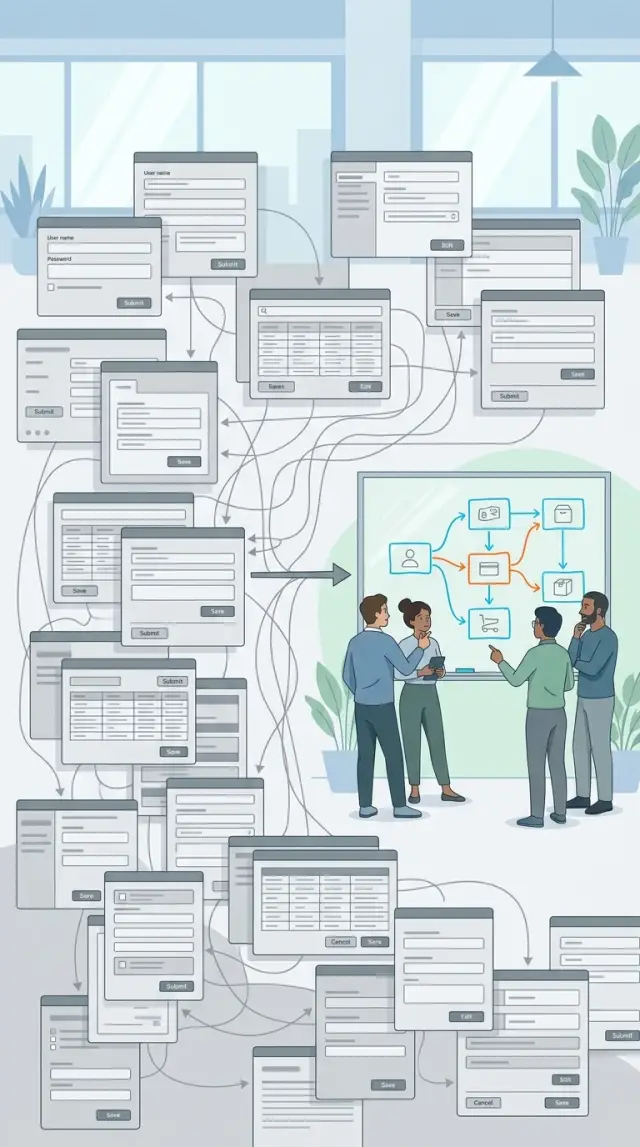
Table of Contents
Why CRUD starts to hurt
CRUD feels fine when a screen only saves a record and shows it back. A form edits a customer, a table lists invoices, an admin page changes a status. That shape is easy to build, and for a while it stays easy to understand.
The trouble starts when the app stops being a set of forms and starts carrying real business rules. Now an order refund depends on payment status, shipment status, user role, time limits, and whether a support agent already touched it. The data still sits in a few tables, but the behavior no longer fits neatly inside create, read, update, and delete.
That is usually when a move toward a domain model starts to make sense. CRUD is not the problem. The problem is that the app now makes decisions, not just updates fields.
A small rule rarely stays small. Someone adds a check in the API. Then the same check appears in the web form, the admin panel, a background job, and an import script. A month later the rule changes, and one business update touches five or six files. Because the app structure follows screens and tables, the same decision gets copied into every path that can change the record.
Those copied checks drift apart over time. One screen blocks a refund after 30 days. Another still allows 45. A batch process skips the check because nobody remembered it was there too. Each piece looks almost correct on its own, which makes the bug harder to spot.
State changes create most of the confusion. A record is not just "open" or "closed" anymore. It moves through stages, and each stage changes what people can do next. When those transitions live in scattered if statements, the app gets unpredictable fast.
You can usually spot the pain pretty quickly. One rule shows up in several controllers, forms, and jobs. A simple change request turns into a search across the whole codebase. Different screens allow different actions for the same record. Developers start arguing about where a state change should happen.
At that point, simple CRUD costs more than it saves. The hard part is not the database. It is figuring out where the real rule lives and making sure every path follows it.
What should stay simple CRUD
Not every screen needs a domain model. In most migrations, the fastest wins come from leaving the boring parts alone.
If a page mostly stores plain fields, shows them back, and applies little business logic, CRUD is usually enough. Rewriting it adds code, tests, and moving parts without giving much back.
Reference data is the clearest example. Think of tags, office locations, departments, tax rates, or status labels. People create them, rename them, maybe archive them, and move on. There is rarely a deeper rule hiding there.
The same goes for read-heavy pages and basic search screens. If a screen helps staff find records, filter by date, or export a table, you do not need rich domain objects to make that work well. A clean query and a plain form are often the better choice.
Low-change back office screens also deserve less attention than teams think. If an internal admin page changes twice a year and causes no support issues, leave it alone. Engineers often want consistency across the whole app, but that can turn into busywork.
A screen can usually stay simple when users rarely touch it, the rules fit in a few clear validations, no one debates how the process should work, and mistakes are easy to fix by editing the record. If the page mostly reads, filters, or updates stored data, plain CRUD is probably enough.
Take an admin page for office locations with fields like name, address, and time zone. Staff add a new office once in a while, and the only checks are "name is required" and "time zone must be valid." That page does not need aggregates, domain events, or a special workflow.
Save your effort for the messy parts where money, risk, approvals, or state changes pile up. Keep the plain tables plain. That is not laziness. It is how a refactor actually gets finished.
Find the hot spots first
A migration goes better when you stop chasing every screen and focus on the places where mistakes cost time, money, or trust. Most apps do not need a full rewrite. A customer list or profile page can stay plain for a long time.
The trouble usually hides in flows where the app does more than save fields. Look for screens tied to approvals, status changes, money, deadlines, or any step where one action triggers three more. These are the places where logic leaks into controllers, form handlers, SQL queries, and random helper methods.
Your own history is the best starting point. Check the parts of the app that already caused pain: bug reports that keep coming back after a "fix," support tickets where staff must explain strange edge cases, release notes full of rushed patches, and rollbacks tied to one workflow instead of the whole app.
That trail tells you where business rules already outgrew simple CRUD.
Pay attention to fear inside the team too. Before a release, which screens make people nervous? If someone says, "Please don't touch the approval flow" or "One small change in billing breaks something," that area is probably a hot spot. Teams rarely worry about boring screens. They worry about screens with hidden rules.
A shipment status page is a good example. On the surface it looks simple: pending, packed, shipped, delivered. But support can reopen some orders, finance can block others, and late shipments trigger credits after a cutoff date. That is no longer a plain update form, even if the UI still looks like one.
Start with the smallest painful area, not the biggest mess. If one approval step breaks twice a month, fix that boundary first. Pull the rules for that step into one place, keep the rest of the screen as it is, and leave unrelated CRUD alone. Small wins make the next change easier. More importantly, they give the team proof that the refactor is worth it.
Move one rule at a time
Big rewrites fail because they move too much logic at once. A safer path is smaller: choose one use case that hurts, such as "cancel order" or "approve invoice," and move only that rule out of the CRUD handlers.
Before touching the code, write the rule in plain language. Keep it short enough that a product manager, support person, or founder can read it and say yes or no. For example: "An order can be canceled only before shipment. If payment already cleared, create a refund request instead of deleting the order."
That short rule does two jobs. It tells you what the system should do, and it exposes edge cases early. Teams often skip this step, then hide half the rule in controllers, half in form checks, and the rest in database triggers. A week later, nobody knows which behavior is correct.
Put the rule in one place. That can be a small service, action, or domain object. The name matters less than the boundary. One place should decide the outcome. Screens, API endpoints, and background jobs should call that same code instead of each keeping a local copy.
You do not need a new UI for this. Keep the current screen, button, and endpoint. Change the screen so it calls the new rule. Users keep the same workflow, while you get a cleaner center for the business logic.
A simple cycle works well:
- Pick one rule with clear business value.
- Write it in plain language.
- Move the decision into one place.
- Keep the old screen and route.
- Ship it and watch the logs, support tickets, and odd cases.
Then stop for a moment. If the change holds up in production, move the next rule. If it breaks, you only unwind one small change, not a whole rewrite. That is how this kind of migration usually succeeds: one rule at a time, with boring releases and fewer surprises.
Shape a small domain model
A small domain model works best when it mirrors the business, not the database. If your app talks about orders, refunds, invoices, and subscriptions, use those names. Names like order_row or customer_record pull your thinking back to tables, and that usually keeps business rules scattered across controllers, handlers, and SQL.
Start with business nouns
Each object should do one job well. An Order can know whether it is paid, canceled, or ready for refund. A RefundRequest can hold the reason, amount, and approval status. That is enough. You do not need a huge web of objects that all call each other.
A good test is simple: if you can explain the object in one sentence, it is probably small enough. If an object calculates discounts, checks permissions, sends emails, and updates stock, split it. One object should own one kind of decision.
Keep state changes close to the rule that controls them. If only paid orders can be refunded, the code that changes an order to "refunded" should live next to that rule. Do not check the rule in one file and change the state somewhere else. That gap creates bugs because someone will update one side and forget the other.
Keep the model small
Not every screen needs to join the model. Search pages, admin filters, export views, and simple detail screens often work better as plain database reads. They mostly fetch and display data. In those cases, direct queries are easier to read and cheaper to maintain.
That is the point of incremental domain work. Put the model where decisions are hard and where rules change often. Leave simple CRUD screens as simple CRUD.
A quick test helps. If part of the app enforces business rules, repeats the same rule in more than one place, or protects state changes from invalid actions, a domain object probably belongs there. If the code only reads, sorts, and filters rows, keep it close to the database.
A small, focused model gives you cleaner rules without turning the whole app into an architecture project.
A simple example with order refunds
A refund form often looks harmless. You load an order, edit a few fields, save the change, and it feels like any other CRUD screen.
That illusion usually breaks the first time money has already moved. A support agent may request a partial refund, but the payment processor may have already paid out the seller. A finance manager may approve a larger refund than support can. The same form now depends on status, amount, and who is making the change.
If you keep this as plain CRUD, those checks often end up scattered across controllers, form handlers, and database triggers. Someone changes one screen, forgets another path, and refunds start slipping through under the wrong rules.
Put the rules in one refund method
A better step is small and local. Keep the order list page as plain CRUD if it only shows data, filters records, and lets staff open details. That screen does not need a full domain model.
The refund flow does. Give the order or refund service one method that decides whether a refund can happen before anything updates in storage.
That method might check a few facts:
- Has the seller payout already happened?
- Is this a full refund or a partial one?
- Is the actor support, finance, or an admin?
- Did someone already issue another refund on this order?
When those rules live in one place, the form gets thinner. It collects input and calls the refund method. The method either accepts the request or rejects it with a clear reason.
Picture a store order for $120. Support tries to refund $100 after payout. The refund method blocks it and tells support that only finance can approve a post-payout refund above the allowed limit. Finance opens the same flow, approves it, and the system records the right reason and amount.
That is the point of the refactor. You do not rebuild the whole order area. You leave the boring screens alone and add structure only where the business rules keep causing trouble.
Mistakes that slow the refactor
Most teams lose speed when they try to make the whole app "clean" in one pass. A better move is smaller. Pick one painful flow, prove the new shape works, then stop. If refund logic keeps breaking, fix refunds first. Leave the customer profile screen alone if it still works as basic create, edit, and delete.
Another common mistake is letting every object talk to the database on its own. That looks neat for a week, then you spend hours tracing hidden queries and strange side effects. Keep persistence in clear places. Domain objects should hold rules and state changes, not surprise reads and writes.
Tests matter most on the risky paths, not everywhere at once. If money moves, permissions change, or stock can go negative, lock those paths down before you move the rules. Even a few focused tests can save you from the slow cycle of fixing one bug and shipping two more.
Deep class trees create a different kind of drag. A small app does not need RefundBase, RefundPolicyBase, AbstractRefundHandler, and five subclasses just to decide whether a refund is allowed. Start flatter than feels elegant. One plain service, one entity, and a couple of clear methods often beat a clever design.
Another trap is turning every field edit into a business event. If a support agent fixes a typo in a street address, you usually do not need AddressCorrected, CustomerEdited, AuditMetadataUpdated, and a queue of handlers. Save that machinery for actions that change business meaning.
A quick check helps here. Can the team explain the new rule flow on a whiteboard in two minutes? Can you test the risky case without opening the whole app? Can you see where reads happen and where writes happen? Did you refactor one painful area, or did the scope spread on its own?
When the answer is no, the refactor probably got too abstract, too broad, or too early. Pull it back to the hot spot and make that one part boring first.
Quick checks after each change
Small refactors go wrong when the app ends up with one new rule and three old copies of the same rule still hanging around. After each change, pause for a few minutes and check the basics. You do not need a full audit every time. You need proof that one rule got cleaner, safer, and easier to explain.
Start with the rule itself. If a refund can happen only for paid orders, that rule should now live in one place. A controller should not check it, then a job should check it again, then a background script should add its own version. Pick one home for the rule and make every path call it.
Then test the old screen people already use. This matters more than most teams admit. The domain code can look neat and still break the form, button, or status message that staff rely on every day. Open the screen, click through the common path, and confirm it still behaves the same except for the rule you meant to change.
A short cleanup pass helps:
- Search controllers, jobs, and handlers for old copies of the check.
- Delete duplicate conditions once the shared rule works.
- Keep error messages consistent across web requests and background work.
- Update one test for the rule and one test for the screen.
Support data tells you whether the change helped in real life. Compare the number and type of issues before and after the refactor. You do not need a huge dashboard. A simple count works. If people stop asking why one path accepts a change and another rejects it, you fixed something real.
One last test is surprisingly useful: ask someone on the team to explain the new flow in one sentence. If they say, "All refund requests go through the same refund policy before we save anything," that is a good sign. If the explanation needs five exceptions and two side notes, the code is still carrying too much old CRUD behavior.
That is what makes the migration stick. Each step should leave the rule easier to find, easier to trust, and harder to duplicate again.
Next steps for a phased migration
After one successful refactor, most teams want to clean up the whole app. That urge is normal, but it usually makes the work slower and riskier. This kind of migration works better when you stay selective.
Rank only the next three hot spots. Use two simple questions: what breaks or costs money if this stays messy, and how hard is it to change without touching half the app? That gives you a practical order instead of a wish list.
A simple scoring pass is enough. Put frequent bugs and support-heavy flows near the top. Move rules with money, permissions, or compliance risk up the list. Push broad, tangled areas down if they need too much coordination. Keep low-risk screens out of scope, even if the code looks ugly.
Then pick the smallest rule that has clear business impact. A good target is one rule that people already feel: refund approval limits, order state changes, discount checks, or invoice timing. If one change can cut repeat mistakes or save a few support hours each week, it is a better choice than a larger cleanup with vague payoff.
Leave plain CRUD screens alone until they actually hurt. If a screen just creates, edits, and lists simple records, a full domain model may add more code than value. Boring screens are fine. Teams waste a lot of time polishing forms that do not carry real business rules.
Set a review point after the first refactor before you copy the pattern to other areas. Check four things: did the rule get easier to test, did bug reports drop, did the team understand the new shape, and did delivery slow down too much? If one answer is no, adjust the approach before you expand it.
Sometimes a calm outside view helps. Oleg Sotnikov at oleg.is works with startups and small teams as a fractional CTO and advisor, and this kind of phased cleanup is exactly where that perspective can help. The goal is not a grand rewrite. It is choosing the few rules that need real modeling and leaving the rest of the app alone.
Frequently Asked Questions
When does a CRUD screen stop being simple CRUD?
Stop calling it simple CRUD when one action depends on status, role, time limits, approvals, or money. That usually means the app makes decisions, not just saves fields.
You will also feel it in day to day work. One rule shows up in several files, small changes turn into code searches, and different screens allow different actions for the same record.
Do I need to rewrite the whole app to move toward a domain model?
No. Keep the stable, boring parts as they are and refactor only the painful flow first.
That approach lowers risk and lets you prove the new shape works before you touch anything else.
Which parts of the app should stay plain CRUD?
Leave screens alone when they mostly store plain fields, show data, filter records, or export tables. Reference data like tags, office locations, departments, and tax rates usually fits plain CRUD just fine.
If users rarely touch a screen and staff can fix mistakes by editing the record, you probably do not need a domain model there.
How do I choose the first area to refactor?
Start where bugs keep coming back or where the team gets nervous before a release. Approval flows, billing, refunds, shipment states, and deadline rules often cause the most pain.
Support tickets and rollback history give you a strong signal. If one workflow keeps causing trouble, refactor that boundary first.
What should I do before I move a business rule out of CRUD code?
Write the rule in plain language before you touch the code. A short sentence like "An order can be canceled only before shipment" forces the team to agree on the behavior.
That step also exposes edge cases early, before they hide in controllers, forms, and jobs.
Where should the business rule live after the refactor?
Put the decision in one place and make every path call it. That place might be a small service, action, or domain object; the name matters less than the boundary.
Do not leave one copy in the controller, another in the form, and a third in a background job. One shared rule stops drift.
Do I need a new UI or new routes for this migration?
Usually no. Keep the same screen, button, and route, then change the code behind them.
Users keep their normal workflow while you move the rule to a cleaner center. That makes the change easier to ship and easier to roll back if needed.
How small should the domain model be?
Keep the model small enough that you can explain each object in one sentence. If an object handles refunds, permissions, emails, and stock all at once, split it.
Use business names like Order, RefundRequest, or Invoice. Those names keep your code close to the real process instead of the table layout.
What mistakes make this kind of refactor drag on?
Teams lose speed when they try to clean the whole app in one pass. They also create trouble when every object talks to the database or when they build deep class trees for a simple rule.
Focus on risky paths first, keep reads and writes easy to find, and avoid turning every tiny field edit into a business event.
How can I tell if each refactor step actually worked?
After each change, make sure one shared rule replaced the old copies. Then click through the existing screen and confirm it still works the way staff expect.
Watch logs, support issues, and a couple of focused tests. If the team can explain the new flow in one clear sentence, you probably moved the rule to the right place.


