Critical operational scripts: assign owners before payroll breaks
Critical operational scripts need clear owners before they break payroll. Learn how to rank scripts by impact, change rate, users, and support needs.
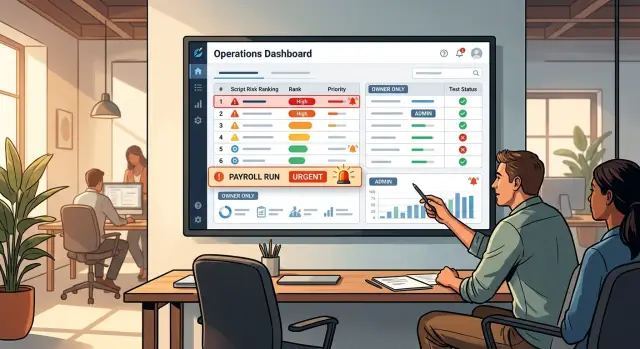
Table of Contents
Why small scripts cause big problems
The scripts that create the biggest mess often look harmless. They are short, quiet, and easy to ignore. A cron job moves data between systems. A small export cleans a CSV before payroll. A one-step task sends invoice data to accounting or builds a daily billing report.
If one of those scripts skips a run or produces bad output, the damage shows up somewhere else. People get paid late. Customers receive the wrong invoice. Finance spends hours fixing numbers by hand. The script is small, but the process around it is not.
That is why code quality alone is the wrong way to judge risk. A messy script that creates a low-stakes report once a quarter is annoying. A neat 40-line script that prepares payroll data every Friday is far riskier. Business impact matters more than elegance.
The real pain usually starts after the failure. Nobody knows who owns the script. Finance thinks engineering set it up. Engineering thinks finance asked for it years ago. The original author left. No one knows where it runs, what input it expects, or whether it is safe to rerun. While people dig through chat history and old repos, the deadline keeps moving closer.
Small teams feel this more than anyone. Lean operations rely on a handful of automations that save hours every week. That works well until one breaks and nobody can fix it quickly.
Picture a script that matches approved contractor hours with payment records and exports the result for payroll. It runs fine for six months. Then a field name changes in the source file. The script finishes without a clear error, writes a partial export, and finance catches the problem an hour before payments go out. The code is short. The cleanup is not.
Which scripts need attention first
Most teams do not get burned by the script they worry about. They get burned by the tiny one nobody documented.
Start with scripts that can hurt the business fast if they fail or run incorrectly. Money comes first. Access comes next. Then look at anything tied to staff records, compliance reports, customer billing, or handoffs between systems.
You do not need a full audit to find them. A short inventory is enough. Include scripts that create, change, or export payment data, grant or remove user access, prepare reports for finance, HR, or leadership, sync employee or contractor data between tools, or trigger actions in another system without a person reviewing the result.
Scheduled jobs deserve extra attention. If a script runs at 2 a.m. and nobody checks the output until the next afternoon, the risk is higher than it looks. The same goes for jobs that email files, push data into payroll, or clean up records automatically.
Do not stop at cron jobs and formal automations. Teams often build one-off scripts that slowly become weekly habits. Someone writes a quick export, and six months later payroll depends on it every Friday. If people would panic when that script disappears, it belongs on the list.
Low-risk helpers can wait. A local rename script, a personal log parser, or a migration file nobody uses anymore does not need the same attention. Focus on the scripts that quietly became part of a business process.
If you are not sure, ask one question: "If this script breaks on the worst possible day, who notices first, and what stops?" Scripts with a clear and painful answer go to the top.
A simple way to score risk
Once you have a list, avoid turning this into a long debate. A blunt scoring system works better than a clever one.
Rate each script in three ways: business impact, change frequency, and user count.
Business impact is the first score. If the script fails today, what happens? A low score means a small delay or an easy manual workaround. A medium score means one team loses hours fixing the issue. A high score means payroll, billing, compliance, customer access, or another important process can break.
Change frequency is next. Some scripts sit untouched for months. Others get edited every week, or they depend on inputs that keep changing: API fields, CSV headers, vendor exports, tax rules, or file formats. The more often the script or its inputs change, the easier it is to break.
User count is the third score. Do not count only the person who runs the script. Count everyone who feels the damage when it fails. A single finance analyst might import the file, but the result may affect every employee on payroll. One operations person may click the button, while support, customers, and managers all deal with the fallout.
Keep the scale simple: low, medium, or high. If your team starts arguing over whether something is a 6 or a 7, the system is too fancy.
Any script that scores high in two or more areas should move up the list. That is where ownership, tests, alerts, and backup support stop being optional. A script with high impact and frequent changes deserves attention quickly. So does a script with high impact and a large number of affected users, even if nobody has touched the code in months.
If two scripts look similar, use one tie-breaker: which one would create the ugliest Monday morning for the most people? Start there.
Give each script an owner and a backup
Every script tied to payroll, billing, access, or customer data needs a clear owner. If nobody owns it, everybody assumes somebody else will fix it at 5:45 p.m. on Friday.
The owner is the person who approves changes and takes responsibility when the script fails. That does not mean they write every line or stay on call all night. It means the team knows who makes the call, who reviews risky edits, and who responds first when something goes wrong.
The backup matters just as much. People take leave. People switch roles. Sometimes the owner is dealing with another incident. If a script can delay pay runs or block invoices, the backup needs enough context to take over the same day, not after a week of guesswork.
A short note in the repo or operations docs is enough. Record the owner, the backup, who gets the first alert, who can approve a rollback, and where the runbook lives.
Tie ownership to a role as well as a name. "Payroll automation owner - Finance systems lead" lasts longer than "Sam owns this." Names change quickly. Roles make handoffs cleaner.
Decide the escalation rule before you need it. The first alert should go to the owner. If they do not respond within a set time, send it to the backup. Decide who can roll back a change and under what conditions. That choice is much easier to make on a calm Tuesday than during a payroll issue.
This does not need to feel corporate. In a small company, the owner might be an engineering manager and the backup might be a senior developer or operations lead. The point is simple: one person says yes, one person can say roll it back, and nobody wastes an hour asking who is in charge.
Match the safety checks to the risk
Not every script needs the same level of protection. A script that renames files once a month should not go through the same process as one that touches pay, invoices, customer access, or reports that leaders rely on.
For high-risk scripts, put a small safety net around every change. Run a fast test that checks the expected input, the expected output, and the failure you see most often. Keep it practical. A ten-second check that catches a broken column name is better than a long test nobody runs.
Alerts matter just as much as tests. Send a message when a run fails, when the output looks wrong, or when an expected file never appears. Missing output causes as much trouble as obvious errors because the process can stall while the script stays quiet.
Write down the first steps for the first 30 minutes of an incident. Include who checks the last run, where the logs live, what normal output looks like, and when the backup should step in. Keep the notes short enough that someone can use them under pressure.
Store logs where the owner can find them quickly without asking around. One clear place beats five half-useful places.
A simple rule works well. High-risk scripts get tests on every change, alerts for failures and odd output, saved logs, and a short triage note. Medium-risk scripts get a smoke test, failure alerts, and basic run history. Low-risk scripts can rely on lighter checks if the business impact is small.
That is enough process for the scripts that can cost real money, block staff, or force someone to repair data by hand at the end of the day.
Set this up in one afternoon
You can make a real dent in this problem in a few hours.
Start with what actually runs in live work. Pull script names from the repo, scheduled jobs, CI tasks, shared folders, and any server that still runs an old command on a timer. Do not trust memory. People forget the script they wrote 18 months ago until it delays payroll or sends the wrong file.
A simple spreadsheet works fine. Give each script one row and add a few columns: purpose, business impact, change frequency, user count, current owner, and backup. This quick pass usually exposes the fragile parts of the operation faster than a long audit.
If the team stays focused, you can get through 20 to 40 scripts in about two hours. Keep the scoring rough. You are ranking risk, not chasing perfect precision.
Then sort the list and mark the top group for action this week. If a script can delay pay, billing, customer access, or reporting, treat it as high impact even if it is only 40 lines long.
Assign one owner and one backup to that top group first. Use names. "Finance ops" is vague. "Maya owns it, Chris backs it up" is clear.
Before the next change, add a small safety pack to each script in the top group: one test for normal input, one for a bad case, an alert for failure or missing output, and a short support note that says where the script lives, what triggers it, what it depends on, and the first rollback step.
That is enough to move from guesswork to control. You do not need perfect coverage on day one. You need a ranked list, real owners, and a few checks that catch the obvious failures before they turn into tomorrow morning's problem.
A payroll example
A payroll export script is a good example because the risk is easy to miss.
Imagine a script that runs every other Friday at 6:00 a.m. It pulls hours and pay data from one system, reshapes the file, and sends a CSV to finance before the workday starts. Most days, nobody thinks about it. That is exactly why it gets neglected.
Then a small change lands. A vendor renames a column. A date format switches from MM/DD/YYYY to YYYY-MM-DD. The script still runs, but the export no longer matches what finance expects. By 8:30 a.m., payroll processing stops and people start hunting for the one person who "usually knows that script."
This script jumps to the top of the risk list because the user count is wider than it first appears. One finance analyst may click the import button, but the result affects the whole company.
Its score is hard to argue with. Business impact is high because a failure can delay pay. Change frequency is medium to high because payroll fields, tax codes, and vendor exports change over time. User count is high because the output affects every employee.
A script like that needs a named setup. Give it an owner who approves changes, a backup who can run and roll it back, alerts for job failures and suspicious output, a sample file test that checks headers and totals, and a fallback path for the same day if the automated export fails.
When teams argue about script ownership, this is the example that usually settles it. If one format change can block payroll, the script needs a clear owner before it breaks.
Common mistakes that leave scripts orphaned
Most orphaned scripts do not look abandoned. They sit in a repo, run on schedule, and seem fine until one expired password, one vendor change, or one bad CSV stops a business process cold.
The first mistake is vague ownership. A team "owns" the script, which usually means nobody really does. Five people can edit it, but no one checks failures, updates dependencies, or answers alerts. Give the job to one person and name one backup.
Another problem is shallow testing. Teams run the happy path once, see the right output, and move on. Real failures come from bad dates, missing files, changed column names, empty records, duplicate rows, and partial API responses. Payroll and finance scripts usually fail at the edges, not in the clean demo case.
Alerts also fail in boring ways. The script emails an old inbox nobody checks. It posts in a noisy group channel where the warning disappears in ten minutes. An alert works only if one person sees it quickly and knows what to do next.
Then there is tribal knowledge. The script works because Sam knows it must run after a vendor export, before 4 p.m., and only after checking one field by hand. When Sam leaves, that knowledge leaves too.
A short support note fixes more than people expect. Write down what the script does, when it should run, what can break it, who fixes it first, and how to rerun or roll it back safely.
The last mistake is waiting for an incident before ranking risk. That is backwards. If a script touches money, compliance, customer access, or a process many people depend on, treat it seriously while it is still working.
If people say things like "the ops team handles that" or "it has always worked," treat that as a warning sign.
Five-minute check before a change
A small edit to an operations script can create a messy morning. Before anyone ships a change, take five minutes and confirm that the script still has a human around it, not just code around it.
For higher-risk scripts, check five things.
First, confirm the owner and backup by name. If one person is asleep, on leave, or tied up with another issue, someone else must know how to step in.
Second, run a fresh test with the current change. Do not rely on last month's result. Use sample input that looks close to real data, then verify the output with your own eyes.
Third, check where alerts go. An alert that lands in an old inbox or a quiet channel is almost the same as no alert at all.
Fourth, read the rollback steps once. If the recovery plan cannot fit on a short page, it is probably too vague to help during an incident.
Fifth, update the support notes. Record the inputs, expected outputs, schedule, and what normal success looks like.
A payroll export makes this concrete. If someone changes a field name on Thursday, the script may still run on Friday but send the wrong values into finance. A named owner catches the issue, a test run exposes the bad output, and a rollback note gives the team a clean way back.
Keep this check short enough that people will actually do it. If it takes 30 minutes every time, they will skip it. If it takes five, it becomes part of the release habit.
What to do next
Start with four groups: payroll, billing, employee access, and compliance. These scripts tend to run quietly for months, then fail on the worst possible day.
For each script, note the business impact, how often it changes, and how many people depend on it. That gives you a short list of the scripts that need real ownership instead of vague team responsibility.
Put the basics in one place. A shared doc, spreadsheet, or ticket is enough if everyone can find it. Record the owner, backup, test status, alerts, and a short note that says what the script does, when it runs, and what to check if it fails.
Do not treat the score as permanent. Review it when the script changes, when a new team starts using it, or when the script moves closer to money, access, or compliance work. A small internal script can become much riskier after one process change.
If your team is too busy or nobody feels confident making the calls, an outside review can help. Oleg Sotnikov at oleg.is works with startups and smaller companies as a Fractional CTO, and this kind of practical cleanup fits that work well: sort the risky automations, assign owners, and add the tests and alerts that keep them from turning into larger incidents.
If you do only one thing today, do this: assign one owner to the payroll script and make sure one other person can support it. That single step prevents a surprising number of bad Mondays.
Frequently Asked Questions
What counts as a high-risk operational script?
Treat a script as high risk when it can delay pay, send wrong invoices, change access, affect compliance, or break a process many people rely on. Short code does not mean low risk.
If people would panic when the script fails on a busy day, put it near the top of your list.
Which scripts should we review first?
Start with payroll, billing, employee access, and compliance work. Then check scheduled jobs, exports, syncs between systems, and any script that triggers actions without a person reviewing the result.
One-off scripts also matter if the team now uses them every week.
How do we score script risk quickly?
Use three simple scores: business impact, change frequency, and user count. Mark each one low, medium, or high.
Move any script up the list when it scores high in two of those areas. That gives you a practical ranking without long debates.
Who should own a payroll or billing script?
Pick one named owner and one named backup. The owner approves changes and takes the first call when the script fails. The backup steps in the same day if the owner is away or busy.
Tie ownership to a role too, so the handoff stays clear when people change jobs.
Does every script need tests and alerts?
No. Match the safety checks to the risk.
High-risk scripts need a test for normal input, a test for a common bad case, failure alerts, saved logs, and a short support note. Low-risk helpers can use lighter checks if failure only causes a small delay.
What should the backup person know?
The backup needs enough context to run the script, check the output, read the logs, and roll back a bad change. They should not need to dig through old chat messages to figure out the basics.
A short runbook with inputs, schedule, dependencies, normal output, and first rollback step usually covers it.
How much documentation does a script need?
Keep it short and useful. Write down what the script does, when it runs, what it depends on, where logs live, who gets alerts, and how to rerun or roll it back.
If someone can use the note under pressure in ten minutes, you wrote enough.
What kind of alert setup actually works?
Send alerts to one person who owns the response, not to a noisy channel nobody watches. Then add an escalation rule so the backup gets the alert if the owner does not respond in time.
Also watch for missing output, not just hard failures. Silent bad runs cause plenty of damage.
How often should we review script risk?
Review the score when the script changes, when inputs change, when another team starts using it, or when the script moves closer to money, access, or compliance work.
A script that looked harmless six months ago can turn risky after one process change.
What is the fastest first step for a small team?
Make a simple inventory today. Pull script names from repos, cron jobs, CI tasks, shared folders, and servers. Then score them and assign owners to the top group first.
If you only do one thing, name an owner and a backup for the payroll script before the next change lands.


