Command allowlists for code assistants on real repos
Command allowlists for code assistants help teams limit file writes, shell tools, and outbound calls on real repos without slowing useful work.
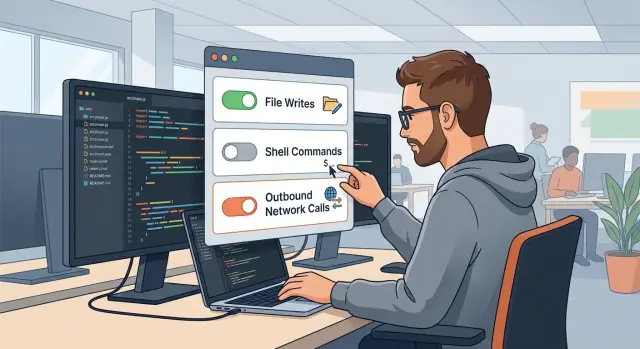
Table of Contents
What goes wrong without clear limits
A code assistant can look careful for hours and still damage a repo with one bad action. The risk is not only bad code. It can be a write to the wrong file, a shell command that reaches too far, or a quiet call to a service nobody approved.
Useful changes are usually small and easy to review. Think of one handler update, one test fix, or a typo in a config comment. Risky actions look different. The assistant rewrites an env file, removes migrations it thinks are unused, runs a cleanup command in the wrong directory, or edits deployment settings because they seem inconsistent.
The problem is that this can look normal at first. A commit may pass basic checks and still hide damage that shows up later. Delete a lockfile and builds start to drift. Change Docker or CI settings and production stops matching local runs. Swap one API endpoint for another and now your code sends data to a service the team never meant to use.
Trust is not enough to protect a live codebase. Even a strong model cannot know which files are politically sensitive, legally sensitive, or fragile because of years of history. In real repos, some of the smallest files carry the most risk: payment settings, auth rules, billing jobs, alert routes, and backup scripts.
That is why clear limits matter. A good assistant can still make a bad guess. If it can write anywhere, run almost any shell command, and reach the network freely, one helpful task can turn into silent damage before a human notices. The safer goal is simple: let the assistant help where mistakes stay small, and block the actions that spread fast.
What a task-based allowlist means
A task-based allowlist is a short rule set that says what a code assistant may do for one kind of job and what it may not do. It is a permission menu, not a trust badge. The assistant does not get broad access just because it behaved well once.
On a real repo, different actions carry different kinds of risk. Reading code is usually low risk. Changing files, running shell commands, or calling outside services can break builds, leak data, or make changes that are hard to spot later. It helps to split permissions into three separate areas: file writes, shell commands, and outbound calls.
That split matters because each area fails in a different way. A bad file write can touch the wrong config. A shell command can delete generated assets or rewrite history. An outbound call can send code, secrets, or internal names to a host you never approved.
One broad permission set fails because tasks are not all the same. If the assistant is cleaning comments, it may only need read access and narrow write access in one folder. If it is updating tests, it may need to run one test command and nothing else. If it is debugging a deployment issue, it may need log access but still should not make network requests on its own.
This is why task-based tool permissions work better than broad tool approval. You keep the assistant useful by giving it enough access to finish the job, then stopping there. It can still draft code, edit approved files, and run safe commands, but it cannot roam across the whole repo or act like a full-power developer account.
Start with task types, not tool names
Safe rules get easier when you group work by job, not by command. A read-only review needs search, open, and diff. It does not need write access, package installs, or network calls.
Many teams do the opposite. They approve tools one by one and end up with a pile of exceptions nobody wants to read.
Keep the task list short and plain. A read-only review can inspect files, search code, read logs, and compare diffs. A small bug fix can edit a few files and run the smallest test that proves the fix. A refactor may touch several files, run tests, and update nearby docs. A test-run task can execute test commands and collect output without editing code. Release prep can bump versions, update changelogs, and prepare build artifacts, but it should sit behind stronger review.
Each task should get the smallest permission set that lets it finish. If a small bug fix only needs file edits plus one test command, stop there. Do not also allow broad shell access just because it might be useful later.
Narrow tasks keep rules readable. "Small bug fix in one service" is clear. "General engineering work" is where trouble starts, because it invites wide write access and vague approval.
Set approval levels before anyone uses the assistant on a real repo. A read-only review may need no approval. A small fix may need the repo owner or tech lead. Release prep should usually need a named human reviewer.
Teams building AI-first development workflows often do better with simple lanes like these. People can follow them, audit them, and spot permission creep quickly.
How to build the first allowlist
Build your first allowlist around one real workflow, not every possible task. Pick something small, common, and easy to review, such as fixing a failing test, updating one service module, or cleaning docs in a known folder. If you try to cover the whole repo on day one, the rules get messy fast and nobody trusts them.
Give the assistant broad read access across the repo. It usually needs to inspect nearby files, tests, and config to understand context. Keep write access narrow. If the task is limited to src/billing and its tests, let it write only there. Keep it out of shared config, deployment folders, and package files unless the task clearly needs them.
A few paths should stop the flow and ask for a person every time. That short approval gate matters more than a long policy file nobody follows. In most repos, this list is enough:
- secrets and environment files
- migrations and schema changes
- deployment scripts and infrastructure config
- auth, billing, and permission settings
- root build files that affect the whole repo
Test the rules on a branch before the team uses them every day. Run a few normal prompts, then a few risky ones. Watch where the assistant gets blocked, where it asks for approval, and where it still has too much freedom. A good pilot often feels a bit strict at first. That is fine.
Most teams expand these rules in small steps. First prove that one workflow is safe and useful. Then add the next task type, keep the same review habits, and tighten any folder or file rule that caused surprises. That slow start saves a lot of cleanup later.
Decide what the assistant may write
Write access should follow the task, not the tool. If the assistant is fixing a bug in app code, let it edit the files that hold that bug. If the task is only to inspect, explain, or suggest, keep the repo read-only.
That one rule cuts a lot of risk. An assistant that can write anywhere will eventually touch files that carry far more weight than a small code fix.
A good default is narrow write access for normal development work. In a web app repo, that often means source folders, tests, and maybe docs next to the changed code. If the task does not ask for a code change, do not allow writes at all.
Some paths should stay blocked unless a person approves them. These files can change deploys, costs, or security in a single edit:
- secret files and env templates
- lockfiles and package manager state
- CI settings such as pipeline and workflow files
- infrastructure folders such as Terraform, Docker, and deployment scripts
- database migrations that change production data
Generated files need even tighter rules. They can flood a pull request with noise, hide a bad change, and slow review. If code generation is part of the task, limit the assistant to a named output folder and cap how many files it can create or rewrite in one run.
Keep a short human review list and treat it as fixed. In many repos, that list is enough: CI config, deployment directories, auth or billing code, migrations and seed data, and any file that holds secrets or production settings.
For example, if an assistant fixes a Next.js bug in a startup product, it may edit the page, API handler, and test file. It should not touch GitLab CI, Terraform, or a lockfile unless someone asked for that change and approved it. That is how repo permission rules stay useful without turning into silent damage.
Set limits for shell commands
Shell access is where a helpful assistant can do real work and real damage. Match the command set to the task, not to the model. If the job is to trace a bug, the assistant can search files, run a formatter, check types, and run a small test. It does not need install rights or deploy rights.
A simple rule set works well for most repos. Allow low-risk local commands that inspect or verify work, such as search, format, lint, type-check, and focused test runs. Ask for approval before any command that changes the environment or project state, such as package installs, code generation, database tools, migration scripts, seed scripts, and deploy helpers. Block destructive commands outright, including mass delete, force reset, broad permission changes, process kill commands, and shell loops that rewrite many files at once.
Keep the scope narrow. If the task touches one service, let the assistant run tests for that service only. If it needs logs, let it read local files, not poke at production tools. In repos that use GitLab runners, Kubernetes, Terraform, or database scripts, this line matters a lot. Local linting is one thing. Running kubectl apply, terraform apply, psql, or a release script is another.
Approval rules should cover commands that pull in new code too. A package install can change the lockfile, add post-install scripts, or break a build in ways that are hard to spot during review. Database commands carry the same kind of risk. One careless migration can leave a mess that takes hours to unwind.
Record every shell attempt. Save the command, working directory, timestamp, exit code, and a short reason the assistant gave for running it. Those logs help you tune shell access over time. They also make review easier when something odd happens, like an assistant trying three similar commands because the first one failed.
Good shell limits do not slow useful work much. They mainly stop the commands that create the biggest mess.
Set limits for outbound calls
Most tasks do not need the network at all. If an assistant is renaming files, fixing a test, or cleaning comments, outbound access should stay off. Turn it on only when the task clearly needs data or a service outside the repo.
Unknown endpoints should be blocked by default. That one rule cuts a lot of risk. It stops a tool from sending code, secrets, or build details to a random host because a prompt, plugin, or bad default told it to.
Do not treat all external services as one bucket. Issue trackers, package registries, and model APIs have different risk levels and different reasons to exist. A docs task should not reach any of them. A dependency update might need one registry and nothing else. A bug triage task may read one issue tracker project but should not publish comments unless the task asks for that.
Keep the rule small and precise. Allow a named host, a narrow path when you can, and only the methods the task needs. Read-only access is safer than write access. If the assistant only needs to check whether a package exists, let it do that and nothing more.
This matters even more in AI coding guardrails where one workflow can mix code review, test runs, and model calls. That does not mean every step should share the same network access. Split permissions by task so one harmless job cannot quietly turn into data leakage.
Log every outbound call. Record the task type, tool, destination, time, and whether the call was allowed or blocked. Teams usually learn two useful things from these logs: some approved calls never happen, so they can remove them, and some blocked calls happen often enough to justify a tighter, clearer rule.
If you can answer "which task called which service, and why?" you have a rule set people can trust.
A simple example from a live repo
In many small SaaS repos, app code, billing logic, and deployment files sit side by side. You might have app/ for the product, billing/ for invoice and payment flows, and deploy/ or CI files that can push changes to production.
Now take a normal support ticket. A user updates their timezone on the account page, but the API keeps saving the old value. The assistant gets a bug-fix permission set, not full access to the repo.
It may read the repo to trace where the field moves from UI to API to database. It may edit the account form, the API handler, and one shared validation file. It may run lint on the changed files, run the user settings test and one small integration test, and read the git diff so it can explain its patch.
That is enough for the task. It is not enough to wander.
If the assistant tries to edit billing/.env, change webhook settings, or touch files under deploy/, the write rules block it. If it tries to run kubectl apply, a deploy script, or a Terraform command, the shell policy blocks that too. The bug has nothing to do with secrets or release steps, so those paths stay closed.
This is where task-based permissions make a real difference. The assistant can still do useful work, but it cannot turn a small UI fix into a billing incident or an accidental rollout.
In this example, the assistant finds a stale field mapping, updates three files, and gets the tests green. A developer then reviews a small diff, checks the test output, and gives final approval before merge.
That last step is quick because the rules kept the change narrow. The team still gets help from automation, but a human decides when code touches anything outside the task.
Mistakes that create false safety
A bad allowlist can look strict on paper and still leave a repo exposed. The most common mistake is one giant rule set for every task. If the assistant can edit app code, migration files, deployment scripts, and CI settings under the same profile, then a small docs task gets the same reach as a planned refactor. That is how harmless automation turns into quiet damage.
Teams also swing too far the other way. They block so many commands and write paths that normal work becomes annoying. Then people add temporary exceptions, share broad bypass accounts, or switch the guardrails off when deadlines hit. A rule people hate will not last.
Folder rules help, but they do not solve the whole problem. A repo path does not tell you what a shell command will do. An assistant may stay inside an allowed folder and still reset git state, install unsafe packages, rewrite generated files, or open a tunnel to an outside service. Network access creates the same gap. A narrow write rule can still leak code or secrets if outbound calls stay open.
Stale rules create another false sense of safety. Repos change fast. Teams split services, move config, add build steps, and retire old scripts. If the policy still matches last quarter's layout, it may block safe work in new areas and miss risky actions in newly added ones.
A quick smell test helps. You probably have a problem if one policy covers every task, developers keep asking for manual overrides, the rules only mention folders and ignore shell or network access, or the repo changed while the policy file did not.
Review the rules whenever you add a package manager, a deploy script, or a new external API. That small habit catches more real risk than a long policy file nobody updates.
A quick check before rollout
Before you switch this on in a real repo, test the rules against normal work, not only worst cases. A safe setup that blocks every small edit will get ignored within a week.
A short pre-rollout check helps:
- Give each task type a named owner.
- Put approval in front of risky writes and risky commands.
- Make the logs easy to read.
- Keep the override path simple.
- Test a few small jobs before wider use.
One small exercise catches a lot. Ask the assistant to make a safe docs edit, then a test-only change, then a package update. You want three different outcomes. The docs edit should pass. The test change may pass with light limits. The package update should stop for review.
Logs matter more than many teams expect. When something goes wrong, clear records save time. You should be able to answer three plain questions in under a minute: what changed, who approved it, and what the assistant tried before the block.
If that feels slow or confusing, fix the process before rollout.
What to do next
Pick one real repo this week. Do not start with the biggest codebase or the messiest workflow. Pick one narrow task that happens often, such as fixing lint errors in one package, updating tests for a small module, or editing docs in a single folder.
Build your first allowlist around that task only. Let the assistant read what it needs, write only where the task lives, run a short set of shell commands, and make no outbound calls unless the task truly depends on them. Small scope is easier to trust and easier to fix.
After the first few runs, pause and review the logs with the team. That short review usually tells you more than a long policy draft. Look for commands the assistant requested but never needed, file paths that were broader than the task required, safe commands you forgot to allow, and places where the assistant kept asking for approval because the rule was too loose or too strict.
Then tighten the rules and run the same task again. If the assistant still finishes the job without extra approvals, you are moving in the right direction. If it struggles, reduce the task scope before you add more permissions.
Teams that want outside help with this kind of setup sometimes work with Oleg Sotnikov through oleg.is. His advisory work focuses on practical AI-augmented development, repo guardrails, and Fractional CTO support for startups and smaller teams.
A second review can be useful before wider rollout, especially if your repo mixes product code, infrastructure, and sensitive business logic in the same place.
Frequently Asked Questions
What is a task-based allowlist?
A task-based allowlist gives the assistant only the permissions needed for one job. A read-only review may get search, file reads, and diff, while a small bug fix may get narrow write access and one test command.
Why can’t I just trust the model?
Because even a strong assistant still makes bad guesses. It may edit the wrong file, run a shell command in the wrong place, or send data to a service your team never approved.
Which files should always need human approval?
Start with a short fixed set: secret files, env templates, migrations, CI and deploy files, auth and billing settings, and root build files. Those paths can change security, cost, or production behavior with one edit.
How much write access should I allow by default?
Give broad read access and narrow write access. If the task lives in one folder or one service, let the assistant write only there and keep shared config, lockfiles, and deploy code closed unless the task clearly needs them.
Which shell commands are usually okay?
Keep the shell to low-risk local checks like search, formatting, lint, type checks, and focused tests. Stop for approval before installs, code generation, database tools, migration scripts, deploy helpers, or anything that rewrites lots of files.
Should a code assistant have outbound network access?
For most tasks, no. Turn network access on only when the task truly needs one approved service, then limit it to named hosts and the smallest read or write actions that fit the job.
How do I build the first allowlist?
Pick one common workflow on a branch, such as fixing a failing test in one module. Let the assistant read the repo, write only in the task area, run a tiny command set, and then review what it asked for and what the logs show.
What mistakes make an allowlist look safe when it isn’t?
One giant permission profile often fails first. Folder-only rules fail too, because an assistant can stay in an allowed path and still run unsafe commands or call outside services, and stale rules drift away from the real repo over time.
What should I log for reviews and audits?
Record every write attempt, shell command, outbound call, approval, working directory, timestamp, and result. When something looks odd, those records let you answer what changed, who approved it, and what the assistant tried before the block.
How do I roll this out without slowing the team down too much?
Start small and test normal work, not just scary cases. If a docs edit passes, a test-only change works with light limits, and a package update stops for review, you likely have a rule set people will actually use.


