Argo CD vs GitLab deploy jobs for Kubernetes teams
Argo CD vs GitLab deploy jobs: a plain comparison of control, audit trail, rollback flow, and day two upkeep for small Kubernetes teams.
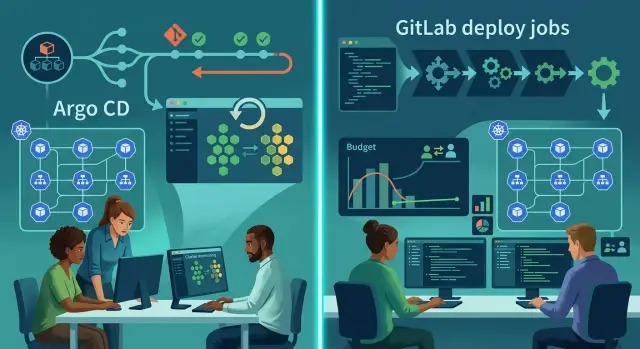
Table of Contents
Why this choice gets messy fast
Most small Kubernetes teams do not struggle because the tools are bad. They struggle because two deployment paths appear almost by accident, and nobody can say which one is the source of truth.
GitLab deploy jobs feel easy at first. Your code already lives there, your pipeline already runs there, and adding a deploy stage feels like one more step instead of a whole new system. For a team with a small budget, that simplicity is hard to ignore.
Then the edges show up. Someone changes a value in the cluster during an incident. Someone else reruns a pipeline to fix it. A week later, the manifests in Git, the live cluster, and the pipeline scripts no longer line up.
That makes this less a feature comparison and more a control question. Do you want CI to push changes into Kubernetes, or a controller in the cluster to pull approved state from Git?
Argo CD gives you that pull model and a cleaner GitOps setup. It also adds another dashboard, another set of rules, and another system to own. If nobody owns it, extra control turns into extra noise.
The confusion usually lands in the same places: who can trigger production, where approvals really happen, what counts as the latest intended state, how you notice drift before users do, and which tool people trust during a bad release.
Budget makes this harder, not easier. A lean team cannot afford two half-maintained systems. One clear, boring deployment path usually beats a smarter setup that only one engineer understands.
How each setup works
The biggest difference is simple: GitLab usually pushes changes into the cluster, while Argo CD pulls the desired state from Git.
With GitLab deploy jobs, a pipeline runs after a merge or manual trigger. That job uses credentials, talks to Kubernetes, and applies manifests with commands like kubectl apply or Helm. GitLab is where people approve, trigger, and watch the deployment.
With Argo CD, Git stays at the center. You store the desired Kubernetes state in a repo, and Argo CD watches that repo. When someone changes the manifests, Argo CD notices the new commit and syncs the cluster to match it. The cluster changes because Argo CD pulls them in, not because a pipeline pushes them out.
Both setups can use the same manifests. A team can keep plain YAML, Kustomize overlays, or Helm charts in Git and use either approach. The file format usually is not the real issue. Control is.
If you use GitLab jobs, control sits in the CI pipeline. Approval rules often live around merge requests, protected branches, and manual deploy buttons. That feels familiar to teams that already run most things through CI.
If you use Argo CD, control moves closer to the cluster and the repo that defines it. People still review pull requests, but Argo CD decides whether the live cluster matches Git and brings it back in line when it drifts.
That sounds like a small shift. In practice, it changes who can deploy, who can stop a sync, and which screen your team opens first when something looks wrong.
Who controls deployments day to day
Daily control depends on where the final yes lives. That sounds minor, but it changes who can ship, who can stop a release, and who gets called at 11 p.m.
With GitLab deploy jobs, control often sits inside the CI pipeline. A team member merges code, then someone with access to a protected branch, protected environment, or manual deploy job releases it. In many small teams, the same two or three people do all of that. It feels simple early on and messy later.
With Argo CD, control moves closer to the repo and the cluster policy. If auto-sync is on, the real release action is the merge. Once approved code lands in the deployment repo, Argo CD pulls the change and applies it. If auto-sync is off, someone still needs Argo CD access to press sync, so merge rights and release rights can stay separate.
Most teams end up answering the same daily questions: who can merge app changes, who can change deployment manifests, who can approve production, and who can act when nobody else is online.
Manual approvals fit more naturally in GitLab because the pipeline already has stages, approvals, and environment rules. Argo CD can support the same outcome, but teams usually spread approval across pull requests, repo rules, and sync settings. That can be cleaner, though it asks for more discipline.
Outside office hours, the difference gets obvious. A GitLab setup often needs an on-call person to run or approve a deploy job unless the pipeline deploys on its own. Argo CD can remove that midnight button click because it keeps reconciling the cluster to what Git says. The trade-off is blunt: if someone merges the wrong change, Argo CD applies that mistake just as faithfully.
For a small platform team, I would separate merge rights from production release rights unless the service is low risk and easy to undo.
What your audit trail really shows
When something breaks on Friday evening, the audit trail stops being a compliance topic. It becomes the fastest way to answer three plain questions: what changed, who changed it, and what reached the cluster.
GitLab deploy jobs give you a clear record of pipeline runs, job logs, commit SHA, and the person who triggered the job. That helps when you need to prove that a release happened at 14:07 and used image v1.8.3. The weak spot is context. If the job runs kubectl apply with values pulled from CI variables or scripts, the full cluster change can feel scattered across logs, templates, and runner settings.
Argo CD tells a different story. You can see drift, sync status, revision history, and whether the cluster matches the Git state. That is often easier for day-two support because the tool keeps pointing back to desired state versus live state. If someone changed something by hand in the cluster, Argo CD usually makes that visible fast.
The useful question is where the change appears first. Is it in a Git commit with the config change, in a pipeline job log, in a CI variable that only some admins can see, or in the cluster after a manual command? If the answer is often the second, third, or fourth option, tracing releases gets slow.
A new teammate is a good test. Ask them to trace one release from merged code to running pods. With GitLab-only deploy jobs, they may need to jump between repo history, pipeline logs, and runner behavior. With Argo CD, they usually find the config commit faster and then inspect sync history and drift in one place. Argo CD does not replace build history, test results, or image provenance, though. Many teams still need both views.
The better audit trail is usually the setup that keeps release intent in Git and makes cluster state easy to inspect without reading shell logs.
How rollback feels during a bad release
When production starts failing, the easier rollback is the one your team can do without thinking. GitLab deploy jobs can roll back, but many teams end up rerunning an older pipeline, triggering a manual deploy job, or reverting a commit and waiting for CI again. That path works, yet it adds small questions at the worst time: which pipeline used the last good image, does that job still have the right variables, and will the revert start extra steps you do not want?
Argo CD usually feels shorter. Most teams pick the last known good Git revision and sync it. The cluster moves back toward that declared state. You still watch pod health and startup logs, but the rollback path stays almost the same every time.
The gap shows up quickly when you test two boring failures: a broken config change, such as a bad Helm value or environment variable, and a broken image tag that deploys cleanly but crashes on start.
In GitLab, the broken config case often means making a revert commit or finding a previous job to rerun. The bad image tag case can be worse, because someone has to locate the last good tag, update variables, and deploy again. On a calm afternoon, that might take 10 minutes. During an incident, it can take 25.
In Argo CD, both failures usually start with the same move: sync the last healthy Git state. That consistency matters more than most teams expect. Small platform teams do better with one rollback habit than three slightly different ones.
Do not judge this by theory alone. Time both drills in your own setup, once with a broken config and once with a bad image tag. Write down the real minutes, clicks, and guesses. That number tells you more than any feature chart.
What day-two work looks like
The daily work starts after the first clean deploy. That is where Argo CD and GitLab deploy jobs split in a very practical way.
GitLab jobs often look cheaper at first. You already have CI, so adding a deploy stage feels small. Then the extra work piles up: runner updates, shell scripts that only one person understands, kubeconfig secrets, and old variables that nobody wants to touch.
Argo CD adds its own system to run and patch. You need to upgrade the controller, check project settings, rotate access, and clean out stale applications. That is real work. Still, the chores stay closer to Kubernetes, and teams usually spot problems faster because drift and failed syncs show up in one place.
If you compare the two on a small platform budget, count the weekly chores, not the setup time. Someone still has to patch Argo CD or patch GitLab runners and deploy images, remove stale apps or stale runners and old secrets, check drift or stuck jobs, review who still has deploy access, and fix the deployment path that broke after a repo change.
GitLab deploy jobs create hidden upkeep when deployments live inside scripts. A job can stay green while the cluster drifts later. Someone has to notice that gap and chase it down by hand.
Argo CD shifts that burden. You still patch the tool, not just the cluster, but drift becomes part of the normal view. For small teams, that matters more than people admit. One engineer can spend 20 minutes a day clearing stuck jobs and expired secrets, or spend the same time checking one control plane that shows what changed.
A simple rule helps: if your team owns more than a few services, the controller overhead is often easier to live with than script sprawl. If you deploy one or two apps and rarely change them, GitLab jobs may stay the lighter option.
A simple example with a small team
Picture a team with two developers, one shared Kubernetes cluster, and one senior person who handles infrastructure a few hours a week. They ship often, but production changes need a clear approval path because nobody wants surprise releases on Friday evening.
With GitLab deploy jobs, this team can get started fast. A pipeline builds the image, runs tests, and then someone presses the deploy job for staging or production. That works, but the part-time infra owner often becomes the human safety check. They end up watching pipeline permissions, checking variables, and answering questions like "Did we deploy commit A or commit B?"
Argo CD asks for more setup at the start, but daily work gets calmer. The team stores Kubernetes changes in Git, reviews them in a merge request, and treats the merge as the approval. Argo CD then syncs the cluster to that approved state.
A small team usually feels the difference during normal weeks, not only during outages. One developer changes an image tag or Helm value in Git. The other reviews it. The infra person only steps in for unusual changes. Argo CD applies the approved state and shows drift if someone changed the cluster by hand.
That often cuts manual work better than GitLab deploy jobs for this setup because approval, deploy intent, and cluster state stay tied to the same Git change. With plain deploy jobs, those pieces often split between merge requests, pipeline logs, and whoever clicked the button.
If the team cannot afford a full platform engineer, Argo CD usually wins after the first setup pass. GitLab deploy jobs are still fine for very small apps, but they ask for more human attention over time.
How to choose step by step
Start with your current process, not the tool names. Teams often argue about Argo CD and GitLab deploy jobs before they write down what they already do. That skips the part that matters most: where releases slow down and where people quietly fix things by hand.
Put your deploy flow on one page. Keep it plain. Include who merges code, who starts a deploy, where config lives, who can touch the cluster, and what happens when a release goes bad.
- Trace the real path from commit to production. If your team uses Slack messages, manual kubectl commands, or last-minute config edits, write those down too.
- Circle every place where a person changes something outside Git. Those spots usually cause the worst surprises later, especially when the same service behaves differently across environments.
- Choose the rollback method you trust under stress. Some teams feel safer rerunning an older GitLab pipeline. Others prefer GitOps, where they revert a commit and let the cluster move back to the known state.
- Count the work after setup, not only the first week. Argo CD adds another tool to run, watch, and teach. GitLab deploy jobs keep the stack smaller, but they often leave more room for drift and one-off fixes.
- Test one service both ways before you commit. Pick a service that matters, but will not sink your week if the trial feels rough.
Use the same test for both. Deploy a normal change, inspect the audit trail, roll back a bad version, and note how many manual steps your team took.
For a small platform budget, the better choice is usually the one your team can keep clean on a tired Tuesday night. If people already make cluster changes by hand, Argo CD often fixes a real problem. If your setup is simple and one team owns it end to end, GitLab jobs may be enough for now.
Mistakes that waste time and money
Most wasted budget does not come from the tool itself. It comes from a setup that looks tidy on a diagram but falls apart on a normal Tuesday.
Teams usually lose time when their process says one thing and their cluster says another.
Argo CD gets messy fast if the repo is messy. When app manifests, old patches, test files, and environment configs all sit in a confusing folder tree, every change feels risky. Reviews take longer. People stop trusting sync results. A small team should keep the layout boring and obvious, even if that means fewer abstractions.
GitLab deploy jobs create a different trap. Some teams call it GitOps, but engineers still hotfix the cluster with direct kubectl changes when pressure rises. That breaks the whole story. The pipeline log may look clean while the live cluster has changes that exist nowhere in Git. If people need emergency access, define when they can use it and who must put the change back into the repo right away.
Rollback is another place where teams fool themselves. A rollback plan that nobody has tested is just a guess. Run a drill on purpose. Break a release in a safe environment, then measure how long it takes to get back to a healthy state. You will find the gaps fast.
Small teams also burn money when they copy enterprise habits they cannot carry. A couple of engineers do not need layers of repos, many approval steps, and custom deployment logic unless there is a real reason. Extra moving parts turn day-two work into cleanup work.
The worst mistake is split ownership. If developers own manifests, someone else owns the cluster, and no one owns the release flow, incidents drag on. One person, or one very small group, needs clear control over deploy rules, access, and rollback steps.
The cheaper setup is usually the one your team can keep clean after six months of real changes.
A quick check before you decide
When the choice feels too close to call, stop comparing feature lists and test your team instead. The better option is usually the one your team can explain, trace, and repair on a tired Tuesday afternoon.
Ask one teammate to explain the full release path in under two minutes, from merge to production. Open the latest production change and confirm that you can see who made it, which commit shipped, and when it happened. Check your rollback path and make sure it moves cleanly back to an older Git state, not to a live cluster edit that nobody records well. Hand yesterday's deploy logs to a new teammate and see whether they can follow the story without a rescue call. Then count the real upkeep cost each month, including runner time, secrets, cluster access, Argo maintenance, and the hours people spend babysitting releases.
These checks sound basic, but they expose weak spots fast. A setup can look cheap on paper and still drain time every week because nobody trusts the logs or the rollback path.
If two or more answers feel vague, your process is carrying too much hidden work. Pick the option that gives your team a clear audit trail and a rollback flow they will actually use under stress. Fancy control is not much help if only one person understands it.
Small platform teams usually do better with the setup they can keep running on their current budget for the next year, not the one that looks smartest in a diagram. If you need a second opinion, a fractional CTO can often spot the weak point in one review.
What to do next
If you are stuck, do not roll the change across the whole cluster at once. Pick one service first. Choose something real, with regular releases, but not the most risky part of your system.
That small test will tell you more than a long debate. You will see who gets blocked, where approvals slow down, how clear the audit trail feels, and whether rollback is calm or messy.
Start with one service and one team. Write a short release note that names who approves, who deploys, and who can roll back. Run two or three normal releases, then do one rollback drill on purpose. Review what happened, including time spent, confusion, failed steps, and any drift between Git and the cluster.
Keep the document simple. One page is enough. If people cannot tell who owns the deploy after reading it, the process is still too loose.
For a small platform budget, the better option is usually the one your team can run without extra babysitting. Fancy control is not worth much if nobody wants to maintain it during a busy week.
After a few real releases, decide with evidence. If GitLab jobs feel clear and low effort, keep them. If Argo CD gives you better control and fewer surprises after deploy, move further in that direction.
If you want an outside review, Oleg Sotnikov at oleg.is works with startups and smaller companies on delivery flow, infrastructure, and AI-first engineering operations. A short consultation can help you choose a lean Kubernetes setup before the wrong process turns into production risk or extra cloud spend.
Frequently Asked Questions
What is the real difference between Argo CD and GitLab deploy jobs?
GitLab deploy jobs usually push changes into Kubernetes from CI. Argo CD watches Git and pulls the approved state into the cluster. That shift changes who deploys, where approvals happen, and how your team spots drift.
Which option fits a small Kubernetes team better?
If you run a few services, change them often, and want one clear source of truth, Argo CD often fits better after the first setup. If you deploy one or two simple apps and your team already trusts GitLab CI, deploy jobs may stay lighter.
Do I need different manifests for Argo CD and GitLab?
No. Both tools can use the same YAML, Helm charts, or Kustomize overlays. The bigger choice is how you control releases, not which manifest format you pick.
Where should production approvals live?
GitLab keeps approvals close to merge requests, protected environments, and manual deploy jobs. Argo CD usually shifts approval to the Git change itself, then sync settings decide when the cluster updates. If you want separate merge and release rights, plan that part early.
Which tool gives a better audit trail?
Argo CD usually makes the audit trail easier to follow because it shows the Git revision, sync history, and drift in one place. GitLab logs still help for builds and image history, but teams often dig through scripts and variables to understand the full cluster change.
Which one makes rollback easier?
Argo CD often feels simpler in a bad release because your team can sync the last good Git revision. GitLab can roll back too, but people often need to find an older pipeline, revert a commit, or rerun a job under pressure.
Can I use GitLab CI and Argo CD together?
Yes, but only if each tool has a clear job. Many teams use GitLab to build and test images, then let Argo CD handle cluster sync. Problems start when both tools try to deploy production and nobody knows which one wins.
When should I stick with GitLab deploy jobs?
GitLab deploy jobs still make sense when your setup is small, one team owns it end to end, and releases stay simple. They also work well when you already use GitLab permissions and do not want to run another controller yet.
How should I test the choice before I commit?
Start with one service that ships often but will not wreck your week if the test gets messy. Run a normal release, inspect who approved it, trace the audit trail, then do a rollback drill. The better option is the one your team can explain and repeat without guesswork.
When is it worth asking for outside help?
Bring in help when your team cannot answer simple release questions fast, such as who can deploy, what state production should match, or how to roll back without Slack archaeology. A short review from an experienced CTO can save weeks of drift, script cleanup, and bad release habits.


