Architecture drift: 3 signs your system is drifting apart
Architecture drift often starts with duplicate systems, one-off exceptions, and unclear ownership. Learn how to spot it early and act first.
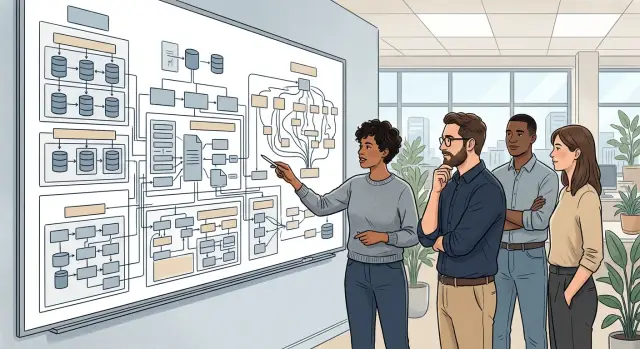
Table of Contents
What architecture drift looks like in real work
Architecture drift almost never shows up with a loud failure. Teams keep shipping, tickets still close, and customers may notice very little for months. That is why people often confuse it with ordinary tech debt.
Messy code can slow a team down while the system still follows the shape it was meant to have. Architecture drift is different. The original design no longer matches how the product actually works, so engineers keep adding side paths to make old parts and new needs fit together.
Most teams do not choose that on purpose. One team adds a cache to fix latency. Another keeps an old job because a migration feels risky. A deadline pushes a shortcut into one service, then a second shortcut appears to support the first. Each choice looks small and local. Together, they change the whole system.
That is why teams miss drift while work still moves. Local fixes can keep the product going for a long time. Releases go out. Revenue keeps coming in. People learn workarounds and stop seeing them as temporary.
A growing product often reaches this point after a year or two of fast change. The app still works, but simple requests now cross more services, rely on more special rules, and break in ways nobody expects. A bug that once touched one page now affects billing, support, and reporting because the boundaries got blurry.
Outages usually come late for the same reason. Drift does not break everything on day one. It cuts your margin for error bit by bit. Then a routine deploy, a traffic spike, or a failed retry hits the wrong weak spot, and the team finds dependencies nobody remembered creating.
That delayed pain makes drift easy to ignore. The system does not fail when the first odd decision lands. It fails after dozens of small decisions pile up and the original structure no longer fits the business.
Duplicate systems start doing the same job
Teams rarely plan this. It usually starts when the first tool feels slow, awkward, or risky to change, so someone adds a second one to solve one urgent problem.
That second tool often looks harmless at first. A new queue handles failed jobs because the old queue is hard to debug. A new admin panel helps support move faster because the old one keeps breaking. A spreadsheet tracks customer status because nobody trusts the database field anymore.
For a while, both systems seem useful. Then they start doing the same job.
The pattern is familiar: two queues process the same events, two admin tools can edit the same customer record, or two databases store the same business status. One team trusts the app as the source of truth while another trusts a back-office tool.
Teams do this because fixing the first system feels slower than building around it. Deadlines push hard. The old code scares people. Nobody wants to pause feature work for cleanup that users will never notice.
The cost shows up later. Someone writes a sync job to keep records aligned. Another team adds a manual check before release. Support starts asking engineering which screen is correct. Small handoffs pile up, and each one adds another place for data to drift.
A simple case makes the problem obvious. Support changes a subscription in the old admin tool, while billing reads data from the new one. A nightly sync tries to reconcile both. One field maps badly, so the customer sees one status in the app, finance sees another, and nobody knows which one should trigger an invoice.
That is architecture drift, not just a messy backlog item. The system no longer has one clear path for one business action.
The warning sign is simple: ask, "Which system wins if they disagree?" If the answer is "it depends" or "check both," the problem is already real.
Once a team accepts duplicate systems as normal, every change gets slower. You test twice, explain twice, and fix bugs twice. The outage may come later, but the confusion starts much earlier.
One-off exceptions become normal
A temporary workaround often starts with a fair reason. A big customer needs a special billing rule, finance asks for a manual approval step, or sales promises a custom workflow to close a deal faster. The team adds one extra path and moves on.
The problem starts when nobody comes back to remove it. After a few months, that exception is no longer a patch. It is part of how the system works, even if nobody designed it that way.
Billing is a common example. Maybe most customers pay on one schedule, but one account gets a custom invoice cycle, different tax handling, or a manual credit check. At first, that feels small. Then renewals, refunds, reporting, and alerts all need special logic too.
The same thing happens with product workflows. One customer skips a standard approval step. Another needs data copied into a separate system. Support learns a special process for both cases, and new team members inherit rules that exist only because nobody removed them.
This is where drift gets sticky. New features have to respect old detours. Engineers add one more condition, one more bypass, and one more manual check. The system still works, but only if people remember which path applies to which customer.
A useful test is blunt: if a rule was supposed to be temporary and nobody can name when it will disappear, treat it as part of the architecture. Review it like production logic, because that is what it has become.
Nobody owns the whole flow
Systems rarely fail inside one clean team boundary. They fail in the gaps between them. Product defines the behavior, engineering ships the code, ops watches uptime, and support hears the complaints. If nobody owns the full path a customer takes, architecture drift grows quietly.
You can spot this by mapping where each team stops. Product often stops at requirements. Engineering stops at deploy. Ops stops at service health. Support stops at closing the ticket. That sounds tidy, but real problems do not stop there.
A payment retry is a good example. Support sees duplicate charges. Engineering says the API returned 200. Ops says the servers stayed up. Product says the billing rule needs a decision. Meanwhile, nobody decides who fixes the bad data, who changes the retry logic, or who owns the alert when this happens again.
Shared ownership sounds fair. Most of the time, it means nobody has the authority to make the final call. People discuss the issue, add comments, and wait for someone else to move first. The system keeps working just well enough, so the gap stays open.
This is how repeated incidents stick around. Ops sees noisy alerts but does not know which customer flows matter most. Engineering patches the code but leaves old records untouched. Support invents workarounds because users need answers now. Product tracks the issue but does not own the technical fix.
The same bug returns every few weeks with a slightly different shape. Teams call it bad luck or tech debt, but the deeper issue is ownership.
Ask one plain question: who owns this flow from start to finish?
If one person or team owns it, you can expect decisions, follow-up, and fewer loose ends. If the answer turns into three team names and a long chat thread, you do not have shared ownership. You have an empty space in the system, and architecture drift grows fast in empty spaces.
A simple example from a growing product team
A product team starts simple. A new user signs up, gets a record in the auth service, starts a trial in billing, and, if something breaks, support sees the same account in the admin panel. For a while, the path is easy to follow.
Then growth hits. Marketing needs a partner portal in two weeks. Instead of extending the existing billing flow, a developer copies part of it into a new "promo checkout" service. It writes customer data to its own table and sends events with slightly different names. Nobody loves it, but launch day arrives and revenue comes in, so the copy stays.
A month later, a large customer asks for one special rule: invoices must wait for manual approval before payment capture. The team adds a flag called enterprise_hold. It bypasses the normal trial-to-payment step and pushes those accounts into a side queue that only finance and one backend engineer understand. The customer stays happy. The flag never gets removed.
Now follow one person through the system. She signs up on Monday, upgrades on Tuesday, and opens a support ticket on Wednesday because her card was charged twice. Support checks the admin panel and sees one account. Billing sees two customer records. The payment processor shows one captured charge and one pending retry.
Then the outage starts. The promo checkout service retries a webhook after a timeout. The original billing service also processes the same upgrade because the enterprise_hold path skipped the duplicate check. Refunds fail because the support tool reads from auth, not billing. Logs point to three places. Dashboards show two customer IDs for the same person. Ownership is split across product, finance, and backend.
The team spends four hours tracing event names by hand, comparing timestamps, and asking who changed what. Nobody finds one broken line of code. They find a system with two paths for the same job, one exception nobody cleaned up, and no single owner for the full signup-to-payment-to-support flow. That is why architecture drift hurts more than a messy codebase.
How to check for drift step by step
You do not need a big audit to find architecture drift. One working session with the people who touch the product every day can show where the system split into copies, shortcuts, and handoffs no one fully owns.
Start with the business paths that hurt most when they break. For a product team, that might be sign-up to first payment, lead to proposal, or bug report to production fix. If the path touches revenue, customer access, or support load, check that one first.
- Pick two or three user flows that matter most. Do not map everything. A short list keeps the session honest and makes weak spots easier to see.
- Draw each flow end to end. Include apps, databases, queues, dashboards, spreadsheets, scripts, and the people who step in by hand.
- Mark every place where the same data lives twice, where a side script updates records, or where someone runs a manual fix after the main process fails.
- Put one owner next to every step. Use a person or team name, not a department label. If nobody wants a step, that step already has a problem.
- Circle every exception that has no end date. Temporary rules often stay for years and quietly turn into the normal path.
The map matters more than the diagram style. A rough sketch in a meeting note is enough if it shows where work starts, where it changes hands, and where people patch the gaps.
Look for a few patterns. If two systems send the same email, store the same customer status, or decide the same rule in different ways, you have more than simple cleanup work. If support staff keep a private spreadsheet to correct orders, the system already depends on a hidden process.
This works because drift shows up across a full path, not inside one ticket. Oleg Sotnikov often helps teams reduce cost and risk by tracing real production flows end to end and removing duplicate moving parts before they turn into incidents.
If your map ends with three question marks and a Slack message asking "who owns this?", you found the place to fix first.
Mistakes that hide the real problem
Teams often call every messy part of a system "tech debt" and stop there. That label feels safe because it points at code, and code is easier to discuss than team habits or broken ownership. But architecture drift usually spreads through decisions, exceptions, handoffs, and missing rules long before anyone opens a refactor ticket.
Another common miss is measuring only code quality. Teams track test coverage, lint errors, and pull request speed, yet ignore the process sprawl around the product. If three teams use different ways to move the same customer data, clean code will not save them. The system still drifts because the work around the code keeps splitting.
Temporary fixes do a lot of damage when nobody reviews them later. A script added for a one-week migration stays for nine months. A manual approval step helps during a launch, then becomes part of daily work. After a while, people stop seeing these patches as exceptions. They become normal, and normal drift is much harder to notice.
Ownership also gets framed the wrong way. Many companies split it by org chart: frontend owns this, platform owns that, support handles the rest. Customers do not experience the org chart. They experience one flow. If nobody owns the full path from request to result, gaps appear between teams, and those gaps fill up with retries, side tools, and quiet failures.
A few habits usually hide the real issue: treating repeat incidents as isolated bugs, accepting manual work with no end date, tracking team boundaries instead of user journeys, postponing cleanup until traffic grows or customers complain, and waiting for a major outage to prove the problem is real.
That last mistake gets expensive. By the time an outage forces action, the cleanup is larger, riskier, and harder to schedule. Architecture drift is cheaper to fix when it still looks boring: a duplicate job, a forgotten exception, or a workflow that nobody can explain from start to finish.
A quick checklist before the next incident
Run this check in a 30-minute team meeting, not during an outage. You want calm answers, not guesses made while alerts keep firing.
Architecture drift often hides inside work that feels normal. A team adapts, adds one fix at a time, and only notices the pattern when a release breaks something far away from the change.
Use these checks and write down the answers:
- Ask one person to trace a customer request from the first click to the final database write, queue, and notification. If that person needs several handoffs to finish the story, your system has weak shared understanding.
- Look for the same business fact in two places. A common example is account status, pricing rules, or user permissions living in both the app database and a second admin tool.
- Find every workaround that was meant to be temporary. If a patch, script, or manual exception stayed in place for more than one quarter, treat it as part of the architecture and judge it like real production logic.
- Check each alert and retry path. Your team should name one owner for every alert, one owner for every retry rule, and one place where that logic lives.
- Ask support how they handle normal cases. If they copy data between systems, rerun jobs by hand, or keep a private checklist to fix routine issues, the product depends on manual labor more than the team admits.
A small example makes this easier to spot. Say a payment fails, then succeeds on retry, but the customer still sees the old status. Support updates one screen, finance checks another, and engineering inspects logs to see what happened. That is more than ordinary tech debt. The whole flow lacks a single source of truth and a clear owner.
If you answer "yes" to one item, keep watching it. If you answer "yes" to two or three, you likely have architecture drift already. Fixing it early is much cheaper than waiting for the next incident review to connect the dots.
What to do in the next 30 days
Thirty days is enough to stop architecture drift from getting worse. Do not start with a full rewrite. Pick one flow that breaks often, confuses people, or depends on exceptions that only one person remembers.
Map that flow end to end on one page. Include every service, manual step, approval, fallback, and spreadsheet. If your team argues about where the flow goes next, that is useful data, not a side issue.
Then make four decisions and write them down:
- Choose the duplicate system that stays. If two tools store the same customer data or send the same events, one wins and one gets a shutdown plan.
- Name one owner for the whole flow. This person does not need to do all the work, but they must approve changes and keep the map current.
- Review every exception still in place. Give each one a reason, an expiry date, and a person who will remove it.
- Set one small fix for the next sprint. Good examples are deleting a shadow database, removing a manual export, or merging two alert paths.
Keep the scope tight. A team usually gets more from fixing one messy path in billing, onboarding, or support than from a broad architecture cleanup project that nobody finishes.
Put review dates on the calendar now. Two weeks works for active incidents. Thirty days works for exceptions you can tolerate for a short time. If no date exists, the exception is now part of the system.
This work also needs a short record. A plain document is enough: current flow, owner, systems involved, exceptions kept, and what changes next. The goal is clarity, not ceremony.
Some teams move faster with an outside review, especially when internal habits hide the real problem. If you want a practical second opinion, Oleg Sotnikov offers this kind of architecture and Fractional CTO review through oleg.is and can help you decide what to remove first.
Frequently Asked Questions
What is architecture drift?
Architecture drift means your system no longer matches the shape your team thinks it has. The app still runs, but people add side paths, duplicate tools, and manual fixes to make things work. Over time, simple changes start crossing too many services and fail in odd places.
How is architecture drift different from normal tech debt?
Tech debt often lives inside code quality, old libraries, or rushed implementation. Architecture drift changes how the whole product works. You see it when two systems handle the same job, exceptions become normal, or no one owns a full customer flow from start to finish.
What is the first warning sign to look for?
Start with duplicate systems. If two admin tools can change the same record, two queues process the same event, or a spreadsheet tracks data that should live in the product, drift has already started. Ask which system wins when they disagree.
Why are duplicate systems such a big problem?
They create confusion first, then incidents later. Teams test twice, explain data twice, and fix bugs twice. When billing reads one source and support trusts another, nobody knows which value should drive the real business action.
Are one-off exceptions really that dangerous?
Yes, because teams rarely remove them. One billing rule for a large customer can spread into refunds, reporting, alerts, and support steps. After that, every new feature has to respect an old detour that nobody planned to keep.
How do I know if nobody owns the whole flow?
Ask one plain question: who owns this flow from start to finish? If the answer turns into several team names, a long chat thread, or "check with support and backend," you have a gap. Problems grow fast in gaps because no one makes the final call.
What should I map first if I want to check for drift?
Pick one flow that hurts when it breaks, like sign-up to payment or ticket to fix. Draw every service, database, queue, script, manual step, and person involved. That quick map usually shows copies, hidden workarounds, and ownership gaps faster than a broad audit.
Can we fix architecture drift without a full rewrite?
No. Skip the rewrite and choose one messy flow. Keep one system as the source of truth, name one owner, give every exception an expiry date, and remove one duplicate step in the next sprint. Small cleanup in the right place usually gives better results than a large redesign.
How often should we review temporary workarounds?
Review them on the calendar, not when someone remembers. Two weeks works for active issues, and thirty days works for temporary exceptions. If nobody sets a review date, the workaround has already become part of the system.
When does it make sense to get an outside review?
Bring in outside help when your team cannot agree on the real flow, the same incident keeps returning, or internal habits hide the cause. A fresh review can map the system, name the owner, and show what to remove first before the next outage forces the issue.


