API outage playbook for products that rely on one model
This API outage playbook shows how to add failover, limit damage, explain delays to users, and keep your product useful when one provider fails.
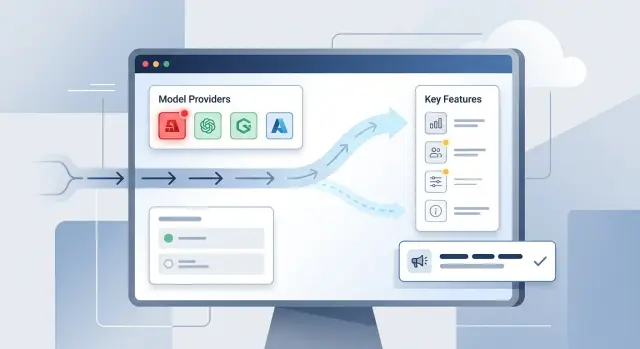
Table of Contents
What breaks when one API slows down
A slow model API rarely stays isolated for long. One request stalls, then the queue grows, workers stay busy longer, and every screen that depends on that response starts to feel broken. When search, chat, summaries, moderation, and support replies all run through one provider, a problem in one place can drag the whole product down.
Users usually notice first. They see a spinner that never ends, a draft that arrives 40 seconds late, or a button that works only on the second try. Full outages happen, but the more common problem is uneven behavior. Some actions work, others time out, and trust starts to slip.
Retries often make the damage worse. If every timeout triggers two or three more calls, your app creates extra traffic right when the provider is already struggling. That pushes you toward rate limits, piles up more jobs, and slows recovery even after the provider starts responding again.
The slowdown spreads inside your own system too. Database rows stay locked longer. Background jobs sit behind stuck requests. Support tickets rise because people repeat the same action again and again. A small provider issue can turn into a full product incident on your side.
That's why an API outage playbook matters. The first goal is not to make every feature look normal. The goal is to keep the product useful.
In practice, that might mean showing cached results instead of fresh generated ones, letting users save work while generation is delayed, returning plain text instead of polished formatting, pausing low-priority AI features, or telling users that processing is delayed instead of pretending everything is fine.
People usually forgive a simpler experience. They do not forgive confusion. When the model slows down, your product should do less, but do it clearly and predictably.
Decide what must keep working
During an outage, users care about one thing: can they still finish the job they came to do?
Most teams rank features the wrong way. They focus on the newest launch or the most advanced capability. That logic falls apart fast when the API starts timing out.
Start with user actions instead. Core flows are the tasks tied to the promise you sell. Extras are the parts people enjoy but can live without for a while. If your product depends on one model, split those groups before anything breaks.
A simple ranking starts with four questions:
- What must the user do to begin work?
- What must still save or sync?
- What output must they get today?
- What can wait without causing real harm?
That usually gives you a clear order. Sign-in, opening existing work, saving progress, and submitting the main request often stay at the top. Auto-titles, tone rewrites, suggested prompts, and background summaries usually move down.
Then decide what each part does in reduced conditions. Some actions should keep full quality. Some can shrink by using shorter prompts, smaller context windows, or fewer generated options. Some should move into a queue. Others should stop with a clear message.
A meeting-notes app is a good example. Uploading the file and saving the transcript probably matter most. A polished summary, grouped action items, and tone cleanup can wait. Most users will accept a simpler result much faster than a failed upload.
Write this order down in plain language and keep it somewhere the team can open in seconds. Do not leave it in one person's head. When the pressure rises, a written priority list saves time and avoids arguments.
Set outage triggers before you need them
If you wait until the model starts timing out, someone will always argue that the problem is not bad enough yet. That debate burns the first 10 to 20 minutes, and those are usually the most expensive minutes of the incident.
Set triggers in advance. Use numbers, not gut feeling. Pick a small set of limits that match real user pain: response time, error rate, timeout rate, and queue growth. For example, you might enter a strained state if p95 latency stays above 8 seconds for 5 minutes, or if failed requests pass 3 percent. You might declare an outage if failures hit 10 percent, queues keep growing, or requests stop returning at all.
Do not rely on the provider's status page as your main signal. Those pages are often late, vague, or too broad to tell you what your users are actually experiencing. Watch your own metrics first. If you already use Grafana, Sentry, or application logs, let your own system tell you when to act.
A simple three-state model is enough:
- Normal: response times stay near the usual range and core flows work.
- Strained: the provider is slow or unstable, but some requests still succeed.
- Outage: failures are high enough that normal use breaks.
Each state needs a matching action. In strained mode, you might shorten prompts, turn off heavy background work, or warn users about delays. In outage mode, switch to the fallback path, pause nonessential features, and show clear status messages in the product.
Decide who can change the state before an incident starts. One on-call engineer might be allowed to move the system to strained. A product lead or engineering lead might approve outage mode if the change affects billing, customer commitments, or visible features. Keep that chain short. During an outage, a short decision path beats a perfect one.
Build a fallback path
A fallback path has one job: keep the product usable when the main model stops answering, slows to a crawl, or times out.
The easiest version is a second provider for the same task. If that costs too much, keep a smaller backup model ready for the user actions that matter most. A short answer from a smaller model is usually better than a spinner that never ends.
Portability matters more than people expect. If your prompts depend on one vendor's special format, switching gets messy fast. Keep prompts plain. Keep input fields consistent. Define the output in a format your app already understands, such as a fixed JSON shape. That way you can swap models without rewriting half the request flow.
A practical fallback setup usually includes one backup provider or smaller model for the highest-priority actions, shared request and response formats across providers, routing rules stored in config instead of buried in application code, and clear timeout or error thresholds that trigger the switch.
Do not hide the routing logic deep inside one service. Put it in config, a feature flag, or an admin control so the team can change behavior during an outage without shipping a new deploy. It sounds minor, but it can save half an hour when every minute feels long.
Drills matter more than diagrams. Teams often assume failover will work because the code exists. The first real outage then reveals a broken prompt, a missing environment variable, or a parser that only understands one provider's response. Break the primary path on purpose in staging. If you can, run a short production drill during low traffic and confirm that alerts fire, traffic shifts, and the user experience still makes sense.
Reduce features without breaking trust
When a model provider gets slow, the best move is often to do less.
Users usually accept a smaller product for a while. They do not accept a product that pretends everything is fine, then gives bad answers, duplicates work, or hangs forever.
Good graceful degradation keeps the main job alive and trims the rest. If your app can still answer a simple question, generate a short draft, or complete a basic workflow, protect that path first.
One easy win is shorter output. Long responses take more tokens, more time, and more chances to fail. In reduced mode, cap the reply length, skip optional formatting, and remove extra passes such as rewriting or tone polishing. A plain answer now is better than a polished one that arrives too late.
Background work should usually stop before user-facing work does. Pause batch summaries, bulk tagging, re-indexing, nightly enrichment, and auto-generated reports. Most users do not need those tasks this minute, and stopping them frees capacity for the people waiting right now.
Cached results can buy you time too, if you use them carefully. A recent summary, a previous classification, or a known-good template is often enough during a short outage. This works best when freshness is not critical. If something may be stale, say so plainly instead of passing it off as new.
Some features should disappear for a while. Hide or disable anything that cannot work safely in reduced mode, especially features that combine multiple model calls or trigger outside actions. If a tool might send the wrong email, approve the wrong document, or save half-finished output, turn it off.
The rule is simple: keep the shortest path to a useful result alive, cut response length and optional steps first, pause background jobs that compete for the same capacity, use cached results only when they still make sense, and disable features that can mislead users or leave work half done.
A good outage plan does not try to save every feature. It protects trust.
Follow a simple response flow
When a model API starts failing, speed matters more than a perfect diagnosis. Give the team a short routine they can run without debate.
Start with live metrics, not guesses. Check error rate, latency, timeout count, queue length, and provider-level failures. If those numbers spike while users report trouble, treat it as a real incident and move.
- Confirm the issue in dashboards and logs. A short burst of errors may clear on its own, but rising latency plus retries usually means the provider is struggling.
- Switch to fallback or reduced mode quickly. Route traffic to a backup model if you have one. If you do not, disable the slowest or least important AI features so the main path still works.
- Cut extra load right away. Pause batch jobs, background summaries, bulk imports, and any automatic retry loop that can flood the provider.
- Post a short status update for users and support. One or two plain sentences are enough: what is affected, what still works, and when the next update will come.
- Recheck the switch every few minutes. Watch whether errors fall, queues shrink, and response time stabilizes before you return to normal mode.
A small team can run this with one person on controls and one person on communication. That split matters. If the same person tries to fix the system, answer support, and watch metrics, they will miss something obvious.
Keep the review cycle tight. Five minutes is a good starting point during a live outage. When service returns, remove limits in stages instead of turning everything back on at once.
Keep users informed during the outage
If your app depends on one model provider, silence feels worse than delay. People can handle a slowdown if they understand what changed, what will happen to their work, and when they will hear from you again.
Use plain language. Skip provider jargon, error codes, and vague lines such as "we are seeing issues." Say what users will notice: replies may take 5 to 10 minutes, image generation is paused, or new requests will wait in a queue.
Tell people what happens to work they already submitted. That matters more than technical detail. If requests will retry automatically, say so. If jobs will queue and run later, say that. If some actions are paused and need to be submitted again, be direct.
A good outage message answers four things: what changed for the user, whether work will queue, retry, or pause, how long the delay is likely to be, and when you will post the next update.
Be careful with time estimates. "Soon" frustrates people. "About 15 minutes for queued jobs" is much better, even if you later revise it. If you do not know the full timeline, say what you do know: "New requests are delayed. We will update this message in 20 minutes."
Keep one message current instead of scattering updates across email, chat, support replies, and popups. Pick one visible place in the product and refresh that same message on a steady schedule. That cuts guesswork and reduces duplicate support tickets.
A simple in-app notice can do the job: "Our AI provider is slow right now. New summaries will queue and run automatically. Current wait time is about 8 minutes. File uploads still work. Next update at 2:20 PM."
That kind of message respects the user. It sets expectations, lowers panic, and gives your team room to fix the problem without answering the same question fifty times.
A realistic example
A support assistant handles customer chats with one model. On a busy Monday morning, that model starts slowing down. At 9:05, replies that usually take 6 seconds start taking 40. A few minutes later, many requests time out, customers resend messages, and the support queue starts growing.
The product uses the same model for two jobs: live chat replies and long account summaries. The team does not treat those jobs the same. Live chat matters more in the moment, so they route urgent conversations to a backup model with a shorter prompt and a smaller context window. The wording is less polished, but customers still get answers fast enough to keep the conversation moving.
They handle summaries differently. Instead of trying to produce the usual long write-up, the product switches to a short draft. Users get a few bullet points, the latest account activity, and one suggested next step. That is enough for support agents to keep working without waiting a full minute for a nicer version that may never arrive.
The app shows a clear note: "We're seeing delays from an AI provider. Chat is still available, but some replies may be shorter than usual." That message matters. It tells users what changed, what still works, and what to expect next. The support team sees the same note inside their dashboard, so they give consistent answers.
By 10:00, urgent chats still run through the backup path, while lower-priority summary jobs wait or return the shorter format. The team watches error rate, latency, and retry volume every few minutes. When the main provider recovers, they send a small share of traffic back first instead of switching everything at once.
This is when an outage playbook earns its keep. The service is limited, but it is still usable, and users are not left guessing.
Mistakes that make the outage worse
Most outage damage comes from late decisions, not the first error spike. Teams see slow replies, assume the provider will recover in a few minutes, and keep normal traffic flowing. By the time they act, queues are long, retries pile up, and users already feel the slowdown.
The next mistake is overreacting. Some teams flip every request to the backup at once. That sounds clean, but it can knock over the second provider too, especially if prompts, rate limits, or cost controls differ. A safer failover shifts traffic in steps and watches error rate, latency, and spend after each change.
Background work often makes things worse. If every summarizer, classifier, sync job, and nightly batch keeps running during the incident, those jobs compete with user actions for the same limited capacity. People notice when login, checkout, or support chat slows down because a non-urgent process kept calling the API in the background.
Changing too many things at once is another common error. If you switch providers and rewrite prompts in the same hour, you create two variables and lose the ability to tell what broke. Keep the prompt stable if you can. Change one part, measure the result, then decide on the next step.
Support teams also need help early. Without a short script, they improvise. One person says the issue is fixed, another says the provider is down, and a third offers a refund without approval. That confusion spreads fast and damages trust more than a short delay.
A calmer response looks like this:
- Declare the incident early, even if you still hope it passes.
- Pause nonessential jobs first.
- Shift traffic to backup in small batches.
- Avoid prompt edits during the provider switch.
- Give support a plain-language update they can reuse.
A good outage playbook is less about heroics and more about restraint. Cut load, make one change at a time, and keep every team working from the same facts.
Quick checks and next steps
A plan helps only if the team can use it under stress. Before you put this playbook away, make sure the basics are real, current, and easy to find.
Start with ownership. One person should run the incident, make the call on fallback mode, and approve user updates. If everyone can decide, nobody really owns the response, and teams lose time arguing while users wait.
Then check the parts that usually drift out of date:
- Confirm the incident owner and backup owner are named.
- Test the backup path this month, not just in theory.
- Write clear rules for reduced mode, including what turns off first.
- Prepare status messages for the app, email, and support team.
- Save the playbook where on-call staff can open it fast.
Monthly testing matters more than most teams expect. A fallback path can look fine on paper and still fail because of expired credentials, changed rate limits, or old prompts that no longer work with the backup model. A 20-minute drill can catch that before a real outage does.
Reduced mode also needs hard rules. Decide what users still can do, what gets delayed, and what you will not promise. If summaries still work but live suggestions do not, say that clearly inside the product. People get frustrated by silence more than limits.
Prepared status messages save time and lower support load. Write them now, while nobody is under pressure. Keep them plain: what is broken, what still works, what your team is doing, and when users should expect another update.
If your team wants an outside review, Oleg Sotnikov at oleg.is works as a Fractional CTO and startup advisor for startups and smaller businesses, and this kind of fallback and outage planning is exactly the sort of weak-point check that is easier to fix before a real incident hits.
Frequently Asked Questions
What should I do first when the API starts slowing down?
Check your own metrics first. Look at latency, timeout rate, error rate, and queue growth, then move the product into reduced mode before retries and stuck jobs pile up.
Do not wait for a provider status page to confirm what your users already feel.
When should we switch to fallback mode?
Set numeric triggers before anything breaks. For example, switch when latency stays high for several minutes, failures cross your limit, or queues keep growing.
If you wait for a debate in the middle of the incident, you lose the most expensive minutes.
Should I keep retrying failed model requests?
No. Extra retries often flood a weak provider and make recovery slower.
Retry a small number of times with limits, then queue the work, fall back to another model, or return a clear delay message.
Which features should stay on during an outage?
Keep the shortest path to a useful result alive. Users usually need sign in, access to existing work, saving, and the main request more than polish or extras.
Turn off rewrites, suggestions, long formatting, and background AI jobs before you touch the main flow.
Do I need a second provider to handle outages well?
A second provider helps, but you can still improve a lot with one provider. Shorter prompts, smaller outputs, queued work, cached results, and feature flags give you room to keep the product usable.
If one action matters far more than the rest, save your backup option for that action first.
How should I explain the outage to users?
Tell users what changed, what still works, what happens to submitted work, and when you will update them again. Keep the message plain and specific.
A short note inside the product works better than vague support replies spread across different places.
Can cached results help during a model outage?
Yes, if freshness does not matter for that task. A recent summary, older classification, or saved draft can cover a short outage and keep work moving.
Say when content may be stale. People accept that more easily than a fake "live" result.
What mistakes make outages worse?
Teams often wait too long, send too many retries, or shift all traffic to the backup at once. They also forget to stop background jobs that compete with user actions.
Make one change at a time, watch the numbers, and keep support on the same script.
How often should we test failover and reduced mode?
Test it every month if the feature matters to your business. A failover path can break quietly because credentials expire, prompts drift, or rate limits change.
A short drill in staging, and sometimes during low traffic, catches problems before users do.
Who should own the outage response?
Name one incident owner and one backup owner. That person should decide when to reduce features, switch routes, and post user updates.
If your team does not have clear ownership, routing rules, or outage drills, bring in an experienced CTO early and fix the gaps before the next incident.