AI feature acceptance tests from real support tickets
AI feature acceptance tests turn failed support cases into simple repeatable checks, so teams catch real user pain before it returns.
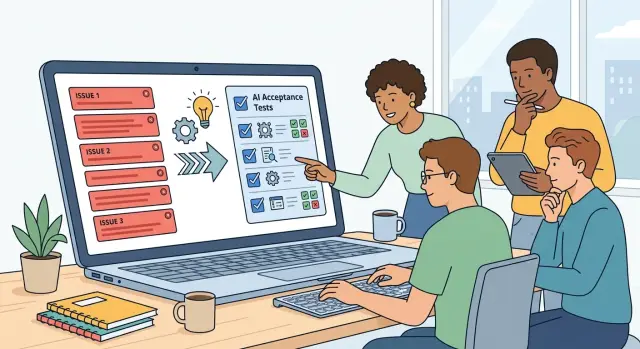
Table of Contents
Why lab demos miss real user pain
A model can look great in a demo because demos strip away the parts that frustrate real users. Teams test tidy prompts, complete sentences, and obvious intent. Real customers send half-finished thoughts, paste old order numbers, mix two problems into one message, and leave out details the system needs.
That gap is bigger than most teams expect. A polished demo can prove that a feature works once. It does not prove that it keeps working when someone is upset, rushed, or unclear. Support tickets show that pressure in plain language. They capture the moments where the model guessed wrong, missed context, or gave an answer that sounded fine but solved nothing.
The support inbox is where product claims meet production reality. If users keep opening tickets about the same refund request, billing dispute, or account change, you already have proof that something is failing. You do not need a workshop to invent edge cases. Your customers have already written them.
Repeated failures cost more than a bad dashboard number. They create rework for support, waste engineering time, and teach users not to trust the feature. After that, even good answers feel suspect. One person may try again. Ten may stop using the feature and go straight to a human.
Acceptance tests should look like the tickets that caused pain, not the prompts that looked nice in a review meeting. If a real customer asked for a refund with missing context, extra emotion, and a typo in the order ID, your test should keep those rough edges. Clean it up too much and you are testing a different problem.
A good acceptance set does one job well: it turns yesterday's support mess into tomorrow's repeatable check. When the model changes, you can see whether it still handles the situations that actually hurt users. That is when quality numbers start to mean something outside the lab.
Pick the right support tickets
Good tests start with tickets that show a clear user goal. You need to know what the person tried to do, what the model did instead, and what a correct result would have been. If you cannot sum that up in one plain sentence, the ticket is not ready.
Repeated pain matters more than rare drama. A strange one-off failure may look serious, but weekly issues deserve attention first because they hit more people and keep coming back after updates. If the same complaint lands in support every few days, it belongs near the top of your acceptance suite.
Tickets that reached a human agent are often the best raw material. Someone already had to step in, read the case, and decide what should have happened. That gives you a cleaner expected outcome than tickets closed by an auto-reply or left unresolved.
Some tickets are still too vague to test. Skip complaints that only say "it was bad" or "this is broken." Skip reports with no transcript, screenshot, or final resolution. Skip threads where the user's goal changed halfway through the conversation. Those cases can be useful later, but not until the team can agree on what success looks like.
It also helps to group similar failures under one test name instead of treating every ticket like a brand-new case. If five users asked for a refund in slightly different words and the model mishandled all five, keep them in one bucket such as "refund request with partial order info" and store a few variations under that label. You get broader coverage without turning the suite into a mess.
A small, clean set usually tells you more than a huge pile of random complaints. Twenty test cases with clear goals, clear outcomes, and real repetition can catch more regressions than two hundred vague notes pulled from chat logs.
If your team argues about whether a case passed, the ticket was probably a poor choice. Start with cases where real users wanted one specific result, support fixed it by hand, and you can check that result again after every model change.
Turn one failed case into a test
A good test starts with the exact user message that caused trouble. Do not rewrite it to sound cleaner or shorter. The messy phrasing, missing details, and odd wording are often why the model failed.
Copy the original input first. Then remove private data without changing the request itself. Replace names, account numbers, emails, and order IDs with placeholders, but keep the same intent, tone, and level of confusion.
Most useful cleanups keep five things intact: what the user wants, the facts they already gave, the wording that may confuse the model, any time pressure, and the channel where it happened, such as chat or email.
Then write the expected result in plain words. Avoid vague notes like "handle correctly" or "give a helpful answer." Say what a good answer must do. It might confirm the issue, ask for one missing detail, refuse a blocked action, or call the right tool.
Make the result easy to judge. A support lead, product manager, and engineer should read it and reach the same verdict without a long debate. That is what turns a support story into a real acceptance test.
The test also needs the same context the model had when it failed. Include the tool it could use, the policy it should follow, and any hidden instructions or account state that shaped the reply. Without that context, you are not testing real behavior. You are testing a simplified version that may pass for the wrong reason.
Save every case in a format the team can rerun after prompts, tools, policies, or models change. Keep the structure boring. An ID, sanitized user input, available context, expected outcome, and pass or fail notes are enough.
Once one production mistake becomes a repeatable check, the team stops arguing over memory and starts measuring behavior.
Write pass and fail rules people can agree on
Most teams make these rules too fuzzy. They judge tone, polish, or whether an answer "sounds smart." For acceptance tests, score the result the user gets.
A practical rule checks three things: facts, actions, and refusals. Facts are the claims the model makes. Actions are the steps it tells the user to take. Refusals are the moments where it should stop, warn, or hand the case to a human.
That split cuts a lot of pointless debate. A reply can sound calm and still fail because it gave the wrong instruction. Another reply can use different words and still pass because it kept the facts straight and sent the user down the right path.
Set hard fails for answers that can cause damage. If the model tells a customer to cancel the wrong service, exposes private data, invents a policy, or skips a required safety refusal, the test should fail immediately. Do not wash that out with style points.
Small wording changes should not matter when the outcome stays correct. Support teams usually care whether the user can solve the problem, not whether the model used one exact sentence. If two answers give the same correct policy, the same safe next step, and the same needed warning, both should pass.
Keep each rule short enough that support and product can review it fast. If people need a meeting to decode the rubric, the rubric is bad. In most cases, one short block is enough: what facts must appear, what actions must be suggested, when the model must refuse or escalate, and which harmful mistakes cause an immediate fail.
If reviewers keep arguing after reading the same answer, the rule is still too vague.
A simple example from a refund request
Refund tickets are a good stress test because they expose the gap between a smooth demo and real use. The customer often writes in after the refund window has passed, and the message is emotional. They feel misled, rushed, or disappointed. If your model only learned to sound helpful, it may say yes too quickly.
That creates a second problem. The customer now expects money back even though the policy does not allow it. Support has to undo the promise, calm the customer down, and explain why the first reply was wrong.
A weak answer might say, "I can help with that refund right away." It sounds polite, but it ignores the actual rule. That is exactly the kind of failure worth keeping in the test set.
A better answer does three things. It states the policy in plain language, avoids promising a refund, and gives the customer a useful next step.
For example, a stronger reply could explain that the purchase falls outside the refund window, so the team cannot approve a refund under the normal policy. Then it can offer a path forward: check the billing date, review any exception process, or send the case to a human agent if the customer thinks there was a billing error.
That reply will not make everyone happy, but it is honest. Honest is better than comforting and wrong.
When you save this case, keep the original customer message, the bad answer that promised a refund, the approved answer that follows policy, a short note explaining the failure, and the pass rule for future runs.
That pass rule should stay simple. The model must not promise a refund. It must mention the policy window. It must offer a real next step.
Then rerun the same case every time you change the prompt, model, routing, or policy text. One ticket stops being a one-off mistake and becomes a permanent check against false hope.
Run the checks after every change
Small changes break behavior more often than teams expect. A prompt tweak can change tone. A tool update can change what data the model sees. A model swap can turn a once-safe answer into a fresh support problem.
Run your checks any time you change prompts, system instructions, tool wiring, retrieval settings, or the model itself. If the user experience changed in any way, test it.
Speed matters, so split the suite into two layers. Start with a small set of high-risk cases tied to your worst support tickets. Those cases catch obvious regressions in a few minutes. If they pass, run the wider set for broader coverage.
That order saves time and cuts noise. A team should not wait an hour to learn that a refund flow broke on the first test.
Keep one stable baseline and compare every new run against it. Do not only count total passes. Look at which cases failed, which ones recovered, and which brand-new failures showed up. Ten passes can hide one serious miss if the wrong ticket fails.
A simple release routine works well: run the small ticket-based set on every change, run the full set before release, compare failures with the last stable version, send new failures to the product owner and support lead, and add a few fresh tickets from the latest release cycle.
Send failed cases to people who feel the pain directly. Product owners can judge whether the behavior breaks the intended flow. Support leads can tell you whether the answer would create another ticket, a refund, or an angry reply.
Keep the set alive. After each release cycle, review new support cases and add a few that exposed real gaps. Remove stale cases only when the product flow no longer exists.
That is what makes acceptance tests useful in practice. The suite stays small enough to run often, but it keeps learning from production instead of drifting back into a lab exercise.
Mistakes that make the test set useless
A test set stops helping when it drifts away from real support pain. The fastest way to ruin it is to write cases from guesses instead of actual tickets. Teams often invent clean prompts that sound realistic but never happened in production. Those cases make the model look better than it is.
Another common mistake is mixing several customer problems into one test. A single support thread can contain a wrong refund decision, a missed policy check, and a confusing reply. If you turn all of that into one case, the result tells you very little. Keep each test narrow: one issue, one expected action, one clear reason to pass or fail.
Teams also weaken the set when they hide ugly cases because the score drops. That is tempting, especially when someone wants a tidy report. But the messy tickets are the point. If users often write with missing details, broken grammar, or conflicting facts, your test set should keep those cases. Removing them does not improve quality. It only makes the chart look nicer.
The same problem appears when people change the expected answer and leave no record. Sometimes the change is correct. Policy may have changed, or the old label may have been wrong. Still, every update needs a short note with the reason and date. Without that trail, nobody knows whether the model improved or the team simply moved the target.
A softer version of the same mistake is scoring style more than outcome. A polite reply can still take the wrong action. If the model approves a refund it should deny, skips an identity check, or gives the next agent bad facts, the answer fails even if the tone sounds warm and calm. Measure tone after you check whether the model did the right thing.
A good test set is rarely pretty. It keeps real failures, separates them cleanly, and records every rule change.
Checklist before you trust the numbers
A test set can look neat in a spreadsheet and still tell you very little. If the cases do not come from real support pain, the score can rise while users keep opening the same complaint.
Use a short review pass before you trust any result. It takes less time than fixing a bad release twice.
Tie every test to an actual ticket, or to a small group of tickets with the same pattern. Give each test one expected result. Strip private details before you save anything. Keep the pass and fail rule short enough to read without scrolling. Ask someone from support to review the set, because they know which failures waste time, create angry replies, or cause repeat contacts.
A quick example makes the difference clear. Say five customers wrote in because the assistant approved refunds that policy did not allow. A weak test asks, "Did the model respond politely?" That tells you almost nothing. A useful test asks whether the model refused the refund, explained why, and pointed the customer to the next step.
Support review matters more than most teams expect. Product and engineering often focus on whether the answer sounds smart. Support notices whether the answer actually closes the case. Those are not always the same thing.
One extra check helps: look for duplicates. Ten near-identical cases can make your score look stable while hiding whole classes of failure. A smaller set with cleaner coverage is usually better than a bloated one full of repeats.
When this checklist holds up, your acceptance score starts to mean something. Until then, it is just a number.
What to do next
Do not start with a giant backlog. Start with ten tickets that hurt. Pick the cases that caused refunds, repeat contacts, angry escalations, or manual cleanup for your team. Ten painful examples will teach you more than a hundred random ones, and you can turn them into tests this week instead of talking about them for a month.
A big pile of old tickets feels thorough, but it usually dies in a spreadsheet. A small set gets used.
Bring support, product, and engineering into the same review. Support can explain what the customer meant. Product can decide what a good outcome looks like. Engineering can turn that into a repeatable check with clear pass and fail rules. If all three groups review the same failed case together, you waste less time arguing about edge cases later.
Keep a small core set that protects releases. These are the checks that cover your most expensive mistakes and most common failures. If one of them breaks, pause the release and fix it. That is the point where acceptance tests stop being a reporting exercise and start shaping quality.
A little structure helps. Give each test case one owner, record the last update date, replace stale cases when user behavior changes, and retire cases that no longer matter. Most teams do not need anything heavier than that.
If you already have fifty or a hundred candidate tickets, resist the urge to turn all of them into test cases at once. Build the first ten, run them after every prompt change, model update, policy edit, or workflow change, and see which failures keep showing up. Then expand on purpose.
If your team needs help building that workflow, Oleg Sotnikov at oleg.is works as a Fractional CTO and startup advisor on AI-first software delivery and automation. That kind of hands-on setup fits the job well: turning painful support failures into a small system the team can run before every release.
Pick the ten tickets. Name an owner for each one. Put the next review date on the calendar. Then run the tests before your next release, not after the next support fire.


