AI model exit plan: what founders should document now
An AI model exit plan helps founders record swap costs, prompt ownership, review rules, and fallback options before pricing or policy changes hit.
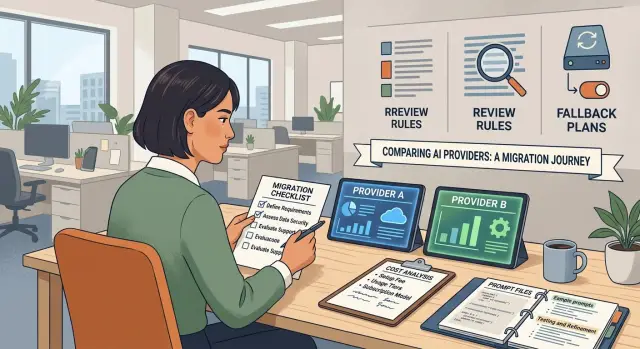
Table of Contents
Why this problem shows up late
Most teams pick the first model that gives decent answers at a price they can live with. Early on, that makes sense. Speed matters more than planning, and nobody wants to delay a launch to think about how they might leave a provider later.
The trap is that the early cost barely tells you anything. Usage is low, the team is small, and people still check a lot of outputs by hand. Then AI starts spreading into support replies, product specs, code generation, test scripts, and internal tools. Costs rise right when dependence rises.
This usually happens quietly. A founder keeps prompts in chat history. An engineer pastes a long system prompt into the app. Someone else saves review instructions in a wiki. A product manager stores approval rules in a spreadsheet. A few weeks later, the team no longer has one setup. It has fragments.
That is why provider switching costs look smaller on paper than they feel in practice. Swapping one API for another sounds like a weekend job. In real work, the team has to find every prompt, compare outputs, adjust formatting, rewrite guardrails, and check human review steps again. Small differences in tone, latency, context limits, or tool calling can change how people work every day.
The provider then starts shaping the team without saying so. If one model handles long context better, people write longer prompts. If its review flow is easier, approvals start following that flow. If pricing rewards shorter outputs or batch use, the product bends around those limits.
Founders usually notice the risk late. A renewal arrives with new pricing. A model update changes behavior. A customer asks why an answer passed review, and the team realizes the review rules live in three places and belong to no one.
By then, the model is no longer just an API. It is part of how the company writes, checks, ships, and decides.
What your exit plan should cover
An AI model exit plan should read like an operating manual. If a provider changes price, rate limits, or output quality, your team needs a clear record of what to swap, who decides, and how to judge the new result.
Start with a full map of every feature and workflow that uses a model. Most teams remember the obvious parts, like chat or content generation, but forget the quieter ones: search summaries, support drafts, moderation, tagging, internal copilots, test case generation, and report writing. If a model touches it, list it.
For each workflow, keep four things together in one place: what the task does and what breaks if it fails, the exact prompts and post-processing code, the person who owns changes, and a backup model or provider if the task cannot pause.
Ownership matters more than most founders expect. Prompts often live in old chat logs, local files, or in a developer's head. That creates switching costs before anyone notices. Put one name next to each prompt set, safety rule, and review checklist. If a task has no owner, fix that now.
Then define what acceptable output actually looks like. Do not stop at "works well." Save a small set of real inputs and the outputs your team accepts. Save bad examples too. Write short review rules for tone, length, required facts, banned claims, formatting, and when a human must step in. That turns prompt ownership into something the team can test instead of argue about.
A small startup may have only six or seven model-driven flows, yet two of them usually carry most of the risk. Customer support and sales replies are common examples. Pick a backup provider for those first, run the same sample inputs through both, and save the results. If you ever need to switch fast, you will not start from zero.
That is the practical side of an AI model exit plan. You are not trying to predict every possible problem. You are making sure one provider cannot trap the product through undocumented prompts, unclear review rules, and a messy handoff.
Where swap costs hide
Most founders look at token prices first and miss the labor around a switch. The real cost shows up when a model change touches code, prompts, tests, support scripts, and daily team habits.
The first surprise is API drift. Two providers can offer similar models, but the details rarely match. Request fields, tool calls, streaming behavior, rate limits, and error responses often differ just enough to force code changes in several places. Instead of changing one setting, the team ends up updating the app, background jobs, logs, retry logic, and test fixtures.
Context limits create another quiet expense. If your product depends on long prompts, large documents, or extended chat history, a smaller context window can break the flow immediately. Teams then cut prompts, split documents into chunks, change retrieval settings, and retest edge cases. That work can easily consume a full sprint.
Output style causes trouble too. A new model may sound shorter, more formal, less direct, or more cautious than the old one. That shift affects support replies, QA checks, and any workflow where humans review output. If your team built approval rules around one provider's tone or format, the review process starts failing even when the facts stay correct.
The hidden costs usually collect in the same places: regression tests that expect a certain structure, prompt libraries tuned through months of small edits, support macros and internal review notes, and the time it takes the team to relearn what "good output" looks like.
Training time is easy to ignore because it does not arrive as one invoice. Support staff need new examples. QA needs new pass or fail rules. Product managers need to reset expectations around speed and tone. Even a lean team with solid CI/CD can lose days here.
A practical exit plan counts all of this before pricing changes force a rushed move. If you document which workflows depend on long context, which prompts depend on provider-specific behavior, and which teams review style closely, a messy switch turns into a planned task.
Who owns prompts and review rules
If prompts live in chats, docs, and someone's memory, your team does not own them. You are borrowing them until a person leaves, a provider changes behavior, or a bad edit reaches production.
Treat prompts like product code. Put them in version control, give them clear names, and store them next to the feature or workflow they affect. That includes system prompts, review instructions, test cases, and any fixed examples the model relies on.
Many teams mix durable prompts with quick experiments. That gets messy fast. Keep reusable prompts in one place, and keep one-off tests in a separate folder or workspace. That alone removes a lot of confusion.
Review rules need the same care. If a model writes support replies, extracts leads, or drafts contracts, someone should define what acceptable output means in plain language. A short checklist is enough: what the model must do, what it must avoid, who can approve changes, and how the team tests updates.
Approval matters more than most founders expect. If anyone can edit prompts, nobody owns the result. Pick an approver for each prompt set. In a small startup, that may be the founder for customer-facing prompts and the product or ops lead for internal ones. Record the approver in the same file, commit, or release note as the change.
Keep review notes with each prompt version. Do not leave them in Slack or in a meeting recap nobody will find later. A few lines are enough: what changed, why it changed, who approved it, and what the team tested before rollout. When output quality drops, that note can save hours.
A simple example shows why this matters. Say your team has a prompt that drafts refund replies. One teammate softens the tone. Another adds stricter policy language. Refund complaints rise, but nobody knows which edit caused it. If both changes sit in version control with review notes, you can compare versions, roll back the bad one, and move on.
This part is easy to skip because prompts look small. They stop looking small once they shape customer messages, review logic, and daily work.
How to review provider changes
Most teams notice provider changes too late. The bill jumps, a limit gets tighter, or a safety rule starts blocking normal work. By then, the team has a deadline and no clean backup.
Put reviews on a calendar. If AI touches customer support, product features, or internal coding work, check every month. Also check before renewal, before a major launch, and whenever the provider announces a model change.
During each review, record the same inputs each time: the price for the calls you actually make, current rate limits and usage caps, context size, tool support, model availability, terms around data retention and stored prompts, and policy changes that can alter output or block requests.
Do not trust a quick demo. Run the same real tasks on a second provider even if you do not plan to switch now. A small test set works well. Use 20 to 30 prompts that match your product: support replies, extraction jobs, summaries, code edits, or anything else that drives revenue or saves staff time.
Score the results against your own sample tasks, not the provider's examples. Check output quality, speed, formatting, tool use, and how often the model refuses or wanders off. A provider that looks cheaper can still cost more if it fails often enough to create extra review work.
Then estimate the full switch cost before you move. Count the engineering work to swap SDKs or APIs, adjust prompts, rerun QA, update tests, rewrite support macros, and retrain the team. Founders miss this part all the time. A model that saves $800 a month can still cost two weeks of engineering and a messy support backlog.
One person needs the go or no-go call. In an early startup, that is often the founder, CTO, or a fractional CTO. That person should own the test set, the scorecard, and the rollback plan. Without a clear owner, teams keep debating while the provider changes the rules for them.
A simple startup example
A SaaS team of five starts with one chat model for support drafts and onboarding messages. Early on, the cost barely appears on the monthly card statement, so nobody worries about an exit plan. The founder keeps the best prompts in a notes app, and one engineer adds a few review checks directly in code.
Then a new customer rolls the product out to a few hundred employees. Usage jumps hard in less than two weeks. The setup that looked cheap at low volume now pushes the AI bill high enough to eat most of the account margin.
The next problem arrives fast. The provider changes pricing for long responses and context-heavy requests. Nothing in the product changes, but the team goes from "this works" to "we need another model now" in a matter of days.
That is when the hidden work appears. Prompts are scattered across Slack, docs, and one laptop. Nobody wrote down which prompt version handles refunds, which one asks follow-up questions, or which review rule blocks risky answers. Then the team finds that another model returns slightly different JSON, so an internal tool breaks even when the answer still looks fine to a human.
A team that documented its exit plan usually keeps four things together: the live prompts and system instructions, a small test set with expected outputs, the review rules for tone, safety, and formatting, and the exact places where the model touches product code.
If those pieces live in one repo, the switch gets much easier. The team can run the same prompts against a second provider, compare outputs, fix the parser, and see where the review process needs stricter checks. They do not waste days rebuilding prompt logic from memory.
Prompt ownership matters here too. Because the team wrote and stored its prompts in its own workspace, it can move them without asking a vendor for exports or trying to reconstruct behavior from old logs.
A common outcome looks like this: the team spends three or four days cleaning up edge cases, ships the swap before the next billing cycle, keeps the customer, and protects margin. The teams that struggle usually treated prompts as temporary text instead of product assets.
Mistakes founders make
Founders usually notice vendor lock-in too late. The product works, customers are happy, and the team keeps shipping. Then pricing changes, a policy shifts, or output quality drops, and nobody can answer a basic question: what exactly are we running today?
One common mistake is using chat history as the prompt archive. A long thread in a vendor dashboard is not a reliable record. It mixes tests, half-finished ideas, and edits from different people, so ownership gets blurry fast.
That gets worse when a contractor or product manager changes instructions directly in the tool. Weeks later, the team knows behavior changed but cannot say who changed it or why. If you cannot find the live prompt, its version, and the last reviewer within a minute or two, you do not really control it.
Another mistake is testing by feel. A few people read a few outputs, say "looks fine," and move on. That works until you need to compare providers, explain a drop in quality, or trace a support issue back to a prompt change. Without saved examples and review rules, every discussion turns into opinion.
Teams also underestimate how much of the review process depends on one provider's style. The facts may stay mostly right while the structure, tone, or refusal pattern changes enough to slow everyone down. That kind of drift rarely appears in pricing tables, but it shows up in lost time.
And many startups never assign one owner for the switch decision. Product assumes engineering is watching. Engineering assumes the founder will decide. The founder assumes the cost is still low enough to ignore. That gap is where lock-in grows.
Quick checks before renewal or launch
A renewal meeting is a bad time to learn that your team depends on one model you have never tested against anything else. Before you sign or go live, do four basic checks and write the answers down where the team can find them.
- Name one backup model you could switch to this week. Use a real model name, not "we'll figure it out later."
- Find the current prompts in under five minutes. They should live in one place, with version notes and an owner.
- Know the cost per task at your current volume. Measure real jobs, then include retries, long context windows, embeddings, and review time.
- Retest output quality with fresh samples from this month. Providers change models, defaults, rate limits, and safety behavior more often than most founders expect.
A small team can do this in an hour. Pull ten recent tasks. Run them through your current model and the backup. Compare cost, speed, formatting, and how much human review each result needs. If the backup needs twice as much cleanup, that is part of the real cost.
Prompt ownership matters here too. If one employee keeps the best prompts in a private account, you do not own a repeatable process. You own a person-shaped risk. Move prompts, test cases, and review rules into shared systems before launch.
If your team can answer those four questions today, renewal becomes a choice instead of a scramble.
What to do next
Start small. Pick one workflow this week and write down how it works now. Do not try to map every prompt, every model, and every edge case at once. One complete record beats a half-finished audit of the whole company.
Choose a workflow that matters and changes often. A support reply flow, lead scoring step, or content draft process is enough. Record the model, prompt, inputs, output format, checks, and who approves the result.
Put the working prompt, review notes, and pass or fail rules in one shared place. A plain internal doc or repo is fine if the team can find it quickly. The point is ownership. If one person keeps the latest version in chat history or private notes, the exit plan is already weak.
Keep the checklist simple:
- name the workflow and its owner
- save the exact prompt and any system instructions
- note review rules, edge cases, and known failure patterns
- record the current provider, model, cost, and fallback option
- set a date to test the same workflow with a second provider
That last step matters. If you never run the same task somewhere else, you do not know your real switching cost. Even a one-hour test can reveal the pain points: output differences, broken formatting, slower review, or hidden prompt rewrites.
Keep the test narrow. Use the same input set, compare outputs side by side, and note what the team had to change. If a swap takes two hours, good. If it takes two weeks, you found the risk before a pricing change forced the issue.
A small startup can do this in one afternoon. One founder exports the current prompt, a teammate writes the review notes, and both test a second model with ten real examples. By the end, they know what they own and what the provider controls.
If you want an outside review, Oleg Sotnikov at oleg.is helps startups check model choices, prompt ownership, running costs, and migration risk. That kind of review is useful when the team is moving fast and nobody has time to pressure-test the setup.
Frequently Asked Questions
Why does changing AI providers feel harder than swapping one API?
Because the work sits outside the API call. Teams have to find live prompts, fix provider-specific code, retest outputs, and retrain reviewers. A swap that looks small in code can still disrupt support, QA, and internal tools for days.
What should I document first in an AI exit plan?
Start with one revenue or customer-facing workflow. Write down the model, the exact prompt, the input shape, the output format, the review rules, and the person who approves changes. One complete record helps more than a partial audit of everything.
How do I find all the workflows that depend on one model?
Trace every place where the model touches real work. Check customer replies, summaries, search, tagging, code help, test generation, internal assistants, and reports. If a team would notice a quality drop or outage, that workflow belongs on the map.
Where should prompts and review rules live?
Keep them in version control or one shared repo the team can access fast. Store system prompts, templates, test inputs, review notes, and change history together. Do not leave live prompts in chat logs, private notes, or someone's laptop.
Who should own prompt changes?
Pick one owner per prompt set and one approver for changes. In a small company, that is often the founder for customer-facing prompts and a product or ops lead for internal flows. Clear ownership stops random edits and makes rollback much easier.
How should I test a backup model before I need it?
Use real tasks from your product, not demo prompts from a vendor. Run the same 20 to 30 inputs on both providers, then compare quality, speed, formatting, tool use, and how much human cleanup each result needs. Save the outputs so the team can review them later.
What hidden costs should I include before switching?
Count engineering time, review time, and team retraining along with token price. You may need to change SDK calls, parsers, retry logic, context handling, test fixtures, and approval rules. A cheaper model can still cost more if staff spend hours fixing its output.
How often should we review provider changes?
Put reviews on a schedule instead of waiting for a problem. A monthly check works for most startups, and you should also review before renewal, before a launch, and after a model update. That keeps pricing, limits, and behavior changes from catching the team off guard.
What makes a good test set for provider comparisons?
Keep it small and realistic. Pull recent examples that match your live work, including normal cases and a few failure cases, then save the outputs your team accepts and rejects. That gives you a fair way to compare providers without arguing from memory.
What can a small startup do this week to reduce lock-in?
Choose one workflow this week and clean it up end to end. Move the prompt into a shared system, write simple pass or fail rules, name an owner, and test one backup provider with ten real examples. You can finish that in an afternoon and lower a lot of risk.


