Architecture smells in AI-first products: what to fix
Learn how to spot architecture smells in AI-first products when prompts hide rules, ownership, or interfaces, and decide what to fix first.
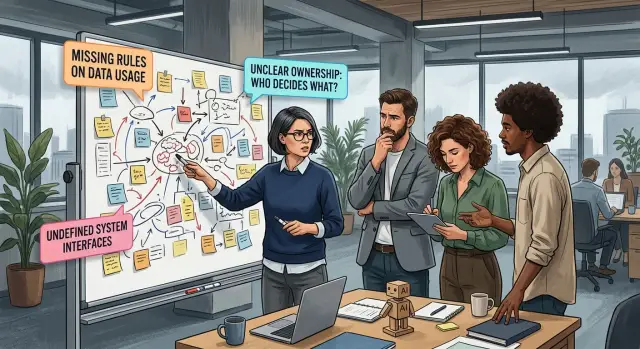
Table of Contents
Where the problem starts
A lot of teams think they shipped a feature when they really shipped a prompt and hoped the model would figure out the rest. That can work in a demo. It falls apart when real users show up with messy requests, odd edge cases, and bad timing.
The first smell is simple: the product does something important, but nobody can point to the rule that caused it. Ask why one user got a warning, a refund, or a blocked reply, and the answer gets vague. Someone says, "the model usually knows" or "we nudged it in the prompt." That is not a rule. It is guesswork.
You see the problem when two similar requests get different answers. One customer writes a short message and gets approved. Another asks for the same thing with slightly different wording and gets denied. The policy did not change. The model changed its reading of the situation. If nobody wrote down the decision rule, nobody can say which answer was right.
Small prompt edits make this worse. A few extra lines can shift tone, priorities, and even the order of decisions. A support assistant might stop asking follow-up questions and start making firm calls. A sales assistant might get too eager and promise things the company never meant to offer. Teams often treat prompt edits like copy changes. In practice, they act more like logic changes.
This usually starts under deadline pressure. A team needs the feature live, so it packs policy, exceptions, tone, and fallback behavior into one long instruction block. That feels faster than defining ownership, interfaces, or written rules. For a week or two, it may even look fine.
Then the product grows. More prompts appear. More exceptions pile up. Soon nobody knows whether behavior comes from policy, prompt wording, model updates, or random variation. At that point the system is no longer flexible. It is fragile.
Rules should not live in prompts
A prompt often starts as a shortcut. Someone writes, "Never offer a refund after 30 days" or "Ask for manager approval before changing an invoice," and the product seems to work. A month later, nobody knows whether that line is a suggestion, a hard rule, or an outdated note.
That is one of the most common design mistakes in AI-first products. The prompt is carrying rules that should live somewhere else. Once that happens, small wording changes can change product behavior. A friendly rewrite from a designer or marketer can quietly break policy.
Business rules need their own home. Prompts should shape tone, provide context, and tell the model what kind of answer fits. They should not decide who gets a refund, who can see customer data, or when the system can send a message without review.
A simple test helps: ask, "Must the product follow this every time?" If the answer is yes, move that rule out of the prompt.
In most products, hard limits belong in code. Things like country rules, spending caps, or supported languages usually belong in config. Legal and process requirements belong in policy documents that people can review without rewriting prompts. The prompt can still explain the rule in plain language, but it should not be the source of truth.
Picture a support assistant that tells customers whether they can return a product. If the return window exists only inside the prompt, the assistant can drift as soon as someone edits the wording. If the return window lives in code or config, the assistant can explain the policy without inventing exceptions.
Teams usually spot this problem when answers become inconsistent. One customer gets an exception. Another gets denied. Logs show different prompt versions, but nobody can say which rule changed. That is not a writing problem. It is a system design problem.
When prompts stop acting like hidden policy files, the product gets easier to test, easier to audit, and far less brittle.
One risky decision, one owner
A product gets shaky fast when an AI can say yes, no, refund, reject, escalate, or stay silent, and nobody owns that choice.
If a model output can affect money, trust, safety, access, or customer support, give that decision one named owner. Not a team. Not a Slack channel. One person who can answer three plain questions: what should the model do, what should it never do, and what happens when it gets it wrong.
Teams often hide this gap with prompt edits. Product changes wording, ops changes thresholds, support reports complaints, and engineering ships the update. Then a bad answer reaches users, and everyone can explain part of it, but no one can fix the whole thing.
A simple rule helps: each model decision needs one owner, one approver for risky prompt changes, and one person who handles bad outputs after release. Sometimes that is the same person. Often it should not be.
Think about a support assistant that can offer account credits. If the prompt changes from suggesting a credit to issuing a credit when the user sounds upset, that is not a small wording tweak. The model now affects cost and policy. Someone should approve that change before it goes live.
Write responsibility down in plain language. Product decides the user behavior and the allowed outcomes. Ops decides when the workflow runs, stops, or falls back to a human. Support captures bad cases and routes them back. One owner signs off on the decision rules and keeps them current.
This also makes incident review much shorter. Instead of arguing about whether the model got confused, the team can ask better questions: who owned this decision, who approved the last change, and who had to clean up the bad output.
Oleg Sotnikov often works with teams that want AI to speed up delivery without turning basic decisions into guesswork. The fix is rarely "more prompting." It is clearer ownership, written rules, and a real person attached to each risky decision.
Define the interface
A lot of AI product bugs are not model bugs. They start where one step hands work to the next with no clear contract. A prompt often hides that gap. It looks like logic, but it acts like an undocumented interface.
Take a support workflow. The model gets a customer message, a few CRM notes, maybe an order status, and a pasted policy paragraph. If nobody says which inputs must be present, the model fills the gaps with guesses.
A clean interface starts with the full input map. Write down every field the model receives, where it comes from, and how fresh it must be. "Customer email" is not enough. You often need account tier, refund window, shipment state, prior promises, and the policy version.
The output needs the same care. Free text like "looks good" or "send apology" creates more work downstream because each reader interprets it differently. Define exact output fields instead. For a support decision, that might mean action, message_draft, reason, confidence, and review_required.
Error states matter as much as the happy path. If order data is missing, what should the system do? Stop and ask for the record, fall back to a safe response, or send the case to a person. Pick one. If you leave that choice inside the prompt, the behavior will drift.
This is where teams get stuck. They treat the model like a smart teammate who will "figure it out." A product cannot run on that assumption for long. When ownership is fuzzy and interfaces are vague, every prompt grows into a mini app full of hidden rules.
Structured data usually fixes more than prompt tuning does. Pass typed fields, enums, and explicit status codes where you can. Let the model write text or make a bounded choice, but do not make it decode a messy paragraph from another system if a simple field would do.
Oleg often helps teams move faster with AI without raising ops costs. In practice, that usually means fewer magic prompts and more boring, explicit interfaces. Boring wins. Other systems can read it, test it, and fail safely.
Inspect one real workflow
Most of these problems show up when a simple task crosses too many hidden steps. Pick one real user task and follow it from the first click to the final result.
Use a task that matters every week, not a rare edge case. A support reply, a lead qualification flow, or an AI code review request works well because people notice failure fast.
Write the path down in order. Note what the user sends, every prompt and model call, every tool call, and every human handoff. Then note what each step should return and what happens when a step fails or comes back vague.
This map exposes weak spots faster than another prompt tweak. If the team cannot explain one step in one sentence, the rule probably lives in somebody's head or inside a prompt nobody wants to read twice.
At each step, ask one question: where does the rule live? Maybe it belongs in code. Maybe in a product setting. Maybe in a written policy. Maybe a person should make the call. If the only answer is "the prompt tells it what to do," you probably found the problem.
Then define the expected output in plain words. Do not write "high quality summary" or "smart routing." Write what good looks like: "a three-sentence summary, severity from 1 to 3, and one clear next action." That forces the team to define the interface instead of hoping the model guesses it.
A small example makes this easier to see. Say a customer sends a bug report. The model reads the message, checks logs, suggests severity, and opens a ticket. Inspect each handoff. Who decides severity? What log fields must the tool return? When confidence is low, does the system ask a human, ask the user one follow-up question, or stop and label the case for review?
Add fallback behavior before you tune prompts. Good fallbacks keep the workflow safe: return a shorter answer, ask for missing input, send the task to a person, or skip the risky action. Teams often polish prompts first because it feels productive. It usually just hides missing ownership and missing interfaces for another week.
A simple sales quote example
A company adds an AI sales assistant to draft custom quotes. A rep types, "50 seats, annual plan, nonprofit discount, onboarding fee waived if they sign this week," and the model writes a polished proposal in seconds. People trust it quickly because it saves time.
The problem sits in a place many teams barely treat as product logic. The discount policy does not live in a rule table, a pricing service, or an approval flow. It lives inside the system prompt. That prompt tells the model how much discount it can offer, when it can waive fees, and which deals need finance approval.
That works right up until finance changes the policy. Nonprofits can still get a discount, but only up to 10%. Waiving the onboarding fee now needs manager approval. Finance updates the spreadsheet and tells sales. Nobody updates the prompt.
Sales keeps using the assistant, and the assistant keeps drafting quotes with the old rules. Soon it sends prices nobody should approve.
This is not a prompt writing mistake. It is a product architecture mistake. The rule has no clear owner inside the system, and the model has no defined interface for checking the current policy. It can only follow stale text.
The damage shows up late. A customer accepts a quote. Finance spots the price and flags it. Now the team has two bad choices: honor the wrong number or pull it back and look sloppy.
The fix is not fancy. Finance should own a rule table for discounts and fee waivers. The assistant should read approved rules from that table before it drafts anything. If a quote breaks a limit, the system should stop and ask for approval. The model should never invent pricing from prompt text alone.
That one change turns hidden instructions into visible product behavior. It also makes policy updates boring, which is exactly what you want.
Common traps
Teams often treat the prompt as the product spec. If the real rule lives in a paragraph inside a prompt, nobody can inspect it, test it, or change it safely.
A support bot makes this easy to miss. Someone adds a line like "approve refunds for loyal customers" or "be flexible in edge cases," and the bot starts making judgment calls. That may look smart in a demo, but it is not a clear policy. It is policy-shaped guesswork.
Ownership gets fuzzy next. One person keeps tuning prompts until the output looks better, and nobody reviews those changes. That can work for a while. Then a small edit changes how the system handles risk, pricing, or escalation, and no one can explain why the behavior shifted.
Teams also mix user instructions with internal rules in the same message. Then the model has to sort out what matters more every single time. A polite user can nudge the answer off course. A pushy user can pull hidden rules into the open.
Another trap shows up when the model sends loose text into downstream systems. A reply like "probably approve" or "ship tomorrow if stock is available" may sound reasonable to a human. A billing system, CRM, or workflow bot needs something stricter. If nobody defines the interface, vague language turns into real actions.
Many teams review tone and stop there. They check whether the answer sounds calm, friendly, and on brand. They do not check whether the decision was correct, whether the right rule fired, or whether the system asked for human review when confidence was low. Friendly mistakes still cost money.
The demo often hides all of this. Trouble starts when prompts carry rules, nobody owns the decisions, and downstream systems accept text that should have been a clear field or status.
Checks before release
If the only real rule lives inside a long prompt, the product is brittle. A release should answer a few plain questions in minutes, not after a half-day Slack hunt.
Can a new teammate find the billing limits, approval rules, and fallback steps without reading prompt text line by line? Can you name one person who owns each risky action, such as sending money, deleting data, changing prices, or contacting a customer? Can another service trust the output format, with fixed fields, allowed values, and clear error states? Can support read the logs and explain why the model answered, refused, retried, or escalated? If the model drifts off track, does the workflow stop, ask for review, or fall back to a narrow safe path?
Put hard rules where people can find and test them: code, config, decision tables, or admin settings. If a new engineer needs two hours to discover that large refunds need approval, the rule is hiding in the wrong place.
Ownership matters just as much. A model should not own a decision. A person does. If nobody owns a risky step, people will blame the prompt when something goes wrong, and the same mistake will happen again.
Interfaces need the same discipline. Free-form text looks fine in a demo and breaks fast in production. If another system expects a status, reason, and next action, define that shape and validate it before anything moves forward.
Logs decide whether support can help or stall. They need a request ID, model version, prompt version, tool calls, validation results, and the final action. Without that trail, support can only guess, and customers can hear that guess in every reply.
A small example makes this obvious. Say an AI agent drafts customer credits. If the amount looks unusual, the workflow should pause and ask for review. It should not invent a reason, push the credit through, and leave support to clean up the mess.
If even one of these checks fails, the release is not ready yet.
What to fix first
Most teams try to clean up prompts before they clean up the system around them. That is backwards. Fix the parts that stay true even when the model changes.
Start by pulling stable rules out of prompts. Refund limits, approval steps, data access rules, tone bans, and escalation paths should live in code, config, or a policy document the team can review. If a rule matters every day, it should not depend on a paragraph buried in a prompt.
Next, give one person ownership of every model-driven step. When the model sends an email, approves a discount, changes a record, or routes a ticket, someone should own that outcome. Shared ownership usually means nobody notices a bad edge case until a customer does.
Then define small interfaces before you add more agents. Each step needs a clear input, an expected output, and a simple rule for failure. Teams get into trouble when one agent passes vague text to another and everyone assumes the meaning stayed intact.
A practical order is simple: pick the workflow that can lose money, expose private data, or damage trust. Write the fixed rules for that workflow in plain language. Name the owner for each decision and fallback path. Define the input and output for every handoff.
A support refund flow shows the pattern well. If the prompt says "be generous, but careful with abuse," the rule is missing, the owner is missing, and the interface is fuzzy. Replace that with a refund cap, abuse signals, a confidence threshold, and a human review step for exceptions.
That is where most AI-first product problems show up. The prompt may look clever, but the system is doing policy, ownership, and interface work in the wrong place.
Some teams can sort this out in a day. Others need an outside review because the workflow got messy over time. If you want a second set of eyes, Oleg Sotnikov at oleg.is works with startups and smaller companies on AI product architecture, infrastructure, and practical AI adoption. The useful first step is usually simple: map one workflow, move the hidden rules out of prompts, and give each risky decision a clear owner.
Frequently Asked Questions
How do I know a prompt is hiding a real business rule?
If your team cannot point to a rule outside the prompt, the prompt owns too much. You will also notice inconsistent answers for similar requests, especially after small prompt edits or model updates.
What rules should I move out of prompts first?
Start with rules that affect money, access, customer trust, or legal exposure. Refund limits, discount caps, approval steps, data access, and auto-send actions should leave the prompt first.
Where should hard rules live instead of the prompt?
Put fixed rules in code, config, decision tables, or admin settings that people can review. Keep the prompt for tone, context, and answer style, not for policy.
Who should own a risky AI decision?
Give each risky decision one named person who signs off on the rule and updates it when policy changes. That owner should answer what the model may do, what it must never do, and what happens after a bad output.
What counts as a risky decision in an AI product?
Treat any action that changes money, pricing, refunds, customer data, account access, or outbound messages as risky. If a bad answer creates cleanup work or hurts trust, put an owner on it.
Why do small prompt edits cause big product changes?
Because prompt edits change logic, not just wording. A softer phrase can turn a suggestion into an approval, skip a review step, or change how the model weighs one rule against another.
What should an AI workflow interface include?
Define the exact input fields, where they come from, and how fresh they must be. Then define the output shape with fixed fields like action, reason, confidence, and review_required so downstream systems do not guess.
How do I inspect one real workflow without overcomplicating it?
Pick one task that happens often, such as a support reply or quote draft, and trace it from the first user action to the final result. Write down every prompt, tool call, handoff, output, and failure path until you can explain each step in one sentence.
What fallback should I add before I spend more time on prompt tuning?
Add safe fallback behavior before you tune the prompt. Ask for missing input, route the case to a person, return a narrow safe answer, or stop the workflow when confidence drops.
What should I verify before I release an AI feature?
Check that people can find the rules without reading prompt text line by line, that one person owns each risky action, and that logs show the request ID, model version, prompt version, tool calls, validation, and final action. If support cannot explain why the system answered, retried, refused, or escalated, do not ship yet.


