AI board pack summaries without raw customer exposure
AI board pack summaries can save time, but only if you strip identifiers, limit source files, and log prompts before leaders ask for a recap.
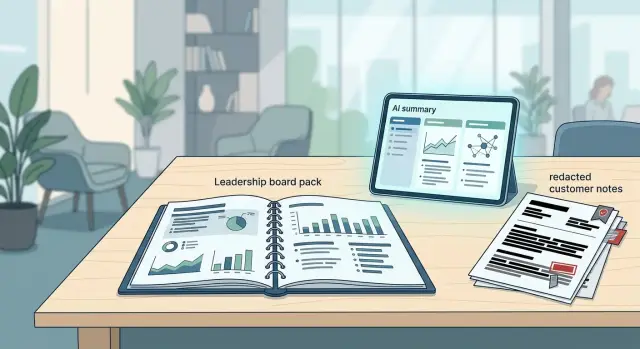
Table of Contents
Why fast summaries create risk
AI board pack summaries save time, but speed changes how people handle sensitive text. The risk often starts before the model writes a word. A leader asks for a recap 30 minutes before a meeting, and someone grabs whatever is easiest to paste.
That pile usually includes sales notes, support tickets, renewal emails, bug reports, and bits of internal chat. Each source may look harmless on its own. Put them together in one prompt, and they can reveal far more than the team meant to share.
A customer name in a ticket, a contract value in an email, and a complaint tied to one region can quickly identify a real account. Even if the final summary sounds general, the draft prompt may already contain private details. If several people reuse the same draft, the exposure spreads inside the company fast.
The pattern is familiar. One person collects raw material from several tools, pastes it into one prompt without trimming it, then forwards the output into slides, chat, or email. Now more people can see details that were never meant for a board pack.
That matters even when everyone involved works at the same company. Internal access still needs limits, especially for customer complaints, pricing, legal issues, or deals that are still in motion.
A simple example makes it clear. Imagine a monthly update includes a delayed enterprise rollout, two support escalations, and one renewal at risk. Under pressure, a team member pastes the full account thread into an AI tool and asks for a neat summary. The output may mention only "a major customer." The prompt still held names, contract terms, dates, and product gaps.
One shortcut can create a chain of exposure. The person who pasted the text sees it, the tool processes it, the draft lands in a shared document, and the board pack circulates more widely than the original sources ever did. The risk is not abstract. It comes from ordinary habits under time pressure.
What should stay out of the prompt
Speed is where teams get sloppy. Someone wants a quick summary for the board, copies a long update into an AI tool, and sends far more than the model needs.
The prompt should contain only the facts leaders need to make sense of the issue. If a detail does not change the decision, leave it out.
Start with personal data. Remove names, email addresses, phone numbers, account IDs, device IDs, and any reference number that points back to one person or one customer. Do the same with commercial terms. Boards may need revenue trends, churn reasons, or delayed deals, but they rarely need special pricing, side letters, contract carve outs, or live legal disputes inside a prompt.
Full support threads and chat logs should also stay out. They look thorough, but they usually add noise and risk. A short fact list is better: issue type, business effect, current status, and next step.
The same rule applies to HR material. Payroll notes, medical leave, disciplinary issues, visa status, and hiring disputes should not land in a general board summary prompt. If leadership needs to know about a people issue, summarize the business effect in one plain sentence.
Customer incidents need the same treatment. Instead of pasting, "Customer X threatened termination after a billing error on account 48219," write, "One enterprise account is at renewal risk after a billing issue. Finance and support are resolving it this week."
Shorter prompts are often better prompts. They reduce exposure, cut noise, and make the final summary easier to trust. If your team needs these summaries every month, set one clear rule for the first draft prompt: no raw identifiers, no legal detail, no full transcripts, and no HR sensitive material. That one rule prevents a lot of avoidable mistakes.
How to cap the source scope
Most leaks start before anyone writes a prompt because the scope is too wide. Someone drops in a full CRM export, six months of support tickets, and a long Slack thread because they want the model to "figure it out." That is usually convenience, not analysis, and it raises the risk fast.
Start with one reporting period. If the board wants a monthly update, use only that month. Do not attach the full archive just in case. Older records add noise, pull the summary off track, and increase the chance that a customer detail slips into the output.
Keep the source set tied to one board question. If leaders want to know why churn moved, pull the churn metric, the short internal note that explains the change, and maybe one approved product or support summary. Leave out sales call transcripts, raw chat logs, and full account histories unless a person has already reduced them.
Approved internal summaries are usually the safest middle step. A finance note, support digest, or product update can carry the signal without exposing raw customer material. Smaller inputs also tend to produce cleaner answers.
A useful cap is simple: use one reporting period, pick sources that answer one question, prefer approved summaries over raw exports, and set a hard file limit before opening the AI tool. The number itself matters less than the rule. For example, no more than three source files or ten pages of pasted text for one summary request. People need a line they cannot cross when they are rushing.
If the team cannot fit the material inside that limit, do not send more data to the model. Ask a person to make a short internal digest first. That extra step often takes 15 minutes and cuts risk a lot. It also makes the summaries more consistent from one meeting to the next.
How to strip customer clues
Removing a customer name is only the first step. Teams often leave enough detail for anyone inside the company to guess the account anyway. The safest prompt reads like a pattern, not a dossier.
Start with direct identifiers. Replace company names, product names, and named contacts with plain labels such as Customer A, Customer B, or enterprise retail client. Keep the label stable inside one document so the summary still makes sense, but do not reuse the same label across separate reports.
Dates can give people away too. If one customer signed on 14 March, renewed on 2 July, and had an outage on 19 August, that trail is too specific. In most board updates, "late Q1," "early summer," or "last month" tells the story well enough.
Small accounts need extra care because unusual details stick. If three small customers asked for the same niche feature, do not name any of them. Fold them into a segment such as small professional services accounts or pilot customers under $10k ARR.
A few swaps remove most of the risk. An exact company name becomes Customer A or regional enterprise client. A specific day becomes a broader window such as mid quarter. One small account becomes part of a grouped segment. Rare event details get trimmed down to the business effect.
Those rare facts are what teams miss most often. A customer that uses an uncommon ERP, operates in one small country, or bought an odd contract size can still be easy to spot. If a detail does not change the board level point, cut it.
Use a simple test. Read the prompt and ask whether someone who knows your top accounts could still guess the customer in under ten seconds. If the answer is yes, keep stripping.
One clean sentence usually beats a detailed one. "Customer A expanded after a delayed security review" is much safer than naming the review month, the exact compliance issue, the region, and the internal champion who pushed it through.
A simple workflow your team can follow
For these summaries, a repeatable workflow matters more than clever prompting. When people rush, they paste too much, skip redaction, and trust a draft that merely sounds right.
Start with one sentence: what does the board need answered right now? Keep it narrow. "Why did support volume rise this month, and what changed in churn?" is clear. "Summarize customer health" is too loose, so people grab extra notes and expose more than they need.
Then collect only the notes that answer that one question. That usually means a few approved sources, not a whole deck, a CRM export, and a long Slack thread. If two lines from a weekly update do the job, use those two lines.
Before anyone pastes text into a model, remove customer clues in a working copy. Replace names, account IDs, contract values, ticket numbers, email addresses, and unusual location details with plain labels. If a detail does not change the answer, cut it.
A workable routine looks like this:
- Write the board question in one sentence.
- Pick the smallest source set that can answer it.
- Redact identifiers in a copy, not in the original notes.
- Save the prompt, source list, date, and owner in one shared log.
- Check the draft against the source before anyone sends it.
That shared log matters more than most teams expect. Good prompt logging for AI should show who ran the summary, which notes they used, and which redacted copy they pasted. When a director asks, "What did we give the model?" you need a clean answer fast.
The final review is not a style pass. It is a fact check. Compare each claim in the draft to the source notes and remove anything the notes do not support. If the model adds a cause, trend, or customer detail that was not in the source, delete it.
If you work with a small leadership team or a fractional CTO, keep this process in one shared place and give one person the last check. Clear ownership prevents sloppy handoffs.
A realistic example from a monthly update
At month end, sales notices more lost deals than usual. The sales lead sends a short note with reasons pulled from calls and CRM entries: buyers hesitated over setup time, security answers took too long, and some pilots stalled before teams saw early wins.
Support sends ticket themes from the same month. The support lead groups them into a few patterns instead of forwarding raw tickets. The note might mention onboarding confusion, permission issues, and repeated questions about exports. Finance adds churn for that month and breaks it down by segment, not by account, so the team can compare loss reasons with actual customer exits.
Before anyone uses AI, the team strips out customer clues. They swap account names for labels such as "midmarket SaaS" or "small retail." They delete email quotes, personal names, domains, and dates that could point back to one company. A note like "Acme's ops lead said setup took 9 days" turns into "One midmarket buyer said setup felt too slow."
Then the team gives the model only the narrowed set of notes for that month. They leave out full call transcripts, email threads, attachments, and old CRM history. The prompt asks for one short recap of the shared pattern across sales, support, and churn.
A clean output might read like this:
This month's losses, support themes, and churn all point to early setup friction. New buyers and current customers both ran into confusion during onboarding and permissions setup. The pattern shows up most often in midmarket accounts.
That summary is short, but it says enough for a board pack. It names the pattern, ties it to three sources, and leaves out anything a director could trace back to one customer.
A manager should read the draft before it goes into the board pack. If the wording sounds too specific, they can generalize it or cut the line. They should also save the final prompt and the redacted input note, so if someone later asks where the summary came from, the team can answer without exposing raw customer data.
Mistakes teams make under time pressure
Most privacy mistakes happen when someone is trying to save ten minutes. A board meeting is close, the update is late, and a teammate drops raw material into an AI tool without stopping for one clean pass.
One common mistake is pasting screenshots instead of plain text. That sounds harmless until you notice what sits around the main content: customer names in a side panel, account emails in browser tabs, internal comments, or a file title that gives away the client. The summary request may look clean, but the image still carries extra clues.
Another mistake is asking for an open ended summary from "everything we have." That pulls in too much history. Old tickets, earlier complaints, stale forecasts, and unrelated customer notes can all end up in the same prompt. The model does not know which details matter for the board and which should stay out. If you feed it a giant pile, it may surface the one detail you most wanted to keep private.
Teams also forget to record the exact prompt that produced the final wording. That becomes a problem later. If a director asks, "Where did this line come from?" you need more than a shrug and a vague memory. A simple prompt log gives you a trail: who asked, what source text they used, what redactions they made, and which version went into the pack.
Reusing the same chat thread causes trouble more often than people expect. Someone uses yesterday's thread because it already has the right tone, then pastes in a new request. Now the tool still has older customer context, earlier drafts, and random instructions from another task. The result can mix old and new material in ways that are hard to spot on a quick read.
A short pause prevents most of this. Copy only the text you need. Remove names before you paste. Start a fresh thread for each board item. Save the final prompt with the output. Under pressure, small habits beat good intentions.
Quick checks before you send it
A fast final review catches most of the mistakes that cause trouble later. With board summaries, the last two minutes matter more than the first ten.
Start with the question. If the draft does not answer one clear board question, it will read like a loose status note instead of a useful summary. Pick the question first, then cut anything that does not help answer it.
Use this short review before anyone forwards the note:
- Check whether the draft answers one board question in plain language.
- Read it like an outsider. Could someone guess the customer from a deal size, region, product detail, or timeline?
- Confirm the record. Log the exact prompt text, the date, the owner, and the source files or notes used.
- Compare the draft against the source yourself. AI can compress facts well, but it can also blur numbers, reverse timing, or overstate confidence.
- Ask one comfort test: if an internal leader forwarded this summary more widely than planned, would you still feel fine about every line?
That last check is more useful than it sounds. Teams often focus on obvious names and forget the smaller details that point to one customer anyway. A sentence like "our biggest retail client paused rollout in Spain after a pricing dispute" may name no one, yet still narrow the field too much.
Redacted AI summaries still need a human read that stays close to the source. Do not just skim for tone. Match claims, numbers, dates, and caveats against the original notes. If the draft says revenue risk grew, make sure the source actually supports that.
If one line makes you hesitate, cut it or rewrite it. The summary should still be clear, but it should never depend on sensitive details to make the point.
What to set up next
Most teams do not need a big program to make this safer. They need a few defaults that remove guesswork when the CEO wants a summary in 20 minutes. Keep the setup small, repeatable, and easy to audit.
Start with a short template set. Three or four prompts usually cover most board requests: a performance summary, a risk summary, a budget variance summary, and an action list for directors. Each template should say what the model may use, what it must ignore, and how the output should read. That stops people from writing a new prompt every month and pasting in too much context.
Then give one role clear ownership. In many companies, that is a board coordinator, chief of staff, finance lead, or operations manager. One person should approve redaction, confirm the source limit, and store the prompt log. Shared ownership often means nobody checks the last copy and paste.
Log every run, even if the summary feels routine. You do not need a complex system at first. A plain record with the date, owner, model, source files, prompt text, and final output is enough. When a board member asks where a sentence came from, your team should be able to answer in minutes instead of guessing.
Keep one folder or workspace for clean source material only. Pair it with a short redaction checklist for names, account details, and rare customer facts. Then test the process on one section first. A monthly commercial update or customer risk section is a good starting point because it often mixes numbers with sensitive detail.
After one or two cycles, you will see where people still reveal too much and where a human reviewer needs to step in. If the pilot works, lock the templates and keep the review path short. That makes the workflow easier to trust when leadership asks for same day output.
If your team wants outside help turning this into a repeatable process, Oleg Sotnikov at oleg.is works with startups and smaller companies on Fractional CTO support, practical AI adoption, and internal automation. A small amount of structure usually does more for customer data protection than another rushed policy document.
Frequently Asked Questions
Why do AI board summaries create privacy risk?
The biggest risk sits in the prompt, not the final slide. When someone pastes raw tickets, emails, and chat under time pressure, they may expose names, pricing, dates, and complaints before the model writes anything. That exposure can spread fast when people reuse the same draft or drop the output into shared docs.
What should I remove before I paste anything into the model?
Strip out names, email addresses, phone numbers, account IDs, ticket numbers, device IDs, contract terms, legal detail, and HR notes. Replace them with plain labels and keep only the business effect, current status, and next step.
How much source material should one summary use?
Keep the scope tight: one reporting period and one board question. A hard cap like three source files or about ten pages of pasted text works well. If you need more than that, ask a person to make a short digest first.
Is deleting the customer name enough?
No. Dates, regions, rare product details, odd deal sizes, and named contacts can still point to one account. Use broad time windows and segment labels, then read the prompt like an insider and ask whether someone could guess the customer in seconds.
Should I paste support tickets, call transcripts, or Slack threads?
Usually no. Full threads add noise and expose far more than the board needs. A short internal note with the issue type, business effect, status, and next step gives the model enough context with much less risk.
Are screenshots safe if the main text looks harmless?
Screenshots often leak side details you did not mean to share, such as account names in tabs, file titles, internal comments, or email addresses in a panel. Copy the exact text you need into a clean note instead.
Why do we need a prompt log?
The log gives you a clear trail when a director asks where a sentence came from. Save the prompt text, date, owner, model, source notes, and redacted copy so the team can trace the summary without reopening raw customer material.
Should I start a fresh chat for each board item?
Start a new chat every time. Old threads can pull in earlier customer context, leftover instructions, and stale drafts, which makes mixups harder to spot. A fresh thread keeps the input narrow and easier to review.
Who should approve the final summary?
Give one person the last check, such as a board coordinator, finance lead, operations manager, or CTO. That reviewer should compare the draft to the source notes, cut anything too specific, and stop the summary if the model added claims the notes do not support.
What is the easiest workflow to start with?
Begin with one sentence that states the board question. Then gather the smallest set of approved notes, redact a working copy, run the prompt, log the run, and read the draft against the source before you send it. If one line makes you hesitate, cut it or rewrite it.


