AI adoption in QA: a faster, safer place to start
AI adoption in QA gives teams a low-risk way to test models on edge cases, bug reports, and repeat failures before customers see them.
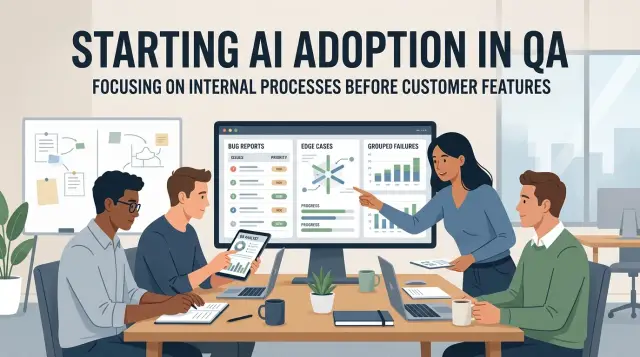
Table of Contents
Why product is the riskier place to start
Teams get nervous when AI touches something a customer can see. A weak internal draft is annoying. A bad answer in onboarding, support, search, or pricing can confuse users in seconds. People remember those mistakes, and they do not care that the model was still in a trial.
Live product work is messy. Users ask vague questions, skip steps, upload strange files, and change their minds halfway through a task. The model has to infer intent, stay accurate, and sound normal at the same time. That is a lot to ask from a new workflow.
The cost of a miss is higher than it looks. One wrong reply can create more support tickets. One invented feature can damage trust. One careless response can expose private data or send a user down the wrong path. For many teams, that feels like too much risk for an early experiment.
QA work is different. The inputs are usually tighter, and the results are easier to judge. A tester can give the model a bug report, a failed test, a stack trace, or a short feature description. Then the team can compare the output with something real. Did the model suggest useful edge cases? Did it rewrite the bug report without dropping facts? Did it group repeat failures that belong together?
That clear feedback loop makes QA a safer starting point. Internal tasks give teams room to learn how a model behaves before they expose it to customers. A person can review the output quickly, fix what is off, and move on. The model helps, but it does not get the final say.
A small SaaS team can feel the difference right away. If they let AI answer customer chats, every odd message is a new risk. If they use it to clean up bug reports from the last sprint, the job is smaller, cheaper, and easier to score. That is why AI adoption in QA often makes more sense than starting in the product itself.
Why QA is a better first test
QA already includes many tasks with a clear input and a clear output. A bug report has logs, steps, an expected result, and an actual result. A test case has a feature, a path, and a pass or fail check. That structure makes AI easier to use here than in product work, where one bad answer can reach customers fast.
A few QA jobs fit especially well:
- drafting edge cases from an existing user story
- rewriting rough bug notes into a clean report
- grouping similar failures from test runs or support tickets
- suggesting missing repro steps when a report is thin
Humans can review these outputs fast because the scope is small. A tester can scan a rewritten bug report in under a minute and see whether the steps still match the issue. The same goes for edge case generation. If the model suggests checking a blank field, a very long value, or an expired session, the team can judge the list almost immediately.
QA also gives teams faster ways to measure quality. They do not have to guess whether the model helped. They can track how many drafted bug reports needed heavy edits, how often generated test cases caught a real issue, or whether failure clustering reduced duplicate triage. Those signals show up in days, not months.
Mistakes cost less in QA too. If a model writes a weak test case, a tester fixes it before it affects anyone outside the team. If a model writes bad product copy or gives a wrong answer to a customer, trust drops fast. Internal QA work is a safer place to learn what the model does well and where it still needs a human check.
You also do not need a perfect setup on day one. One narrow workflow, one reviewer, and one simple scorecard are enough to start. If the model saves 15 minutes on bug cleanup and helps the team spot repeat failures sooner, the payoff is obvious by the end of the week.
Where AI helps in everyday QA work
Most teams do not need AI to run tests on day one. They get faster results when they use it on the messy writing and sorting work that slows QA down every week.
A short feature note is often enough for a model to suggest edge cases people forget. If a story says "users can update their billing address and save changes," the model can surface useful checks like empty fields, invalid formats, two tabs editing the same record, or a lost connection right after clicking save. Testers still decide what matters, but the model gives them a wider first draft in minutes.
AI for bug reports is another easy win. Testers often know what went wrong, but their first notes are rushed: "checkout froze after coupon." A model can turn that into a report another person can reproduce - app state, exact steps, expected result, actual result, and anything odd on screen. The facts already exist. The model just turns rough notes into a clearer defect summary.
This also helps when testers work from scraps. A screenshot, a few lines from chat, and a half finished note can become a cleaner ticket with plain language and less back and forth. That saves time for QA, developers, and support.
Failure clustering is the third strong use case. Logs, tickets, and failed test runs often describe the same problem in slightly different words. A model can group those into clusters so the team sees patterns sooner. Five "different" failures may all come from one timeout, one bad deploy, or one broken dependency. That cuts noise and helps teams stop fixing the same issue twice.
Give the model enough structure
The output gets better when QA gives the model a little shape. A short feature description helps. So do current test steps or rough notes, environment details like browser, device, and build, plus any error messages, logs, or screenshots.
This is still low risk work because the model is helping the team think and write more clearly before anything reaches customers. Teams can build prompts, review habits, and simple rules in a place where mistakes are easier to catch.
Start with one small workflow
Pick a task your QA team repeats every week and nobody enjoys doing by hand. Good first options are cleaning up bug reports, drafting likely edge cases from a short feature note, or grouping repeat failures from test runs. Boring work is a good pilot because you can measure it fast.
Keep the job narrow. If one prompt has to summarize logs, guess priority, write test cases, and tag the right team, it will fail in messy ways. Choose one output, one format, and one person who checks it.
Use real QA work from the last few weeks. Pull a small batch of tickets, maybe 20 to 30, with the usual mix of clear reports, vague notes, duplicates, and a few ugly cases. Perfect samples give false confidence. Real tickets show whether the prompt can handle the mess your team actually deals with.
Write one prompt in plain language. Tell the model what it gets, what it should return, and what to avoid. Then test it on old tickets first. Historical tickets let you compare the model's draft with what the team already wrote, so you can judge the result without risking live work.
A simple process is enough. Choose one repeated QA task, gather a small set of recent examples, run one prompt on old tickets, and ask one reviewer to score each result with a pass or fail. That reviewer should score two things: accuracy and usefulness. Did it get the facts right? Would this actually save time, or does someone still need to rewrite it?
Keep the workflow internal until the results stay steady. A few good outputs do not mean much. You want the model to stay reliable across different tickets, different reporters, and bad input. Teams that rush this part usually create more review work, which defeats the point.
One small win is enough. If the team can trust one internal QA task, the next experiment gets much easier.
A simple example from a small team
Imagine a small SaaS team with a backlog that keeps growing. Two testers, six developers, and one support person all send bug notes into the same queue. After a few busy weeks, they have 180 open items. Some are clear. Many are not. Quite a few say things like "save button broken again" or "user got stuck after checkout."
They do not start by putting AI in front of customers. They start inside QA, where the risk is lower and the work is repetitive. That is often the easiest kind of pilot to justify, because the team can measure the result in cleaner tickets and less duplicate work.
Their workflow is simple. When a tester finds a bug, they paste rough notes, console errors, and repro steps into a model. The model turns that messy draft into a short report with a useful title, expected result, actual result, and clearer steps.
A rough note like "paid user hit back, changed plan, app froze" becomes something a developer can act on. The rewritten report might say the user opened billing, switched plans, pressed the browser back button, and then saw the page stop responding. That version saves time because nobody has to guess what happened.
The team also uses the model on older tickets. Every morning, one tester drops 20 to 30 recent bug reports into the same prompt and asks the model to group repeats. It often catches patterns like checkout failures tied to one browser version, login issues caused by expired session tokens, dashboard freezes after large CSV uploads, or mobile layout bugs that all start on the pricing page.
The model does not decide what gets filed or closed. The team still checks a few things by hand before anything enters the tracker. Can someone reproduce it? Did the model merge two different bugs by mistake? Does the title match the real issue? Is the severity fair? Are screenshots or logs missing?
That human check matters most. Models are good at cleanup and grouping. They are not good enough to own the truth. For a small team with a growing backlog, that split works well: the model handles the messy first draft, and testers keep control of the final report.
Mistakes that slow teams down
Most teams do not get stuck on model quality. They get stuck on sloppy process. A decent model can help a lot, but only if you give it clean work and a narrow job.
The first problem is messy input. If one bug report has steps, logs, and browser version while the next one says only "login broken," the model has to guess. That guesswork lowers quality fast. A simple template fixes more than people expect: summary, steps to reproduce, expected result, actual result, environment, and any error text.
Another common mistake is asking the model to make final calls too early. Use it to draft edge cases, rewrite unclear bug reports, group similar failures, or suggest likely duplicates. Let a tester or engineer make the final judgment.
Teams also move too fast on automation. They skip human review after the first decent result and assume the workflow is ready. Then the model quietly mislabels bugs, merges unrelated issues, or drops a detail that mattered. At the start, someone should review every output. That sounds slow, but it is much faster than cleaning up a week of bad triage.
Prompt churn causes another kind of damage. One person tweaks the prompt on Monday, another rewrites it on Wednesday, and by Friday nobody knows why the results changed. Keep one working prompt, version it, and test changes on the same sample set. Small teams often skip this step, then wonder why quality moves up and down.
Privacy mistakes can end the whole effort. Bug data often includes customer names, emails, internal paths, screenshots, tokens, or payment details. If you send that raw material into a model without rules, you create a legal and trust problem, not a QA improvement. Mask sensitive fields. Crop screenshots. Strip secrets from logs before anything leaves your system.
A good default is simple: use a fixed bug report template, ask the model for drafts instead of decisions, review every output at the start, track prompt versions, and remove private data before upload.
Teams that follow these basics usually see progress in days. Teams that ignore them often blame the model for problems they created themselves.
Before you scale
A pilot can feel successful long before it is ready to spread. Scale it only when it saves time every week and fails in ways your team can catch quickly.
That is especially true with safe AI rollout inside QA. A small win in one corner of testing is useful. A messy rollout across the whole team usually creates more review work than it removes.
Use a short checklist and be strict about it:
- Track real time saved, not good vibes. If a model drafts edge cases in 30 seconds but a tester spends 10 minutes fixing them, you did not save time.
- Make sure bad answers are easy to spot. Testers should catch weak bug rewrites or fake edge cases in seconds.
- Compare failure clustering with human judgment on the same sample. If the model mixes two root causes into one bucket, triage gets noisy fast.
- Keep prompts short and steady. Giant rule sheets drift and become annoying to maintain.
- Keep private data out. If the workflow needs raw sensitive data to work, stop and redesign it.
A small team can test all of this in a week. Pick one workflow, review 20 or 30 outputs, and write down where the model helped and where it wasted time. If two testers reach the same verdict on quality, that is a good sign.
When those checks hold up for a few weeks, add one more QA task. If they do not, fix the weak spot first.
How to expand without creating a mess
Teams usually get into trouble when they jump from one useful AI task to five half managed ones. A cleaner move is to add one nearby task after the first one works. If a model already drafts edge cases well, the next step might be bug report cleanup or repeat failure grouping, not a brand new product feature.
That approach keeps the people, inputs, and review habits mostly the same. In QA, that matters more than novelty. You want the second task to feel like an extension of the first, not a fresh project with new risks.
You do not need a big dashboard at the start. A shared sheet with a few numbers is enough: how many items the team processed, how much time they spent before and after AI help, how often a reviewer corrected the output, and how often the model missed something important.
After a week or two, patterns show up quickly. If the team saves 20 minutes a day but fixes every third result, there is still work to do. If time drops and the error rate stays low, you can expand with some confidence.
Some jobs should stay rule based. Keep rules for checks with fixed logic, like required bug fields, exact error code matching, or severity rules tied to clear thresholds. Use models where language gets messy: rewriting vague bug reports, drafting repro steps from rough notes, or clustering failures that look different but share the same cause.
Write down who reviews output and when they step in. This sounds basic, but many teams skip it and end up arguing later. A short note can cover most of it: QA reviews every AI written bug summary, a lead checks clustered failures before they go to engineering, and any low confidence result goes back to a human.
That kind of split is practical. It keeps the fast parts fast and leaves humans in control where judgment still matters.
What to do next
QA is a smart place to start when your team already logs bugs, runs repeatable tests, and spends too much time on triage. If testers keep rewriting reports, filling in missing repro steps, or spotting the same failure across many tickets, AI can save time without touching customer facing features.
It is a poor first step when the QA process is still messy. If bug reports are inconsistent, test cases live in people's heads, or nobody owns triage, a model will mostly add noise. Clean up the process first. Then use AI on the repetitive parts.
For many teams, the best move is a short internal trial. One tester and one developer are enough for a week or two. Pick one narrow task and measure it instead of trying to change the whole team at once. Ask the model to draft edge cases for one feature, rephrase bug reports into one format, or group repeat failures from the last 50 tickets. Then track time saved and how often the team edits the output.
Let the tester review every result. Ask the developer a simple question: did this save time or reduce back and forth? You do not need a new platform or a long planning cycle. A shared prompt, a small sample, and a basic scorecard will tell you a lot.
If you want an outside view, Oleg Sotnikov at oleg.is works with startups and smaller companies on practical AI rollouts, Fractional CTO work, and engineering systems. That kind of help is useful when a team wants to test AI in QA without turning a small pilot into a bigger process problem.
Do one thing this week. Pick one feature that had recent bugs, gather 20 old tickets, and run one prompt against them for edge case generation, cleaner bug reports, or failure clustering. If that small test saves even 15 to 20 minutes a day, you have something real to build on.


